Top 10 Best Screen Recording Softwares In The World 2026

Table of Contents
Screen recording has moved from a niche utility to a core workflow tool for professionals across every industry. Whether you are building software documentation, creating training content, recording gameplay, or sending asynchronous video messages to your team, the right tool can save hours of work. The market in 2026 offers more choice than ever, from free open-source powerhouses to AI-driven editors that let you cut video by editing text. We evaluated dozens of applications based on feature depth, output quality, pricing, ease of use, and real-world user feedback to identify the top 10 screen recording software options available right now.
How We Made Our Picks
Our evaluation weighed several factors to determine these rankings. We prioritized recording quality, including maximum resolution and frame rate support, along with hardware acceleration for modern GPUs. We assessed each tool's editing capabilities, from basic trimming to multi-track timelines and AI features. Pricing models were compared, considering both free tiers and paid plans relative to value. User sentiment from verified reviews on platforms like G2, Capterra, and Reddit informed our understanding of real-world reliability. We also considered platform availability, export formats, and the overall learning curve for new users.
These Are The Top 10 Best Screen Recording Softwares In 2026:
1. OBS Studio
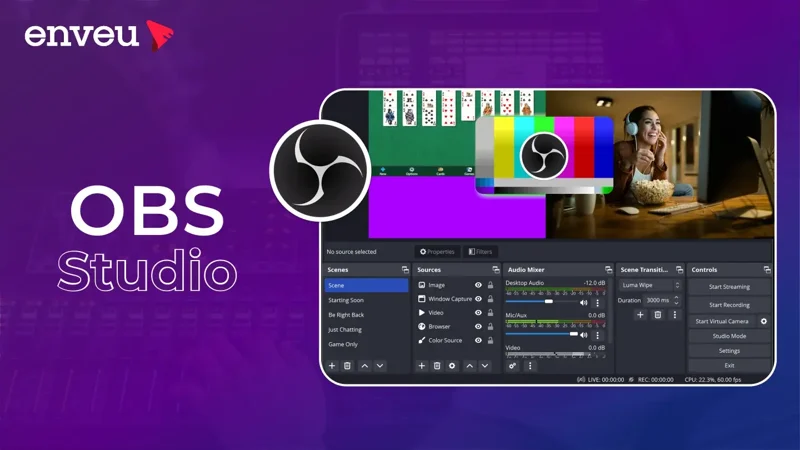
OBS Studio remains the undisputed champion of free screen recording and live streaming. It is completely open-source, carries no watermarks, imposes no time limits, and supports resolutions up to 4K at 60 frames per second. The 2026 release added AV1 hardware encoding support for NVIDIA 40-series and AMD 7000-series GPUs, which delivers studio-quality output at dramatically lower bitrates. Users can record up to 8 independent audio tracks simultaneously, apply real-time filters including noise suppression and chroma key, and build complex scene compositions for professional workflows.
The trade-off is real. OBS has a steep learning curve compared to consumer-focused alternatives. New users often spend hours configuring settings before achieving optimal quality. It also lacks a built-in video editor, requiring separate software for trimming, transitions, and effects. For streamers, content creators, and power users who need maximum control at zero cost, however, nothing else comes close. According to our analysis, OBS Studio's unmatched feature set and active open-source development make it the most powerful and accessible screen recording option in the world.
2. Camtasia
TechSmith's Camtasia combines a screen recorder with a professional video editor in a single application, making it the most complete all-in-one solution for polished video production. It costs $249.99 as a one-time purchase and holds a strong 4.5 out of 5 rating on G2. Users can record screen, webcam, and audio simultaneously, then edit using a multi-track timeline with transitions, animations, callouts, cursor effects, and interactive quizzes. The software supports separate editing of video, audio, and cursor tracks, plus automated captioning and zoom or pan effects.
Camtasia is particularly well-suited for educators, trainers, and professional content creators who need polished output without juggling multiple applications. The main drawbacks are performance degradation on large projects and the absence of a dedicated screenshot feature. For users who want a single tool that can handle recording and sophisticated editing from start to finish, Camtasia remains a benchmark product.
3. Screen Studio
Screen Studio has carved out a loyal following among developers and product teams who need professional-looking screen recordings with minimal effort. Priced at $89 per year, it exports at 60 frames per second in 4K resolution. The software automatically adds smooth cursor movement and hides the cursor when it is idle. It provides granular control over backgrounds, webcam overlays, and zoom effects that follow mouse movement. A standout feature is the ability to save editing settings as named presets for reuse across multiple videos, ensuring consistent branding.
Screen Studio eliminates much of the manual post-production work required by other tools. The automatic zoom and cursor effects produce cinematic product demos and tutorials quickly. The app lacks a free tier and has no cloud sharing capabilities, which limits its appeal for casual users. For teams that regularly produce polished software demonstrations, however, Screen Studio offers the best balance of speed and quality.
4. Loom
Loom became the industry standard for asynchronous team communication by making video sharing as simple as sending a link. The free tier allows 25 videos of up to 5 minutes each. The Business tier costs $15 per month when billed annually, and the Business+AI tier runs $20 per month. Users can record and share videos instantly across desktop and mobile platforms, with viewer analytics showing who watched and for how long. Paid plans include custom branding and AI features like filler word removal and auto-generated titles.
Since Atlassian acquired Loom in October 2023, user sentiment has shifted. Reports on forums and review sites describe increased bloat, frequent crashes, and aggressive upselling to higher-priced AI tiers. The free tier includes a watermark and the 5-minute recording limit can feel restrictive. Despite these issues, Loom remains the most widely adopted tool for rapid video sharing in corporate environments. Its simplicity and integration with popular productivity tools keep it relevant, though competition is narrowing the gap.
5. Descript
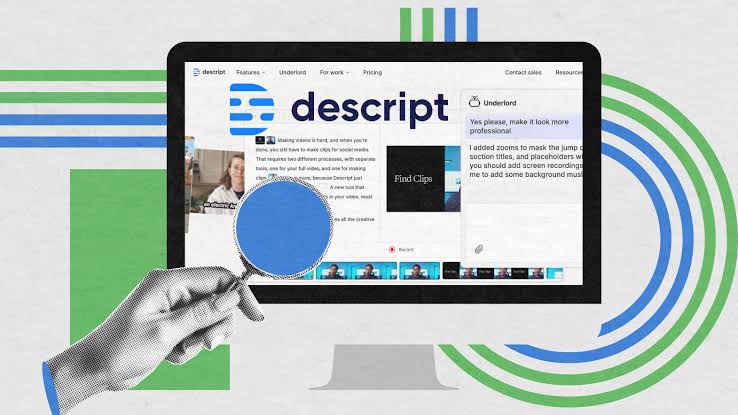
Descript takes a fundamentally different approach to screen recording by treating video as text. The software combines screen recording with AI-powered transcription and text-based video editing. Users can edit their video by simply deleting words in the transcript, and the corresponding footage is removed automatically. The free plan allows up to one hour of recording or transcription per month, with paid plans starting at $24 per month.
Additional features include automatic transcription, filler word removal, AI voice cloning, and screen recording with webcam overlay. For podcasters and content creators who prioritize editing efficiency, Descript is revolutionary. The ability to remove mistakes by editing the transcript rather than scrubbing through a timeline saves enormous time. The free plan's one-hour monthly limit is restrictive for heavy users, but the core value proposition of editing video through text remains unmatched by traditional recording tools.
6. Tella
Tella targets creators who want stylish, bite-sized videos without the complexity of professional editing software. It is web-based with a modern, aesthetically pleasing interface. Users can record screen and camera, then rearrange clips, add transitions, and choose background styles and color themes. The 2026 improvements include AI-assisted trimming, script suggestions, pacing recommendations, and enhanced team workspaces.
Tella is particularly popular among designers, startups, and educators who need clean, social-friendly videos. It offers a 20 percent discount for 3 months on annual plans. The tool is not ideal for long tutorials or advanced multi-track editing, but it excels at producing polished product demos and explainer videos with minimal learning curve. For teams that value visual polish and speed over raw editing power, Tella delivers an excellent experience.
7. Snagit
TechSmith's Snagit has been the go-to screenshot tool for professionals for over two decades. It offers scrolling capture, panoramic capture, and extensive annotation tools that make it indispensable for technical documentation. The screen recording capabilities are solid but feel like an add-on rather than a primary feature. Snagit lacks advanced video features like auto-zoom or multi-track editing found in dedicated recording tools.
Snagit transitioned to a subscription-only model in 2025, costing $39 per year. This pricing is reasonable for users who need both screenshots and basic recording, but it feels expensive if video recording is the primary need. For professionals who spend most of their time capturing and annotating still images and occasionally need short recordings, Snagit remains the best hybrid tool available.
8. Bandicam
Bandicam specializes in high-performance game recording and tutorial creation. It starts at $33.26 per year with a free trial available, and holds a 4.5 out of 5 score for game recording performance. The software supports screen recording, game recording, and device recording with real-time drawing, webcam overlays, mouse effects, and up to 4K resolution. It is optimized for capturing DirectX and OpenGL games with minimal performance impact.
Gamers and tutorial creators who need high frame rates and low lag will find Bandicam well-suited to their needs. The hardware acceleration and real-time annotations add significant value for this audience. The software lacks advanced editing tools and does not support full-screen game recording in some configurations, but for its core use case of high-performance capture, Bandicam delivers reliable results.
9. ScreenPal
ScreenPal offers a user-friendly screen recorder with a built-in video editor for trimming, adding text, and including music from its stock library. It supports narration addition, web embedding, and direct sharing to popular cloud platforms including Vimeo, Google Drive, and Dropbox. The paid tier costs just $2.99 per month, making it the most affordable option on this list with solid editing capabilities.
The free version has time limits, but the paid plans are among the most budget-friendly available. ScreenPal is particularly well-suited for educators and business users who need simple, reliable recording without advanced features. It holds a 4.3 out of 5 rating and offers a straightforward experience that avoids the complexity of more powerful tools. For teams on tight budgets, ScreenPal delivers excellent value.
10. Awesome Screenshot
Awesome Screenshot is a browser extension that has been available for over 10 years, serving more than 3 million users. It offers screen recording and screenshot capture directly from the browser. The extension can record the entire computer screen, not just browser windows, with webcam overlay. Video editing tools are currently in beta. For screenshots, it captures visible area, full page, or selection with annotations, blurring, callouts, and image overlays.
The free version is generous with 100 screenshots, and the Professional plan costs $6 per month when billed annually. The video recording lacks advanced features like auto-zoom or multi-track editing, but for quick captures and basic recordings, Awesome Screenshot provides a no-installation-required solution that works well for casual users. Its large user base and long track record make it a reliable choice for simple screen capture needs.
The best screen recording software depends entirely on your specific needs. OBS Studio remains the gold standard for users who want maximum power at zero cost and are willing to invest time in learning the interface. Camtasia is the best choice for professionals who need an all-in-one recording and editing solution. Screen Studio excels for product teams that produce polished demos regularly. Loom works well for rapid team communication despite recent quality concerns. Descript is revolutionary for anyone who edits video frequently and wants to work through text.
For gamers, Bandicam offers specialized performance that general-purpose tools cannot match. Tella and ScreenPal serve users who prioritize simplicity and affordability. Snagit remains essential for documentation-heavy workflows, and Awesome Screenshot is the best free browser-based option for quick captures. The screen recording market in 2026 is mature and diverse, with excellent options available at every price point and skill level.
Related Posts

0 Comments
Join the discussion and share your thoughts
No Comments Yet
Be the first to share your thoughts on this article!