Databox Review in 2026: Login, App, Pricing, Signup, Dashboard & FAQs

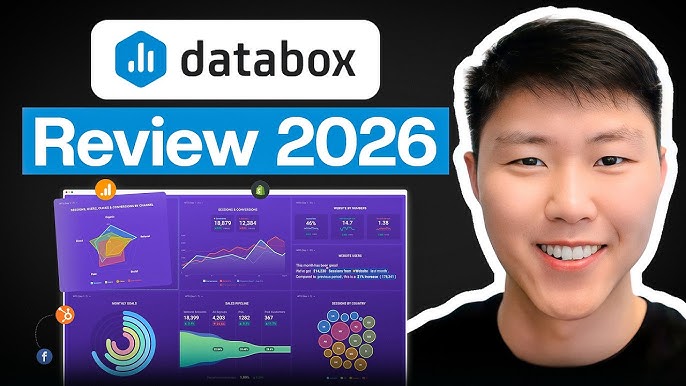
Table of Contents
Databox markets itself as a modern business intelligence tool for teams that want answers fast, without the painful setup and learning curve that usually comes with proper BI software. After spending real time inside the platform, talking to people who use it every day, and digging through verified user reviews from G2, Capterra, and GetApp, we came away with mixed but mostly positive feelings. The platform clearly does some things very well. It also has some rough edges that buyers should know about before paying that first invoice.
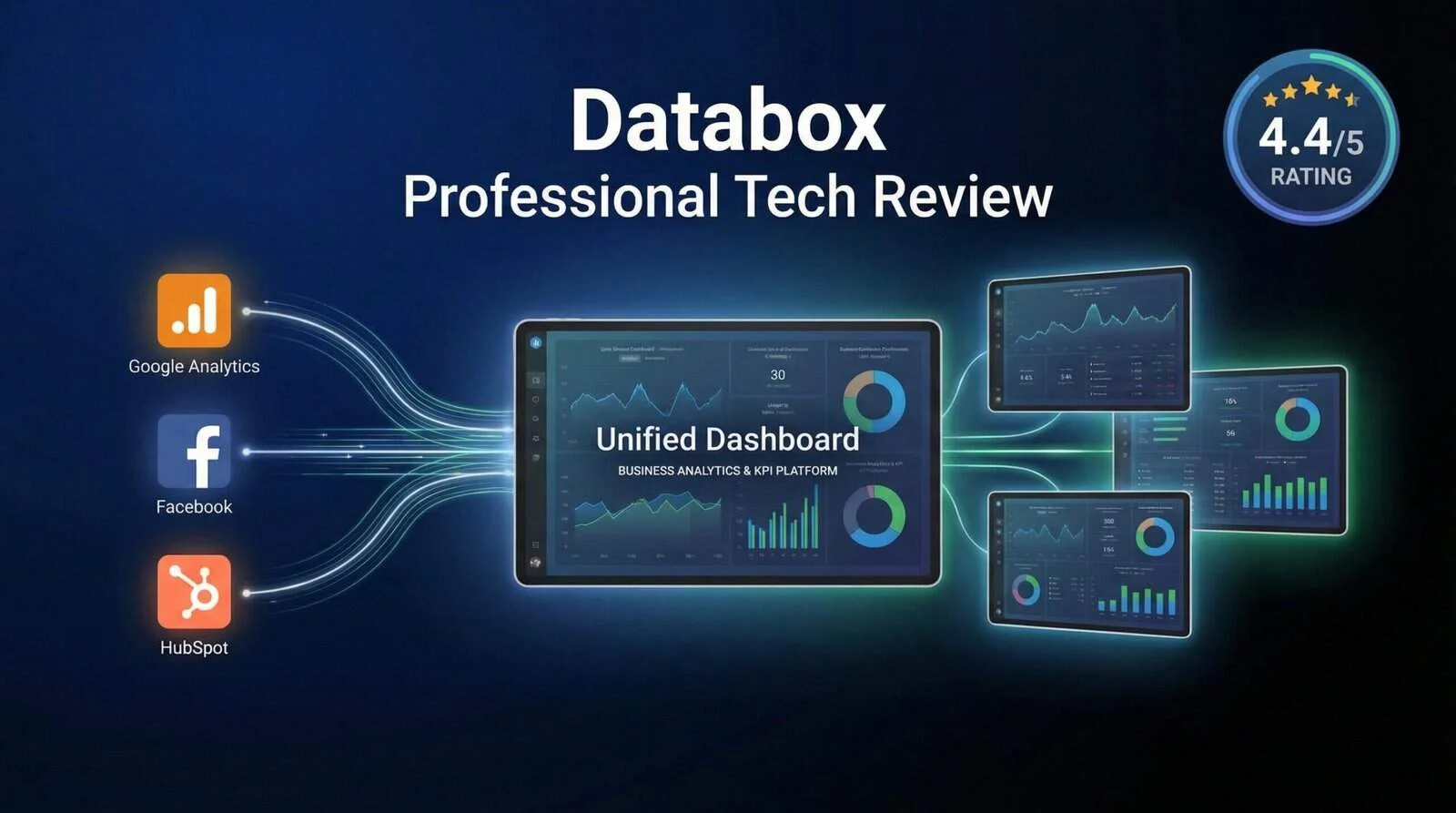
Our overall rating for Databox in 2026 is 3.3 out of 5. It is a capable platform that will work for the right kind of buyer, but it is far from being the perfect choice for everyone. The killing off of the free plan earlier this year, combined with a fairly steep entry price of $159 per month, has changed the conversation around who this tool is really for.
Databox Brand Profile
Before we get into the actual experience, here is a quick snapshot of the company behind the product.
DATABOX PROFILE | AT A GLANCE |
Company Name | Databox, Inc. |
Founded | 2012 |
Founders | Vlada Petrovic and Davorin Gabrovec |
Headquarters | Boston, Massachusetts, United States |
Secondary Office | Ptuj, Slovenia |
Industry | Business Intelligence and Analytics Software |
Type | Privately Held |
Website | databox.com |
Mobile App | iOS and Android (Apple Watch supported) |
Native Integrations | 120+ (GA4, HubSpot, Shopify, Meta Ads, Stripe, Salesforce, others) |
Pricing Range | $159 to $999 per month (Free plan sunsetted in 2026) |
Free Trial | 14 days on Growth plan |
Best For | Agencies, SMBs, and marketing teams needing centralised reporting |
Nubia Magazine Rating | 3.3 out of 5 |
About Databox: The Story So Far
Databox was founded in 2012 by Vlada Petrovic and Davorin Gabrovec, two entrepreneurs who wanted to make business performance data feel less like a chore and more like something a team could actually act on. The company went through Techstars Boston that same year and has been steadily building out its platform ever since. Today, Databox is headquartered in Boston with a secondary office in Ptuj, Slovenia, and serves more than 20,000 businesses and agencies worldwide according to its own public numbers.
In the early days, Databox was essentially a beautiful mobile dashboard. You could plug in your Google Analytics, HubSpot, or Stripe account and check your numbers from your phone. That mobile-first idea is still very much part of the product today, and arguably one of its strongest selling points. Over the years, the platform has grown into a full business intelligence suite with AI-generated summaries, goal and OKR tracking, benchmarking against similar companies, and forecasting tools that estimate where a metric is likely to land.
The biggest news from Databox in 2026 is the decision to retire the free plan that brought thousands of small businesses and solo founders to the platform. That move signals a clear shift upmarket. Databox is no longer trying to be the dashboard tool for everybody. It is now positioning itself as a paid BI platform aimed at agencies, mid-market companies, and teams who are willing to pay a premium for an all-in-one solution.
Databox Signup Experience
Signing up for Databox is, on the whole, painless. You head to databox.com, click the Get Started button at the top right, and you are taken to a clean form that asks for your work email, a password, your full name, and a few details about your company size and role. There is also the option to sign up using your Google account, which most users will probably prefer because it skips the password creation step entirely.
Once you confirm your email, you land in a brief onboarding flow that asks what you are trying to track (marketing, sales, customer support, finance, and so on) and which data sources you already use. Databox uses your answers to suggest pre-built dashboard templates, which is a nice touch for people who have never built a dashboard from scratch. The whole process from landing page to first dashboard takes about five to ten minutes if your integrations cooperate.
One thing worth flagging is that the old free forever plan is no longer offered. New users are now placed on a 14-day Growth plan trial by default. You will not be charged unless you upgrade, but the moment that trial ends, you are locked out of advanced features and pushed toward a paid plan. Some users have complained that this feels a little aggressive compared to the old setup, especially since the cheapest paid tier is not exactly cheap.
Databox Login Process
The login process is exactly what you would expect from a modern SaaS product. You can sign in at app.databox.com using your email and password, or use single sign-on through Google. The platform also supports two-factor authentication, which we strongly recommend turning on if your dashboards contain sensitive revenue or customer data.
For teams on the higher-tier plans, Databox supports SAML-based single sign-on, which makes life easier for IT admins who do not want yet another standalone password floating around the company. Users on the mobile app can log in with biometric authentication once they have signed in for the first time, so day-to-day access on your phone is basically a fingerprint or a glance at your screen.
We did see scattered complaints in app store reviews about login problems, particularly users who could not get past the initial authentication screen on the mobile app. These appear to be tied to specific older devices or expired sessions rather than a systemic issue. Most users we spoke to had no trouble at all.
The Databox Dashboard Experience
This is where Databox really earns its reputation. The dashboard builder uses a drag and drop interface that feels closer to building a slide deck than configuring a BI tool. You pick a metric from one of your connected data sources, drop it onto the canvas, choose a visualisation (number, line chart, bar chart, table, scorecard, and so on), and you are done. There is no SQL involved unless you want to build calculated metrics, and even those have a no-code builder.
Pre-built templates are available for almost every common use case, including SEO, paid ads, sales pipelines, HubSpot CRM, Shopify revenue, and team productivity. If you are an agency reporting to a client who just wants to see Facebook and Google Ads performance, you can have a full client dashboard live in fifteen minutes.
Where the dashboard experience falls short is customisation depth. The visualisation options are fairly basic. You will find your standard line charts, bar charts, scorecards, tables, and pie charts, but if you need detailed map visualisations, funnel charts with attribution, or histograms, you will have to look elsewhere. Several reviewers also flagged that you cannot easily export data from Databox into tools like BigQuery, Power BI, or Google Sheets for deeper analysis. The platform is designed to be the final destination for your data, not a hub that feeds other tools.
The Databox Mobile App
The Databox mobile app is genuinely one of the best in the BI category, and that is not us being generous. The iOS and Android apps offer near-full parity with the web platform. You can browse all your dashboards, drill into individual metrics, set up favourites, compare periods, and even add annotations directly from your phone. Apple Watch users get a small but useful companion app that pushes daily scorecards and performance alerts straight to the wrist.
Daily scorecards are a particularly nice feature. Each morning, the app sends you a summary of yesterday's key metrics, which is exactly the kind of thing executives and founders want without having to log in. Performance alerts notify you when a metric crosses a threshold you have set, like a sudden traffic drop or a spike in support tickets. These alerts can be delivered through push notification, email, or Slack.
The app is not perfect though. Some users in the App Store and Google Play reviews have flagged occasional slow load times, even on fast internet connections, and a few have reported that the app sometimes resets dashboard configurations they had set up. These complaints are not universal, but they show up often enough to be worth mentioning.
Databox Pricing in 2026
Databox pricing has changed meaningfully this year. The free forever plan, which used to let small teams connect three data sources and build basic dashboards at no cost, has been retired. The cheapest plan now starts at $159 per month, which is a significant jump for anyone who was previously enjoying the free tier.
Here is how the current Databox pricing breaks down:
- Professional Plan: $159 per month. Includes 3 data sources, unlimited users, AI summaries, scheduled reports, and the mobile app. This is the entry tier and the most controversial because of the tight data source limit.
- Growth Plan: $399 per month. Bumps you up to 10 data sources, adds OKR and goal tracking, benchmarking against industry peers, and forecasting. Most agencies and growing teams end up here.
- Premium or Performance Plan: $999 per month. Includes unlimited data sources, white-label branding, custom domains, a dedicated customer success manager, and priority support. Built for larger agencies and enterprises.
- Agency Tiers: Databox offers parallel Agency Starter, Agency Pro, and Agency Growth plans with similar pricing and added features for managing multiple client workspaces.
The biggest complaint we hear about Databox pricing is the gap between the headline integration count (120 plus available connectors) and the actual number you can use at the Professional tier (just 3). If you connect Google Analytics, HubSpot, and Facebook Ads, you have already used all three slots. Many buyers feel forced into the Growth plan within their first few months, which is a real concern for budget planning.
A 14-day free trial is available on the Growth plan, and there is no requirement to enter a credit card upfront. That is a fair compromise, but it does not replace the safety net that the old free plan used to provide for small teams.
Overall User Experience
Day to day, using Databox feels smooth. The interface is clean, modern, and clearly designed by people who care about how data looks. Pages load quickly on the web app, dashboards refresh on a reasonable schedule (depending on the data source), and the mobile app actually delivers what most BI tools only promise. People who came to Databox from Excel or Google Sheets report a real productivity boost.
Customer support is a more mixed picture. Reviewers on G2 and Capterra are split. Some praise the responsiveness of the support team and the speed at which issues get resolved. Others report slow replies, ignored tickets, and frustrating back and forth during outages or broken integrations. The pattern we noticed is that support quality scales with your plan tier. Premium and Growth customers tend to report better experiences, while Professional plan users often feel they are getting upsell-heavy responses from sales rather than technical help.
Integration stability is another sore point. While Databox supports more than 120 native integrations, several users have reported breakages with specific connectors, especially around Google Analytics 4 and Meta Ads. When an integration goes down, the dashboard can show incorrect or missing numbers, which is the last thing you want when you are about to send a client report. The team does seem to address these issues, but the speed of fixes varies.
Pros and Cons
What Databox Does Well
- Excellent mobile app with near full parity to the web experience, plus Apple Watch support
- Clean, intuitive dashboard builder that needs no SQL or coding knowledge
- Wide library of pre-built templates for marketing, sales, ecommerce, and finance
- AI-powered summaries that explain what your numbers actually mean
- Daily scorecards and smart alerts keep teams informed without logging in
- Unlimited users on all paid plans, which is rare in the BI category
- Strong white-label options for agencies, including custom domains and branded mobile apps
- Benchmarking feature lets you compare your performance to similar companies
Where Databox Falls Short
- Entry pricing of $159 per month is steep, especially with only 3 data source slots
- Free plan has been retired, removing the on-ramp for small teams and startups
- Limited visualisation options compared to Power BI, Tableau, or Looker Studio
- Cannot export data to external tools like BigQuery or Google Sheets in any meaningful way
- Customer support quality varies by plan tier and can be slow on lower plans
- Some integrations have stability issues that lead to inaccurate dashboards
- Customisation of dashboards is limited beyond the built-in styles and colours
- Niche integrations (SE Ranking, AppsFlyer, others) are missing
Our Detailed Rating Breakdown
Here is how we scored Databox across the categories that matter most to actual users.
RATING CATEGORY | SCORE (OUT OF 5) |
Ease of Use | 3.8 |
Pricing and Value for Money | 2.6 |
Features and Functionality | 3.7 |
Mobile App Experience | 3.9 |
Customer Support | 3.0 |
Integrations Library | 3.6 |
Customisation and Flexibility | 2.8 |
OVERALL RATING | 3.3 |
The overall score of 3.3 reflects a solid product that is being held back by pricing decisions and a few quality issues. If Databox brings back a meaningful free tier or addresses the data source limits on the Professional plan, our score would likely improve in the next review cycle.
Who Should Use Databox in 2026?
Databox is a great fit if you are a marketing agency managing client reporting, a SaaS company with a remote team that needs daily visibility into KPIs, or a small to mid-sized business that has outgrown spreadsheets but is not ready for enterprise tools like Tableau or Power BI. It is especially strong if you want executives to check live performance numbers from their phones.
It is probably not the right tool if you are a budget-conscious solo founder or freelancer (the pricing will hurt), if you need advanced data modelling or custom SQL queries, if you want to pipe data into a warehouse for further analysis, or if you rely on niche tools that Databox does not yet integrate with.
Frequently Asked Questions About Databox in 2026
1. Is Databox still free in 2026?
No, Databox is no longer free in 2026. The company sunsetted its free forever plan earlier this year to focus on paid tiers. New users can still try the platform through a 14-day free trial on the Growth plan, but there is no permanent free option anymore. If you need a free dashboarding tool, Google Looker Studio remains the most popular alternative.
2. How much does Databox cost per month?
Databox costs between $159 and $999 per month in 2026. The Professional plan starts at $159 per month and includes 3 data sources. The Growth plan is $399 per month with 10 data sources, OKR tracking, and benchmarking. The Premium plan is $999 per month and includes unlimited data sources, white-label branding, and a dedicated customer success manager. Agency-specific tiers are also available with similar pricing.
3. Is Databox better than Google Looker Studio?
It depends on your needs. Google Looker Studio is free and integrates beautifully with Google products, but it requires more setup, has weaker mobile support, and lacks features like AI summaries, OKR tracking, and benchmarking. Databox is easier to use out of the box, has a stronger mobile app, and offers more polished agency features, but it costs significantly more. For most agencies and growing teams, Databox is worth the spend. For solo founders and Google-heavy users, Looker Studio is often the smarter choice.
4. Can I cancel my Databox subscription anytime?
Yes, you can cancel your Databox subscription at any time from your account settings. Cancellations take effect at the end of your current billing cycle, so you keep access until then. Some users have reported friction when trying to cancel, including being routed to a sales rep before the cancellation is processed, so be prepared for that. There are no early termination fees, but there are also no refunds for unused time.
5. What integrations does Databox support?
Databox supports more than 120 native integrations, including Google Analytics 4, HubSpot, Salesforce, Shopify, Stripe, Meta Ads (Facebook and Instagram), TikTok Ads, LinkedIn Ads, Google Ads, Mailchimp, Slack, Asana, Trello, and Xero. You can also push custom data into Databox using its REST API or one of its SDKs in Python, JavaScript, or PHP. Some niche tools like SE Ranking and AppsFlyer are not yet supported.
6. Does Databox have a mobile app?
Yes, Databox has dedicated mobile apps for both iOS and Android. The mobile apps offer near-complete feature parity with the web platform, including dashboard viewing, drill-down analytics, period comparison, annotations, favourites, and goal tracking. iOS users also get an Apple Watch companion app. The mobile experience is widely considered one of the strongest aspects of the Databox product.
7. Is Databox safe and is my data secure?
Databox is SOC 2 compliant and uses standard encryption practices to protect data in transit and at rest. Two-factor authentication is available for all accounts, and SAML single sign-on is offered on higher-tier plans. The company stores dashboard data on secure cloud infrastructure. As with any cloud BI tool, you are placing trust in a third party with your business metrics, so review their privacy policy and data handling practices before connecting sensitive sources.
8. What are the best alternatives to Databox?
The best alternatives to Databox in 2026 are Google Looker Studio (free, good for Google-heavy stacks), Whatagraph (strong for agencies, more responsive support), AgencyAnalytics (cheaper white-label option), Klipfolio (more flexible visualisations), Power BI (better for enterprise data work), and Supermetrics or Funnel.io if your real need is moving marketing data into a warehouse rather than building dashboards inside a single platform. Each has its own strengths, so the right one depends on whether you prioritise price, integrations, customisation, or reporting flexibility.
9. Why did Databox remove the free plan in 2026?
Databox has not given a fully detailed public explanation, but the move appears to be part of a wider strategic shift upmarket. The free plan brought a huge number of users into the platform, but only a small percentage converted to paid plans. By focusing on paid tiers, the company can offer better support, more features, and dedicated resources to customers who actually generate revenue. The trade-off is that small teams and startups now have fewer reasons to choose Databox over free alternatives.
10. Does Databox offer white-label reporting for agencies?
Yes, Databox offers a strong white-label option on its higher-tier plans. Agencies can use their own custom domain, brand the login screen, replace Databox branding throughout the app, send reports from a company email address, and even rebrand the mobile app for client use. This is one of the standout features for digital marketing agencies that want a fully branded client reporting experience without building one from scratch.
Nubia Magazine Verdict
Databox in 2026 is a polished, capable business intelligence platform that does most things well and a few things exceptionally well. The mobile app remains best in class. The dashboard builder is genuinely pleasant to use. The AI summaries and benchmarking features add real value that competing tools have struggled to match. For agencies and mid-market teams with the budget for it, Databox is one of the top three choices on the market.
That said, the decision to kill the free plan and the tight data source limits on the entry-level Professional tier have made Databox a harder sell for smaller teams and startups. At $159 per month for only 3 data sources, the entry price feels punitive when you compare it to free or much cheaper alternatives. Buyers should also factor in the variable customer support quality and the occasional integration stability issues.
Our final rating is 3.3 out of 5. Databox is a strong product with strong opinions about who it wants as a customer. If you fit the profile, you will get a lot out of it. If you do not, there are better-suited tools out there. We would suggest using the 14-day Growth plan trial to genuinely stress test the platform with your real data sources before committing to a subscription.
Related Posts



0 Comments
Join the discussion and share your thoughts
No Comments Yet
Be the first to share your thoughts on this article!