Grammarly Review 2026: Download, Extension, Login, Free Plan, AI & FAQs

Table of Contents
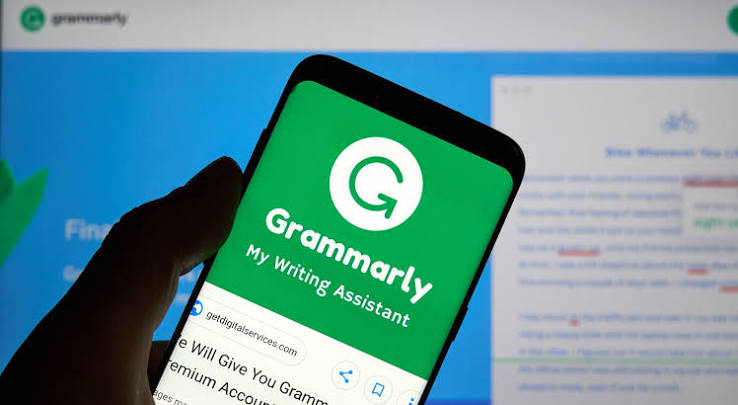
We put together this review the way we approach every product we cover at NUBIA MAGAZINE: by actually using the tool, then cross checking that experience against what real users are saying on review platforms, forums, and support threads. Grammarly is one of the most searched writing tools online, and 2026 has been an eventful year for the brand, with a company rebrand, a new AI assistant, and a fair share of user frustration mixed in with genuine praise. This piece walks through what Grammarly is today, how to download and log into it, what the free plan actually gives you, how its AI tools work, and what people are saying about the overall experience, before we land on our own rating.
Grammarly at a Glance
Company name | Superhuman (formerly Grammarly Inc.) |
Product name | Grammarly |
Founded | 2009 |
Founders | Alex Shevchenko, Max Lytvyn, Dmytro Lider |
Headquarters | San Francisco, California |
Category | AI writing assistant and grammar checker |
Platforms | Browser extension (Chrome, Edge, Safari, Firefox), Windows, Mac, iOS, Android, Microsoft Office, Google Docs |
Free plan | Yes, includes basic grammar, spelling, tone detection, and 100 AI prompts a month |
Pro plan price | $12/month billed annually, $20/month billed quarterly, $30/month billed monthly |
Enterprise plan | Custom pricing, quote on request |
Notable 2026 update | Company rebrand to Superhuman, launch of Superhuman Go AI agent |
Website | grammarly.com |
NUBIA MAGAZINE rating | 2.9 out of 5 |
What Changed at Grammarly in 2026
If you have used Grammarly before and feel like something is different lately, you are not imagining it. In late 2025, Grammarly's parent company renamed itself Superhuman, bringing Grammarly, the workspace tool Coda, and the email app Superhuman Mail under one roof. The Grammarly product you know, the grammar checker and writing assistant, kept its name and its familiar look. What changed underneath is the addition of an AI agent called Superhuman Go, built into the browser extension, along with a single login that now works across all three apps.
The rebrand also came with some bumps. In March 2026, Grammarly rolled out a feature called Expert Review that used AI to generate writing feedback and attributed it to real named writers who had not agreed to have their names used that way. Once it caught public attention, Grammarly removed the feature and issued an apology. It is a small footnote in the company's history, but it is one that shows up often enough in searches that it is worth mentioning plainly here.
Grammarly Download in 2026
Getting Grammarly onto your devices is still a simple process. You can grab it directly from grammarly.com, where the site detects your browser and offers the matching extension for Chrome, Edge, Firefox, or Safari. Desktop apps exist for both Windows and Mac, and there is a dedicated keyboard app for iOS and Android if you want suggestions while typing on your phone. There is also a Microsoft Word and Outlook add in for anyone who writes mostly inside Office rather than a browser.
One thing worth knowing before you install anything: Grammarly asks for fairly broad permissions once the browser extension is active, since it needs to read text fields across the sites you visit to check your writing. That is normal for a tool like this, but it is reasonable to turn it off on sites where you would rather not have it running, such as banking pages or anything with sensitive personal data.
The Grammarly Extension: What to Expect
The browser extension is where most people spend their time with Grammarly, and it is also where we found the most mixed feedback during our research. When it works well, it is unobtrusive: a small floating icon appears in text fields, suggestions show up as you type, and you can accept or dismiss them with a click. Support across everyday sites like Gmail, LinkedIn, and social media is generally solid.
The complaints cluster around a few specific spots. Several reviewers mentioned the extension losing its login session unexpectedly, which forces a re-login mid task. Others pointed to Google Docs as the weakest integration, with suggestions sometimes lagging behind or not appearing at all in longer documents. A smaller number of users described the suggestion popups as intrusive, especially when writing something short and casual where constant tone or clarity prompts feel like overkill.
- Strong on: Gmail, LinkedIn, social platforms, general web text fields
- Weaker on: Google Docs, some single page web apps
- Common fix for login drops: clear the browser cache or reinstall the extension
Logging Into Grammarly
Logging in works the standard way, through email and password or through a connected Google or Microsoft account. Since the Superhuman rebrand, your login now doubles as access to Coda and Superhuman Mail if you use those products too, which is convenient if you are already in that ecosystem and a bit confusing if you are not and suddenly see unfamiliar app names during setup.
If you get locked out, the forgot password flow on the login page sends a reset link to your registered email within a few minutes. Team and Enterprise accounts route through single sign on if your organization has that set up, so individual password resets may not apply in a work setting.
The Free Plan: How Much Do You Actually Get
Grammarly's free plan has always been one of its strongest selling points, and that has not changed in 2026. It covers core grammar, spelling, and punctuation checking, basic tone detection so you can see how your writing might come across, and conciseness suggestions. Free users also get a monthly allowance of AI prompts, currently around 100, which covers light use of the generative rewrite and reply features.
What stays behind the paywall is the plagiarism checker, full sentence rewrites at scale, expanded style guides, brand tone controls for teams, and the much larger AI prompt allowance that Pro users get. For students and casual writers who mainly need error catching, the free plan genuinely covers most day to day needs. Anyone who leans on the AI rewriting features regularly will likely burn through the free prompt limit within a few working days.
Grammarly's AI Features in 2026
Grammarly's generative AI tools now cover a lot more ground than the original grammar checker. You can ask it to rewrite full sentences or paragraphs, adjust tone up or down, shorten or expand a piece of text, draft replies to emails, and check for signs of AI generated writing in your own drafts. All of this activity draws from a monthly prompt allowance rather than being unlimited, so heavy users should keep an eye on how quickly they are using it up.
The newer addition is Superhuman Go, an AI agent layered into the browser extension that can pull in context from connected apps like Gmail, Google Calendar, and project tools such as Jira, aiming to help with tasks that go beyond pure writing, like drafting based on a meeting or pulling up related information while you work. It is a genuinely different direction for the product, and whether it is useful to you depends heavily on whether you already work across those connected apps or just want a clean grammar check without the extra layer.
Pricing Snapshot
Grammarly's Free plan remains at no cost. The Pro plan, which absorbed the old Premium and Business tiers into one offering for individuals and teams, runs $12 a month if you pay annually, roughly $20 a month on quarterly billing, or $30 a month if you pay month to month. Enterprise pricing is custom and requires contacting sales, aimed at larger organizations that need admin controls, audit logs, and dedicated support.
Pricing sentiment among users we came across is genuinely split. Daily writers who lean on the rewrite and tone tools tend to feel the annual Pro price earns itself back in time saved. Lighter or occasional users, including a number of students, have pushed back on the cost, particularly after a price increase that some described online as a steep jump compared to competitors offering similar grammar checking at a lower annual rate.
User Experience: What People Are Actually Saying
Across the review platforms and forums we looked at, the overall pattern is consistent. Grammarly earns strong praise for catching genuine writing mistakes, improving clarity, and helping non native English speakers write with more confidence. Several users specifically called out the synonym and rephrasing suggestions as more useful than they expected.
On the other side, the recurring frustrations are pricing, the browser extension's occasional instability, weaker performance inside Google Docs, and a smaller but vocal group of writers who feel that leaning on Grammarly too heavily can flatten a person's natural writing voice, especially in creative work. Mobile performance also comes up as less polished than the desktop and browser experience.
- Praised for: catching errors, improving clarity, helpful for non native English writers
- Criticized for: pricing increases, extension login drops, weaker Google Docs support
- Mixed opinions on: how much the AI rewriting features add for casual users
Our Rating: 2.9 out of 5
Weighing the accuracy of the core grammar checking against the rougher edges around pricing, extension reliability, and customer support experiences, NUBIA MAGAZINE lands on 2.9 out of 5 for Grammarly in 2026. It is a capable, well built writing aid with a genuinely useful free tier, but it falls short of a higher score because of the recurring extension issues, the steeper pricing for casual users, and this year's Expert Review misstep that dented some user trust.
Grammar and spelling accuracy | 3.8 / 5 |
AI writing and rewrite tools | 3.2 / 5 |
Browser extension stability | 2.4 / 5 |
Pricing and value for money | 2.3 / 5 |
Customer support | 2.6 / 5 |
Overall NUBIA MAGAZINE rating | 2.9 / 5 |
Nubia Magazine Verdict
Grammarly in 2026 is still one of the more dependable writing tools available, and the free plan alone is enough reason for most casual writers to have it installed. Where it gets less certain is for people who write occasionally and are weighing whether the Pro subscription is worth it, or anyone who has been burned by the extension logging them out mid task. If you write daily and lean on AI assisted rewriting, it is likely to earn its keep. If you mainly need the basics, the free plan will probably do the job on its own.
Frequently Asked Questions
1. Is Grammarly still called Grammarly in 2026?
Yes, mostly. The parent company changed its name to Superhuman in late 2025 after it folded in Coda and the Superhuman Mail app, but the writing tool itself still shows up as Grammarly on your browser toolbar, your phone, and your desktop app. If you see the name Superhuman anywhere in your billing emails or account settings, that is the parent brand, not a separate product you signed up for by accident.
2. Is Grammarly free to download and use?
Downloading Grammarly costs nothing, and the free plan is permanent, not a trial. It covers basic spelling, grammar, punctuation, and tone detection, plus a limited number of AI prompts each month. What it does not include is the plagiarism checker, full sentence rewrites, or the deeper style and brand tone controls, which sit behind the paid Pro plan.
3. Why does the Grammarly extension keep logging me out or freezing?
This is one of the most common complaints we found while researching this review. Users report that the Chrome and Edge extension occasionally loses its session and needs a manual re-login, and some say certain text fields, especially inside Google Docs, do not get picked up correctly. Reinstalling the extension or clearing the browser cache tends to fix it for most people, but it is a known rough edge rather than a one off bug.
4. How do I log into Grammarly if I forgot my password?
Head to the Grammarly login page, click the forgot password link, and enter the email tied to your account. You will get a reset link within a few minutes. Since the Superhuman rebrand, Grammarly, Coda, and Superhuman Mail now share one login identity, so if you also use those tools, resetting your password in one place should update access across all of them.
5. What is Superhuman Go and is it part of Grammarly now?
Superhuman Go is a newer AI assistant that sits inside the Grammarly browser extension and can pull context from apps like Gmail, Google Calendar, and Jira to help with tasks beyond straight proofreading. It rolled out gradually through 2026 and is included for paid users, though not everyone finds it necessary if all they want is a grammar check.
6. Does Grammarly's AI actually write content for you?
It can, to a degree. The generative features can draft replies, rewrite full sentences, adjust tone, and summarize text, and these count against a monthly AI prompt allowance rather than being unlimited. It is closer to an editing and rewriting assistant than a standalone content generator like a dedicated AI writing tool.
7. Is Grammarly worth the price in 2026?
It depends on how often you write. People who edit daily, in emails, reports, or long documents, tend to say the time saved on rewrites and tone checks justifies the monthly cost. Occasional or student users more often feel the free plan is enough, and some flagged that the jump to Pro pricing over the last year felt steep compared to competitors.
8. What happened with Grammarly's Expert Review feature?
In March 2026, Grammarly introduced a feature that attached the names of real, named writers to AI generated feedback without getting their permission first. It drew backlash once people noticed, and Grammarly pulled the feature and apologized shortly after. It is worth knowing about if you are researching the brand's more recent missteps.
9. Can I use Grammarly on mobile?
Yes, there are apps for iOS and Android, plus a keyboard you can enable system wide so suggestions follow you into messaging apps, social media, and email on your phone. Mobile performance gets mixed feedback, with some users saying it is less consistent than the desktop or browser version.
10. Does Grammarly work inside Microsoft Word and Google Docs?
It works in both, though the depth of the integration differs. The Microsoft Word add in tends to get fewer complaints, while several reviewers we came across during our research mentioned that Google Docs support feels weaker and occasionally misses suggestions that the browser extension would normally catch elsewhere.
Related Posts

1 Comment
Join the discussion and share your thoughts