ClickUp Review 2026 Pricing, Download, Login, App, Signup & FAQs

Table of Contents
ClickUp has spent years marketing itself as the one app to replace them all. It wants to hold your tasks, your docs, your chats, your goals and your dashboards under a single roof. That is a big promise, and in 2026 it is still one of the most talked about names in project management software. We spent weeks going through ClickUp's pricing pages, its app on desktop and mobile, real user reviews on Trustpilot and Capterra, and its own product changes this year to put together this review for Nubia Magazine readers who keep asking us the same questions: is it worth paying for, is the app any good, and how do you even sign up or log in without getting lost in the settings menu.
What Is ClickUp
ClickUp is a cloud based work platform built to bring tasks, documents, spreadsheets, goals, time tracking and team chat into one workspace. It launched in San Diego in 2017 after founders Zeb Evans and Alex Yurkowski got tired of switching between a dozen different tools just to run their own team. Today the company says it serves more than 10 million users across upwards of two million teams, and it counts large organisations such as Netflix, Nike and IBM among its customers.
The pitch has not changed much over the years. ClickUp wants to be the last app a business installs. What has changed is how much the platform now leans on artificial intelligence, with features like ClickUp Brain and the newer Brain MAX assistant sitting at the centre of its 2026 roadmap.
ClickUp Company Profile
Full name | ClickUp |
Founded | 2017, in San Diego, California |
Founders | Zeb Evans (CEO) and Alex Yurkowski (CTO) |
Headquarters | 350 Tenth Avenue, San Diego, California, United States |
Company type | Private, venture backed |
Valuation | Roughly 4 billion dollars as of its last funding round |
Category | Project management and productivity software |
Users | Over 10 million users across more than 2 million teams |
Notable customers | Netflix, Nike, IBM, Samsung and Google teams |
Platforms | Web app, Windows, Mac, Linux, iOS, Android, Chrome extension |
Website | clickup.com |
Our rating | 3.0 out of 5 |
ClickUp Pricing in 2026
ClickUp still runs on a per seat, per month model, and the headline numbers have not moved much this year. There are four core plans, and every member of a workspace has to sit on the same plan, so you cannot mix a Free user with a Business user on one team.
Plan | Price (billed yearly) | Best for | What you get |
Free Forever | $0 per member | Freelancers and very small teams | Unlimited tasks and members, 100MB storage, collaborative docs, basic boards |
Unlimited | $7 per member/month | Small and growing teams | Unlimited storage, unlimited integrations, dashboards, Gantt charts, guest access |
Business | $12 per member/month | Mid sized teams that need reporting | Everything in Unlimited plus private docs, sprint reporting, advanced automation, all dashboard views |
Enterprise | Custom pricing | Large organisations | White labelling, enterprise level security, dedicated support, advanced permissions |
A few things are worth flagging before you commit a card number. First, the AI layer is sold separately from the workspace plan. ClickUp Brain starts at around $9 per member per month and a fuller Brain MAX bundle runs closer to $28 to $40 per member, so a Business plan user chasing every AI feature can end up paying two to three times the sticker price. Second, monthly billing costs noticeably more than annual billing, often 30 to 40 percent higher per seat. Third, a number of Trustpilot reviewers this year described being upgraded to a paid tier the moment they added a single outside collaborator or client as a guest, without a clear warning beforehand. That is worth checking carefully in your workspace settings if you plan to invite clients or contractors.
Teams with 50 or more seats can often negotiate a lower rate than the published price, particularly on annual or multi year contracts, so it is reasonable to ask ClickUp's sales team for a better number before you sign anything at list price.
How to Download ClickUp
ClickUp works as a browser based app first, so technically you never need to download anything to use it. That said, most regular users prefer the desktop or mobile apps because they load faster and support native notifications.
- Desktop: go to clickup.com/download and pick the installer for Windows, Mac or Linux.
- Mobile: search for ClickUp on the Apple App Store or Google Play Store and install it like any other app.
- Browser extension: a Chrome extension is available for quickly capturing tasks and tracking time while browsing.
Installation itself is simple and takes only a couple of minutes. The heavier lift is everything that comes after, since ClickUp has a lot of settings to configure before it feels like it fits your team.
How to Sign Up for ClickUp
Creating a ClickUp account is free and does not ask for card details up front.
- Visit clickup.com and click Get Started or Sign Up Free.
- Sign up with an email address, or use a Google, Apple or Microsoft account for a faster process.
- Verify your email, then answer a short set of onboarding questions about your team size and how you plan to use the workspace.
- ClickUp will suggest a starter workspace template based on your answers, which you can keep or delete.
The free plan gives you unlimited tasks and members, so a small team can genuinely run on it for a while before storage or automation limits start to bite.
How to Log In to ClickUp
Once your account exists, logging back in is straightforward from clickup.com or from the desktop and mobile apps.
- Go to clickup.com/login and enter your email and password, or continue with Google, Apple, Microsoft or Single Sign On if your organisation has that set up.
- If you forgot your password, the login page has a reset link that sends a code to your registered email.
- Workspaces with two factor authentication enabled will ask for a verification code after your password.
A handful of users on Trustpilot this year reported being locked out of their own data after being demoted from an admin role, or after another teammate set content to private. If you own a workspace, it is worth reviewing member permissions early so you are never the one left without access to your own tasks.
The ClickUp App: Desktop and Mobile Experience
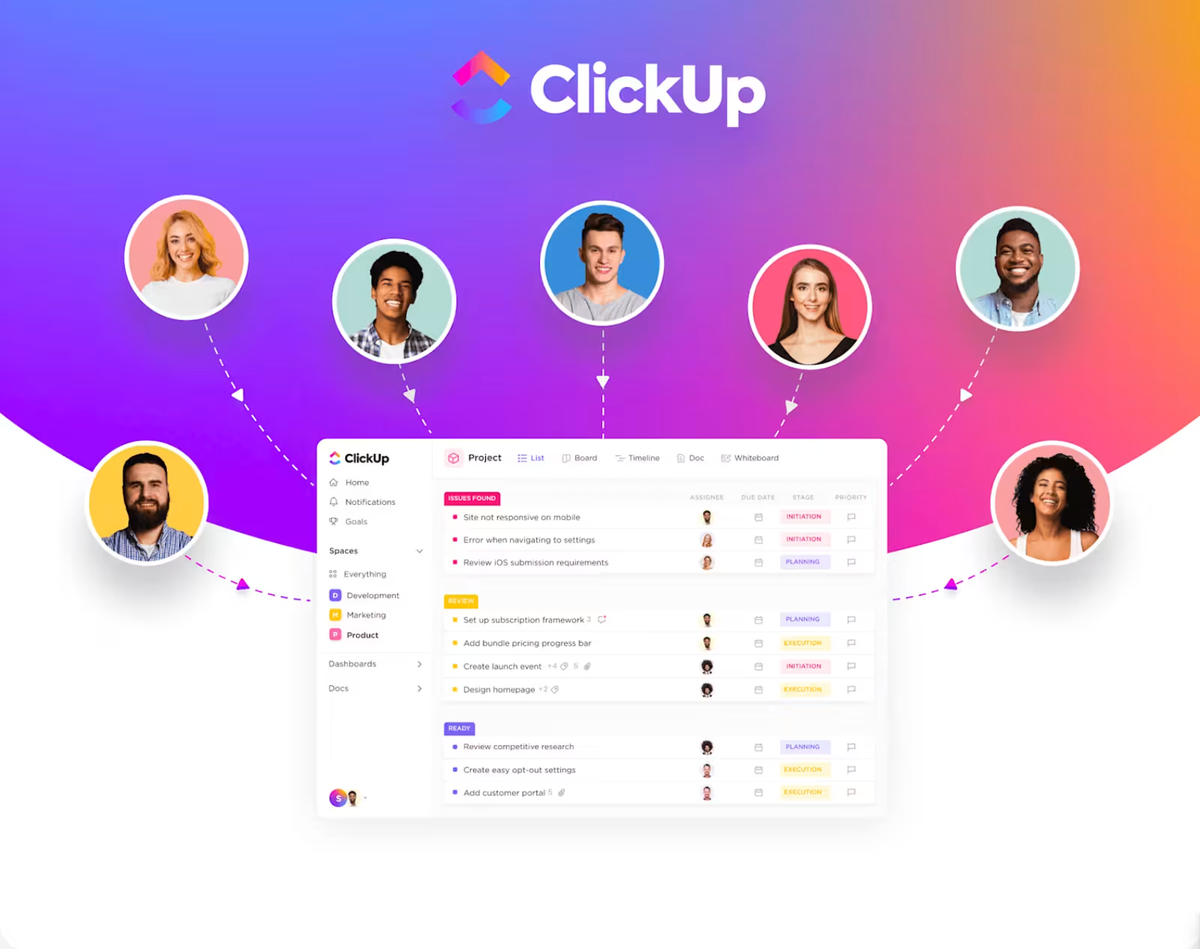
ClickUp's interface has come a long way since the ClickUp 3.0 rebuild in late 2023, which reworked the backend and promised faster load times and quicker search. The visual design in 2026 is clean and genuinely pleasant to look at, with colour coded statuses, drag and drop views, and a dashboard builder that many reviewers describe as one of the best looking in the category.
The mobile apps for iOS and Android cover most of the same ground as desktop, including task creation, comments, time tracking and notifications, though a few advanced views like Gantt charts are easier to use on a larger screen.
Performance is the recurring complaint. Multiple long time users on Trustpilot and Capterra in 2026 still mention lag when switching between views, delayed status updates, and occasional sync gaps between the desktop app and phone. ClickUp has acknowledged some of these issues publicly and continues to ship performance patches, but for teams with large workspaces the slowdown remains a real friction point rather than an occasional glitch.
User Experience: What People Actually Say in 2026
What users like
- The sheer range of features, from task lists and docs to whiteboards, chat and goal tracking, all inside one workspace
- Highly customisable views, statuses and dashboards that adapt to almost any workflow
- A visually attractive interface that many reviewers call one of the nicest in the project management space
- Genuinely useful AI features for teams that take the time to configure them properly
What users dislike
- A steep learning curve, especially for teams migrating from simpler tools like Trello
- Performance issues at scale, including lag and occasional sync problems between devices
- Customer support that many reviewers describe as slow to respond or hard to reach for a real person
- Confusing billing changes, including guest access charges and AI add ons that are not always clearly flagged before checkout
Review scores tell a similarly split story. ClickUp sits around 3.4 to 3.6 out of 5 on Trustpilot depending on the month, while Capterra users rate it considerably higher, closer to 4.6 out of 5. That gap lines up with what we found in our own testing: people who invest the time to set ClickUp up properly tend to love it, while people who expected a plug and play tool often walk away frustrated.
Taking pricing clarity, support responsiveness, day to day performance and the learning curve into account alongside its genuine strengths, Nubia Magazine rates ClickUp 3.0 out of 5 for 2026. It remains a powerful, feature dense platform, but it is not the effortless experience its marketing sometimes suggests.
Frequently Asked Questions About ClickUp in 2026
Is ClickUp free to use?
Yes. ClickUp has a Free Forever plan that includes unlimited tasks and unlimited members, along with basic docs and board views. It is a genuinely usable starting point for small teams, though storage and automation limits will eventually push growing teams toward a paid tier.
How much does ClickUp cost per user in 2026?
Paid plans start at $7 per member per month on the Unlimited tier and $12 per member per month on the Business tier, both billed annually. Enterprise pricing is custom. AI features through ClickUp Brain are billed separately, typically starting around $9 per member per month.
Is ClickUp legit and safe to use?
Yes, ClickUp is a legitimate, well funded company used by millions of teams worldwide, including large enterprises. That said, some users have raised concerns about data access controls and how quickly support responds to security related requests, so it is worth reviewing your workspace permission settings carefully.
Can I use ClickUp without downloading the app?
Yes. ClickUp runs fully in a web browser at clickup.com. The desktop and mobile apps are optional but recommended for faster performance and native notifications.
How do I cancel my ClickUp subscription?
You can downgrade or cancel a paid plan from Workspace Settings under Billing. Some users have reported that cancelling requires downgrading the entire workspace rather than individual seats, so it is worth reading the cancellation terms on your specific plan before you commit to annual billing.
Does ClickUp offer a free trial for paid plans?
ClickUp offers a 14 day free trial on its paid tiers, which is enough time to test dashboards, automation and reporting features that are not available on the Free plan.
Is ClickUp good for small businesses or just large teams?
ClickUp works for both, which is part of its appeal. Small teams can comfortably run on the Free or Unlimited plan, while larger organisations use Business or Enterprise for advanced permissions, reporting and security. The tradeoff is that small teams may find the sheer number of features more than they actually need.
Why is ClickUp so slow sometimes?
ClickUp rebuilt much of its backend in late 2023 under what it called ClickUp 3.0, aiming for faster load times. Despite that, a number of users in 2026 still report lag in large workspaces, delayed status updates, and sync delays between desktop and mobile. Performance tends to hold up better in smaller, well organised workspaces than in sprawling ones with thousands of tasks.
What is ClickUp Brain and do I need it?
ClickUp Brain is the platform's AI add on, used for writing assistance, automated summaries, and workflow suggestions inside tasks and docs. It is a paid add on separate from your workspace plan. Whether it is worth the extra cost depends on how much your team already relies on AI tools day to day. Casual users may find the base plan sufficient without it.
Related Posts




0 Comments
Join the discussion and share your thoughts
No Comments Yet
Be the first to share your thoughts on this article!



