Todoist Review 2026: App, Pricing, Website, Login, Download & FAQs

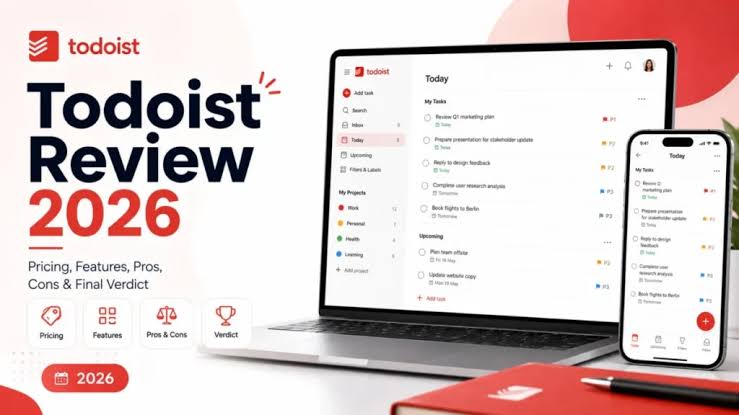
Table of Contents
Todoist has been sitting near the top of the to do list category for close to two decades, and in 2026 it is still one of the names people type into Google when they want a task manager that actually keeps up with them. But the app has changed a lot this year. Prices went up in December 2025, a voice assistant called Ramble joined the lineup, and the free plan quietly got a little more generous in one area while staying tight in others. We spent time going through the app, the website, the pricing page and dozens of user complaints and praise from Trustpilot, Capterra and the app stores to put together this review. Here is what we found, written the way we would explain it to a friend who is deciding whether to sign up.

Todoist Profile
App name | Todoist |
Developer | Doist Inc., an independent, bootstrapped company (no venture funding) |
Founded | 2007, by Amir Salihefendic |
Category | Personal task management and light team collaboration |
Platforms | Web, Windows, macOS, Linux, iOS, Android, Apple Watch, Wear OS, browser extensions |
Free plan | Yes, called Beginner. 5 active projects, basic reminders, 3 filter views |
Pro plan price | $5/month billed annually ($60/year), or $7/month billed monthly |
Business plan price | $8/user/month billed annually ($96/user/year), or $10/user/month billed monthly |
Users worldwide | Over 50 million |
Key 2026 features | Ramble voice-to-task, Task Assist, Filter Assist, Email Assist |
Security | SOC 2 Type II certified, GDPR compliant |
Offline mode | Yes, with automatic sync when back online |
Website | todoist.com |
Nubia Magazine rating | 3.0 out of 5 |
What Is Todoist
Todoist is a task management app built by Doist, a company that has stayed independent and self funded since it launched the product in 2007. The idea is simple. You type what you need to do, in plain language, and Todoist turns it into an organized task with a due date, a project, a label and a priority level. Over the years it grew from a personal to do list into a tool that also supports small team collaboration, shared projects and light workflow automation, while still keeping its interface clean rather than turning into a full blown project management suite like Asana or ClickUp.
The Todoist App in 2026
The core of the Todoist experience has not changed much, and that is largely a good thing. You can still press a keyboard shortcut, type a task in natural language and watch it sort itself into the right project with the right due date. What is new this year sits mostly in the AI layer.
- Ramble: a voice capture tool that launched in January 2026. You speak naturally and Ramble turns the unstructured speech into a task with a date, a priority and a project assigned. It understands more than 40 languages and, according to reporting on the feature, runs on a Google Gemini model behind the scenes.
- Task Assist: breaks a large task down into smaller subtasks and suggests a schedule for finishing them.
- Filter Assist: lets you describe the view you want in plain words and it builds the filter for you, useful for anyone who never learned Todoist's filter syntax.
- Email Assist: turns a forwarded email into a structured task, which is handy for anyone whose to do list starts in their inbox.
All four AI tools are available on Pro and Business, with only limited Ramble sessions offered on the free plan. The rest of the app, meaning projects, sections, labels, sub tasks, recurring due dates and the calendar view, works the way longtime users would expect. Native apps exist for Windows, macOS, Linux, iOS, Android, plus browser extensions and a solid web app, and offline mode works reliably with automatic sync once you are back online.
Where the app still shows its limits is in deeper planning. There is no native time tracking, no true start dates that hide a task until a future point, and no Gantt style timeline. If your work needs dependencies between tasks or a workload view across a big team, Todoist is not built for that job and does not pretend to be.
Todoist Pricing in 2026
Doist raised prices in December 2025 for the first time in a few years. Pro on the annual plan moved up to $5 a month, and Business moved up to $8 per user a month. Paying monthly instead of annually costs more on both tiers. Here is the full breakdown.
Plan | Price | Best for | Main limits |
|---|---|---|---|
Beginner (Free) | $0 forever | Casual, single-user lists | 5 active projects, no automatic reminders, 3 filter views, 1 week of activity history |
Pro | $5/month annual ($60/year) or $7/month billed monthly | Individuals and freelancers | 300 active projects, unlocks reminders, calendar view and full AI tools |
Business | $8/user/month annual ($96/user/year) or $10/user/month billed monthly | Small and mid-size teams | 500 team projects, admin roles, shared workspace, centralized billing |
A few things worth knowing before you commit. The Beginner (free) plan is genuinely free forever, with no trial clock counting down, but it caps you at 5 active projects and gives you a thinner set of reminder options than the paid tiers. Business is billed per seat, so a 10 person team on the annual plan works out to roughly $960 a year, and the invoice can run a bit higher once local tax is added. There is no flat rate option for teams and no public enterprise tier listed on the pricing page. Compared to rivals, Todoist Pro at $60 a year is more expensive than TickTick's $35.99 a year plan, and Microsoft To Do remains completely free, so the honest answer is that you are paying for Todoist's interface, its natural language input and its AI tools rather than for features you cannot find cheaper elsewhere.
Todoist Website
The website at todoist.com is where most people start. It is fast, mobile friendly and laid out around three clear paths: try the app for free, see pricing, or read about the Business plan. The pricing page is transparent about the annual versus monthly split, though a few reviewers have pointed out that the site does not always make it obvious upfront that the advertised $5 and $8 figures are the annual rates rather than what you pay per month if billed monthly. The website also hosts a detailed help center, a public status page for checking outages, and a known issues page where Doist lists current bugs and workarounds rather than hiding them, which we thought was a genuinely useful bit of transparency.
Todoist Login and Download
Signing up takes under a minute. You can create an account with an email address, or log in through Google, Apple or Facebook, and the same login carries across every device once you have it set up. Downloads are available directly from todoist.com for Windows, macOS and Linux, and through the Apple App Store and Google Play for mobile.
A note for Windows users specifically. Doist moved the Windows desktop app to a new MSIX based installer in late 2025, and if you had downloaded Todoist through the Microsoft Store before October 2025, the help center recommends uninstalling the old version and reinstalling the new one for a smoother, more secure experience. Some users on the support forums have also reported occasional login and sync hiccups on desktop, which Doist tracks openly on its known issues page along with manual workarounds while a permanent fix is rolled out.
User Experience
This is where opinions genuinely split, and we think both sides have a point. People who value speed and simplicity tend to love Todoist. The natural language input is still considered one of the best in the category, typing something like Submit report every second Thursday at 3pm and having the app correctly set the recurrence, time and priority in one go feels close to magic the first time you try it. Cross platform sync is reliable, the interface avoids clutter, and long time users on Capterra and G2 frequently mention that the app helps them manage ADHD or executive function challenges specifically because it does not overwhelm them with options.
On the other side, the most common complaints in 2026 center on value for money after the December price rise. Several long time subscribers on the Google Play Store and Trustpilot said they felt pushed toward paying for AI features they never asked for, just to keep basic things like reminders and more than 5 projects. A smaller number of reviewers reported sync problems and occasional trouble saving new tasks, issues that Doist's support team has acknowledged and worked through directly in public replies. Taken together, the experience is smooth for most people most of the time, but it is not flawless, and the app is clearly leaning harder into AI than some of its long time base actually wanted.
Our Rating: 3.0 Out of 5
We are giving Todoist a 3.0 out of 5 for 2026. The app remains excellent at the one job it was built for, fast personal task capture, and its cross platform reliability and AI additions like Ramble are genuinely useful rather than gimmicky. The score is held down by the December 2025 price increase landing awkwardly for existing users, a free plan that still feels tight at only 5 projects, and a small but real pattern of sync and login complaints that a mature app of this size should have fewer of. If you want a clean, dependable to do list and are willing to pay a modest monthly fee once you outgrow the basics, Todoist still earns its place. If you are budget conscious or need deeper project planning tools, it is worth comparing against TickTick or Microsoft To Do before you subscribe.
Frequently Asked Questions
1. Is Todoist actually free to use?
Yes. The Beginner plan has no time limit and never expires. It covers basic personal task management, though it caps you at 5 active projects, 3 filter views and a thinner set of reminders compared to the paid plans.
2. How much does Todoist Pro cost in 2026?
Todoist Pro costs $5 a month if you pay annually, which works out to $60 a year, or $7 a month if you pay monthly. This is a price increase from the previous $4 a month rate, following a change Doist made in December 2025.
3. Why did Todoist raise its prices?
Doist has not published a single detailed explanation, but the increase coincided with the rollout of new AI features including Ramble, Task Assist, Filter Assist and Email Assist, all of which require paid plans to use without limits.
4. What is Ramble on Todoist?
Ramble is a voice to task feature that launched in January 2026. You speak naturally, in any of over 40 supported languages, and Ramble converts what you said into a structured task with a due date, a priority and a project. Free users get a limited number of sessions, while Pro and Business users get unlimited use.
5. Is Todoist good for team collaboration?
For small teams, yes. The Business plan, priced at $8 per user a month on the annual plan, adds shared workspaces, role based permissions, activity logs and centralized billing. For larger organizations that need Gantt charts, dependencies or detailed workload views, a dedicated project management tool is usually a better fit.
6. How do I download Todoist?
You can download Todoist directly from todoist.com for Windows, macOS and Linux, or install it from the Apple App Store and Google Play on mobile. Windows users who installed through the Microsoft Store before October 2025 are encouraged to switch to the newer MSIX version for better stability.
7. Why can't I log into Todoist on desktop?
Login problems on desktop are usually tied to an outdated app version or a temporary sync issue. Doist maintains a public known issues page with current bugs and workarounds, and its support team can be reached through the in app contact form if reinstalling the latest version does not resolve it.
8. Is Todoist better than TickTick or Microsoft To Do?
It depends on your priorities. Todoist has a more polished interface, stronger AI features and a larger library of native integrations at over 80 tools. TickTick is cheaper at $35.99 a year and includes built in habit tracking. Microsoft To Do is entirely free with no project limit, which makes it the better choice if budget is the deciding factor and you already live inside the Microsoft ecosystem.
9. Does Todoist work offline?
Yes. Todoist keeps full functionality offline and automatically syncs your changes once your device reconnects to the internet.
10. Is Todoist safe and compliant with privacy regulations?
Todoist is SOC 2 Type II certified as of December 2025 and states it complies with GDPR requirements, which matters for businesses handling customer or employee data through the Business plan.
Nubia Magazine verdict
Todoist in 2026 is a more capable app than it was a year ago, but also a more expensive one, and that trade off is exactly what is shaping how people talk about it online right now. It remains a strong pick for individuals who want their to do list to just work, across every device, without a steep learning curve. Just go in with clear eyes about what the free plan will and will not do for you, and compare the new pricing against your actual budget before you subscribe.
Related Posts

0 Comments
Join the discussion and share your thoughts
No Comments Yet
Be the first to share your thoughts on this article!