Zebracat AI Review 2026: App, Download, Alternative, Free Plan & FAQs

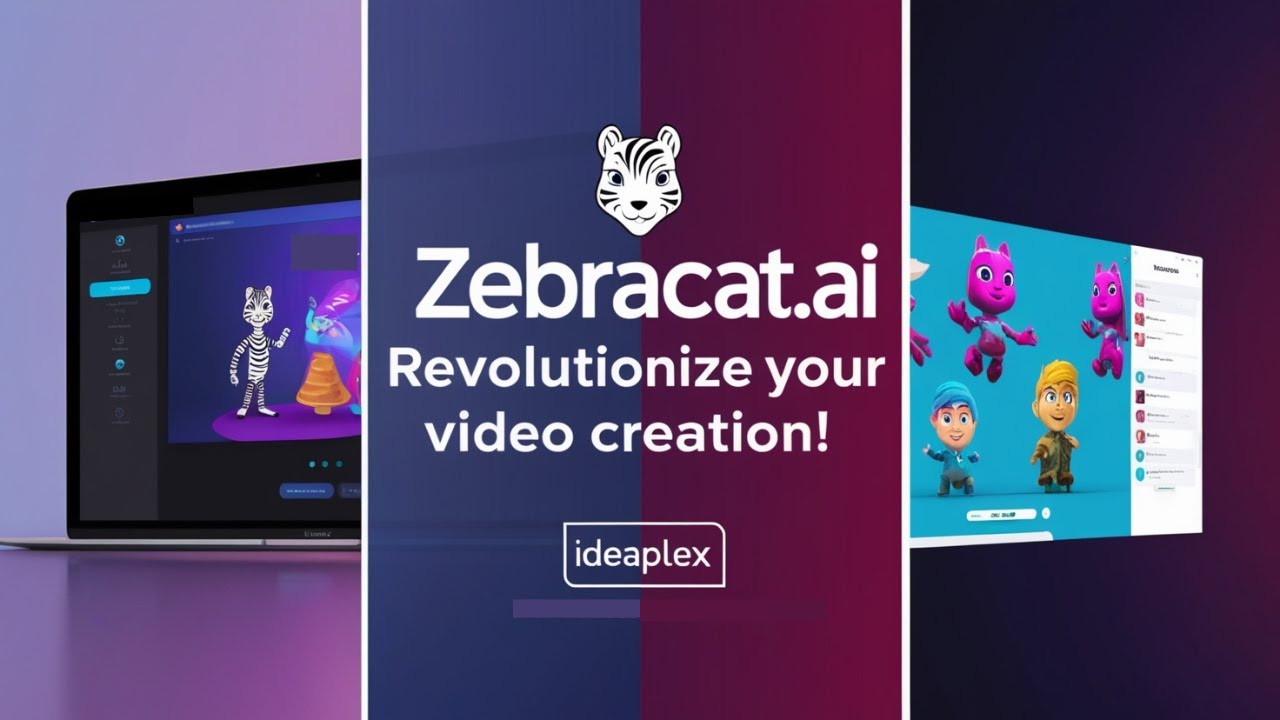
Table of Contents
Company Profile at a Glance
Company Name | Zebracat AI (ZEBRACAT AI UG) |
Founded | 2021 |
Headquarters | Berlin, Germany |
Founders | Michael Baumgartner (CEO) and Reza Zolfaghari (Co-Founder) |
Industry | AI Video Generation / Content Creation SaaS |
Funding | $115K (Entrepreneurs First, KIEZ AI Entrepreneurship Center) |
Platform Type | Browser-Based SaaS (No Download Required) |
Monthly Active Users | Approx. 84,000 (2026) |
Trusted By | 30,000+ marketers, creators, and business owners |
Free Plan | Yes. Up to 5 videos total, 720p, watermarked, no credit card required |
Cat Mode Plan | $39/month. 120 credits, 1080p, no watermark, 2-min max video |
Super Cat Plan | $98/month. 300 credits, AI avatars, voice cloning, 10 brand kits |
Unlimited Cat Plan | Custom pricing for enterprise use |
Annual Discount | 30% off all paid plans |
Key Features | Text-to-Video, Blog-to-Video, AI Avatars, Voice Cloning, 175+ Languages, AI Scenes |
Export Quality | Up to 1080p |
Website | zebracat.ai |
Nubia Magazine Rating | 4.1 / 5 |
Introduction
Video is no longer optional for anyone trying to grow an audience, sell a product, or explain an idea online. The problem is that making good video has always been the bottleneck. You either spend hours inside editing software you barely understand, hire a freelancer who takes three days to respond, or pay an agency a monthly retainer that makes your eyes water. Most small teams and solo creators end up doing none of these things properly, which means their video output stays inconsistent or nonexistent.
Zebracat AI was built to remove that bottleneck. The Berlin-based startup, founded in 2021 by Michael Baumgartner and Reza Zolfaghari, started from a real frustration. As founders building previous ventures, they had to produce large amounts of video content and found the entire process slow, expensive, and full of back-and-forth with contractors who did not always deliver. That experience became the product. The result is a browser-based platform that takes text, a script, a blog URL, or even an audio file and turns it into a fully edited video in a matter of minutes.
Nubia Magazine went through the platform, looked at what real users are saying across Capterra, G2, Trustpilot, Product Hunt, and AppSumo, reviewed the pricing model, and compared it against what competitors are offering in 2026. This is not a sponsored write-up. We have no commercial arrangement with Zebracat. We think it is a product worth understanding properly, and so we have laid out both what it does well and where it genuinely falls short.
The App: What Zebracat AI Actually Is
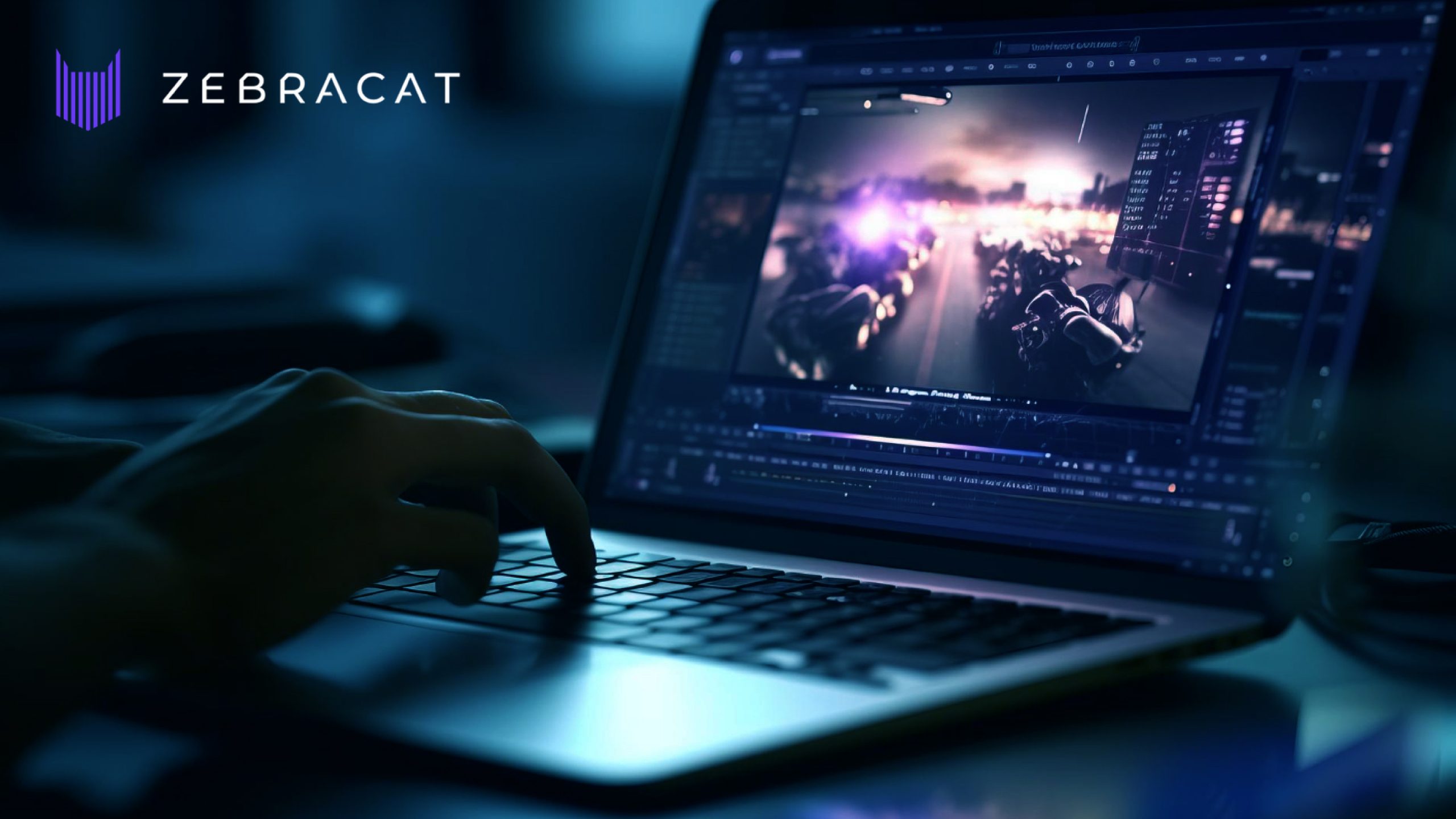
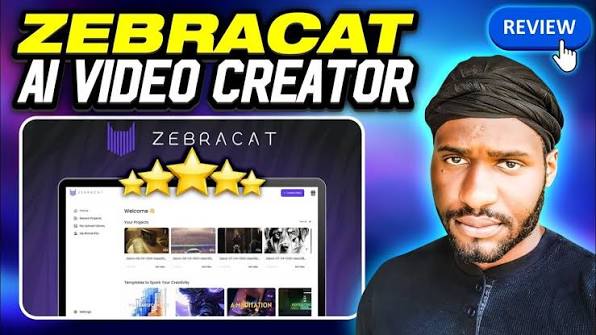
Zebracat AI is a web application. You access it through a browser at zebracat.ai, sign up with an email address, and start creating videos from your dashboard. There is no separate desktop application to install, no mobile app to download from the App Store or Google Play, and no software to configure on your machine. The entire product lives online, which is both a strength and a limitation depending on how you work.
The workflow is laid out as a guided, step-by-step process. You give it something to work with, whether that is a typed prompt, a full script, a blog post URL, or an audio file. Zebracat reads the content, selects or generates relevant visuals, matches it with a voiceover from its library or your own cloned voice, adds captions and background music, and produces a finished video. The whole thing, from start to exported video, can take as little as two to five minutes for a standard short-form clip.
The platform sits firmly in the text-to-video category but goes beyond the basics. The AI does not just stitch stock footage together over your script. It can generate original AI scenes and visuals, incorporate avatars that serve as on-screen presenters, and apply brand kits so that your colors, logos, and fonts appear consistently across every video you produce.
As of 2026, the platform is trusted by over 30,000 marketers, business owners, and content creators. Monthly active user data puts the figure at around 84,000. That is not Canva-level reach, but it is a meaningful number for a product at this stage and price point.
Download: Is There a Zebracat AI App to Download?
This is one of the most searched questions about Zebracat AI in 2026, and the answer is straightforward. There is no desktop download and no mobile app. Zebracat runs entirely in the browser. You go to zebracat.ai, create an account, and the platform is immediately accessible without installing anything.
For most users this works fine. The browser experience is responsive and does not require a high-end machine. Because everything processes on Zebracat's servers, your computer's specs do not affect output quality. You just need a stable internet connection.
The absence of a mobile app is a more valid criticism. In 2026, creators increasingly work on phones, review drafts on the go, and want to manage content pipelines from wherever they happen to be. Zebracat's mobile browser experience functions but was not designed as a primary interface. If you expect to run full video production from your phone, this is not the tool for that workflow.
There is no offline mode either, which follows naturally from the browser-first approach. Every part of the workflow requires an active internet connection. For professionals working in locations with unreliable connectivity, this is worth knowing before committing to a paid plan.
Free Plan: What You Actually Get Without Paying
Zebracat offers a free plan, and unlike many AI tools that label something free while locking away almost every useful feature, this one is genuinely usable for evaluating the product. The free tier gives you up to five videos in total, exported at 720p resolution, with a maximum length of thirty seconds per video. No credit card is required to sign up.
The five-video limit is a lifetime cap, not a monthly reset. You get five free videos, and once those are used, you either remain on free with no further exports or move to a paid plan. The watermark on free exports is visible. For personal experimentation or evaluation purposes, five videos is enough to make an informed decision. For actual content production, you will hit the ceiling quickly.
Paid plans are where the platform becomes genuinely useful for regular publishing. Cat Mode is approximately $39 per month and gives you 120 credits, videos up to two minutes long, 1080p export, ultra-realistic AI voices, and no watermark. Super Cat at roughly $98 per month expands to 300 credits, five-minute videos, AI avatars, voice cloning, custom AI visual styles, and ten brand kits. The Unlimited Cat plan is enterprise-priced on a custom quote basis.
Annual billing takes 30% off all plans, which is a meaningful saving if you are committed to using the platform regularly. Always confirm current pricing directly at zebracat.ai/pricing before committing, as the company has adjusted its plan structure at various points since launch.
Platform Features: What Zebracat AI Can Do
Text to Video and Blog to Video
The core use case. You paste in text or a blog URL and the platform generates a complete video with visuals, voiceover, captions, and music. The AI interprets the content rather than just searching for matching stock clips, which is what separates it from older-generation tools. Users frequently mention that interpretation is accurate for straightforward scripts but can go off-course on nuanced or abstract language. Keeping your scripts direct and specific produces noticeably better results.
AI Scene Generator
Rather than relying entirely on stock media libraries, the platform can generate original AI visuals based on the content of your script. The quality of these scenes ranges from impressive to occasionally uncanny, particularly when human faces or physical interactions are involved. Lifestyle content and anything requiring realistic human movement is a known weak point for the underlying AI models. Abstract imagery, product-style shots, and illustrative visuals tend to come out better.
AI Avatars
The platform offers over 120 AI avatars representing different styles, ethnicities, and tones. These digital presenters can host your videos, deliver scripts to camera, and add a professional polish to content that might otherwise just be text over footage. Avatar access requires the Super Cat plan or higher. Custom avatar creation, where the AI models a presenter based on your own appearance, is also available at that tier.
Voice Cloning and AI Voiceovers
Zebracat supports over 175 languages and dialects with AI voices that most users describe as natural-sounding for standard narration. Voice cloning, available on Super Cat and above, lets you replicate your own voice so that all AI-generated audio sounds like you without recording every word manually. Some users have flagged that certain voices can sound flat or emotionally monotone in longer narrations. This is a common limitation of current voice synthesis technology rather than a Zebracat-specific failure, but it is worth knowing before you commit.
Auto Captions and Brand Kits
Captions are generated automatically and synced to the voiceover. The styling options are functional, though some reviewers note that the animated word-by-word styles common on viral short-form content are not as developed as those in dedicated captioning tools. Brand kits let you lock in your logo, colors, and fonts so that every video you produce carries consistent visual identity without manual setup each time.
Audio to Video
You can upload a podcast clip, voice recording, or audio file and Zebracat will generate a video around it, matching visuals to the content of the audio. This is a useful feature for podcasters who want to create social media clips from existing episodes without sitting in an editing timeline.
User Experience: What Using Zebracat Actually Feels Like
The honest summary from reviewing user feedback across multiple platforms is that Zebracat delivers a genuinely better experience than most people expect from an AI video tool in this price range, with a handful of friction points that come up often enough to be real.
The interface is clean and step-by-step in a way that makes the initial workflow obvious even if you have never used video software before. You are guided through the process rather than dropped into a blank timeline and expected to figure things out. Reviewers on Product Hunt and G2 consistently praise this, with many noting they were producing their first usable video within fifteen minutes of signing up.
The speed is a genuine differentiator. Most videos render in two to five minutes, which is dramatically faster than any human-edited equivalent. For creators publishing multiple times a week, that turnaround time matters enormously. A workflow that used to involve sourcing footage, scripting, recording, editing, and exporting now collapses into a single session.
Where the experience gets more complicated is post-generation. Several users, particularly those on AppSumo who purchased lifetime deals, have reported frustration with the inability to edit specific elements after a video is generated without consuming additional credits and starting the process over. If the AI picks a visual that does not match your script, fixing it means a full re-render. That is a design decision that works fine for casual use but creates friction for teams with strict quality requirements.
Render times also vary depending on the queue and your plan tier. Higher-tier users get processing priority, which means free and Cat Mode users may wait longer during peak periods. For a platform that sells itself on speed, this creates an inconsistent experience for entry-level subscribers.
Customer support comes up positively in a number of reviews. Trustpilot comments in particular mention a responsive team. There are also negative Capterra reviews about refund difficulties and billing confusion following plan changes, which are worth taking seriously when evaluating higher-tier commitments.
Net result: for the majority of marketers, creators, and small business owners who need a faster way to produce video without learning traditional editing software, the experience is positive and the output quality is better than the price suggests. For professional teams with highly specific visual requirements, the limited post-generation control is a real gap.
Alternatives: How Zebracat Compares in 2026
The AI video space is crowded in 2026, and Zebracat sits in a specific part of it. Here is how it compares to the most commonly mentioned alternatives.
Synthesia
The most direct comparison for avatar-driven video. Synthesia has a larger avatar library, more polished presenter output, and a stronger enterprise reputation. It also costs more and is less focused on the marketing-first, quick-turnaround use case that Zebracat targets. Zebracat scores higher on ease of use and setup speed. Synthesia scores higher on avatar realism and enterprise compliance.
InVideo AI
InVideo has been around longer and has a larger stock media library. It tends to produce more template-driven output, which some users prefer for consistency. Zebracat's AI-generated visuals give it more flexibility for content that does not fit neatly into pre-built templates. Pricing is comparable between the two.
HeyGen
HeyGen specializes in avatar video and is very highly rated on G2 for the realism of its AI presenters. If your primary use case is building a video series around a consistent AI host, HeyGen is the stronger choice. If you need a broader content creation tool covering social clips, blog repurposing, and ads alongside avatar video, Zebracat covers more ground.
Canva Video
Canva's video tools are improving but remain template-based and design-led rather than AI-generation-led. If you are already deep in the Canva ecosystem and need light video functionality, it makes sense. For AI-generated video at scale, Zebracat does more.
FluxNote and Fliki
Both appear in 2026 comparisons, with FluxNote noted for offering a wider range of AI models at lower price points and Fliki recognized for a much larger voice library. These are valid considerations depending on your priorities. Zebracat's advantage over both remains its interface quality and the integrated AI scene generation feature.
Our Ratings Breakdown
Category | Nubia Rating |
Ease of Use and Interface | 4.5 / 5 |
Feature Depth and Variety | 4.0 / 5 |
Video Output Quality | 3.8 / 5 |
Pricing and Value | 3.9 / 5 |
Free Plan Generosity | 3.5 / 5 |
Customer Support | 4.2 / 5 |
Competitiveness vs Alternatives | 4.0 / 5 |
Overall Nubia Rating | 4.1 / 5 |
Frequently Asked Questions (FAQs)
These are the questions people are actively searching for about Zebracat AI in 2026, answered directly.
1. Is there a Zebracat AI app to download?
No. Zebracat AI does not have a downloadable desktop application or a mobile app on the App Store or Google Play. The entire platform runs in your web browser. You visit zebracat.ai, sign in, and everything happens online. No installation is needed, though it does mean you need an internet connection at all times to use the product.
2. Is Zebracat AI free?
There is a free plan, and it does not require a credit card to access. The free tier lets you create up to five videos in total, exported at 720p with a visible Zebracat watermark, with a maximum length of thirty seconds per video. That five-video limit is a lifetime cap, not a monthly allowance. It is enough to test the platform properly and see whether the workflow suits your needs. For ongoing content production, a paid plan is necessary.
3. How much does Zebracat AI cost in 2026?
Pricing as of mid-2026 runs as follows. Cat Mode is approximately $39 per month, covering 120 credits, videos up to two minutes long, and 1080p export with no watermark. Super Cat is approximately $98 per month, offering 300 credits, five-minute videos, AI avatars, voice cloning, and ten brand kits. The Unlimited Cat plan is custom-priced for enterprise use. Annual billing provides a 30% discount across all plans. Always verify the latest figures at zebracat.ai/pricing since the company has adjusted its plan structure at various points.
4. Who founded Zebracat AI and where is it based?
Zebracat AI was founded in 2021 by Michael Baumgartner, who serves as CEO, and Reza Zolfaghari, co-founder. The company is headquartered in Berlin, Germany, and is incorporated as ZEBRACAT AI UG. It received backing from Entrepreneurs First and the KIEZ Artificial Intelligence Entrepreneurship Center. The founders built the product from their own frustration with expensive and slow video production while running previous companies.
5. What are the best alternatives to Zebracat AI?
The most commonly compared alternatives in 2026 include Synthesia for high-quality AI avatars and enterprise use, HeyGen for realistic AI presenter video, InVideo AI for template-based marketing video at scale, and Canva for users already invested in the Canva ecosystem. FluxNote is cited for offering more AI model variety at lower price points. Fliki is mentioned for its extensive voice library. Which alternative fits best depends on your primary use case. For fast marketing video with AI-generated scenes and a clean interface, Zebracat holds its own.
6. Can Zebracat AI clone my voice?
Yes, but voice cloning is only available on the Super Cat plan and above. On that tier, you can create a custom AI voice modeled on your own, meaning all AI-generated audio will sound like you without requiring you to record every word manually. This is especially useful for creators who want to maintain a consistent voice across a high volume of videos. The free and Cat Mode plans use voices from Zebracat's pre-built library, which covers over 175 languages and dialects.
7. Does Zebracat AI put a watermark on videos?
Yes, on the free plan. All free-tier exports include a Zebracat watermark. Upgrading to any paid plan, starting with Cat Mode, removes the watermark from your exports. All paid plans also include full commercial usage rights, meaning you can legally publish the videos for business purposes, advertising, or client work without additional licensing fees.
8. How good is the video quality from Zebracat AI?
Output quality is generally described as solid for marketing and social content. AI voices are natural-sounding for standard narration in most reviews. The AI scene generator works well for abstract, product-style, and illustrative content. Where quality dips is in human-centric or lifestyle content, specifically scenes involving realistic faces, physical interaction, or natural environments, where the AI-generated visuals can look synthetic. Export is capped at 1080p across all plans, which is sufficient for social media, YouTube, and web content but falls short for productions requiring 4K output.
9. How does Zebracat AI handle data and privacy?
Zebracat states that it follows strict ethical standards and is transparent about how its technology operates. The company has published an AI ethics position noting that every decision is built to support genuine creators. For detailed data handling specifics, including how uploaded content, voice data, and account information are stored and processed, the privacy policy on zebracat.ai is the correct document to review. If you are working with sensitive client material or proprietary brand assets, reading that policy before uploading content is advisable.
10. Is Zebracat AI suitable for professional video agencies?
It depends on the type of agency. For marketing agencies producing high volumes of social content, ad clips, and blog repurposing videos for clients, Zebracat's speed and brand kit feature make it a practical production tool. Super Cat and Unlimited Cat tiers are designed with agency-scale output in mind. Where it falls short for professional agencies is post-generation control. You cannot fine-tune individual scenes without re-rendering, which adds friction for projects requiring precise visual accuracy. Agencies with complex creative briefs will likely use Zebracat for drafts and high-volume content while relying on human editors for hero content.
Nubia Magazine Verdict
Zebracat AI earns its 4.1 from us because it genuinely delivers on the core promise. You give it text, it gives you a video. That sounds simple, but the gap between that sentence and executing it at a quality level usable for real marketing is where most AI video tools break down. Zebracat does not break down. The interface is clean, the AI interpretation is generally accurate, the voices are natural enough for professional narration, and the output arrives faster than anything involving a human editor.
The founders built this from a real problem they lived through, and that shows in where the product focuses its effort. It is not trying to replace Adobe Premiere or compete with professional post-production houses. It is trying to give marketers and creators a way to publish more video without hiring a team or learning technical software. At that specific goal, it is one of the stronger tools in the market heading into the second half of 2026.
The limitations are real but manageable for most users. The free plan has a low ceiling. Post-generation editing is limited. AI scene quality on human-centric content is inconsistent. Higher-tier pricing adds up for solo creators. The absence of a mobile app is a gap that will matter more as mobile-first content creation continues to grow.
For small to mid-sized marketing teams, content creators publishing regularly, business owners who need video for ads and social without a production budget, and agencies handling high-volume social content for clients, Zebracat AI is worth the free trial and very likely worth the subscription. For enterprise teams with strict visual quality control, it works best as one tool in a broader stack rather than the only one.
The team is actively investing in AI research focused on what makes videos perform well, not just what makes them look polished. That is the right long-term priority, and it gives us reason to think the limitations we flagged here will shrink over the next twelve months.
Related Posts



0 Comments
Join the discussion and share your thoughts
No Comments Yet
Be the first to share your thoughts on this article!