Teract AI Review in 2026: Download, App, Login, AI & FAQs

Table of Contents
If you spend any real time on LinkedIn or X, you have probably had the same nagging thought we have all had at some point. You know you should be posting more, commenting more, and showing up in the right conversations, but the day runs out before you ever get to it. Teract AI is one of the newer tools built around that exact problem, and over the past few weeks we put it through its paces to see whether it actually earns a spot in your browser.
Teract calls itself an AI reputation coach. In plain terms, it is a writing assistant that lives where you already scroll and helps you draft posts, comments, and replies that sound like you instead of sounding like a robot. It started life as a LinkedIn only tool back in late 2024 and relaunched in March 2026 as a broader product covering eight social platforms. Here is our honest take on what it does well, where it falls short, and whether it is worth your money in 2026.
Teract AI Profile at a Glance
Product name | Teract AI (formerly Teract for LinkedIn) |
Type | AI social media writing and engagement assistant |
Best described as | An AI reputation coach for professionals and founders |
Platform access | Chrome extension plus browser based web app |
Supported networks | LinkedIn, X, Reddit, Threads, Medium, BlueSky, Hacker News, Product Hunt |
Key features | Voice learning, story bank, smart comments, post drafting, scheduling, analytics, trending topics |
Free plan | Yes, around 30 free generations, no credit card needed |
Paid plans | Start at roughly $15 per month, with higher tiers around $30 per month for about 1,000 generations |
Current extension version | 2.1.7 (updated May 2026), about 2.2 MB |
Chrome Web Store rating | Around 4.8 out of 5 (limited number of reviews) |
Developer | UNIT01 doo, Belgrade, Serbia |
Support contact | |
Official website | teract.ai |
NUBIA MAGAZINE rating | 3.0 out of 5.0 |
What Is Teract AI?
Teract AI is a tool that helps you build a professional reputation online without spending hours writing every post and comment yourself. The idea is simple. It studies your previous posts to pick up your tone, vocabulary, and the way you phrase things, then it drafts content that reads like you wrote it on a good day.
What separates it from a generic chatbot is the focus on where and how you should be active, not just what to say. It reads your feeds, points you toward conversations worth joining, and then hands you a ready draft to review and post. The company is firm about one thing in its marketing. Teract writes the text, you read it, and you click post. There is no hands off automation that fires things into the world on your behalf, which is part of how it positions itself as safe for your accounts.
It is aimed at a specific crowd. Founders, consultants, executives, sales people, and anyone whose career or business benefits from being visible and credible across professional networks. If your idea of social media is sharing holiday photos, this is not built for you.
Teract AI Download
Getting Teract onto your machine is quick. The main route is the Chrome Web Store, where you search for Teract, your AI reputation coach, and add the extension to your browser. The download itself is tiny, a little over two megabytes, so it installs in seconds even on a slow connection.
A few practical notes from our testing:
- It is built primarily for Chrome, but because it also works as a web app, you are not completely locked out if you use Safari, Firefox, or Edge.
- There is no separate desktop installer or standalone mobile app to hunt for. The extension and the web app are the product.
- After installing, the Teract icon sits in your browser toolbar and wakes up when you visit a supported network.
One older complaint we saw in early user feedback was the extension occasionally failing to detect a valid account on certain machines. The developer pushed updates through Chrome review to address this, and we did not run into it during our own testing, but it is worth knowing the history if something acts up on day one.
The Teract AI App and How It Works
Calling Teract an app is slightly generous, since it is really an extension paired with a web dashboard rather than a traditional standalone application. That is not a knock on it. The lightweight setup is part of the appeal, because it means there is nothing heavy to install and nothing to keep updated manually.
In daily use, the flow looks like this. You are reading a post on LinkedIn or a thread on Reddit, you click the Teract icon, and it generates a comment or reply based on the content in front of you. You can use the suggestion as is, tweak a line or two, or regenerate it. For your own posts, you can draft from scratch with a prompt, lean on the story bank of personal anecdotes you have fed it, schedule the post for later, and check analytics afterward.
The standout pieces of the app are the voice learning and the story bank. The voice model is what makes a Teract comment feel less like filler and more like something you would actually type. The story bank is a clever touch, because it lets the AI reference your real experiences instead of inventing vague generalities. When it works, the difference is noticeable. When it leans too hard on one anecdote you uploaded, it starts to feel repetitive, which is one of our recurring gripes.
Teract AI Login
Logging in is straightforward. You sign up on the Teract website or through the extension, create an account, and connect it to the social platforms you want to use. You do not need a credit card to start, which lowers the barrier for anyone who just wants to try it before committing.
Because Teract operates inside platforms like LinkedIn and X, it needs you to be signed in to those networks in the same browser. It does not take over your accounts or post without your say so. If you ever run into login trouble, the usual fixes apply, which are making sure you are logged in to the underlying network, refreshing the page, and confirming the extension is enabled. For anything stubborn, the support email is [email protected].
A small privacy note worth mentioning. Since the tool reads your feeds and learns from your past content, you are granting it a fair amount of access. That is normal for a tool like this, but if you are cautious about data, read the privacy policy before you connect everything.
The AI Behind Teract
The AI is the heart of the product, so it deserves a close look. Teract builds what it describes as a layered voice model. Rather than producing one generic style, it tries to match the tone of the specific platform you are on, since what works on LinkedIn would get torn apart on Reddit or Hacker News. In our testing, this platform awareness was real and one of the better parts of the experience.
On quality, the honest verdict is mixed in a good way. The best Teract drafts genuinely read like a thoughtful human wrote them, complete with a specific reference pulled from your own background. A generic AI comment hits all the polite notes and says nothing memorable. A strong Teract comment actually has a point of view. That said, it is not magic. Longer posts still need editing, the tone occasionally drifts between platforms, and now and then it relies too heavily on a single story you gave it.
So the realistic promise is this. You are polishing, not rewriting. For short comments and replies, the output is often ready to go. For longer thought leadership posts, treat it as a strong first draft rather than a finished piece. That is still a meaningful time saver, but it is not the fully automated dream some marketing might suggest.
User Experience
Day to day, Teract is pleasant to use. The interface stays out of the way, the suggestions appear quickly, and the whole point of the design is rapid approval. You are meant to glance at a draft, give it a quick edit, and move on. That fast feedback loop is the thing that actually changes behavior, because the easier it is to engage, the more likely you are to keep showing up.
Where the experience gets bumpy is the dependence on the extension and the subscription wall. The free 30 generations are enough to get a feel for it but disappear faster than you would expect once you start posting daily. After that, you are into a paid plan. The pricing is reasonable for what you get, starting around fifteen dollars a month, but it is still a recurring cost to factor in.
There is also the bigger philosophical question that anyone using a tool like this should sit with. If the AI is writing your comments, how much of your online voice is still yours? Teract handles this better than most by keeping you in the loop and learning from your real writing, but the risk of sounding slightly automated never fully goes away if you stop editing. Used with a light hand, it is genuinely useful. Used lazily, it can flatten your personality.
Pros and Cons
What we liked
- Voice learning and the story bank produce noticeably more personal output than typical AI writers.
- Works across eight platforms with tone that adapts to each one.
- Human in the loop design means you always review before anything is posted, which reduces account risk.
- Free plan with no credit card lets you test it properly first.
- Lightweight install and a clean, fast interface.
What held it back
- Longer posts still need real editing, so it is a drafting aid rather than a finished product.
- Tone can drift between platforms and it sometimes overuses a single saved anecdote.
- Free generations run out quickly, and the useful experience sits behind a subscription.
- Reliance on a browser extension and active social logins may not suit everyone.
- Heavy use risks making your online voice feel less authentically yours.
Nubia Magazine Verdict
Teract AI is one of the more thoughtful tools in the crowded AI personal branding space. The voice model and story bank are real differentiators, the multi platform support is handy, and the keep the human in control approach is sensible. For founders, consultants, and busy professionals who want to be more consistent online without writing everything from scratch, it can save real time.
It is not flawless. You still have to edit, the best results take some setup, and the recurring cost plus extension dependence will not suit everyone. Weighing the genuine strengths against those limits, we land on a solid middle of the road score. It is good at what it does, but it has clear room to grow.
NUBIA MAGAZINE Final Rating: 3.0 / 5.0 A capable, well designed assistant that helps you show up online, held back by editing overhead and subscription costs.
Rating Breakdown
Area | Score | Why |
|---|---|---|
AI quality | 3.5 | Strong for short content, needs editing on long posts |
Ease of use | 3.5 | Clean, fast, and stays out of the way |
Features | 3.5 | Voice learning and story bank stand out |
Value for money | 2.5 | Free tier is thin and the real value sits behind a subscription |
Authenticity | 2.5 | Good safeguards, but heavy use can flatten your voice |
Overall | 3.0 | A capable tool with clear room to improve |
Frequently Asked Questions About Teract AI
1. Is Teract AI free to use?
There is a free plan that gives you roughly 30 generations with no credit card required, which is enough to test it. After that you need a paid plan, which starts at around fifteen dollars a month, with higher tiers near thirty dollars a month for about a thousand generations.
2. Is Teract AI safe for my LinkedIn or X account?
Teract is designed to be low risk because it does not automate posting on your behalf. It drafts the text, you review it, and you choose to post. From the platform's point of view you are simply a person writing your own content, which is the safest way to use a tool like this. As always, you should still read the privacy policy before connecting your accounts.
3. What platforms does Teract AI support?
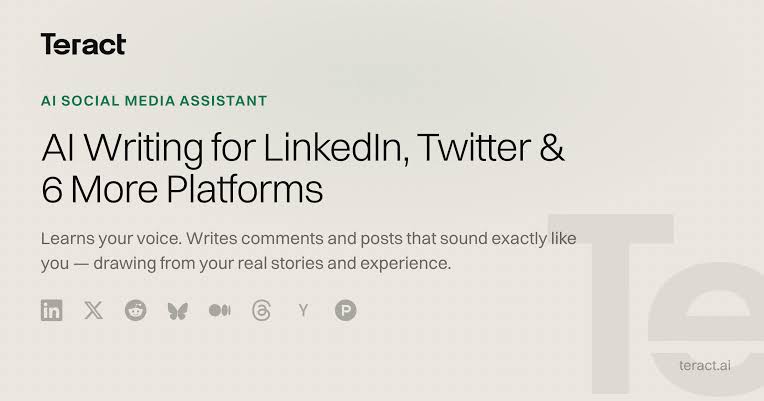
As of 2026 it works across eight networks. These are LinkedIn, X, Reddit, Threads, Medium, BlueSky, Hacker News, and Product Hunt. The AI adjusts its tone to suit each platform rather than using one generic style everywhere.
4. Do I need to install a Chrome extension to use Teract?
The main experience runs through a Chrome extension, but Teract also works as a browser based web app, so you are not fully locked into Chrome. There is no separate desktop program or standalone mobile app to download.
5. How do I log in to Teract AI?
You create an account on the Teract website or through the extension, then connect it to the social platforms you want to use. You also need to be signed in to those networks in the same browser, since Teract works inside them. No credit card is needed to start.
6. Does Teract AI actually sound like me?
This is its main selling point. Teract studies your past posts to learn your tone and vocabulary, and you can feed it a story bank of real experiences. At its best the output reads like you genuinely wrote it. On longer posts it still benefits from a quick edit, and it can occasionally overuse a saved anecdote.
7. Who is Teract AI best for?
It is built for professionals who benefit from being visible online, such as founders, consultants, executives, sales people, and marketers. If your social presence is purely personal and casual, it is probably more tool than you need.
8. Who makes Teract AI and how do I contact support?
Teract is developed by UNIT01 doo, a company based in Belgrade, Serbia. The official site is teract.ai, and you can reach support by emailing [email protected].
9. Can Teract AI schedule posts and show analytics?
Yes. Beyond drafting comments and posts, the higher tiers include scheduling so you can line up content in advance, plus analytics to track how your posts perform. It also surfaces trending topics to help you decide what to weigh in on.
10. Is Teract AI worth it in 2026?
For the right user it can be worth it. If you want to stay consistent online without writing everything yourself, the time saved can justify the cost. If you only post occasionally or you are uneasy about an AI shaping your voice, the subscription may be harder to justify. Our overall rating is 3.0 out of 5.
Related Posts




0 Comments
Join the discussion and share your thoughts
No Comments Yet
Be the first to share your thoughts on this article!