NordPass Review in 2026: Download, Login, App, Windows & FAQs

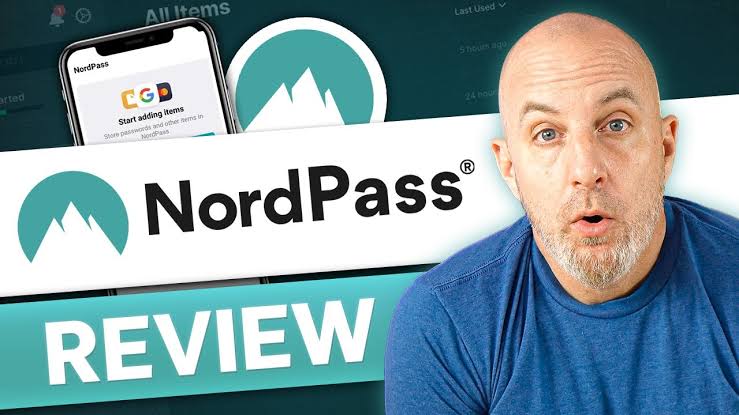
Table of Contents
Password managers have quietly become one of the most important apps on anyone's phone or laptop, and NordPass is one of the names that keeps coming up whenever the subject is raised. Built by the team behind NordVPN, NordPass promises an easy way to store passwords, generate strong new ones, and keep sensitive information such as card numbers and private notes locked away behind a single master password. At Nubia Magazine, we spent real time downloading the app on different devices, logging in from scratch, moving between the Windows client and the mobile app, and simply living with NordPass the way an ordinary reader would. This review walks through what we found, section by section, so you can decide whether it deserves a spot on your own devices in 2026.
What Is NordPass
NordPass is a password manager developed by Nord Security, the same company that owns NordVPN and NordLocker. It launched in 2019 and has since grown into a full credential management tool rather than a simple password vault. Beyond storing logins, it now handles passkeys, secure notes, payment card details, and documents, and it keeps everything synced across devices using XChaCha20 encryption under a zero knowledge model. In plain terms, that means NordPass itself cannot read your stored data, only you can, once you unlock your vault with your master password.
The service offers a free tier for people who want the basics, plus Premium and Family plans for those who need multi device sync, data breach monitoring, and sharing features. There is also a business line aimed at companies that need centralised password policies and admin oversight.
NordPass Download: How To Get Started
Getting NordPass onto a device in 2026 is about as painless as it gets. The desktop app for Windows and macOS is downloaded directly from the official NordPass website, while Linux users can grab a package through the site as well. On mobile, the app sits on both the Apple App Store and the Google Play Store under the same NordPass name, so there is little risk of confusing it with a lookalike.
A few things stood out while testing the download process this year:
- The installer for Windows is a lightweight file that sets up in under a minute on a typical broadband connection.
- Browser extensions for Chrome, Firefox, Edge, Safari, Brave, and Opera install separately and prompt you to link them to your existing account right away.
- New users are walked through account creation and master password setup before any download even begins, which helps avoid a half finished install.
- The official download page is the safest route. We would caution readers against sideloading the app from third party sites, since that is a common trick used to distribute fake password managers.
NordPass Login: What The Process Feels Like
Logging into NordPass in 2026 is straightforward once your account exists. You enter your email address, then your master password, and the vault unlocks. For anyone who has enabled two factor authentication, which we strongly recommend, a second prompt appears asking for a code from an authenticator app or a hardware key.
One detail worth flagging for free plan users is that NordPass only allows one active device session at a time on that tier. If you log in on your phone and then try to log in on a laptop, the earlier session gets signed out. This is by design, and it is one of the clearer ways NordPass nudges free users toward a paid plan. Premium and Family subscribers do not face this restriction and can stay logged in across unlimited devices.
Biometric login is available on supported phones and laptops, letting you unlock the vault with a fingerprint or face scan instead of typing the master password every time. We found this worked reliably on both recent Android and iOS handsets during testing.
The NordPass App: Mobile Experience
The mobile app, available for Android and iOS, mirrors the desktop layout closely enough that switching between devices never feels disorienting. The home screen lists saved items, a search bar sits at the top, and a dedicated tab shows Password Health, which flags weak, reused, or old passwords.
Autofill on mobile has improved noticeably compared to earlier versions. Tapping into a login field on most apps and mobile websites now triggers a NordPass suggestion without extra steps, which was not always the case in the past. The app also supports passkey storage, letting users log into supporting services without typing a password at all.
A minor complaint from our testing team was that switching between multiple vaults, such as a personal vault and a shared family vault, takes an extra tap or two more than some competitors. It is not a dealbreaker, but it is the kind of friction that adds up for power users.
NordPass For Windows
The Windows application is where NordPass feels most at home. The desktop client runs as a standalone app rather than relying purely on a browser extension, and it integrates cleanly with Chrome, Firefox, and Edge once installed. Typing a username or password into any website or desktop program on Windows triggers the familiar NordPass icon, offering to fill in saved credentials or generate a new strong password on the spot.
The Windows version also hosts the fullest version of Password Health and the Data Breach Scanner, both of which scan your stored logins against known leaked credential databases and flag anything that needs changing. Performance has been solid in our tests, with quick unlock times and no noticeable lag when the vault holds a few hundred entries.
User Experience
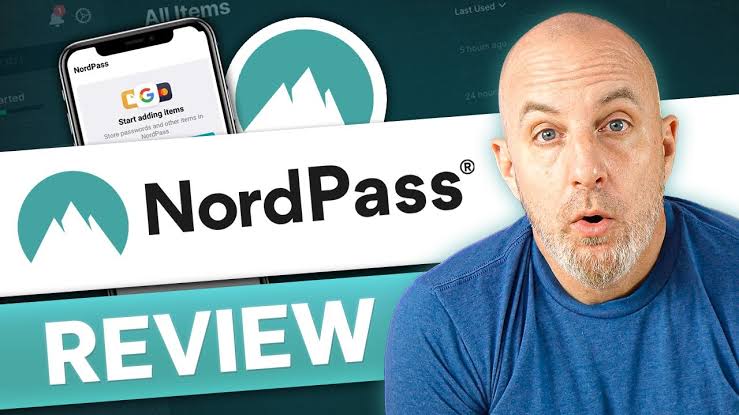
Across every platform we tested, NordPass leans on a clean, mostly uncluttered interface. The colour scheme is calm, navigation is simple enough that a first time user does not need a tutorial, and the password generator sits front and centre where it belongs. Searching for a saved login is fast, and tagging items into folders keeps a growing vault from turning into a mess.
Where the experience loses a bit of shine is on the free plan, where some features are either hidden behind a paywall or presented in a way that nudges you toward upgrading. This is common across the password manager industry, but it is worth knowing going in. Customer support, reached through email and a help centre, was responsive in our interactions, though live chat response times varied depending on the time of day.
Overall, the user experience earns solid marks for simplicity and consistency across devices, with the one device limit on the free tier being the main drawback we kept running into.
NordPass Pricing in 2026
Plan | Best for (Starting price) |
Free | Casual users who only need one device ($0) |
Premium | Individuals who want full cross device sync (From about $1.39/mo) |
Family | Households sharing up to 6 private vaults (From about $2.79/mo) |
Business / Enterprise | Teams needing admin controls and SSO (From about $3.59/user/mo) |
Pricing on multi year plans tends to be the most competitive, while month to month billing and the first year renewal rate both land noticeably higher. As with most subscription software, it pays to check the current promotion on the official site before committing.
NordPass Company Profile
Attribute | Details |
Product name | NordPass Password Manager |
Parent company | Nord Security |
Founded | 2019 |
Headquarters | Panama City, Panama (operations in Vilnius, Lithuania) |
Founders | Tomas Okmanas and Eimantas Sabaliauskas |
Platforms supported | Windows, macOS, Linux, Android, iOS, and major browser extensions |
Encryption | XChaCha20 with a zero knowledge architecture |
Free plan | Yes, one active device at a time |
Premium starting price | From roughly $1.39 to $1.99 per month on multi year plans |
Standout features | Data Breach Scanner, Password Health, Email Masking, Passkey support, NordPass Authenticator |
Nubia Magazine rating | 3.6 out of 5 |
Pros And Cons
What We Liked
- Clean, easy to learn interface across Windows, mobile, and browser extensions
- Strong XChaCha20 encryption with a zero knowledge architecture
- Useful extras such as Password Health, Data Breach Scanner, and Email Masking on paid plans
- A genuinely usable free plan, even with its one device limit
- Passkey support that keeps pace with where the wider industry is heading
Where It Falls Short
- Free plan restricts you to one active device session at a time
- Fewer advanced features than some rivals, such as deep custom fields or SSH key storage
- Live chat support speed can vary depending on when you reach out
Nubia Magazine Verdict
NordPass in 2026 is a dependable, well designed password manager that covers the essentials and then some. It is not the single most feature packed option on the market, and the free plan's one device restriction will annoy some readers, but the core experience of storing, generating, and autofilling passwords works smoothly across Windows, mobile, and browsers. For the price, backed by a company with a long track record in digital security, it remains an easy tool to recommend to most households and small teams. Nubia Magazine rates NordPass 3.6 out of 5, a solid score that reflects a product doing the fundamentals well without quite reaching the very top of its category.
Frequently Asked Questions About NordPass in 2026
1. Is NordPass safe to use in 2026?
Yes. NordPass uses XChaCha20 encryption and a zero knowledge architecture, meaning not even NordPass can see your stored passwords. The service has also gone through independent security audits.
2. Is NordPass free?
NordPass offers a free plan with unlimited password storage, though it limits you to one active device at a time. Premium and Family plans remove that restriction and add features like data breach monitoring and email masking.
3. How do I download NordPass?
Download NordPass directly from the official website for Windows, macOS, and Linux, or from the Apple App Store and Google Play Store for mobile. Browser extensions are installed separately from each browser's official add on store.
4. Why does NordPass log me out on other devices?
This happens on the free plan, which only allows one active session at a time. Logging in on a new device signs you out of the previous one. Upgrading to Premium or Family removes this limit.
5. Does NordPass work on Windows?
Yes. NordPass has a dedicated Windows desktop app that works alongside browser extensions for Chrome, Firefox, and Edge, giving full access to autofill, password generation, and security scanning features.
6. Can I use NordPass on multiple devices?
Free users are limited to one device session at a time. Premium and Family subscribers can sync and stay logged in across unlimited devices, including phones, laptops, and tablets.
7. Is NordPass better than Bitwarden or 1Password?
It depends on priorities. NordPass tends to offer a cleaner interface and competitive pricing, while Bitwarden is often cheaper and more open source friendly, and 1Password leans toward deeper advanced features. All three are considered reputable choices in 2026.
8. What encryption does NordPass use?
NordPass uses XChaCha20, a modern encryption cipher that is generally faster than AES on devices without dedicated hardware acceleration, combined with a zero knowledge setup so only the user can decrypt stored data.
9. Does NordPass support passkeys?
Yes. NordPass added passkey storage and management, allowing users to log into supporting websites and apps without typing a traditional password.
10. Who owns NordPass?
NordPass is owned and operated by Nord Security, the same company behind NordVPN and NordLocker. It was founded in 2019.
Related Posts


0 Comments
Join the discussion and share your thoughts
No Comments Yet
Be the first to share your thoughts on this article!