Supabase Review 2026: Pricing, Login, Company, Alternatives, Download & FAQs

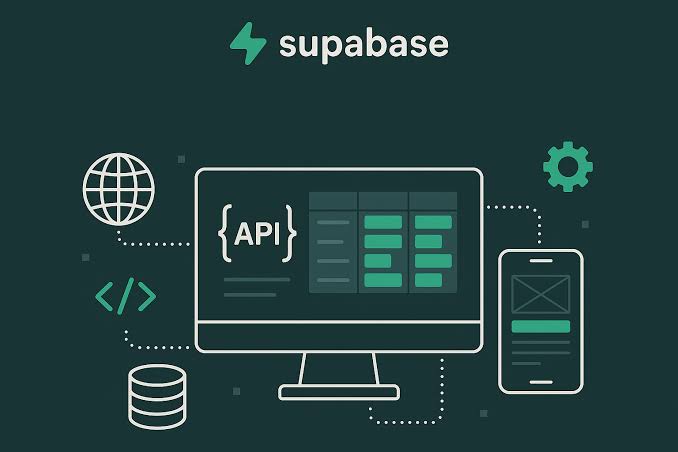
Table of Contents
Few backend platforms have grown as fast, or as loudly, as Supabase. It started life as the open-source answer to Google Firebase, and by 2026 it has become the default backend behind a large slice of the apps being shipped today, including the wave of products built with AI coding assistants. We spent time inside the dashboard, read through the current pricing, dug into what real users are saying, and weighed it against the competition. Here is what we found, with the good and the not so good laid out plainly.

Supabase at a Glance
Before getting into the detail, here is a quick profile of the company and the product as things stand in 2026.
Product Name | Supabase |
Category | Backend-as-a-Service (BaaS), open-source Firebase alternative |
Built On | PostgreSQL |
Founded | 2020 |
Founders | Paul Copplestone (CEO) and Ant Wilson (CTO) |
Headquarters | Fully remote company, commonly listed under San Francisco, USA |
Team Size | Roughly 350 employees |
Funding Raised | Around 544 million dollars across multiple rounds |
Valuation | About 5 billion dollars (late 2025), with reports of a new round in 2026 |
Core Tagline | Build in a weekend. Scale to millions. |
Key Features | Postgres database, authentication, realtime, storage, edge functions, vector search (pgvector) |
Starting Price | Free tier, then 25 dollars per month (Pro) |
Official Website | supabase.com |
Nubia Rating | 3.4 out of 5 |
The Company Behind Supabase
Supabase was founded in 2020 by Paul Copplestone and Ant Wilson. The story is one developers tend to like: two builders were using Firebase for a chat project, loved how quickly it let them ship, but were uneasy about being locked into a closed system they could not move away from easily. Their fix was to recreate that same speed on top of PostgreSQL, the open-source database that has been trusted in production for decades.
The company went through Y Combinator and grew quickly from there. By late 2025 it had raised well over 500 million dollars and reached a valuation of roughly 5 billion. Reports in early 2026 pointed to the company seeking a fresh round that could push that figure significantly higher. Behind the numbers is a smaller-than-you-might-expect team of around 350 people working fully remote, with engineers drawn from places like AWS, Google and Stripe.
One detail that says a lot about the culture: the CEO has openly talked about turning down large enterprise contracts that would have forced the product to bend toward a handful of big customers. The bet was that staying focused on individual developers would be worth more in the long run. So far that bet has paid off, helped enormously by the rise of AI app builders that quietly set up Supabase as their backend.
Supabase Pricing in 2026
Pricing is one of the areas Supabase gets the most credit for, and it is easy to see why. The structure is tiered, the limits are spelled out clearly, and cost controls are switched on by default so you are unlikely to wake up to a runaway bill. There are four plans.
- Free (0 dollars): A free tier with 500 MB of database storage, 50,000 monthly active users, 1 GB of file storage and unlimited API requests. It is generous, but free projects pause after about a week of inactivity and you are capped at two active projects, so it is best for learning and prototypes rather than live products.
- Pro (25 dollars per month per project): This is the workhorse plan for most production apps. It removes the inactivity pause, adds daily backups, raises the limits, and includes 10 dollars of monthly compute credit. Usage beyond the included amounts is billed on top.
- Team (599 dollars per month): A noticeable jump in price aimed at growing companies. It adds things many businesses need, such as SOC 2 and ISO 27001 compliance, longer backup retention, single sign-on and priority support.
- Enterprise (custom): Custom pricing for large organisations, with options like HIPAA compliance, private networking, bring-your-own-cloud and tailored service agreements.
The honest catch is that the headline prices are only part of the picture. Each project runs on its own Postgres server, and compute is billed by instance size, so a busy app can climb from the small tiers into hundreds of dollars a month as it grows. Database egress (bandwidth) is the other line item that tends to surprise people. None of this is hidden, but it does mean you should model your real usage rather than assume 25 dollars is the whole story. The leap from Pro to the 599 dollar Team plan is also steep for mid-sized teams who only want one or two enterprise features.
Supabase Login and Account Access
Getting into Supabase is straightforward. You sign in at supabase.com through the dashboard, and the platform supports signing in with GitHub, which is the route most developers take, as well as email and SSO on the higher plans. Once inside, every project gives you a web dashboard where you can browse tables, run SQL, manage users, configure storage and watch usage, all without leaving the browser.
It is worth separating two ideas that share the word login. The first is logging into the Supabase dashboard yourself as the owner of a project. The second is Supabase Auth, the built-in service you use to handle sign-ups and logins for your own app's users. Auth supports email and password, magic links, phone, and a wide list of social providers, with row level security tying permissions back to your database. This is one of the features people praise most often, because it removes a large chunk of work that would otherwise need a dedicated backend.
A note for users in India: in February 2026 the platform's API domain was blocked at the network level for about eight days under a government order. The dashboard and marketing site mostly kept working, but apps could not reach their databases until access was restored in early March. It is a reminder that depending on a single provider carries a small amount of risk outside your control.
Download and Self-Hosting
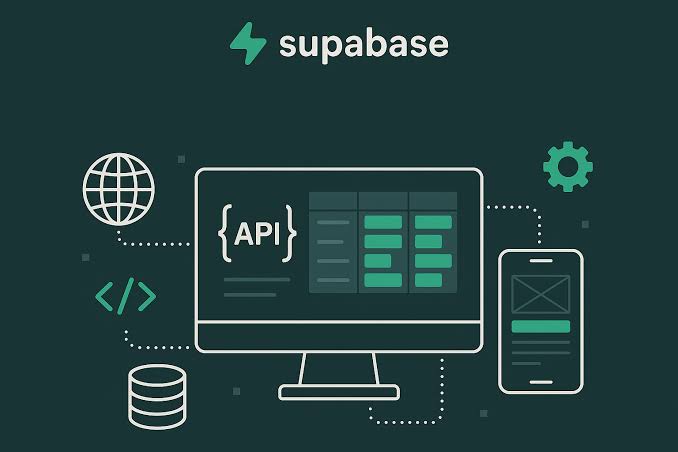
People often search for a Supabase download, so it helps to be clear about what that means. Supabase is primarily a cloud service, so for most users there is nothing to install. You create a project in the browser and connect to it from your code using one of the client libraries, the most common being supabase-js, which you add through a package manager rather than downloading as an app.
Where download genuinely applies is self-hosting. Because the whole platform is open source, you can run it on your own servers using the official Docker setup, which bundles Postgres, the auth service, the API layer, realtime and storage together. This appeals to teams who want full control of their data or who need to avoid vendor lock-in entirely. The trade-off is real operational work, since you become responsible for running and updating a multi-service stack yourself. There is also a command line tool, the Supabase CLI, that you install for local development and database migrations.
User Experience
This is where Supabase tends to win people over. Across review sites and community forums the same themes come up again and again. The dashboard is clean and approachable, the documentation is excellent, and the time it takes to go from an empty project to a working database with authentication is short enough to feel almost unfair. Several users describe being able to manage their data without writing raw SQL every time, which removes a barrier that many database tools simply ignore.
What people like
- Fast setup and a genuinely enjoyable developer experience.
- Built on standard PostgreSQL, so skills and data are portable and there is no lock-in.
- Clear, thorough documentation and an active community.
- A free tier that is more generous than most rivals, with auth, storage and realtime included.
- Open source, with a self-hosting option for teams that want it.
What frustrates people
- Support is documentation-first. There is no live chat or phone line even on higher tiers, which is hard if you hit an urgent production issue.
- Costs can climb faster than expected once compute and egress scale up.
- Edge functions can have a noticeable cold start delay after sitting idle.
- There is no built-in offline sync for mobile, an area where Firebase is still stronger.
- Free projects pausing after inactivity catches beginners off guard.
The broad consensus is that Supabase rewards people who are comfortable reading docs and thinking in SQL. If that sounds like you or your team, the experience is excellent. If you need a lot of hand-holding or instant support, the gaps are more noticeable. That balance is a big part of why our rating lands at 3.4 rather than higher.
Supabase Alternatives
Supabase is strong, but it is not the only option, and the right choice really depends on what you are building. These are the alternatives that come up most in 2026.
- Firebase: The original BaaS and Supabase's main rival. It is still the better pick for mobile apps that lean on realtime sync and offline support, though it uses a NoSQL database and ties you more tightly to Google.
- Appwrite: An open-source backend you can self-host, with a famously generous free tier. A natural fit for teams who value owning their infrastructure.
- Neon: Serverless Postgres with database branching and scale-to-zero billing. Great if you only need the database layer and will bring your own auth and storage.
- PlanetScale: A database-focused platform with strong branching workflows, better suited to teams who want just the data layer rather than a full backend bundle.
- Convex: A TypeScript-first reactive backend that trades SQL for a different programming model, popular with developers building realtime apps who want end-to-end type safety.
- PocketBase: A single lightweight executable that is wonderful for solo projects and prototypes, though it does not scale the way a full Postgres setup can.
Put simply, if you want a complete backend on real SQL with no lock-in, Supabase is hard to beat. If you are mobile-first, look at Firebase. If you only need a database, Neon or PlanetScale may suit you better. If owning everything matters most, Appwrite or self-hosting is the path.
The Nubia Magazine Verdict
Supabase has earned its reputation. It takes the speed that made Firebase famous and rebuilds it on an open, trusted database, which is a genuinely smart combination. For developers and small teams who can work independently, it is one of the best ways to get a real backend running quickly, and the free tier makes it easy to try with no commitment.
Our score of 3.4 out of 5 reflects a product that does the core job extremely well but still has rough edges. The limited support options, the cost surprises that can appear at scale, the steep gap up to the Team plan, and small reminders like the temporary block in India all keep it short of a top mark. For the right user, though, those are manageable trade-offs against a platform that genuinely makes building easier.
Best for: indie developers, startups and small teams who think in SQL and want to ship fast.
Think twice if: you need instant support, heavy offline mobile sync, or fully predictable costs at large scale.
Frequently Asked Questions
1. Is Supabase free to use?
Yes. Supabase has a free tier that includes 500 MB of database storage, 50,000 monthly active users, 1 GB of file storage and unlimited API requests. It is well suited to learning and prototypes. The main thing to remember is that free projects pause after roughly a week of inactivity, so it is not meant for live production apps that need to stay online around the clock.
2. How much does Supabase cost in 2026?
There are four plans. The Free plan is 0 dollars, the Pro plan is 25 dollars per month per project, the Team plan is 599 dollars per month, and Enterprise is custom priced. Your real bill on paid plans depends on compute size and bandwidth usage, so a growing app can cost more than the headline price suggests.
3. Is Supabase better than Firebase?
It depends on your project. Supabase uses PostgreSQL and is open source with no lock-in, which many web developers prefer, and it is often cheaper for read-heavy apps. Firebase has stronger mobile SDKs and better offline support, so it can be the better choice for mobile-first products. Neither is simply better than the other across the board.
4. How do I log in to Supabase?
You sign in through the dashboard at supabase.com, most commonly using a GitHub account, though email and single sign-on are also supported. This is separate from Supabase Auth, which is the service you use to handle logins for the users of your own app.
5. Can I self-host or download Supabase?
Yes. Because Supabase is open source, you can self-host the entire platform using the official Docker setup, which runs the database, auth, API, realtime and storage on your own servers. For normal cloud use there is nothing to install beyond the client library you add to your code, plus the optional command line tool for local development.
6. Is Supabase safe and secure?
Supabase is built on PostgreSQL with row level security, supports choosing your data region, and is GDPR compliant. The Team plan adds SOC 2 and ISO 27001 compliance, and Enterprise can offer HIPAA. As with any platform, security in practice also depends on how carefully you set up your access policies.
7. Why was Supabase blocked in India?
In February 2026 Indian internet providers were directed to block Supabase's API domain under Section 69A of the IT Act. No public reason was given. The block lasted around eight days and was lifted in early March 2026. Supabase's own infrastructure was never down; the restriction was at the network level.
8. What are the best alternatives to Supabase?
The strongest alternatives in 2026 are Firebase for mobile apps, Appwrite for self-hosted open-source backends, Neon and PlanetScale if you only need a database, Convex for realtime TypeScript apps, and PocketBase for small single-server projects.
9. Who owns Supabase and where is it based?
Supabase was founded in 2020 by Paul Copplestone, who is the CEO, and Ant Wilson, the CTO. It is a fully remote company most often listed under San Francisco, with a team of around 350 people and backing from a range of well-known investors.
10. Is Supabase good for beginners?
For beginners who are willing to learn a little SQL, yes. The setup is quick, the documentation is some of the best around, and the dashboard is easy to navigate. The learning curve is real but most people find their footing within a week or two, which is why it is a popular first backend.
Related Posts




1 Comment
Join the discussion and share your thoughts