Transcript LOL Review 2026: App, Login, Free Plan, Pricing, Generator & FAQs

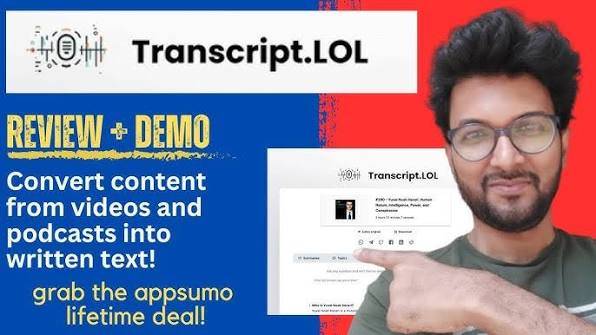
Table of Contents
Quick Profile: Transcript LOL at a Glance
Product Name | Transcript LOL (Transcript.LOL) |
Founded | 2022 |
Website | transcript.lol |
Category | AI Transcription & Content Tool |
Founder | Praveen Pendyala |
Platforms | Web (browser-based), API, Chrome Extension |
Supported Sources | 1,500+ platforms including YouTube, TikTok, Zoom, Spotify |
File Formats | MP3, MP4, MOV, WAV, AAC, OGG, MKV, WEBM, AVI, FLAC + more |
Languages | Multiple accents and dialects via Whisper AI model |
Free Plan | 2 transcripts/day (up to 20 mins each) |
Paid Plans | Unlimited from $10/month | Team from $20/month |
Key Features | Transcription, Summaries, Speaker ID, Chapters, Quizzes, Social Posts |
AI Model | OpenAI Whisper Large (best-in-class) |
Our Rating | 4.4 / 5 |
Best For | Podcasters, Researchers, Marketers, Content Creators, Teams |
Introduction
If you have ever sat through a one-hour podcast or a lengthy Zoom call wishing someone could just summarize the whole thing for you, Transcript LOL was built with you in mind. We at Nubia Magazine spent several weeks putting this tool through its paces, and what we found was a product that genuinely earns its unusual name.
Transcript LOL, officially written as Transcript.LOL, is an AI-powered transcription and content generation tool that converts audio and video files into clean, accurate text, and then goes a step further by turning those transcripts into summaries, blog posts, social media captions, quizzes, chapters, and more. It is the kind of tool that makes you wonder how you managed without it.
In this review, we cover everything from how the app works and how to log in, to the free plan limitations, pricing structure, content generator features, overall user experience, and the questions people are genuinely asking about this tool in 2026.
What is Transcript LOL?
Transcript LOL is a cloud-based AI transcription platform developed by founder Praveen Pendyala. It uses OpenAI's Whisper Large model under the hood, which is widely regarded as one of the most accurate speech-to-text engines available today. The platform sits on top of that powerful engine and adds a layer of content intelligence tools that most competing services simply do not offer.
At its simplest, you paste a URL or upload a file, and within about one minute for a 30-minute recording, you have a full transcript. But the interesting part is everything that comes after. Transcript LOL automatically generates:
- A structured summary with key points
- Chapter markers (great for YouTube uploads)
- SEO-optimised title suggestions
- Social media posts for LinkedIn, Facebook, and X (Twitter)
- A newsletter draft
- Quotable pull quotes
- A full blog post based on the transcript
- Quizzes for educational content
It supports over 1,500 platforms including YouTube, TikTok, Instagram, Spotify, Zoom, LinkedIn, Reddit, Udemy, and Apple Podcasts, meaning you rarely need to download and re-upload anything. For teams and agencies, the collaborative workspace option in the Team plan adds a shared archive where multiple users can access and manage transcripts in one place.
The Transcript LOL App: How It Works
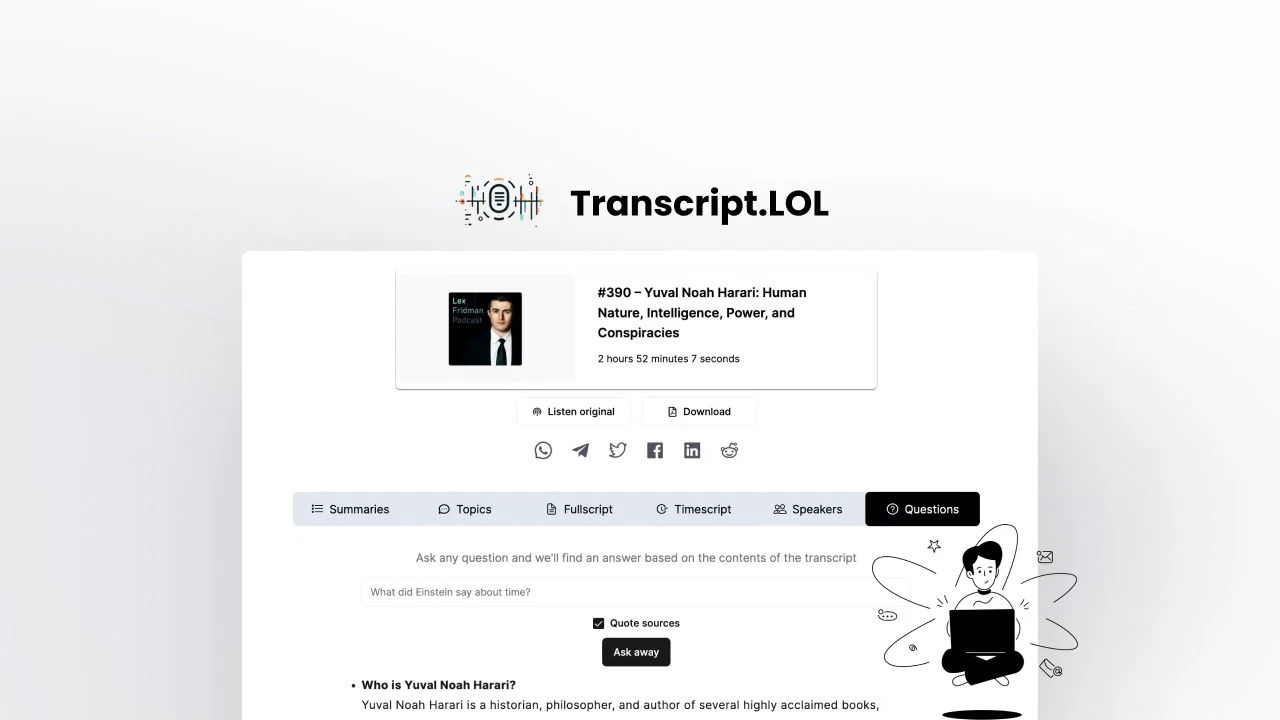
Transcript LOL is entirely browser-based. There is no desktop application to download, which some users appreciate and others find slightly limiting. That said, the browser experience is clean and well-organised. The interface greets you with a straightforward dashboard where you can paste a URL, upload a file, or import directly from cloud storage services like Google Drive or Dropbox.
The platform also has a Chrome extension, which makes it even faster to grab content from whatever you are watching or listening to. If you use Zapier, you can connect Transcript LOL to your existing automation workflows, though this is reserved for higher subscription tiers.
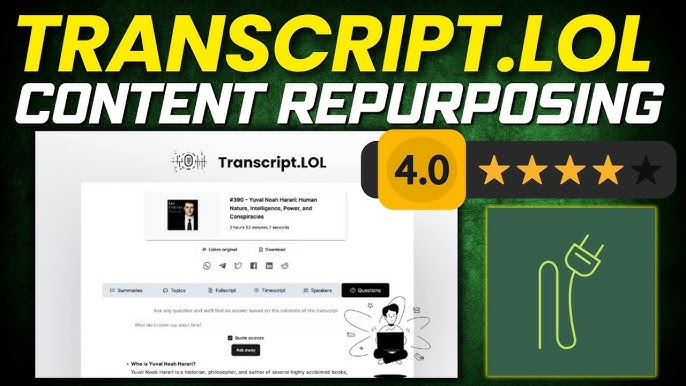
Once your transcription is ready, everything is neatly arranged in tabs: the full transcript with timestamps, the summary, the AI-generated content pieces, and speaker detection labels. The speaker identification feature does a decent job on most recordings, though it can occasionally merge two speakers mid-sentence in very noisy audio files, which is something the team appears to be actively improving.
One thing worth noting is that the platform does not support real-time transcription. It is designed for recordings rather than live calls, which means if you need to transcribe a live meeting as it happens, you would need a different tool or a workaround.
Transcript LOL Login: Getting Into Your Account
Signing up and logging into Transcript LOL is a pretty painless process. You head over to transcript.lol, click the sign-up button, and create an account with your email address. Google sign-in is also available, which many users prefer for convenience.
Once your account is created, your dashboard loads immediately, and you can begin transcribing. The free tier requires no credit card, which removes the usual friction that keeps people from trying new tools.
One complaint that surfaced repeatedly in user reviews relates to account email changes. Several users who signed up through AppSumo lifetime deal promotions found that they were unable to update the email address on their account, which Transcript LOL has acknowledged as a limitation tied to how AppSumo accounts are linked to the platform. For standard subscribers, however, updating account details works as expected.
Is Transcript LOL Free? What the Free Plan Offers
Yes, Transcript LOL does have a free plan, and it is genuinely usable rather than just a teaser. The free tier gives you two transcripts per day, each with a maximum length of 20 minutes. That is enough to test the tool properly and see whether the accuracy and feature set suit your workflow before spending anything.
The free plan includes access to the core AI features, meaning you get summaries, the Q&A chatbot, and the content generation tools on your transcripts, not just the raw text. That is a meaningful distinction compared to some competitors who reserve AI insights for paid plans only.
The limitations of the free plan are the daily cap and the 20-minute file length ceiling. If you regularly work with hour-long interviews, full podcast episodes, or extended webinars, you will hit that wall quickly and need to upgrade.
Transcript LOL Pricing in 2026
Transcript LOL keeps its pricing structure fairly straightforward. Here is what the plans look like as of mid-2026:
Plan | Price | Upload Limit | Best For |
Free | No cost | 20 min / 2 per day | Casual testing |
Unlimited | $10/month (annual) | Up to 10 hours per file | Individuals, creators |
Team | $20/month (annual) | Up to 10 hours per file | Small teams, agencies |
The Unlimited plan at $10 per month (billed annually at $120 per year) is the sweet spot for most individual users. It removes all caps on transcription volume for non-automated use, supports files up to 10 hours long, and gives you priority processing speeds. The team behind the product has been clear that "really unlimited" applies to human usage and not to automated API calls, which have separate pricing.
The Team plan at $20 per month adds collaborative workspaces, making it a practical choice for marketing teams, podcast production companies, research groups, or any business where multiple people need access to a shared transcript library.
Previously, Transcript LOL offered lifetime deals through AppSumo, but those deals have since ended and are no longer available for new purchasers.
Transcript LOL as a Content Generator
This is arguably the most compelling part of what Transcript LOL does. Once your transcript is ready, the platform treats it as the raw material for a full content pipeline. The content generation tools work off the transcript itself, which keeps everything grounded in what was actually said rather than hallucinating details.
What You Can Generate
The generator features cover a surprising range of content formats:
- Blog articles: A full draft based on the transcript, ready to edit and publish
- Newsletter content: Formatted for email distribution
- Social posts: Multiple options for LinkedIn and Facebook with hashtags, plus shorter versions for X
- Pull quotes: Standout lines from the transcript formatted for sharing
- Chapter markers: Timestamped sections useful for YouTube and podcast platforms
- Quizzes: Multiple choice or open-ended questions, useful for educators and online course creators
- Mind maps: A visual breakdown of the key themes discussed
- Action items: A list of tasks and follow-ups extracted from the conversation
For a podcaster or content marketer, the time savings are real. One AppSumo reviewer mentioned that Transcript LOL saved them roughly 24 to 30 hours of work across just six uploaded files. That kind of return is hard to argue with.
The custom prompts feature is also worth highlighting. If none of the preset output formats match what you need, you can write your own prompt and ask the AI to produce something more specific, turning the transcript into whatever you actually need rather than a fixed template.
User Experience: The Honest Assessment
Nubia Magazine gave the platform a fair run across different content types, including podcast episodes, YouTube interviews, webinar recordings, and WhatsApp voice notes. Here is what stood out.
The Good
Speed is genuinely impressive. A 30-minute file typically transcribes in about a minute, sometimes less depending on server load. Accuracy on clear English audio is very high, regularly hitting 98 to 99 percent, which lines up with Transcript LOL's own claims. The multi-speaker detection works well when speakers have distinct voices and minimal crosstalk. The content generation is cohesive and reads like something a human assistant put together, not like generic AI filler.
The interface is clean without being stripped back to the point of being confusing. Folders for organising transcripts by topic or project make it easy to keep things manageable when you are processing a lot of content. The Q&A feature, where you can ask questions about a specific transcript and get cited answers from within it, is particularly useful for researchers and journalists.
The Not-So-Good
Where things get imperfect is with complex audio. Non-English content, heavy accents, technical terminology, or recordings with background noise will bring accuracy down noticeably. The platform currently lacks the ability to learn from corrections you make to transcripts, meaning if it consistently misspells a proper noun or brand name, you have to correct it every single time. This is a known limitation that users have flagged, and it is the kind of quality-of-life feature that would genuinely elevate the product if added.
Editing transcripts within the platform is functional but not as smooth as some competitors. A few users described the editing interface as something that could use more attention, particularly for those who regularly need to clean up transcripts before publishing.
On the customer support side, the experience varies. Several long-term users and AppSumo customers have reported slow response times or frustrating interactions, particularly around plan limitations and feature changes. This is worth factoring in if reliable support matters to your workflow.
Nubia Magazine Verdict
Transcript LOL is a genuinely useful tool that has carved out a solid position in the AI transcription market by doing more than just transcription. The content generation layer is where it earns its reputation, and for podcasters, marketers, researchers, and educators, the time it saves is real and measurable.
The pricing is reasonable, the free plan is honest about what it offers, and the accuracy on standard audio is consistently strong. The editing experience and customer support have room to grow, and the lack of a learning mechanism for recurring corrections is a frustration for power users.
At a rating of 4.4 out of 5, Transcript LOL stands as a tool that does what it promises and then some. If your work involves a lot of audio or video content that needs to become written material, it belongs in your toolkit.
Frequently Asked Questions About Transcript LOL in 2026
1. Is Transcript LOL completely free to use?
There is a free plan available that gives you two transcripts per day, each up to 20 minutes long. It includes access to the core AI features like summaries and content generation, so it is more than just a token free tier. However, if you regularly work with longer or more frequent recordings, you will need the Unlimited plan starting at $10 per month billed annually.
2. How accurate is Transcript LOL for transcription?
On clear audio with standard English speech, Transcript LOL regularly achieves accuracy in the 98 to 99 percent range, which is comparable to the best human transcribers according to the platform. That figure does drop for recordings with heavy background noise, strong regional accents, technical jargon, or non-English languages. Audio quality is the biggest variable in the final accuracy you experience.
3. What file formats does Transcript LOL support?
The platform accepts a wide range of common audio and video formats including MP3, MP4, MOV, WAV, AAC, OGG, OPUS, MKV, WEBM, AVI, FLAC, AIFF, ALAC, 3GP, WMA, WMV, and more. You can also import directly from over 1,500 platforms by pasting a URL, which means you rarely need to download a file first.
4. Does Transcript LOL use my data to train AI models?
No. Transcript LOL has a clear policy stating it does not use your uploaded content to train AI models. The platform maintains a strict no-training policy and restricts access to uploaded files to a need-to-know basis. For anyone processing sensitive interviews, confidential meetings, or proprietary research, this is an important assurance to have in writing.
5. Can Transcript LOL transcribe in multiple languages?
Transcript LOL supports multiple accents and dialects through the Whisper AI model, which handles a broad range of languages. That said, the platform's strongest performance is in English. Users transcribing non-English content or code-switching between languages have reported lower accuracy, and the tool does not currently offer real-time language detection or automatic language switching within a single recording.
6. Is there a Transcript LOL mobile app?
As of 2026, Transcript LOL does not have a dedicated native mobile app for iOS or Android. The platform is web-based and accessible through any mobile browser, but the experience is optimised for desktop use. There is a Chrome extension available, which works on desktop Chrome, but mobile users rely on the mobile browser version of the site.
7. How does the Team plan differ from the Unlimited plan?
The Unlimited plan is designed for individual users and gives you unlimited transcriptions, full access to AI content generation features, and file uploads up to 10 hours. The Team plan, starting at $20 per month billed annually for two users, adds shared collaborative workspaces, a centralised transcript archive that multiple team members can access, and the ability to manage permissions across your team. If you are working alone, the Unlimited plan is more than sufficient. If you have colleagues or collaborators who also need access, the Team plan becomes the better value.
8. What happened to the Transcript LOL AppSumo lifetime deal?
Transcript LOL previously offered lifetime deals through AppSumo, which allowed a one-time payment for permanent access. Those deals have now ended and are no longer available for new buyers. Existing AppSumo customers retain their purchased tier benefits, though several users have noted that some newer features have been placed behind additional subscription tiers rather than included in the original lifetime deal terms. New users need to sign up for one of the current monthly or annual subscription plans.
Related Posts

Receptor Grade IGF-1 LR3: Extended Molecular Signaling and Peptide Research
Receptor Grade IGF-1 LR3 is a modified IGF-1 analog studied for its prolonged receptor engagement, altered binding affinity, and role in growth and metabolic signaling research.

Top 10 Best Automobile Technology Companies In Dubai 2026

Uniting SIM Cards and Temporary Numbers: How Mobile Communication Became More Flexible
How SIM cards and internet telephony evolved side by side, from full-size cards to eSIM and cloud PBXs, and how flexible virtual numbers and specialized services now cover business communication needs.

Top 10 Best Robotics Companies In Japan 2026
0 Comments
Join the discussion and share your thoughts
No Comments Yet
Be the first to share your thoughts on this article!