Subly Review 2026: App, Login, Pricing, Subscription & FAQs

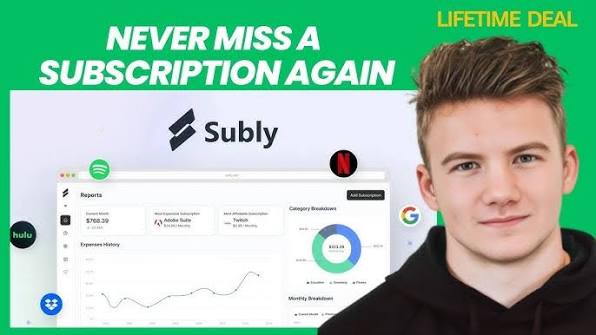
Table of Contents
Subscription fatigue is real, and by mid 2026 most of us are juggling more recurring charges than we can name off the top of our heads. Streaming, software, gym memberships, newsletters, cloud storage, the list keeps growing. That is exactly the gap Subly was built to close, and it has spent the last few years quietly building a following among freelancers, small teams and everyday people who got tired of being surprised by their bank statements.
At Nubia Magazine, we like to actually use the tools before we write about them rather than repeating a press release. Our team spent close to three weeks with Subly across a personal account and a small team account, tracking real recurring payments, testing the login flow, poking at the pricing tiers and reading through what current users are saying in 2026. Here is our honest take, along with the questions people keep typing into Google about the app.

What Is Subly, Exactly?
Subly is a web based subscription tracker created by UX designer Emilio Sanchez, who reportedly built the first version to solve his own problem of losing track of trial periods and recurring software charges. The tool has since grown into a fuller product with team accounts, spending reports, multi currency tracking and renewal alerts, all wrapped in a dashboard that looks noticeably cleaner than most budgeting apps in this space.
Unlike full budgeting suites that try to track every dollar you spend, Subly stays focused on one job: keeping every subscription, trial and recurring bill visible in a single place so nothing renews without you knowing about it first.
Subly Profile at a Glance
Attribute | Details |
App name | Subly (Subscriptions Tracker) |
Founder | Emilio Sanchez |
Category | Personal & business subscription management |
Launch model | Freemium, web based app |
Platforms | Web app, browser based dashboard |
Free plan | Up to 10 subscriptions, 1 user, 500 MB storage |
Pro plan | $39.00 per year, unlimited subscriptions, 3 team members |
Team plan | $120.00 per year, 10 team members, all integrations |
Core features | Renewal alerts, spending reports, multi currency support, team collaboration |
Support channels | Email, help desk, knowledge base, in app chat |
Nubia Magazine rating | 3.4 out of 5 |
The Subly App and How It Feels to Use
Subly runs entirely in the browser rather than as a downloadable desktop or mobile app, which is worth knowing upfront if you were expecting an App Store listing. The dashboard opens to a clean overview of everything you are paying for, grouped by project or category, with upcoming renewals flagged near the top.
We found the interface genuinely easy to pick up. Adding a new subscription takes under a minute, logos are pulled in automatically for most well known services, and the reports section gives a surprisingly clear breakdown of where money is actually going month to month. Where things get a little clunky is in some of the smaller workflow details.
- Adding a subscription you signed up for today or a couple of days ago can be awkward, since the system is built around future renewal dates rather than the date you actually started paying.
- There is no native mobile app yet, so everything happens through a mobile browser tab, which works fine but does not feel as polished as a dedicated app.
- Custom logo uploads are not available for lesser known tools, so some entries in the dashboard show a generic placeholder instead of the actual brand icon.
None of these are dealbreakers, and the Subly team has acknowledged several of them publicly as items already sitting on the product roadmap. For a tool at this stage, the core experience is solid even if a few edges still need sanding down.
Subly Login: How Access Works
Logging in is straightforward. Subly uses a standard email and password setup, with the login portal sitting at a separate web address from the main marketing site. New users sign up for free, verify their email, and land straight in the dashboard without a lengthy setup wizard getting in the way.
Security minded users will be glad to hear that two factor authentication is available on paid plans. It lives under account settings inside the authentication tab, where you can link an authenticator app in a few steps. We would like to see 2FA offered on the free tier too, since account security probably should not depend on which plan you are paying for.
One small login related issue that came up in user feedback and in our own testing is password reset emails occasionally landing in spam folders. It is a minor annoyance rather than a security flaw, but it is worth checking your spam folder if a reset email does not show up within a minute or two.
Subly Pricing in 2026
Subly keeps its pricing structure simple, with three tiers built around how many subscriptions you need to track and how many people need access.
- Free: Up to 10 subscriptions, 1 team member, 500 MB of storage, and an ad free experience. This tier is genuinely usable long term for individuals with a modest number of recurring bills.
- Pro Plan: $39.00 per year for unlimited subscriptions, 3 team members, 1 GB of storage, project organisation, integrations, webhooks and two factor authentication.
- Team Plan: $120.00 per year, built for startups and small agencies, with 10 team members, 10 GB of storage and access to all available integrations.
For context, that Pro tier works out to a little over three dollars a month, which is inexpensive compared to most subscription trackers charging similar amounts monthly rather than yearly. The pricing model itself draws a fair bit of jokey commentary online, since you are technically paying a subscription to manage your subscriptions. Subly addresses this directly in its own FAQ, framing it as a small cost that pays for itself the moment it catches one missed cancellation or one forgotten trial.
There is no long term contract attached to any tier. Annual plans can be cancelled and monthly billing can be switched off at any point, and the company states that account data is deleted from its servers if a user chooses to leave.
Managing Your Subscription Inside Subly
Once you are set up, the actual job of tracking subscriptions is where Subly earns its reputation. You can log recurring software bills, streaming services, memberships and even one time purchases like lifetime software deals, since the platform treats a one time expense as its own category rather than forcing it into a recurring billing cycle.
Renewal alerts can be set up to three reminders per subscription, which gives enough buffer to actually cancel something before the charge hits rather than noticing it after the fact. Multi currency support is a nice touch for anyone paying for tools priced in a currency different from their home country, since Subly converts everything back into your preferred currency automatically for reporting purposes.
Team accounts add a layer of shared visibility that solo tools in this category often skip entirely. Multiple people can see the same subscription list, leave notes, and avoid the classic small business problem of three different employees paying for three different versions of the same software tool without realising it.
User Experience: What People Are Actually Saying in 2026
Across marketplace reviews and community feedback in 2026, the sentiment toward Subly leans positive but not uniformly glowing. Users consistently praise the interface for being intuitive and appreciate how quickly they can get a full picture of their monthly spending. The renewal reminder system is one of the most frequently mentioned strengths, with several users crediting it for catching a subscription they had genuinely forgotten about.
On the other side, a recurring complaint involves smaller bugs, particularly around the future dated payment requirement mentioned earlier and occasional notification delays. Customer support gets credit for being responsive, with the founder personally replying to reviews and feedback in several cases we came across during research, which is a nice touch that larger, more corporate tools rarely bother with.
Taken together, this is a tool that clearly works for its core purpose and has a support team that seems to actually read feedback, but it is still maturing in places, which is part of why our rating lands at a solid rather than spectacular 3.4 out of 5.
Subly Pros and Cons
What We Liked
- Clean, easy to navigate dashboard that does not require a learning curve
- Genuinely useful free tier for anyone with a modest number of subscriptions
- Affordable yearly pricing on the Pro plan compared to competitors
- Multi currency support that works well for international users
- Responsive, personal feeling customer support
What Could Improve
- No dedicated mobile app yet, browser only access
- Awkward handling of subscriptions started in the past rather than the future
- Two factor authentication limited to paid tiers
- Custom logo uploads not yet supported for lesser known services
Final Verdict Verdict
If your main goal is a simple, visual way to stop losing track of what you are paying for every month, Subly does exactly that job well. It is not trying to be a full personal finance suite, and that focus is actually a strength rather than a limitation. The free plan is generous enough to test drive properly, and the Pro plan's yearly pricing makes it one of the more affordable dedicated subscription trackers currently available.
We are rating Subly at 3.4 out of 5. It loses a few points for the missing mobile app and some rough workflow edges, but it earns credit back for being genuinely useful, reasonably priced and backed by a team that appears to be actively listening to its users.
Subly FAQs: What People Are Searching in 2026
Is Subly free to use?
Yes. Subly offers a free plan that supports up to 10 subscriptions, one user and 500 MB of storage. It is a solid option for anyone with a manageable number of recurring bills who does not need team features.
How much does Subly Pro cost?
The Pro plan is priced at $39.00 per year, which covers unlimited subscriptions, three team members, one GB of storage, integrations and two factor authentication.
Does Subly have a mobile app?
Not at the time of this review. Subly is a web based platform accessible through a browser on both desktop and mobile devices, but there is no dedicated iOS or Android app available yet.
How do I log into Subly?
You log in through the dedicated web app portal using your registered email address and password. New users create an account through the signup page and are taken straight into the dashboard after verifying their email.
Can Subly track things other than subscriptions?
Yes. Subly can be used to track any recurring payment, and it also supports one time expenses, which is useful for logging lifetime software deals or single purchases you still want visibility into.
Is my financial data safe with Subly?
According to Subly, user data is not used for any purpose beyond the service itself, and users can request a full export of their data at any time. If an account is closed, the company states that associated data is removed from its servers.
Can I cancel my Subly subscription at any time?
Yes. Subly operates on a month to month or annual basis depending on the plan chosen, with no long term contract required, and cancellation can be done directly from account settings.
Does Subly support multiple currencies?
Yes. Subly automatically converts subscription costs from different currencies into your preferred currency, which is helpful for anyone paying for services billed internationally.
Is Subly good for small business teams?
It can be. The Team plan supports up to 10 members and includes access to all available integrations, making it a reasonable fit for startups and small agencies that want shared visibility into company subscriptions without adopting a heavier finance tool.
How many reminders can I set for one subscription?
Subly allows up to three separate reminders per subscription, giving users enough advance notice to cancel or budget for a renewal before it actually charges.
Related Posts



1 Comment
Join the discussion and share your thoughts