Top 10 Best Task Management Apps In 2026

Table of Contents
The best task management apps in 2026 do more than hold a grocery list. They parse natural language, automate handoffs between teammates, and in several cases replace three or four separate tools a team was paying for. We tested and compared the leading options against 2026 roundups from PCMag, Quire.io, and ChooseMyStack, and the field has sorted itself into clear tiers: personal to-do apps, team workflow platforms, and enterprise work management systems.
What follows is our ranked list of the ten best task management apps in 2026, ordered by overall balance of usability, cross-platform support, feature depth, and price. Every entry reflects vendor-reported pricing and user figures from 2026 coverage, so confirm current plans before you commit.
How We Ranked These
We weighed four factors: ease of use for a first-time user, breadth of platform support, depth of features relative to price, and independent review consensus across major 2026 comparisons. Apps that topped multiple roundups earned higher placement. We also factored in whether an app suits individuals, small teams, or enterprises, since a tool that's perfect for a solo freelancer can be wrong for a 200-person company. Pricing reflects vendor-reported figures as of 2026.
These Are The List Of The Top 10 Best Task Management Apps In 2026:
1. Todoist
Todoist has held the top spot in task management roundups for years, and 2026 is no different. PCMag named it a "Top Tested Pick" for the year, and it leads most to-do list comparisons. The app, built by Doist and launched in 2007, now serves more than 30 million people.
The reason is balance. Todoist handles natural-language input cleanly, so typing "submit report every Friday at 5pm" creates a recurring task with the right due date. It syncs across more than 20 platforms, nests projects, and supports labels, filters, and a Karma productivity score that tracks streaks. The 2026 releases added AI-assisted task breakdown and cleaner calendar layouts.
Pricing is the clincher. The Pro plan runs $5 per month billed annually, which undercuts nearly every competitor with comparable features. It averages 4.5 out of 5 across major review platforms. For anyone who wants a task manager that just works without a learning curve, this is the pick.
2. Asana
Asana is the strongest option for structured team workflows. Founded in 2008 by Facebook co-founder Dustin Moskovitz, the company is now publicly traded on the NYSE under ASAN and carries a market valuation of roughly $5.5 billion. More than 150,000 organizations pay for it.
The platform offers list, board, timeline (Gantt), and calendar views, plus automation rules and goals tracking. Asana AI generates smart summaries and routes tasks automatically. Reviewers consistently rank it "best for structured project workflows" in 2026 comparisons, and that's accurate: cross-functional teams that need dependencies, milestones, and clear ownership get more from Asana than from lighter tools.
The free tier covers up to 10 teammates. Premium runs about $10.99 per user per month. It's heavier and pricier than a personal to-do app, but for a team managing real projects, the structure pays for itself.
3. TickTick
No app in this list delivers more features per dollar than TickTick. The 2013 launch from Appest packs to-do lists, a built-in Pomodoro timer, habit tracking, kanban boards, and a full calendar view into a single app. Its App Store rating sits at 4.7 out of 5 across more than a million ratings.
Natural-language parsing and cross-device sync are frequently praised in reviews, and TickTick shows up in nearly every 2026 "best to-do app" roundup, including PCMag and ChooseMyStack. The free tier includes the calendar view, which most competitors lock behind a paywall. Premium costs about $35.99 per year.
If you want flagship-level features without flagship pricing, TickTick is the value leader in the category. The mobile experience in particular draws consistent praise.
4. ClickUp
ClickUp markets itself as an "everything app," and the description holds up. Founded in 2017, the platform bundles tasks, docs, goals, chat, whiteboards, and dashboards into one workspace. It now serves more than 10 million users and offers 15-plus view types.
The customizable hierarchy (Spaces, Folders, Lists, Tasks) lets teams model their own structure rather than adapting to the software. Quire.io's 2026 rankings place ClickUp prominently for exactly this reason. Teams that want to consolidate three or four subscriptions into one platform will find the pricing aggressive: the free "Forever" plan is genuinely usable, and the Unlimited plan runs about $7 per user per month.
The tradeoff is depth. New users can feel buried in configuration options, and the interface lacks the polish of Asana or Todoist. For growing teams willing to invest setup time, though, the value is hard to beat.
5. Trello
Trello popularized the kanban board back in 2011 and remains the easiest visual task tool to learn. Atlassian acquired it in 2017 for $425 million, and that backing has kept development moving, including AI-powered card suggestions in recent releases.
Drag-and-drop cards, Power-Ups for integrations, and Butler automation make Trello accessible to people who don't think of themselves as project managers. It has more than 50 million registered users. The free plan includes unlimited cards, and Standard runs about $5 per user per month.
Where Trello falls short is complexity. It lacks the advanced reporting and task dependencies that Asana and ClickUp handle natively, so it's a poor fit for multi-stage projects with hard deadlines. For lightweight personal task tracking and small-team boards, it's still the simplest option on the market.
6. Wrike
Wrike targets the enterprise, and the customer list proves it: more than 20,000 organizations, including 80% of Fortune 100 companies. Founded in 2006 and acquired by Citrix in 2021, the platform is built for scale, with advanced automation, custom request forms, proofing tools, and resource management.
The AI-powered Work Intelligence features automate task assignment and flag project risk before deadlines slip. Cross-team collaboration is where Wrike earns its keep, and 2026 rankings consistently place it among the top enterprise options. Its G2 rating sits around 4.3 out of 5.
Pricing starts near $10 per user per month on the Team plan. The learning curve is steep and the platform is overkill for individuals, but mid-size and enterprise teams that need reporting depth and automation will find it among the best task management apps available.
7. Things 3
Things 3 is the most polished personal task manager ever built for Apple devices, full stop. Cultured Code released it in 2017, and it has since won an Apple Design Award. PCMag and ChooseMyStack both feature it in 2026 best-of lists.
The Today and Upcoming views support a focused GTD-style workflow, and the macOS and iOS integration feels native in a way cross-platform apps never quite manage. There's no subscription: $9.99 for iPhone, $19.99 for iPad, and $49.99 for Mac, paid once.
The limitation is obvious. No Windows, no Android, no team collaboration. For solo Apple users who value design and a calm interface, though, Things 3 is often considered the best-designed task app on the market. Everyone else should look elsewhere.
8. OmniFocus
OmniFocus is built for one kind of user: the serious Getting Things Done practitioner. The Omni Group first released it in 2008, and it implements David Allen's GTD methodology more faithfully than any competitor, with deep project hierarchies, custom perspectives, and forecast views.
PCMag's 2026 testing named it a top pick for GTD power users. The 2026 version added improved sync and AI-assisted review, addressing two long-standing weak points. Pricing runs $9.99 per month or $99.99 for a one-time Pro license, and it's Mac and iOS only. G2 users rate it around 4.4 out of 5.
The learning curve is real, and the Apple exclusivity narrows the audience. Dedicated users, however, tend to consider it irreplaceable once the system clicks.
9. Any.do
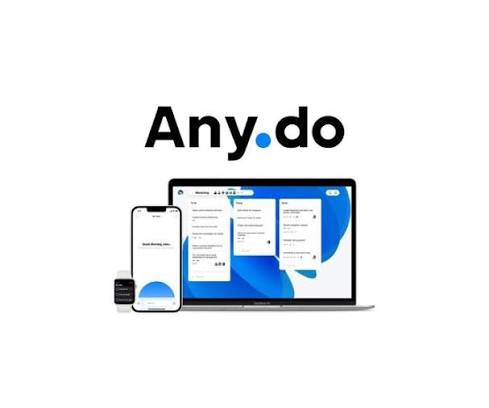
Any.do takes a friendlier approach. Founded in 2010, the app now serves more than 30 million users with a clean interface built around a "My Day" planning view and voice input. It holds a 4.5 out of 5 rating on Google Play.
The calendar integration sets it apart from pure to-do apps, and the Premium tier (about $5.99 per month) adds unlimited reminders, custom themes, and WhatsApp integration. 2026 to-do list roundups consistently include it for users who want something lightweight and approachable.
Advanced project management features are absent, so teams should look at Asana or ClickUp instead. For personal productivity, household lists, and shared family tasks, Any.do is one of the best task management apps in its weight class.
10. Microsoft To Do

Microsoft To Do costs nothing beyond a Microsoft account, and for organizations already inside the Microsoft 365 ecosystem, that convenience is hard to argue with. The app relaunched in 2017 as the successor to Wunderlist and holds a 4.6 out of 5 rating on the Microsoft Store.
Integration is the selling point. Tasks sync with Outlook, Microsoft Teams, and Planner, and the app runs across Windows, iOS, and Android. Features include My Day, smart suggestions, shared lists, and file attachments through OneDrive.
Compared to dedicated tools, the feature set is basic, which is why it lands at number 10. But for a Microsoft 365 shop that wants task tracking without another subscription, it's the most convenient option available.
Choosing among the best task management apps in 2026 comes down to who you are. Individuals and small teams should start with Todoist for its balance of price and power, or TickTick if feature density matters more than polish. Teams managing structured projects will get the most from Asana, while enterprises needing automation and reporting should evaluate Wrike. Apple loyalists have two strong options in Things 3 and OmniFocus, and anyone already paying for Microsoft 365 can skip the subscription entirely with Microsoft To Do.
Pricing and plan structures shift frequently across this category, so verify current rates directly with each vendor before committing a team to an annual plan.
Related Posts
0 Comments
Join the discussion and share your thoughts
No Comments Yet
Be the first to share your thoughts on this article!