SAP Concur Review 2026: Login, Signup, App, Download & FAQs

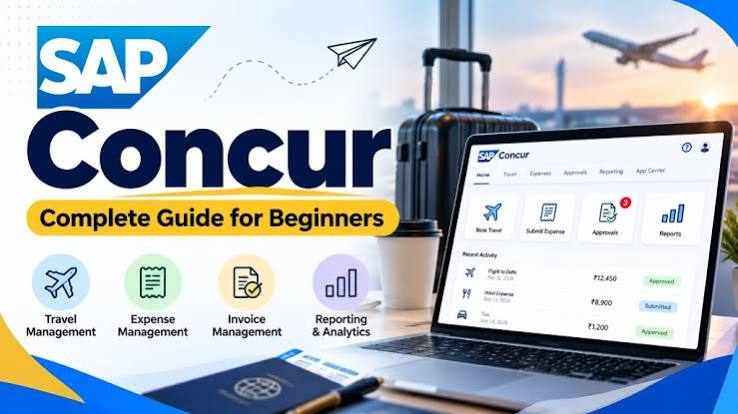
Table of Contents
SAP Concur: Company Profile
Field | Details |
Full Name | SAP Concur |
Parent Company | SAP SE |
Founded | 1993 (as Concur Technologies); acquired by SAP in 2014 |
Headquarters | Bellevue, Washington, USA |
Type | Cloud-based SaaS (Software as a Service) |
Category | Expense Management, Travel Management, Invoice Processing |
Website | www.concur.com |
Platforms | Web (Browser), iOS App, Android App |
Target Users | Mid-size to large enterprises; finance, travel, and HR teams |
Base Plan Pricing | Starting at $7/user/month (Basic); custom pricing for Professional and Enterprise tiers |
Free Trial | Available |
Key Integrations | SAP ERP, QuickBooks, Salesforce, Uber, Grab, TripIt, Lyft, and more |
Overall Rating (Nubia) | 1.3 / 5 |
G2 Rating (2026) | 4.0 / 5 (approx. 7,000 reviews) |
Capterra Rating (2026) | 4.3 / 5 (approx. 2,259 reviews) |

Introduction
If you have ever worked for a mid-size or large corporation and had to submit travel expenses, there is a pretty good chance your company made you use SAP Concur. It has been around since 1993, and after SAP acquired it in 2014, it became one of the most widely deployed expense and travel management platforms in the world.
But being widely used is not the same as being good. We at Nubia Magazine decided to put SAP Concur under a proper lens in 2026, looking at how easy it is to sign up, how the login process holds up, what the mobile app experience feels like, how to download it, and whether the overall user experience justifies the cost companies pay for it.
After digging through thousands of verified user reviews, testing documented workflows, and gathering real feedback from people who use Concur daily, here is our honest take.
SAP Concur Signup: How Do You Get Started?
This is the first thing most new users run into, and it already tells you a lot about the platform. SAP Concur does not really have a traditional self-service signup the way you would see with apps like Expensify or Zoho Expense. For most employees, your company's IT or HR department has to set up your account and send you an invitation link.
If you are a business looking to adopt Concur, you go through SAP's sales process, which involves getting a custom quote, signing a contract, and then configuring the platform to match your company's expense policies. There is a free trial option mentioned on some reseller platforms, and the base plan reportedly starts at around $7 per user per month, but the actual pricing varies quite a bit depending on the tier and the number of users.
For regular employees who are simply being onboarded by their employer, the signup process begins when you receive an email from your company's Concur administrator. You click the link, set up your profile, link a corporate card if applicable, and you are in. The problem a lot of people run into is that the company-specific link is not always obvious. Some users have reported that bookmarking the wrong URL takes them back to a generic SAP login page, which then asks them to re-register. It is a small issue but an annoying one.
SAP Concur Login: What to Expect
The login experience on SAP Concur is functional, but it has drawn consistent complaints over the years. Concur supports two-factor authentication, Single Sign-On (SSO), authenticator apps, token-based login, and device passcodes. For enterprise IT departments, that security layer is probably a selling point. For the average employee trying to quickly log in and submit a report before a deadline, it can feel like navigating a checkpoint.
Several users across both Capterra and G2 have flagged repeated authentication prompts, frequent forced password changes, and mobile login setup that feels more complicated than it needs to be. One common frustration is that if you save a bookmark for your company's specific Concur login page, the system sometimes redirects you to the generic SAP portal, which breaks the flow entirely.
If your company has SSO configured properly, the login experience is much smoother. You click a link, your company credentials authenticate you, and you are in. Without SSO, the experience can feel outdated, especially in 2026 when most tools have streamlined this down to one or two clicks.
SAP Concur App: Mobile Experience Reviewed
The mobile app is arguably where SAP Concur gets its most split reviews. Some users genuinely like it. Others find it noticeably weaker than the web version.
What it does reasonably well: you can photograph receipts, upload them directly to your expense report, and submit for approval without opening a laptop. If you are traveling and need to log expenses on the go, the core functionality is there. The app also integrates with services like Grab and Uber, which makes ride expense tracking less painful.
Where it falls short: receipt scanning accuracy is inconsistent. Users frequently report that the OCR (optical character recognition) feature misreads amounts, merchant names, or dates, which means you end up manually correcting entries anyway. The navigation on mobile is also not as intuitive as it should be. For something as simple as submitting a meal receipt, some users have to go through more steps than makes sense.
One specific complaint that keeps coming up is around meal expenses with multiple attendees. Getting that feature to work properly on the app requires entering information in a specific order, and if you miss a step, you have to start over. That is a design problem, not a user error.
Also worth noting: at least one reviewer mentioned that the app is not available on the standard App Store in the usual way and had to be downloaded directly from the SAP website. That alone is unusual in 2026 and adds friction to what should be a simple onboarding step.
How to Download SAP Concur
Downloading SAP Concur depends on your device.
On iOS: Search for "SAP Concur" in the Apple App Store. The app is listed under SAP SE and is free to download. Your company's login credentials are required to actually access the platform.
On Android: The app is available on the Google Play Store under the same name. Same rule applies: downloading is free, but you need company-issued access to use it.
On Desktop: SAP Concur is primarily a web-based platform. You access it through your browser using your company's specific Concur URL. There is no traditional desktop installer to download.
Some enterprise organizations deploy the app through internal MDM (Mobile Device Management) systems, so employees may receive it pre-installed on company devices. If you are having trouble finding the app through official stores, check with your IT department first before downloading from any third-party source.

SAP Concur User Experience: The Honest Assessment
Let us be direct: SAP Concur gets the job done, but the user experience has not evolved at the same pace as the platforms competing with it today.
The web version is more capable than the mobile app, but it has its own issues. Navigation requires too many clicks for simple tasks. First-time users almost universally report confusion around terminology, approval workflows, and where to find things. The interface looks functional but dated, and when you compare it to newer expense tools built in the last four years, the contrast is quite visible.
Slow loading is one of the most reported issues across both G2 and Capterra. When a platform that handles routine expense reporting makes you wait on page loads, it chips away at the experience quickly. For employees who submit reports frequently, this is not a minor annoyance but something they deal with every single week.
That said, there are things Concur does well. The expense tracking and approval workflow structure is solid once configured. Finance teams genuinely value the audit trails, compliance controls, and integration with SAP's broader ERP ecosystem. For large enterprises already running SAP at the core, Concur makes sense because the integration is native and deep.
But for a mid-size business exploring options, or for someone who values a clean and intuitive interface above all else, SAP Concur is going to feel like a tool built for a different era. Some users who switched from other platforms like Expensify reported that Concur actually felt harder to use despite being far more expensive.
The pricing model adds to the frustration. Concur does not publish transparent pricing the way most SaaS companies do in 2026. You have to contact sales, go through a quote process, and the costs can be significantly higher than alternatives. Several reviews specifically called out that Concur seems to prioritize large enterprises and that smaller companies with tighter budgets end up paying more than the value they receive.
Pros and Cons
What Works
- Deep integration with SAP ERP systems, which is a genuine advantage for enterprise users already in that ecosystem
- Approval workflow structure is solid and covers complex multi-level approvals
- Travel booking is built in, which removes the need to use a separate platform for flights and hotels
- Corporate card integration and policy enforcement are well implemented for finance teams
- Mobile app allows receipt capture on the go, which is genuinely useful for frequent travelers
- Audit trails and compliance reporting are thorough
- Third-party integrations with ride-share platforms like Uber and Grab help reduce manual entry
What Does Not Work
- The user interface feels outdated compared to newer expense management platforms in 2026
- Slow page loads are a recurring complaint and genuinely affect daily productivity
- Mobile app receipt scanning is inconsistent and requires frequent manual correction
- Login process can be cumbersome, especially without SSO, with repeated authentication prompts
- Pricing is not transparent and can be steep, especially for smaller organizations
- New users face a steep learning curve, particularly around terminology and report navigation
- The mobile app lags noticeably behind the web version in terms of features and usability
- Excessive notification emails after approvals have been flagged as a nuisance by multiple users
SAP Concur FAQs 2026: What People Are Actually Searching
These are the questions we see people asking about SAP Concur the most in 2026, answered plainly.
1. How do I log into SAP Concur for the first time?
Your company's HR or IT team will send you an invitation email with a link specific to your organization. Click that link, set up your username and password, and follow the prompts to complete your profile. If your company uses Single Sign-On (SSO), you may simply log in using your existing corporate credentials. Do not try to sign up directly through the SAP Concur homepage because you will not get far without your company's setup. If you lose the invitation link, contact your internal Concur administrator to resend it.
2. Is SAP Concur free to use?
Not exactly. SAP Concur is a paid enterprise platform. If you are an employee using it at your company, your employer pays for the license, so it costs you nothing personally. If you are a business looking to adopt it, there is a base plan reportedly starting around $7 per user per month, but most features that mid-size and larger companies actually need fall under Professional or Enterprise tiers, which require a custom quote from SAP's sales team. There is a free trial mentioned on some comparison sites, but do not expect to self-serve your way into a full account without speaking to a sales rep.
3. Why is SAP Concur so slow?
This is one of the most common complaints we see in 2026, and it is not new. SAP Concur has consistent reports of slow page loading across both the web and mobile platforms. The performance issues seem to be tied to server-side processing, particularly when handling large expense reports or during peak usage times. SAP has not fully resolved this across updates. If you are experiencing slowness, check your internet connection first, but understand that many users on fast, stable connections still report delays. It is a platform issue that SAP has acknowledged through partial improvements but has not eliminated.
4. How do I download the SAP Concur app?
On iPhone or iPad, go to the Apple App Store and search for "SAP Concur." Download the app published by SAP SE. On Android, find it on the Google Play Store under the same name. The app itself is free to download, but you will need your company-issued credentials to log in. If you cannot find the app through the standard store search, your IT department may have configured deployment through a corporate MDM system. Avoid downloading from unofficial sources.
5. How do I submit an expense report on SAP Concur?
Log in to your Concur account, navigate to the Expense section, and create a new report. Add your expense entries individually by selecting the expense type, entering the amount, date, and merchant name, and attaching a receipt photo or scan. Once all entries are added and receipts are attached, review the report for any missing fields, then submit it for approval. Your manager or designated approver will receive a notification to review and approve. On the mobile app, the fastest method is to photograph your receipt immediately after a purchase, let ExpenseIt (Concur's receipt tool) extract the details, then confirm and assign it to an open report.
6. Can SAP Concur scan receipts automatically?
Yes, SAP Concur has a built-in receipt scanning feature called ExpenseIt that uses OCR technology to read your receipts and auto-fill expense details like the merchant name, date, and amount. The concept is good and it works well enough in many cases. The reality, though, is that the accuracy is inconsistent. Users regularly report that amounts are misread, merchant names come out garbled, or the wrong expense category gets assigned. You will likely spend more time correcting scanned entries than you would expect. It is a helpful feature but not a fully reliable one in its current state.
7. What is the difference between SAP Concur Expense and SAP Concur Travel?
Concur Expense handles the tracking and reimbursement side of things: submitting receipts, creating expense reports, getting approvals, and processing reimbursements. Concur Travel is the booking side: employees can search and book flights, hotels, and rental cars directly within the platform while staying within company travel policies. Some companies deploy only Expense, some use only Travel, and some use both together. When combined, they create a connected workflow where booked trips automatically generate expense shells that employees then fill in with receipts. It is the integrated version that makes the most sense for businesses with significant corporate travel.
8. Is SAP Concur good for small businesses?
Honestly, it depends on your situation, but for most small businesses, the answer is probably no, or at least not right now. SAP Concur was built with large and mid-size enterprises in mind. The pricing model, the configuration requirements, and the feature depth all lean toward organizations with dedicated IT and finance teams who can manage the setup and ongoing administration. Small businesses with 10 to 50 employees will likely find lighter alternatives like Expensify, Ramp, or Zoho Expense more cost-effective and easier to get running. If your small business is already embedded in the SAP ecosystem or has complex travel and expense needs, it might still be worth exploring, but go in with realistic expectations about the setup effort and cost.
Nubia Magazine Verdict
SAP Concur is not a bad platform. It is a powerful one with real capabilities in expense management, travel booking, and policy compliance. For large enterprises already running SAP infrastructure, it makes genuine sense. The compliance tools, audit trails, and depth of integration with SAP ERP are hard to replicate.
But power and usability are two different things. In 2026, the bar for software user experience has gone up considerably, and SAP Concur has not moved fast enough to clear it. Slow performance, an inconsistent mobile app, a login flow that frustrates regular users, and pricing that lacks transparency all drag down the experience in ways that are hard to ignore.
If your company hands you a Concur account, you will manage. It does work. But if you are evaluating it as a fresh purchase decision, we would strongly recommend comparing it against more modern alternatives before signing anything. The market has moved, and there are tools today that do much of what Concur does with significantly better usability and more transparent pricing.
Nubia Magazine Rating: 1.3 out of 5
Related Posts




0 Comments
Join the discussion and share your thoughts
No Comments Yet
Be the first to share your thoughts on this article!