Slack Review 2026: App, Login, Download, Pricing & FAQs

Table of Contents
Slack has been the default chat app for offices, startups and remote teams for over a decade, and in 2026 it is still one of the first tools a new company signs up for. But a lot has shifted this year. Slack now sits fully under Salesforce, its leadership just changed hands, and the app itself has leaned harder into AI features while its older complaints, like notification overload and a shaky mobile app, have not really gone away. Our team at NUBIA MAGAZINE spent several weeks going through the app, the sign in process, the pricing pages and hundreds of real user comments to put together this review. Here is what we found, section by section, plus the questions people keep typing into search bars about the brand.
What Is Slack, Quickly
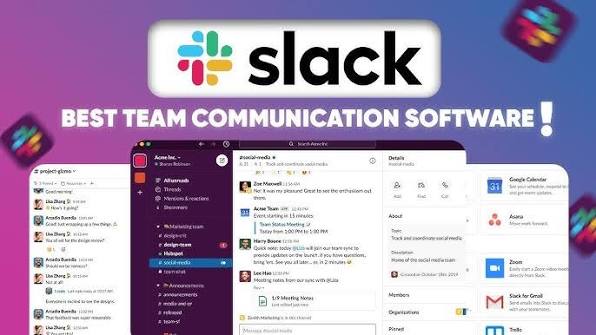
Slack is a workplace messaging platform built around channels, direct messages and threads. Teams use it to replace long email chains with faster, searchable conversations, and to connect other work tools like Google Drive, Zoom and project trackers into one place. It was built by a small studio led by Stewart Butterfield in 2013 and has since grown into one of the most recognized names in business software, now owned by Salesforce.
Slack App in 2026
The Slack app itself has not changed its core idea. You still get channels, threads, huddles and a search bar that most reviewers agree is genuinely good. What is new for 2026 is the deeper push into AI agents inside the app, letting teams summarize channels, draft replies and automate small workflows without leaving Slack. Users who tried these tools generally liked the idea, though several told us the AI features feel bolted on rather than built in from the start.
On the desktop, the app is fast and stable for most people. Where it consistently loses points is on mobile. Reviewers across app stores and community forums describe the mobile app as noticeably slower than desktop, with delayed notifications, occasional sync lag and a more stripped down feature set. For a tool people rely on to stay reachable during the day, this is not a small complaint.
- Strengths: fast search, solid threading, deep third party integrations, Slack Connect for talking to outside companies
- Weaknesses: notification overload in busy workspaces, cluttered channel lists, a mobile app that lags behind desktop
- New in 2026: built in AI agents for summaries and quick automations, expanded Slack Connect usage between businesses
How to Download Slack
Getting Slack onto a device is simple and free, no matter what you use day to day.
- Desktop: download the Windows or Mac app directly from slack.com/downloads, or use Slack in a browser with no install at all
- Mobile: search for Slack on the Apple App Store or Google Play and install it like any other app
- Linux: Slack offers a native Linux build, along with browser access for anyone who prefers that
You will need a workspace to actually use the app once it is installed. That means either creating a new workspace yourself or accepting an invite link or email from a company that already has one. Slack does not require a credit card to download or to start on the free plan.
Slack Login and Sign in
Signing in works through your email address, a workspace specific link, or single sign on if your company has that set up through Google, Microsoft or a SAML provider. Most people never think twice about this step, but it is also one of the more common sources of frustration people search for.
Sign in problems tend to fall into a few repeat patterns. Some users get stuck when their company switches identity providers and the old login stops working. Others report being logged out unexpectedly on mobile, particularly on Android devices using certain mobile device management setups. Slack also occasionally has short outages that affect loading or sign in for a portion of users worldwide, which the company posts about on its own status page while it works through a fix.
If you cannot sign in, the usual first steps are to check Slack's status page for a known outage, confirm you are using the correct workspace URL, clear the app cache or reinstall, and reach out to your workspace admin if single sign on is involved, since many login issues are tied to the company account rather than Slack itself.
Slack Pricing in 2026
Slack runs four pricing tiers this year, and the free plan is genuinely usable for very small teams, though it comes with a hard 90 day limit on message history that pushes most growing teams toward a paid plan sooner or later.
- Free: no cost, 90 days of visible message history, up to 10 connected apps, one to one video calls
- Pro: around $7.25 per user per month billed annually, or about $8.75 billed monthly. Unlimited history, unlimited apps, group huddles, Slack Connect access
- Business+: around $15 per user per month annually, or about $18 billed monthly. Adds single sign on, SCIM provisioning, data residency options and a stronger uptime guarantee
- Enterprise+: custom pricing for large organizations with multiple connected workspaces and advanced compliance needs
A few things to budget for beyond the sticker price. Advanced compliance add ons like eDiscovery and data exports often cost extra, and several third party integrations charge their own separate fees on top of your Slack seat. Reviewers also flag that Slack frequently starts new signups on a temporary trial of paid features rather than dropping them straight into the free plan, which can make the free tier feel more limited than expected once the trial period ends.
Prices reflect publicly listed rates as of mid 2026 and can change. Always confirm current numbers on Slack's own pricing page before budgeting.
User Experience: What People Actually Say
We pulled through reviews on Trustpilot, Capterra, Product Hunt and several independent software review sites to get a real sense of daily use, not just marketing copy.
What people like
- Channels and threads keep team conversations organized compared to email
- Search is fast and genuinely useful even in large workspaces
- Integrations with tools like Google Drive, Zoom and Notion feel natural rather than clunky
- Slack Connect makes it easy to loop in clients, vendors or contractors without extra software
What people complain about
- Notification overload once a workspace has more than a handful of active channels
- Older messages and files get buried fast, making Slack weak as a long term knowledge base
- Per seat pricing climbs quickly for mid size and larger teams on the higher tiers
- Mobile app performance lags behind desktop, especially around sync speed and notifications
- Customer support response times are inconsistent, with some users reporting long waits during outages
One theme that came up again and again in our research is that Slack is still considered close to essential for team communication, even by people who are frustrated with it. Several reviewers put it simply: everyone they need to talk to is already on Slack, so switching is not really an option even when the app annoys them.
Slack Company Profile
Attribute | Details |
Full name | Slack (Slack Technologies, LLC) |
Parent company | Salesforce, Inc. |
Founded | 2013, San Francisco, California |
Founders | Stewart Butterfield, Cal Henderson, Eric Costello, Serguei Mourachov |
Acquired by Salesforce | 2021, in a deal valued at roughly $27.7 billion |
Current leadership | Rob Seaman, interim CEO (since December 2025) |
Category | Business communication and team collaboration software |
Platforms | Web, Windows, macOS, Linux, iOS, Android |
Pricing tiers | Free, Pro, Business+, Enterprise+ (custom) |
Starting price | Free, with paid plans from roughly $7.25 per user per month billed annually |
Headquarters | San Francisco, California, United States |
Website | slack.com |
NUBIA MAGAZINE Rating Breakdown
Category | Score |
App and features | 3.2 / 5 |
Pricing and value | 2.5 / 5 |
Login and reliability | 2.6 / 5 |
Customer support | 2.4 / 5 |
Mobile experience | 2.7 / 5 |
Overall NUBIA MAGAZINE rating | 2.9 / 5 |
We landed on 2.9 out of 5 because Slack still does the core job of team messaging well, but pricing has crept upward, the mobile experience continues to lag, and login or outage related complaints show up often enough in user feedback to matter. It remains a strong option, just not a flawless one.
Frequently Asked Questions
1. Is Slack free to use in 2026?
Yes. Slack still offers a free plan with unlimited users, though message history is limited to the most recent 90 days and you can only connect up to 10 outside apps. Most growing teams eventually move to a paid tier for full history.
2. How much does Slack cost per month?
Paid plans start around $7.25 per user per month on the Pro tier when billed annually, rising to around $15 per user per month on Business+. Enterprise+ pricing is custom and quoted directly by Slack's sales team.
3. Why can't I log into Slack?
Login issues are usually tied to either a temporary Slack outage, an expired or misconfigured single sign on connection through your company, or a cached login on an outdated app version. Checking Slack's status page and confirming your workspace URL solves most cases.
4. Is Slack down right now?
Slack posts live incident updates on its own status page whenever there is a disruption affecting login, messaging or search. Short partial outages happen occasionally, and they are usually resolved within a few hours.
5. How do I download Slack on my phone or computer?
Get the desktop app from slack.com/downloads, or install the mobile app from the Apple App Store or Google Play. Slack also runs fully in a browser if you would rather not install anything.
6. Is Slack safe and secure for business use?
Slack offers encryption in transit and at rest, along with single sign on and data residency options on higher tiers. Larger organizations with strict compliance needs typically choose Business+ or Enterprise+ for the added controls.
7. Who runs Slack now that Denise Dresser has left?
Denise Dresser stepped down as Slack CEO in December 2025 to become Chief Revenue Officer at OpenAI. Slack's former chief product officer, Rob Seaman, has been serving as interim CEO since her departure.
8. Is Slack better than Microsoft Teams?
It depends on what a team values most. Reviewers consistently describe Slack's interface as faster and more purpose built for chat, while Teams tends to win for organizations already deep in the Microsoft 365 ecosystem who want video, docs and chat bundled together.
9. Does Slack have built in AI features?
Yes, Slack has expanded its AI tools through 2026, including channel summaries, drafting assistance and small workflow automations available on paid plans. Coverage and depth of these features vary by tier.
10. Can I join a Slack workspace without an email invite?
In most cases you need either an email invite from an admin or a shared workspace invite link. Some public or community workspaces publish open signup links that let anyone join directly.
Nubia Magazine Verdict
Slack in 2026 is still a genuinely strong product, and it earns its reputation as the tool most teams default to for daily communication. Where it loses points with us is the same place it has lost points for years: pricing that adds up fast at scale, a mobile app that has not caught up to desktop, and reliability hiccups that show up often enough in login complaints to be worth mentioning. It is not falling apart, but it is not the effortless experience its early reputation suggested either. For most teams it is still worth using, just go in with realistic expectations about the rough edges.
Related Posts



0 Comments
Join the discussion and share your thoughts
No Comments Yet
Be the first to share your thoughts on this article!