Fedica Review 2026: Free Plan, Login, Sign Up, Pricing, App & FAQs

Table of Contents
Fedica at a Glance: Brand Profile
Brand Name | Fedica (formerly Tweepsmap) |
Founded | 2014 (rebranded to Fedica in 2023) |
Headquarters | Toronto, Canada |
Category | Social Media Management and Analytics Platform |
Supported Platforms | X (Twitter), Instagram, Facebook, LinkedIn, TikTok, Threads, Bluesky, Mastodon, Pinterest, Pixelfed (12+ networks) |
Pricing Range | Free | $10/mo | $24/mo | $79/mo | Custom |
Free Plan | Yes (10 scheduled posts, basic analytics, no credit card required) |
Mobile App | Available (iOS and Android) |
Best For | Brands, marketers, and creators who need deep audience analytics on a budget |
Official Website | fedica.com |
Nubia Magazine Rating | 3.1 / 5 |
Our Take: What Is Fedica?
We spent time putting Fedica through its paces at Nubia Magazine, and here is what we found. Fedica, formerly known as Tweepsmap, is a social media management platform that started its life as a Twitter-focused analytics tool back in 2014. The company rebranded to Fedica in 2023 and has since widened its scope to cover more than 12 social networks, including X (Twitter), Instagram, LinkedIn, TikTok, Facebook, Threads, Bluesky, Mastodon, Pinterest, and Pixelfed.
The pitch is simple. Instead of bouncing between three or four different apps to schedule posts, read analytics, and spy on what your competitors are doing, Fedica tries to pull all of that into one dashboard. On paper, it sounds ideal. In practice, the experience is a bit more layered than the homepage lets on, which is exactly why we put together this review.
If you are a brand, solo creator, or marketing team that lives and breathes audience data, Fedica can genuinely be useful. If you are just looking for a quick and easy scheduling tool, there are probably simpler options worth exploring first. Read on for the full picture.
Fedica Sign Up: How to Get Started
Getting started with Fedica is pretty painless. You head to fedica.com, click the sign-up button, and register with your email address. There is no credit card required for the free plan, which is always a welcome sign. Once you are in, the platform walks you through connecting your social accounts. The onboarding is not flashy, but it is clear enough that most users will not feel lost in the first few minutes.
The platform supports social login too, so you can sign up using your X (Twitter) account if that is your primary network. The initial connection process for each social channel is handled via the standard OAuth flow, meaning you are giving Fedica permission through each platform's own security system rather than handing over passwords.
One thing to note is that some of the deeper analytics features, particularly around audience demographics and competitor research, require a paid plan before they unlock. The free tier gives you enough to explore the layout and test the scheduling side of things, but serious users will likely hit a wall within the first week.
Fedica Login: Accessing Your Account
Once you have an account, logging back in is straightforward. You go to fedica.com and use the login link at the top of the page. If you signed up with email, you use those credentials. If you connected via X or another social platform, you will log in through that network's authentication flow.
We did not encounter any unusual login bugs during our testing period. Session management seems solid, and the platform keeps you logged in across browser sessions without constantly asking you to reauthenticate. That said, if you manage several team members accessing the same workspace, the Custom or higher plans are where multi-user access becomes available in a more structured way.
Fedica Free Plan: What You Actually Get
The free plan is more generous than you might expect from a tool with this level of analytics depth. Here is what is included:
- 10 scheduled posts active at any given time
- Unlimited drafts
- Basic analytics on up to 9 of the 12 supported platforms
- Bluesky scheduling support (Fedica was the first platform to support this)
- ALT text support and auto-generated link cards
The 10-post limit works on a rolling basis. Once a scheduled post goes live, that slot opens back up. So in theory, if you are consistent about publishing, you can get more mileage out of the free plan than the number suggests. For someone just starting to build a social presence or wanting to test the platform before spending money, this is a reasonable entry point.
What you do not get on the free plan is audience demographics, geographic follower data, competitor analysis, or the more advanced scheduling features like threaded posts and polls on all platforms. Those are gated behind the paid tiers.
Fedica Pricing 2026
Fedica's pricing structure is tiered and fairly transparent. Here is what the plans look like as of 2026:
Plan | Price | What You Get |
Free | $0/month | 10 scheduled posts, basic analytics, no credit card needed |
Publish | $10/mo (annual) / $15 monthly | Advanced scheduling, threads, polls, RSS automation |
Grow | $24/mo (annual) / $29 monthly | Audience demographics, geographic data, behavioral insights |
Research | $79/mo (annual) / $129 monthly | Competitor analysis, full social listening, keyword research |
Custom | Contact Fedica | Enterprise features, multi-account, team seats, custom reports |
When you stack this against competitors like Sprout Social, which can run $249 per month or more for comparable analytics, Fedica's pricing is noticeably more accessible. The Grow plan at $24 to $29 per month is arguably the sweet spot for most individual creators and small businesses who want proper audience data without breaking the budget.
The Research plan at $79 per month (or $129 billed monthly) is where things get serious. This is the tier for agencies, power users, and brands running keyword research, competitor analysis, and full social listening across multiple accounts.
The Custom plan is for enterprise clients with specific needs around team seats, custom reporting, and dedicated support. Pricing for this tier is negotiated directly with the Fedica team.
User Experience: What It Is Like to Actually Use Fedica
The dashboard is one of the first things that stands out. It is cleaner than older versions of the platform (back when it was Tweepsmap), and most users will find their way around without needing a tutorial. The menu structure is logical, though things do get more layered once you start diving into the analytics sections.
Content Scheduling
Scheduling posts is the core function most users come for, and Fedica handles it well. You can draft posts for multiple platforms at once, customize them per network, attach media, add hashtags, and set specific publishing times. The platform also has a Best Time to Post feature that pulls from your audience's actual activity data rather than serving up generic advice.
Threaded posts, polls, and tagged media are supported on the Publish plan and above. RSS feed automation is also available, which is useful for bloggers and newsletter writers who want to auto-distribute content to their social channels without doing it manually every time.
Analytics
This is where Fedica genuinely earns its reputation. The analytics go well beyond the basic post metrics you get from native platform dashboards. On the Grow plan and above, you get demographic breakdowns of your followers, geographic data showing where your audience is located, engagement trends, and behavioral insights that most tools only make available to enterprise clients.
The ability to analyze follower demographics on X (Twitter) in particular is something Fedica has been doing longer than most, and the depth of data available here is a real differentiator. You can also analyze the audiences of competitor accounts, which is useful when building targeted campaigns or influencer outreach strategies.
Social Listening
The social listening tools let you track brand mentions, monitor keywords and hashtags, and set up email alerts for when something relevant happens across the platforms you are watching. It is solid for staying on top of what is being said about your brand or industry in real time.
Community Management
Fedica includes tools for managing follower relationships, identifying who your most engaged audience members are, and spotting potential leads. For X (Twitter) users specifically, there is also unfollow tracking and audience segmentation that has been a longstanding strength of the platform since the Tweepsmap days.
Team Collaboration
This is one area where Fedica feels a little behind compared to tools like Sprout Social or Loomly. Team features exist, particularly on the higher plans, but the collaborative workflow tools are not as polished or robust as what you get with dedicated team-focused platforms. If you are running a large marketing team with multiple approval layers, you may find the experience here a bit limited.
Fedica App: Mobile Experience
Fedica has both iOS and Android apps. The mobile experience is functional but it is not the strongest part of the product. You can check your analytics, review scheduled posts, and manage your queue on the go. However, some of the deeper analytics features are better accessed on desktop, where the screen real estate allows the data to breathe and make sense.
Users who need to manage their social media primarily from a phone may find the app limiting for anything beyond quick scheduling checks. The desktop platform is where Fedica shows its full capabilities, and the mobile app feels like a companion piece rather than a standalone experience.
Nubia Magazine Ratings Breakdown
Category | Score |
Ease of Use | 3.5 / 5 |
Analytics Depth | 4.0 / 5 |
Pricing & Value | 3.5 / 5 |
Platform Coverage | 3.5 / 5 |
Team Collaboration | 2.0 / 5 |
Customer Support | 3.0 / 5 |
Mobile App Experience | 2.5 / 5 |
Overall (Nubia Magazine) | 3.1 / 5 |
Our overall score of 3.1 out of 5 reflects a platform that does some things genuinely well, particularly at the analytics and pricing level, but one that still has rough edges in areas like mobile experience and team collaboration. It is not a tool we would write off, but it is also not a one-size-fits-all solution.
What We Liked and What Needs Work
Strengths
- Analytics depth that typically costs enterprise money at an affordable monthly price
- Genuinely useful free plan that does not ask for payment details upfront
- One of the few tools to support emerging platforms like Bluesky, Mastodon, and Pixelfed
- Strong X (Twitter) analytics with a long track record dating back to the Tweepsmap era
- Clean dashboard with a manageable learning curve
Areas to Improve
- Team collaboration features are basic compared to rivals
- Mobile app is functional but not impressive
- Content recycling and repurposing tools are thin
- Setting up a pre-defined posting schedule can feel clunky for first-time users
- API access is limited compared to tools like Buffer
Fedica FAQs: 8 Questions People Are Actually Asking in 2026
1. Is Fedica free to use?
Yes, Fedica has a free plan that requires no credit card to activate. The free tier gives you up to 10 active scheduled posts at a time, basic analytics, and access to most of the platform's supported networks. It is a real free plan, not a trial with a countdown clock, which puts it ahead of several competitors in that regard. If you need more depth, like audience demographics or competitor analysis, you will need to move up to a paid tier.
2. What happened to Tweepsmap?
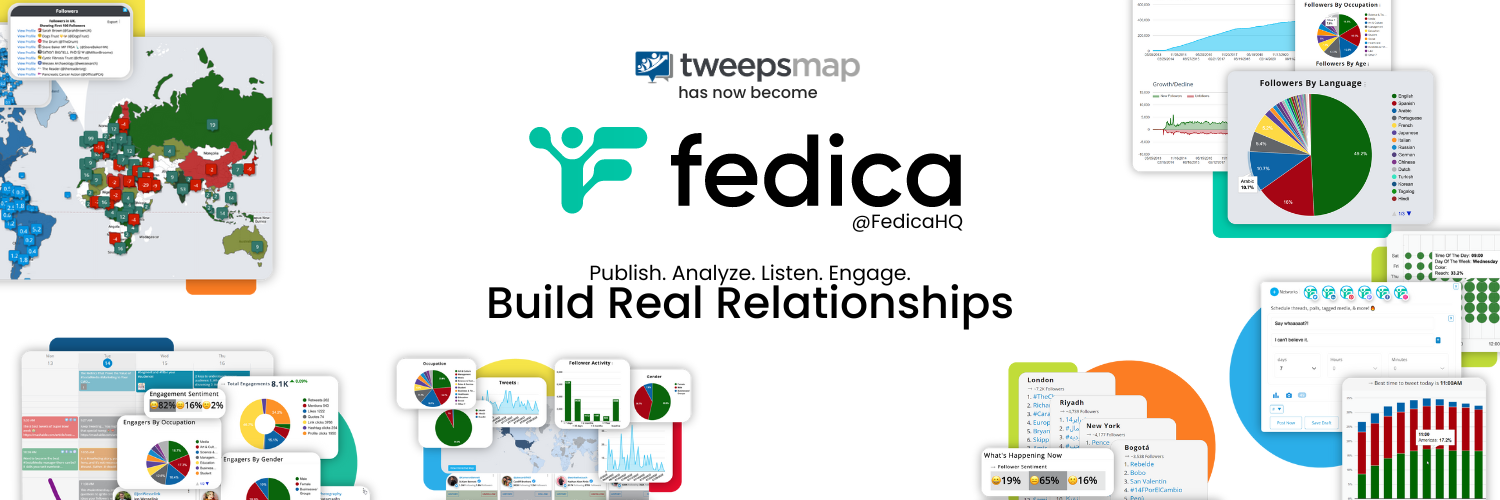
Tweepsmap rebranded to Fedica in 2023. The company, which is headquartered in Toronto, Canada, made the name change as part of a broader push to expand beyond its Twitter-only roots. The platform now supports more than 12 social networks and has added AI-driven features that were not part of the original Tweepsmap offering. The audience analytics tools that made Tweepsmap popular are still very much at the heart of what Fedica does.
3. What social media platforms does Fedica support?
As of 2026, Fedica supports X (Twitter), Instagram, Facebook, LinkedIn, TikTok, Threads, Bluesky, Mastodon, Pinterest, and Pixelfed, giving users access to 12 or more networks from one dashboard. Notably, Fedica was one of the first social media management tools to add Bluesky support, which has been a talking point among creators migrating away from X.
4. How does Fedica compare to Hootsuite and Buffer?
Fedica is more affordable than both, particularly when it comes to the analytics layer. While Hootsuite and Buffer offer strong scheduling workflows and team collaboration tools, Fedica tends to out-perform them on audience demographic data, follower analysis, and X-specific insights. However, if team features, content recycling, or API access are priorities for you, Buffer and Hootsuite offer more in those specific areas. For analytics on a budget, Fedica holds its own.
5. Is Fedica worth paying for in 2026?
It depends on what you need it to do. If you are serious about understanding your audience, particularly on X (Twitter), and want data that rivals what enterprise tools offer at a fraction of the price, then the Grow plan at $24 per month (billed annually) is genuinely good value. If you are mainly looking for a scheduling tool and do not place much weight on analytics, there are cheaper and simpler options like Buffer's basic plan or Later's free tier. Fedica earns its price tag for data-driven marketers.
6. Does Fedica have an app?
Yes, Fedica has apps for both iOS and Android. The mobile app lets you check your analytics, manage your content queue, and review scheduled posts. That said, the full power of the platform, particularly the deeper analytics and research tools, comes through best on desktop. If your workflow is primarily mobile, it is worth knowing upfront that the app experience is more limited than what you get on a browser.
7. Can I use Fedica to manage multiple social media accounts?
Yes, Fedica supports multi-account management across all its paid plans. The number of accounts you can connect depends on which plan you are on, with the Custom enterprise tier offering the most flexibility for agencies managing social accounts across many clients or regions. Even at the Grow level, the multi-account management is solid enough for most small business owners juggling a handful of profiles.
8. Is Fedica good for small businesses?
For small businesses that care about knowing who their audience is and when they are online, Fedica is a strong choice. The pricing is manageable, the free plan lets you explore before committing, and the audience analytics at the Grow tier are the kind of insights that typically live behind enterprise paywalls at other platforms. The areas where small businesses might feel a pinch are the team collaboration tools, which are somewhat limited compared to more team-centric platforms, and the mobile app, which is functional but not polished enough to be a primary tool for someone always on the go.
Nubia Magazine Verdict
Fedica is a platform that knows what it is good at and leans into it. The analytics are real, the pricing is honest, and the expansion to support decentralized networks like Bluesky and Mastodon shows that the team is paying attention to where social media is heading. For brands and creators who want data-driven clarity on who their audience is and how to reach them, especially on X (Twitter), Fedica delivers more than most tools at this price point.
Where it falls short is in the places that matter to teams rather than individuals. The collaboration tools need work, the mobile app feels like an afterthought, and content recycling is a gap that some users will notice. But for solo creators, small businesses, and marketers who prioritize audience understanding over team workflows, Fedica is worth a serious look.
Related Posts



0 Comments
Join the discussion and share your thoughts
No Comments Yet
Be the first to share your thoughts on this article!