Franz Messenger 2026: Download, Login, App, Alternatives, AI & FAQs

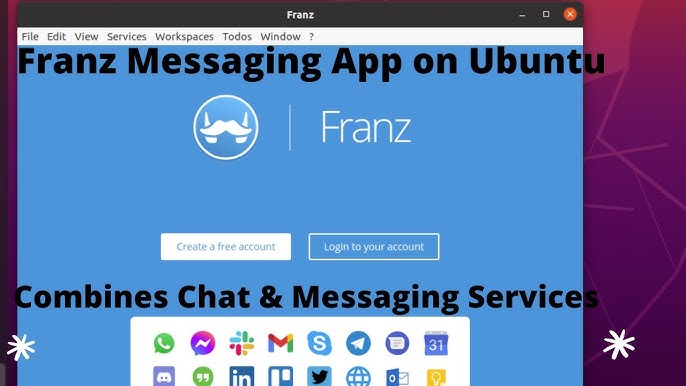
Table of Contents
Franz Messenger has been sitting on desktops since 2016, and for a good stretch of years it earned a loyal following for doing one thing really well: pulling all your messaging apps into a single window so you stop juggling fifteen different icons in your taskbar. We spent time with the app in mid-2026 to see where it stands right now. What we found is a product in a genuinely interesting period of transition, with new AI features trying to win back users who have drifted toward faster-moving alternatives. The headline? It is still a useful tool for a specific type of person. It is not, however, the automatic recommendation it once was.
Franz Messenger App Profile
App Name | Franz Messenger |
Developer | Stefan Malzner / Franz Team (Vienna, Austria) |
Founded | 2016 |
Current Version | Franz 6 (2026) |
Platforms | Mac, Windows, Linux |
Supported Services | 75+ (WhatsApp, Slack, Telegram, Gmail, Signal, Discord, and more) |
Free Plan | Up to 3 services, 1 workspace, Basic AI (device-only) |
Pro Plan | From EUR 5/month (BYOK AI, unlimited services, workspaces) |
Pro Cloud Plan | EU-hosted AI, zero-retention processing |
Lifetime Plan | One-time purchase (limited launch pricing) |
AI Features | On-device AI, BYOK (OpenAI/Anthropic), Franz Cloud AI |
Privacy | Privacy Shield, encrypted keychain, tracker blocking |
Mobile App | Not available (desktop only) |
Downloads | 1,000,000+ since 2016 |
Website | meetfranz.com |
Nubia Rating | 2.3 / 5 |
Franz Messenger Download: Getting the App in 2026
Downloading Franz is still one of the easier parts of the experience. You go to meetfranz.com, pick your operating system, and grab the installer. The app runs on Mac, Windows, and Linux, which covers most people reading this. The install process is quick; no bloatware, no additional toolbars asking to change your browser homepage. On macOS it drops into your Applications folder cleanly.
The current active product is Franz 6. The older Franz 5 is open-source and still available on GitHub, but the team has made clear that Franz 5 is no longer the product they are actively maintaining. If you find yourself downloading Franz 5 from a third-party site, you are picking up a legacy build that will not reflect the current feature set, particularly around AI and workspaces.
One thing worth flagging at the download stage: Franz requires you to create an account before you can actually use it. That is a friction point some people dislike, especially users who prefer keeping their digital footprint lean. You cannot skip registration and go straight into the app. Whether that bothers you depends on your privacy philosophy, but it is fair to mention it upfront.
Franz Messenger Login: Accounts and Sync
After you install the app and create your Franz account, login is simple. You enter your email and password and you are in. The reason the account system exists is sync: Franz uses it to remember which services you have added so that when you switch computers or reinstall, you do not have to set everything up again from scratch. For people who work across multiple machines, that is genuinely useful.
Where it gets less smooth is the free tier. Free users get up to three services and will encounter a 15-second waiting screen when they switch back to the app after being away for more than a minute. The screen does not disappear automatically either. You have to click to continue. In practical terms, if you are frequently jumping between Franz and other work, those pauses add up fast. Several users in recent reviews have called this change the reason they stopped using the free version altogether, which is understandable.
Paid plan logins are uninterrupted. The wait screens disappear and you move through services at normal speed. If you are on the free plan testing whether Franz fits your workflow, just be aware the experience you get is intentionally degraded compared to what you pay for.
The Franz Messenger App: What It Actually Does
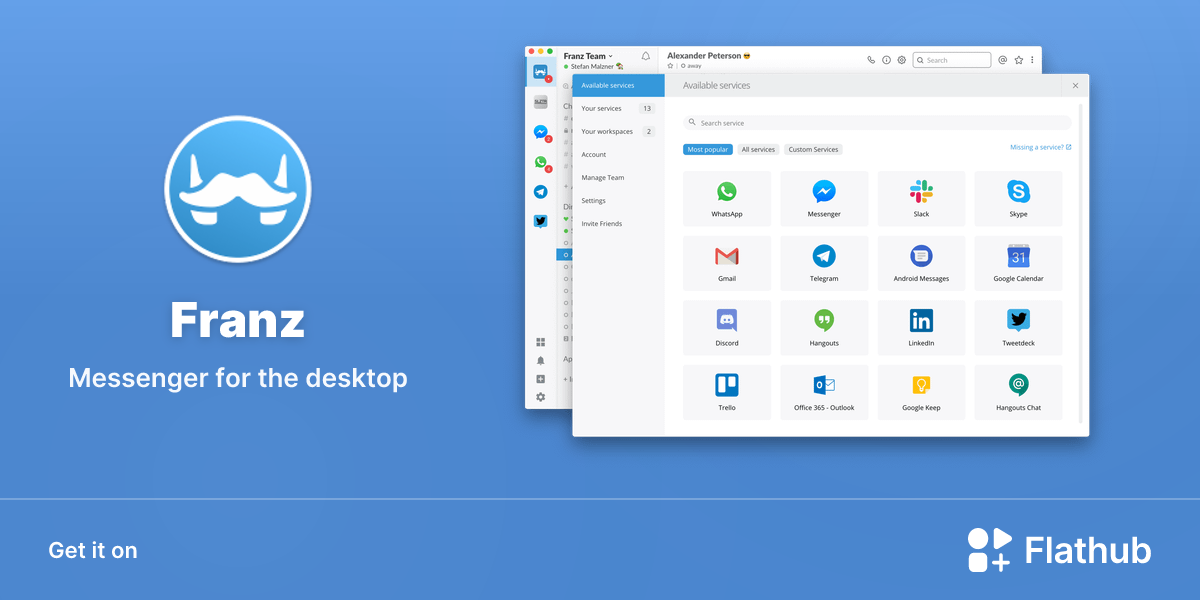
At its core, Franz is a multi-messenger wrapper. It loads web versions of the services you connect inside its own window, each one appearing as a tab on the left-hand sidebar. You click a tab, the service loads, you read and reply, then you click the next one. Notification badges stack up so you can see at a glance where unread messages are sitting.
Franz 6 supports over 75 services, including all the big ones: WhatsApp, Slack, Telegram, Discord, Gmail, Signal, Facebook Messenger, Microsoft Teams, and more. You can add the same service multiple times with different accounts, so if you manage a personal WhatsApp and a work one, both can live in the sidebar independently. That multi-account support is one of the things Franz genuinely does well.
The workspaces feature, introduced in recent versions, lets you group services by context. You might have a Work workspace with Slack, Gmail, and Teams, and a Personal workspace with WhatsApp and Telegram. Switching workspaces reorients the entire sidebar, which is useful when you want to mentally separate work mode from personal mode.
Split view is another notable addition. You can put two services side by side in one tab, so you could have your email open next to your Slack without switching. It is the kind of detail that sounds minor until you are actually in a situation where you need to reference one conversation while writing another.
The underlying technology is Electron and web views. This means Franz is essentially a Chromium browser running multiple tabs with a custom shell around them. That architecture explains both its biggest strength (it supports almost any service that has a web version) and its two most consistent criticisms: RAM usage and battery drain. Opening Franz is not unlike opening several Chrome windows at once. On a plugged-in desktop or high-spec laptop this is usually fine. On a battery-dependent MacBook, some users have reported noticeable drops in runtime.
Franz and AI: New in 2026
The AI additions are the most significant change Franz has made in recent memory, and they are worth examining in some detail because they represent the app's clearest attempt to justify its paid plans against newer competition.
The basic concept is this: Franz can now catch you up across your connected services. You can ask it something like "what changed with the ACME project since Friday" and it will pull relevant messages from your email, WhatsApp, Signal, and Slack, summarize what happened, and draft a reply if you need one. For someone managing multiple client threads across multiple channels, the appeal is obvious.
There are three AI modes depending on your plan. Free users get basic on-device AI, which runs locally without sending anything to external servers. Pro plan users can connect their own API key from OpenAI, Anthropic, or use a local model through Ollama. Pro Cloud users get Franz-hosted AI running on servers in France with what the company describes as zero-retention processing, meaning the content is not stored after the request completes.
In principle this is a genuinely clever feature set. The privacy-conscious options are a real differentiator. The ability to run AI locally or bring your own key is something most competing apps do not offer. In practice, the feature is still finding its footing. The AI integration works best when you are using it for broad catch-up summaries rather than granular message searches. It occasionally misses context, and the quality varies depending on which model you are routing through.
The AI features are also only available if you are on a paid plan for anything beyond the most basic on-device processing. Free users get a taste, but the meaningful capability sits behind the subscription wall.
Franz Messenger Alternatives in 2026
This is probably the section most people reading a Franz review in 2026 actually need. The alternatives landscape has matured considerably, and the honest answer is that several options now do parts of what Franz does either better, cheaper, or with fewer restrictions.
Rambox
The most commonly cited alternative. Rambox is free at its core and supports a wide range of apps and services. It adds workspace organization on top of basic messaging aggregation. The free tier is more usable than Franz's free tier, though some features like Focus Mode sit behind a paid plan of around 7 dollars a month. Rambox is generally considered the safest Franz replacement if you want something that works similarly out of the box.
Ferdium
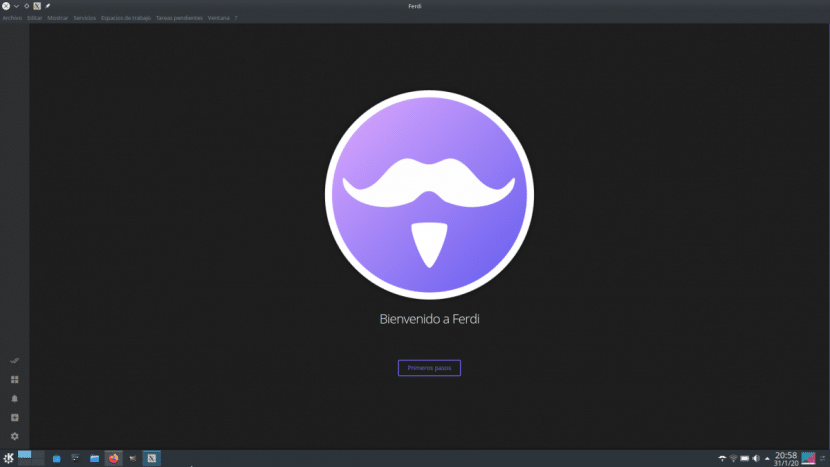
Ferdium is directly descended from Franz. It started as a fork of Ferdi, which itself was a fork of Franz 5. It is free, open-source, and does not require account creation. For users frustrated by Franz's free tier restrictions, Ferdium is the most direct workaround because it essentially is Franz without the paywall. The development community is smaller and updates are less predictable, but for core messaging aggregation it holds up.
Station
Station describes itself as an open-source smart browser for busy people. It goes beyond just messaging and handles a wider range of web apps. The design is polished and it handles multiple accounts well. If your use case extends beyond messaging into project management tools and other web services, Station is worth a look.
Beeper
Beeper takes a different approach by creating actual protocol bridges to messaging networks, meaning it connects to services more deeply than just wrapping a web view. It supports around 14 networks and has strong cross-device capabilities. For messaging-specific use it is one of the more capable options available, with the tradeoff that setup can be more involved.
Wavebox
Wavebox is at the premium end of this category at around 16 dollars a month, but it offers deep integrations, workflow automation, and team features that go beyond what Franz provides. For enterprise users or teams with a budget, it is worth evaluating. For individuals, the cost is hard to justify when the core messaging aggregation need is covered by cheaper options.
User Experience: What People Are Actually Saying in 2026
We looked at reviews across Product Hunt, SourceForge, G2, MacUpdate, and alternative-focused communities. The picture that emerges is fairly consistent.
Long-term users who have been on a paid plan for years tend to be the most satisfied. They point to the multi-account support, the notification control, and the fact that cloud sync means they can reinstall and be back up and running in a few minutes. One user on Product Hunt noted that Franz takes up less RAM than competitors during actual use, and that regular updates have kept it relatively bug-free on their setup.
The most persistent complaints cluster around a few themes. First, the free tier friction. The 15-second wait screens introduced in a recent update have driven away a meaningful number of users who were previously happy with the free version. The upgrade nudge is described by multiple reviewers as heavy-handed. One review called it a "cynical downgrade." Second, billing issues. At least one recent account on Product Hunt describes an automatic subscription renewal with no warning email, followed by no response from customer support for an extended period. That is a serious issue and one Nubia Magazine notes with concern, as it suggests the company's support infrastructure may not be keeping pace with its product ambitions.
Third, stability can still be inconsistent. The freeze issue that has existed in Franz for years, where a service tab silently stops updating and you only notice when you switch to it and find stale messages, has not been fully resolved. A reload usually fixes it, but it means you can miss notifications.
Battery drain on laptops is also mentioned regularly, particularly by Mac users. The Electron-based architecture is not efficient from a power consumption standpoint, and a few users report dramatically reduced battery life when Franz is running.
On balance, the user experience in 2026 feels like an app that is genuinely trying to evolve but carrying some baggage from decisions made during a transitional period. The AI features are a step in the right direction. The free tier changes have alienated casual users. The billing support gap is a genuine red flag that needs addressing.
Our Rating Breakdown
Category | Score | Out of 5 |
Core Messaging Aggregation | 3.5 | 5 |
Free Tier Usability | 1.5 | 5 |
AI Features | 2.5 | 5 |
Privacy and Security | 3.5 | 5 |
Customer Support | 1.0 | 5 |
Performance and Battery Use | 2.0 | 5 |
Value for Money (Paid) | 2.5 | 5 |
Overall (Nubia Magazine) | 2.3 | 5 |
Franz Messenger FAQs: What People Are Actually Searching in 2026
1. Is Franz Messenger still free to use in 2026?
Yes, there is a free tier, but it is limited in a way that frustrates many users. Free accounts can add up to three messaging services and one workspace. The bigger annoyance is the waiting screen: if you switch away from Franz for more than about a minute, you will hit a 15-second delay before you can use it again, and you have to manually click to continue rather than it resuming automatically. This was a deliberate change to push people toward paid plans, and the feedback from the user community has been largely negative about it. If three services is enough for your needs and the wait does not bother you, the free version works. For most people who are trying Franz as a productivity tool, the friction will push them toward either paying or looking at Ferdium.
2. How do I download and install Franz Messenger?
Go to meetfranz.com and click the download button for your operating system. Franz supports Mac, Windows, and Linux. Run the installer file once downloaded. On Mac it installs like any standard application. On Windows you run the setup executable. The process takes a few minutes. After installation, you will need to create a Franz account to use the app because it uses your account to sync your service configuration across devices. There is no way to skip account creation on the current version of the app.
3. Does Franz Messenger have an AI feature?
Yes, and it is the most significant new addition in 2026. Franz can now summarize conversations across your connected services and help you draft replies with context already attached. The idea is that you can ask Franz to catch you up on a project thread that spans WhatsApp, email, and Slack, and it will pull the relevant messages together and give you an overview. There are three ways to run the AI: on-device locally (available on the free plan but limited), through your own API key from OpenAI or Anthropic (Pro plan), or through Franz-hosted cloud AI running in France with zero-retention processing (Pro Cloud). The feature works best for broad summaries. It is less reliable for precise message searches across large history volumes.
4. Is Franz Messenger safe to use? Does it read my messages?
Franz has consistently maintained that it does not read your messages. The app works by loading web views of each service, essentially running the service's own website inside its shell. Your login credentials for each platform go to those platforms directly, not to Franz's servers. Franz uses cookies and local storage to keep you signed in, the same way a browser would. The company has added privacy-focused features in Franz 6 including Privacy Shield, which blocks trackers and email pixels, and an encrypted keychain for credentials. If you choose the cloud AI option, Franz states that processing happens with zero retention in EU facilities. For most users the privacy situation is comparable to using services in a browser. That said, the app does require a Franz account and your service list is synced to their servers.
5. What are the best alternatives to Franz Messenger in 2026?
Rambox is the most commonly recommended replacement and offers a more usable free tier. Ferdium is an open-source fork of an earlier Franz version and requires no account creation, making it attractive for privacy-focused users. Station is worth considering if you need more than just messaging apps in your unified workspace. Beeper takes a protocol-level approach to connecting messaging networks and works well for messaging-heavy users. Wavebox is the premium option at around 16 dollars a month and offers the most comprehensive workspace and automation features. The right choice depends on what you actually need: pure messaging aggregation points toward Ferdium or Rambox, while broader workflow management points toward Station or Wavebox.
6. Why is Franz Messenger using so much RAM and draining my battery?
This is one of the most consistent complaints about Franz and it comes down to the technology it is built on. Franz uses Electron, which is a framework that wraps a Chromium browser. Running Franz is similar to running several Chrome tabs at once. RAM usage scales with how many services you have active. The hibernation feature, which lets you pause services that are not in use, can help with this, but many users do not want their messaging apps hibernating because they will miss notifications. Battery drain is particularly noticeable on MacBook users, with some reporting dramatically shorter battery life when Franz is open versus having services running in regular browser tabs. If battery life is a priority and you work away from a power source regularly, this is a real consideration before committing to Franz.
7. Can I use Franz Messenger on my phone?
No. Franz does not have a mobile app and has not had one throughout its existence. The app is desktop-only and runs on Mac, Windows, and Linux. The company's reasoning historically has been that mobile operating systems redirect web versions of messaging platforms to their native apps, making a web-view wrapper approach unworkable on phones. This means Franz is specifically a desktop productivity tool. For your phone, you would continue using the individual native apps for each service. If you need unified messaging that also works on mobile, Beeper is worth looking at as it handles mobile alongside desktop.
8. Why isn't Franz Messenger responding to customer support requests?
This is a genuine concern that has come up in multiple reviews in 2026. Several users have reported sending multiple support emails without receiving any response, including at least one account of a billing dispute involving an unexpected subscription renewal that went unanswered. Nubia Magazine cannot speak to the current state of the support team's capacity, but the pattern across these accounts is worrying. The Franz team appears to be a relatively small operation out of Vienna, and it is possible support resources have not scaled alongside the product's ambitions. If you are considering a paid subscription, it is worth knowing that getting help if something goes wrong may take longer than expected. Checking the Franz community on Slack is often a faster route to troubleshooting help than formal support channels.
Nubia Magazine Verdict
Franz is not a bad app. It was genuinely innovative when it launched and it still does the core job of putting multiple messaging services in one window. The AI additions show a product team that understands where the category needs to go. Privacy options, particularly the local AI and EU-hosted zero-retention cloud, are thoughtful additions that not every competitor offers.
The problems are real, though. The free tier has been deliberately made uncomfortable in a way that has pushed out casual users. Customer support has visible gaps that need to be addressed before Nubia Magazine could confidently recommend a paid plan. Battery and RAM performance remain issues on certain hardware. And the competitive landscape has matured: Ferdium does most of what Franz does for free, Rambox offers a more polished free tier, and Beeper handles messaging at a deeper level.
Our overall rating of 2.3 out of 5 reflects a product that remains functional but has made decisions that have eroded its user goodwill, and that faces more capable competition than it did when it earned its original reputation. If you need a lightweight multi-messenger and are willing to pay, Franz is still a usable option. If you are on the fence, try Ferdium first.
Related Posts



0 Comments
Join the discussion and share your thoughts
No Comments Yet
Be the first to share your thoughts on this article!