DeepBrain AI Review 2026: Free Plan, App, Login, Pricing & FAQs

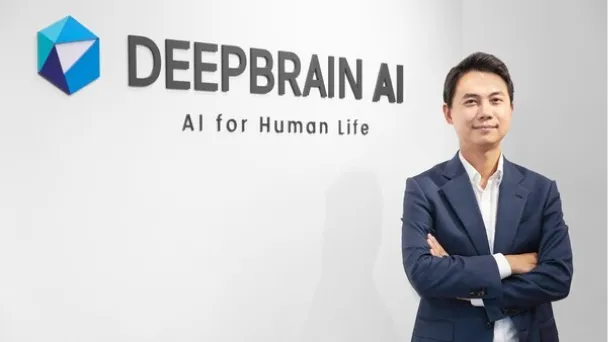
Table of Contents
DeepBrain AI keeps coming up in our inbox this year. Readers want to know if the avatar videos are as realistic as the demos make them look, whether there is still a free plan worth trying, and if the pricing actually makes sense for a small team. We spent time inside the platform, read through verified user reviews on Gartner and Google Play, checked the current pricing pages, and put together this review so you do not have to do the digging yourself.
This is not a sponsored placement. Nubia Magazine was not paid by DeepBrain AI or any competitor to write this piece, and the rating below reflects our own testing alongside what real users are saying in 2026.
DeepBrain AI: Quick Profile
Company name | DeepBrain AI, Inc. (formerly MoneyBrain) |
Founded | 2016, by CEO Eric Jang |
Headquarters | Palo Alto, California, with an origin office in Seoul, South Korea |
Core product | AI Studios, a text-to-video platform built around photorealistic AI avatars |
Website | aistudios.com (deepbrainai.io) |
Free plan | Yes, limited exports with a watermark and capped minutes |
Starting price | From $30 a month on the Starter plan |
Mobile app | Yes, AI Studios app on Google Play and the App Store, launched in 2025 |
Best for | Marketing teams, corporate training, e-learning and customer service videos |
Standout feature | Hyper-realistic custom avatars with natural lip sync in 80 plus languages |
Nubia Magazine rating | 3.7 out of 5 |
What Is DeepBrain AI?
DeepBrain AI is the company behind AI Studios, a web-based platform that turns a written script into a video presented by a digital human. You type or paste text, pick an avatar and a voice, and the platform generates a finished clip with lip sync, gestures and subtitles, usually within minutes.
The company started in Seoul in 2016 under the name MoneyBrain, building conversational AI for banks before pivoting into video synthesis. It has since raised over fifty million dollars in funding, moved its headquarters to Palo Alto, and picked up CES Innovation Awards for its avatar technology. DeepBrain AI now holds well over a hundred AI related patents and counts broadcasters, banks and retailers among its clients, including reported deployments with Shinhan Bank and Hyundai in South Korea.
In plain terms, this is an enterprise grade alternative to hiring a presenter, a camera crew and an editing suite. It competes most directly with Synthesia, HeyGen and Tavus in the AI avatar space.
Does DeepBrain AI Have a Free Plan in 2026?
Yes, but it is best treated as a test drive rather than a long term option. The free tier currently allows a small number of exports a month, generally around three clips of up to three minutes each, rendered at 720p and stamped with a watermark. You also get access to one custom avatar slot and a limited pool of generation credits.
Sign up does not require a credit card, which is a fair way to confirm the avatar quality and voice naturalness before committing to a subscription. Where the free plan falls short is volume. Several users on Google Play and independent review sites note that the trial allowance disappears fast, sometimes within a single test video, which makes it hard to judge the editing workflow properly before being asked to pay.
Our take: the free plan is genuinely useful for checking whether the avatars look right for your brand, but do not expect to produce anything publishable on it alone.
DeepBrain AI Login: How Sign-Up and Access Work
Creating an account is straightforward. DeepBrain AI supports sign-up through Google, Microsoft, or a standard email and password combination, and the login screen is the same whether you are on the free tier or a paid plan. Once logged in, every plan shares the same dashboard, so upgrading later does not require a new account or a different workspace.
One recurring complaint we found in app store reviews is a frustrating password validation bug during sign-up, where the system keeps rejecting passwords that already meet the stated requirements. It is worth trying a longer password with a mix of characters if you hit this wall, and clearing the page or trying a different browser has resolved it for some users.
Is There a DeepBrain AI App?
For a long time, DeepBrain AI was strictly a desktop browser experience. That changed in 2025 with the launch of the official AI Studios mobile app, now available on both Google Play and the Apple App Store. The app lets you generate avatar videos from your phone, pick from the avatar library, and export shorter clips on the go, although the heavier editing and template features still feel more at home on the desktop version.
Reviews on Google Play are mixed at the time of writing. People who got past sign-up generally praise how well it imports footage and how natural the avatar performance looks. The most common frustrations are the account creation issues mentioned above and a feeling that the ten dollar to thirty dollar entry pricing is steep before you have tested the full feature set.
DeepBrain AI Features: What the AI Actually Does
- Text-to-video generation: paste or type a script and the AI builds a full video around it automatically.
- Avatar library: a catalogue of over two thousand stock avatars, plus the option to build a custom avatar trained on your own footage.
- Voice and language coverage: text-to-speech and dubbing across roughly eighty languages, with automatic lip sync matched to the audio.
- PowerPoint to video: upload a slide deck and the platform converts it into a narrated video automatically.
- Conversational AI avatars: real-time digital humans that can answer questions live, aimed at kiosks, customer service and interactive training.
- In-editor AI writing assistant: a built-in tool for drafting and translating scripts before they go into production.
- API and SDK access: integration options for web, Windows and Unity, mainly used by enterprise and developer customers.
The avatar realism is genuinely where this platform earns its reputation. Lip sync accuracy and natural micro-expressions are noticeably ahead of many cheaper competitors, which is consistent with DeepBrain AI's own research focus on phoneme-level lip matching. Where it is less impressive is the built-in editing suite, which several reviewers describe as basic compared to dedicated video editors, often pushing power users to export and finish the job in something like Premiere Pro.
DeepBrain AI Pricing in 2026
Pricing is tiered by monthly video minutes rather than a flat seat price, and the numbers below reflect what is publicly listed as of mid-2026. DeepBrain AI does not publish every figure in one place, and third-party trackers report slightly different Pro tier numbers depending on region and promotion, so treat the figures as a guide and confirm the current rate on the official site before buying.
Plan | Price | Video minutes | Notes |
|---|---|---|---|
Free | $0 | About 3 exports, up to 3 minutes each | 720p, watermark, 1 custom avatar |
Starter | $30/month | 10 minutes | 720p only, no custom avatars |
Pro | From roughly $79 to $225/month | Up to 90 minutes | 1080p, API access, 1 free custom avatar yearly |
Enterprise | Custom quote | Negotiated | Dedicated support, custom integrations, security review |
A few costs are easy to miss when you are budgeting. Additional custom avatars beyond the one included on Pro can run upwards of a thousand dollars each, and some premium voices are gated behind specific tiers. At roughly three dollars a minute on the entry plan, DeepBrain AI sits well above flatter-rate competitors, and that gap is the most common criticism we found in pricing comparisons.
User Experience: What Real Users Are Saying
What people like
- The avatars look and move more naturally than most competitors, especially in lip sync.
- Turning a script into a finished video genuinely takes minutes, not hours.
- Wide language support makes it useful for global training and localization.
- Templates and the PowerPoint import speed up corporate and educational content.
Where people get frustrated
- The built-in editor is limited, and complex projects often need a separate video editor.
- Sign-up has reported bugs around password validation.
- Entry pricing feels high relative to the minutes you actually get.
- Custom avatars and premium voices carry extra costs that are not always obvious upfront.
Taken together, the pattern across Gartner Peer Insights, Google Play and independent review sites is consistent: people who need a polished, corporate-grade presenter avatar tend to walk away happy, while people looking for a cheap, high-volume social content tool tend to find the cost per minute hard to justify.
Nubia Magazine Verdict
DeepBrain AI does what it promises at the high end. The avatars are some of the most convincing on the market, the language coverage is genuinely broad, and enterprise buyers get real support and integration options. It loses points for a thin free tier, a pricing structure that climbs quickly once you need higher resolution or custom avatars, and an editor that still leans on outside tools for finishing touches. For a corporate communications or training team with a real budget, it is a strong pick. For a solo creator chasing high volume on a tight budget, it is worth comparing against cheaper alternatives first.
Frequently Asked Questions About DeepBrain AI
1. Is DeepBrain AI free to use?
There is a free plan, but it is limited to a handful of short, watermarked exports each month. It is enough to test the avatar quality, not enough for regular production work.
2. Is DeepBrain AI legit and safe to use?
Yes. DeepBrain AI is a registered company founded in 2016, headquartered in Palo Alto with roots in Seoul, and it has raised institutional funding and worked with named clients such as banks and retailers. It is not a scam, though like any cloud platform you should review its data and privacy terms before uploading sensitive footage.
3. How do I log in to DeepBrain AI?
Go to the official AI Studios website and sign up or sign in using Google, Microsoft, or an email and password. The same login works across the free and paid tiers.
4. Is there a DeepBrain AI mobile app?
Yes. The official AI Studios app launched in 2025 and is available on Google Play and the Apple App Store, though some advanced editing tools are still desktop-only.
5. How much does DeepBrain AI cost?
Paid plans start at about $30 a month for 10 minutes of video on the Starter plan. The Pro plan offers up to 90 minutes a month and is priced higher, with Enterprise pricing available on request for larger teams.
6. What languages does DeepBrain AI support?
DeepBrain AI advertises support for roughly 80 to 150 languages and dialects for voiceovers and dubbing, with automatic lip sync matched to the spoken audio.
7. Can I create a custom AI avatar of myself?
Yes. Paid plans, particularly Pro and Enterprise, include the option to build a custom avatar trained on your own video and voice, though additional custom avatars beyond what is included can be costly.
8. What is DeepBrain AI best used for?
It is best suited to corporate training videos, e-learning content, product explainers, internal company updates and customer-facing kiosks or chat avatars, more than fast, high-volume social media content.
9. Does DeepBrain AI have a video editor built in?
There is a basic in-platform editor for scripts, avatars, backgrounds and subtitles, but it is not a full video editing suite. Many users export their footage to a dedicated editor for finishing touches.
10. How does DeepBrain AI compare to Synthesia or HeyGen?
DeepBrain AI is generally seen as a strong contender on avatar realism and lip sync, particularly for enterprise use, while competitors like Synthesia and HeyGen are often cited as more affordable for high-volume, shorter-form content.
Related Posts



0 Comments
Join the discussion and share your thoughts
No Comments Yet
Be the first to share your thoughts on this article!