AutoCaption Review 2026: App, Free Plan, Download, Generator, Website & FAQs

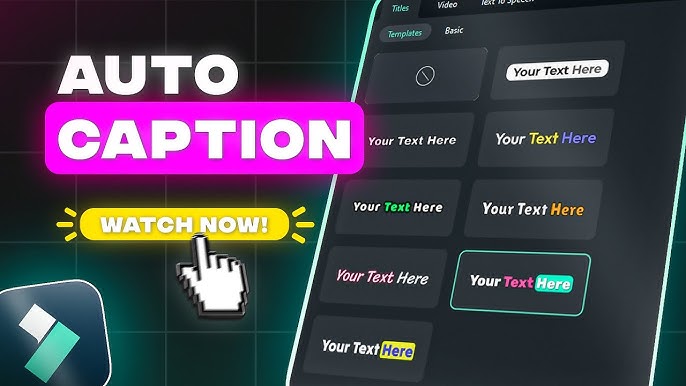
Table of Contents
AutoCaption Brand Profile
AutoCaption Brand Profile | |
Product Name | AutoCaption |
Website | autocaption.io |
Founded | 2023 |
Headquarters | France |
Parent Company | Byte SAS |
Category | AI Caption Generator / Video Tool |
Best For | Content creators, social media managers, UGC creators |
Supported Platforms | Web (browser-based), API |
Languages Supported | 99+ languages |
Free Plan | Yes (free trial, no credit card required) |
Paid Plans | Starter $15/mo, Expert $25/mo, Pro $40/mo |
Video Output | 1080x1920 Full HD, 60 FPS |
Nubia Magazine Rating | 3.9 / 5 |
AutoCaption Review 2026: What Is It and Does It Actually Work?
We spend a lot of time at Nubia Magazine testing digital tools so our readers do not have to. When AutoCaption started appearing consistently in conversations around content creation, we decided to dig in and find out if the hype was real. After putting it through its paces, here is what we found.
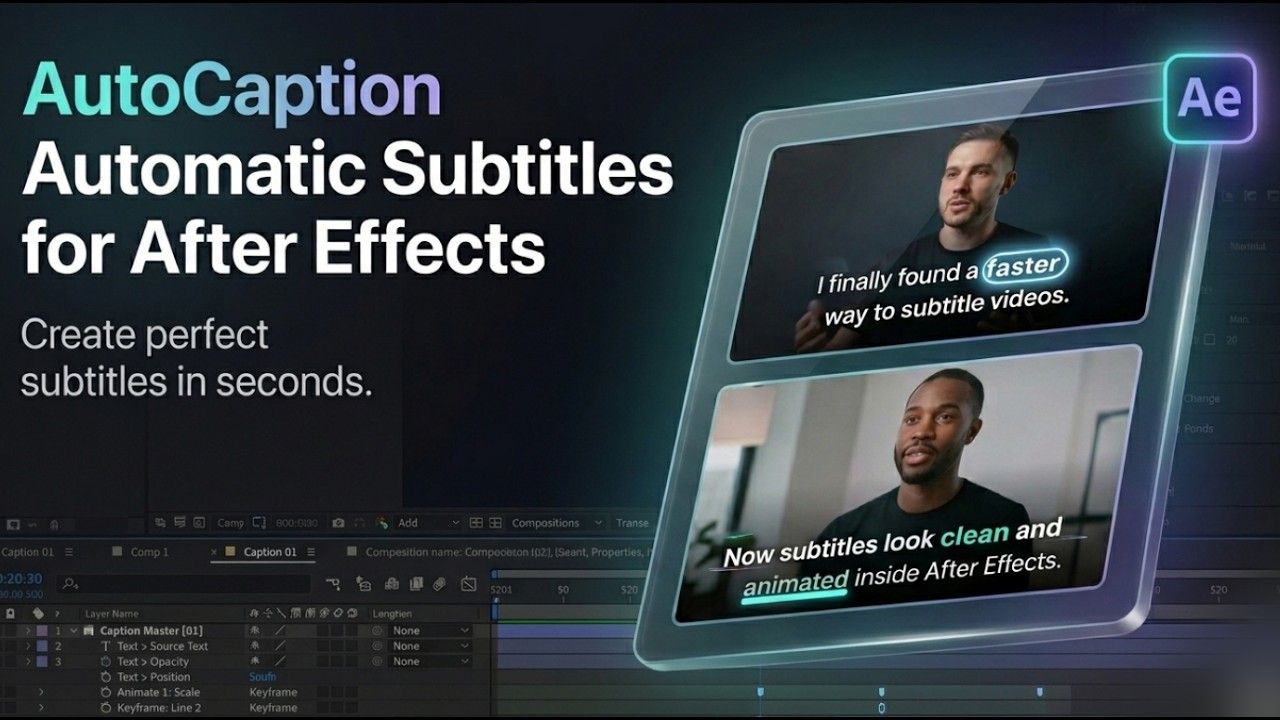
AutoCaption is a web-based AI caption generator built specifically for short-form video content. You upload a video, and the platform transcribes your speech, then burns styled and animated captions directly into the footage. The whole process takes seconds. No SRT files, no timeline dragging, no third-party software.
The tool is operated by a French company called Byte SAS and has quietly grown a user base of over 200,000 creators since launching in 2023. That kind of traction in a short window tells you something.
Who Is AutoCaption Built For?
This is not a general-purpose video editor. AutoCaption is purpose-built for one thing: getting captions onto videos fast, in a way that actually looks good on social media. That means it is most useful for:
- TikTok, Instagram Reels, and YouTube Shorts creators who post frequently
- UGC (user-generated content) creators working on brand campaigns
- Social media managers repurposing long-form content into short clips
- Course creators and educators making video content more accessible
- Agencies handling video production across multiple clients
If you are producing more than a handful of videos per week and manually typing out captions each time, the time savings alone make it worth looking at.
The Website Experience
The AutoCaption website at autocaption.io is clean, loads quickly, and does not try to dazzle you with anything complicated. The interface is clearly designed for someone who wants to get in, upload a video, and get out with a finished product.
Getting started is genuinely easy. You create an account, no credit card needed for the free trial, upload your video, select a language and caption style, and the AI does the rest. The dashboard is organized without being cluttered. For a platform that serves creators who are often juggling multiple projects, that kind of design clarity matters.
One thing we noticed is that the website is particularly optimized for vertical content. The preview renders at 1080x1920 full HD at 60 frames per second, which is exactly what TikTok and Reels demand. A lot of captioning tools feel like they were designed for horizontal video first, with vertical support bolted on afterward. AutoCaption does the opposite.
Is There an AutoCaption App?
As of mid-2026, AutoCaption operates primarily as a web-based platform rather than a dedicated mobile app. You access it through your browser on desktop or mobile. There is also an API available for developers and teams who want to integrate the captioning function directly into their own workflows.
This is worth noting because some creators prefer a native app experience on their phone. AutoCaption works on mobile browsers reasonably well, but if you are coming from a mobile-first editing background, the experience is slightly more comfortable on desktop. The company has not officially announced a standalone mobile app, though the web app is responsive enough for mobile use.
AutoCaption Free Plan: What Do You Actually Get?
Yes, there is a free option and it does not require a credit card to start. AutoCaption offers a free trial that gives you access to the core features so you can test the platform before deciding whether to pay.
The free tier has limitations, as you would expect. It is best thought of as a way to evaluate the tool rather than a long-term free solution for high-volume creators. Once you are creating content regularly, you will likely need a paid plan to handle the volume and video lengths involved.
That said, the no-credit-card policy for the free trial is something we appreciate. Too many tools ask for payment details upfront and make cancellation difficult. AutoCaption is straightforward about it.
AutoCaption Pricing Plans
AutoCaption currently offers three paid subscription tiers:
Plan | Price | Generations/Month | Max Video Length |
Starter | $15/month | 100 | 120 seconds (2 min) |
Expert | $25/month | 215 | 240 seconds (4 min) |
Pro | $40/month | 325 | 360 seconds (6 min) |
Annual billing unlocks significant savings across all plans. The company has previously run promotions with up to 63% off on annual subscriptions, so checking the pricing page before committing to a monthly plan is worth doing.
Key Features We Tested
1. AI Transcription
The transcription is fast and reasonably accurate for standard speech. For English content with a clear delivery, we found it performed well. Where it occasionally stumbled was with heavy accents, fast speech, or technical jargon. This is a known limitation across AI transcription tools generally, not just AutoCaption. A quick review pass before exporting is still a good habit, but for most everyday content, the output is clean.
2. Caption Styles and Customization
This is where AutoCaption genuinely stands out. The level of visual customization available is well above what you get from basic subtitle tools. You can adjust fonts, colors, backgrounds, shadows, animations, and timing. There are ready-made templates to start from, and you can save your own custom templates so your brand look applies in one click next time. For creators who care about visual consistency across their content, that saves a meaningful amount of time.
3. Animated Emojis
AutoCaption has a one-click feature that automatically adds contextually relevant emojis to captions. You can customize their size, position, and animation style. It sounds like a small thing, but for short-form content on platforms like TikTok, it adds a layer of engagement that plain subtitles do not. Some creators will turn this off, some will love it. The fact that it is optional is the right call.
4. Language Support
The platform supports over 99 languages. This is a real advantage for creators building multilingual audiences or producing content for global campaigns. Spanish, French, German, Portuguese, Arabic, and dozens of others are covered. The transcription quality does vary by language, with English and Western European languages generally performing better than others.
5. Rendering Speed
One of the most consistently praised aspects of AutoCaption across user reviews is how fast it renders. For a 60-second video, the output is typically ready in under a minute. For creators processing high volumes of content, that speed compounds quickly.
6. Vertical Video Optimization
The 1080x1920 full HD output at 60 FPS is optimized for vertical platforms. You can also resize for different aspect ratios, including 1:1 for LinkedIn, which covers most of the major platforms in one workflow.
What We Liked and What Could Be Better
What Works Well
- Genuinely fast processing that scales well for high-volume creators
- Strong visual customization compared to most competing tools
- Clean, straightforward interface that does not require a learning curve
- No credit card required for the free trial
- 99+ language support covering a wide range of global content needs
- Full HD vertical output ready for TikTok, Reels, and YouTube Shorts
Areas for Improvement
- Transcription accuracy drops with heavy accents or rapid speech
- No dedicated mobile app as of mid-2026
- Some users have reported export issues on occasion
- Customer support responsiveness has been inconsistent based on user reviews
- Maximum video length on entry-level plan is limited to 2 minutes
Nubia Magazine Ratings Breakdown
Category | Score |
Ease of Use | 4.4 / 5 |
Caption Accuracy | 3.8 / 5 |
Design & Customization | 4.2 / 5 |
Value for Money | 3.7 / 5 |
Customer Support | 3.5 / 5 |
Overall Rating | 3.9 / 5 |
User Experience: What Real People Are Saying
We pulled feedback from Trustpilot, Product Hunt, and the Google Play store to get a broader picture beyond our own testing.
Across Product Hunt, AutoCaption consistently gets praised for its time-saving capabilities. One creator mentioned they use it daily for UGC content and specifically called out the customization options as a real advantage. The rendering quality is the most frequently highlighted strength.
On Trustpilot, the feedback is mostly positive but not without caveats. One user gave glowing remarks about the translation accuracy, noting only one or two words occasionally come out wrong. Another praised the support team for resolving a technical issue quickly. However, there are also complaints, mostly around exports not working correctly and occasional difficulty reaching support. Those negative reviews are a minority, but they are worth noting for anyone who relies heavily on consistent delivery.
The overall picture is a product that works very well for most people most of the time, with room for improvement in the consistency of the export experience and support response.
Frequently Asked Questions About AutoCaption in 2026
These are the questions people are actually searching for. We have answered each one based on our research and testing.
1: Is AutoCaption free to use?
AutoCaption offers a free trial that does not require a credit card to start. This gives you access to the core features so you can test whether the platform fits your workflow before paying anything. The free trial has usage limitations, and for sustained, high-volume use, a paid plan will be necessary. Paid plans start at $15 per month for the Starter tier. The free trial is genuinely free, not a temporary unlock of premium features before a billing surprise.
2: Is there an AutoCaption app I can download?
As of mid-2026, AutoCaption does not have a standalone downloadable app for iOS or Android. The platform runs as a web-based tool accessible through your browser on desktop or mobile. The mobile browser experience works but is better suited to desktop for editing and customization work. There is also an API available for developers and businesses that want to integrate AutoCaption's captioning functionality into their own systems or platforms.
3: How accurate is AutoCaption's AI transcription?
For standard English speech with clear delivery, AutoCaption's transcription is accurate enough for most content without heavy manual correction. Creators working with accented speech, fast delivery, or industry-specific terminology will notice more errors and should budget time for a review pass before exporting. Language accuracy also varies, with English and widely spoken Western European languages performing better than others. The tool is comparable to most AI transcription competitors in this regard.
4: What platforms is AutoCaption optimized for?
AutoCaption's core output is optimized for vertical short-form content: TikTok (9:16), Instagram Reels (9:16), and YouTube Shorts (9:16). The tool renders at 1080x1920 Full HD at 60 frames per second, which matches the quality requirements of these platforms. You can also resize output for other aspect ratios including 1:1 for LinkedIn and standard 16:9 for horizontal video. The workflow is designed around the assumption that most modern creators are prioritizing vertical content.
5: How does AutoCaption compare to CapCut and Descript?
AutoCaption is more specialized than both. CapCut and Descript are general-purpose video editors with captioning as one feature among many. AutoCaption is built specifically around the captioning workflow, which means it is faster and simpler for that specific task but does not offer the broader editing features those platforms provide. If you need a full editing suite, AutoCaption is not a replacement. If your main bottleneck is getting professional captions onto videos quickly, it outperforms both CapCut and Descript on speed and caption-specific customization.
6: What languages does AutoCaption support?
AutoCaption supports over 99 languages for transcription and caption generation. This includes major world languages such as English, Spanish, French, German, Portuguese, Italian, Arabic, Japanese, and Korean, among many others. Transcription quality is generally stronger for languages with larger training data sets. Creators producing content in less commonly supported languages should test accuracy before committing to the platform for production use.
7: Can I use AutoCaption for long-form videos?
AutoCaption is built primarily for short-form content. The Starter plan caps video uploads at 120 seconds (2 minutes), the Expert plan allows up to 240 seconds (4 minutes), and the Pro plan handles videos up to 360 seconds (6 minutes). If you are regularly working with longer videos, podcasts, or webinar recordings, a dedicated long-form captioning tool would be more appropriate. AutoCaption is not positioned for that use case and performs best within the short-form vertical video format it was designed around.
8: Is AutoCaption worth paying for in 2026?
For the right creator, yes. If you are consistently posting short-form video content on TikTok, Instagram Reels, or YouTube Shorts, the time savings are real and the output quality is noticeably better than doing it manually or using basic captioning tools. The Starter plan at $15 per month is a reasonable entry point for individual creators. Where AutoCaption is less compelling is for creators who only occasionally need captions or who work primarily with longer videos. In those cases, the free trial is worth a test, but the paid plans may be hard to justify. For volume creators, it earns its price.
Nubia Magazine Verdict
AutoCaption does what it sets out to do, and it does it better than most alternatives for its specific use case. The platform is fast, the output looks professional, and the customization options give creators more control than most competing tools. The free trial is genuinely accessible, and the pricing is fair relative to the time it saves.
There are real limitations. The transcription is not perfect for every language or accent, the mobile experience is not as polished as a native app, and customer support reviews are inconsistent. These are not dealbreakers for most creators, but they are worth knowing before you sign up.
If you create short-form video content at any meaningful volume and you are still manually handling captions, AutoCaption is worth testing. The free trial exists for exactly that reason.
Related Posts



0 Comments
Join the discussion and share your thoughts
No Comments Yet
Be the first to share your thoughts on this article!