CREAO Review 2026: Ai, Login, Free, App & FAQs

Table of Contents
Every few months a new AI tool shows up promising to change how we work, and most of them fade after the launch buzz dies down. CREAO is one of the names that keeps coming back in 2026, especially among founders, solo creators and small marketing teams who are tired of stitching ten different SaaS subscriptions together. At Nubia Magazine, we spent several weeks testing the platform, comparing it with what users are saying on Product Hunt, SaaSworthy and the official documentation, and we have honest thoughts to share.
This review covers what CREAO actually does, how the login and free plan work, what the app feels like to use day to day, where it falls short, and the questions readers keep sending us. Whether you found this page after searching for a CREAO review, wondering if it is free, or trying to confirm if the platform is legit, the answers are below.
CREAO Profile at a Glance
Before we get into the details, here is a quick snapshot of the brand for readers who want the basics fast.
Brand Name | CREAO AI |
Category | No-code AI agent and app builder |
Founded | 2024 |
Headquarters | Palo Alto, California, United States |
Website | creao.ai |
Login Portal | agent.creao.ai |
Free Plan | Yes, 30 credits per month, no credit card required |
Paid Plans | Pro from $12.50 to $25 monthly, Pro Plus $50 monthly, Max $150 monthly |
Total Funding | $25 million as of April 2026 |
Lead Investor | Prosperity7 Ventures (Aramco Ventures) |
Best For | Founders, marketers, freelancers and small teams building custom AI workflows |
Customer Support | Email and online support, priority for paid tiers |
Nubia Magazine Rating | 3.2 out of 5 |
What Exactly Is CREAO AI?
CREAO is a no code platform that lets anyone build AI agents and full stack apps using plain English. You type what you want the agent to do, and the system handles the database, the backend, the integrations and the hosting in the background. The company calls its main product a Super Agent, which is basically an AI worker that remembers context across sessions, runs scheduled tasks on its own, and connects to your real tools like Gmail, Notion, Slack and Google Sheets.
The brand was founded in 2024 and is headquartered in Palo Alto. In April 2026, Creao AI announced a fresh $10 million funding round led by Prosperity7 Ventures, bringing total funding to about $25 million. That backing matters because it tells us the platform is not going to disappear next quarter, which is a real risk with smaller AI startups.
The AI Behind CREAO
Under the hood, CREAO is not tied to a single AI model. Reports and the official documentation point to access across more than 200 models, including Anthropic Claude and Google Gemini, depending on the task. This multi model approach is one of the things that sets CREAO apart from competitors that lock you into a single provider.
The Super Agent handles a lot more than chat. It can run Python and other code inside a full Linux sandbox, install packages, scrape websites, call APIs, build PDFs, generate reports and send emails. During testing we asked it to pull a list of competitor product launches from the past month and produce a comparison spreadsheet, and it completed the task in one session without us having to babysit it. That is the part that genuinely impressed us.
Memory is the other selling point. Unlike a typical chatbot that forgets the previous conversation, the Super Agent retains a memory bank tied to your account. You can tell it once that your brand voice is casual, your target audience is Gen Z and your reporting cadence is weekly, and it stops asking on every prompt. For people who use AI heavily, this saves real hours.
CREAO Login and Onboarding
Getting in is one of the smoother parts of the experience. You head to creao.ai, sign up with an email or Google account, and you are routed to agent.creao.ai which is the main dashboard for the Super Agent. There is no long onboarding checklist, no forced tour, and no demo call before you can try things. For users who hate gated trials, this is refreshing.
The login portal itself is clean and lightweight. We did not run into any of the typical issues like email verification loops or two factor authentication problems during our tests. If you forget your password, the reset flow works in one minute. Mobile login also works fine because the dashboard is responsive, though there is no native mobile app on the App Store or Google Play as of June 2026.
Is CREAO Really Free?
Yes, CREAO does offer a genuine free plan, and you do not need to enter a card. The free tier gives you 30 credits per month, which is enough to build and test a handful of small agents or one larger app prototype. Once you cross that threshold, you are nudged toward the Pro plan.
Here is the catch most reviewers do not mention. Credits get used quickly if your agent runs long workflows, calls premium models like Claude Opus, or executes a lot of code. A complex agent that scrapes data and generates a report can eat 5 to 10 credits in a single run. So while the free plan is real, do not expect to run a serious business on it. It is more of a proper trial than a permanent free tier.
CREAO Pricing Tiers in 2026
- Free: 30 credits per month, no credit card, full feature access except API triggers
- Pro: from about $12.50 to $25 per month depending on promotions, 250 credits, source code visibility, custom API and MCP integrations
- Pro Plus: $50 per month, 600 credits, priority support
- Max: $150 per month, 2,000 credits, dedicated support
Annual billing typically knocks the effective monthly price down by 30 to 40 percent. If you plan to use CREAO seriously, the Pro Plus tier hits the sweet spot for most freelancers and small teams.
Using the CREAO App
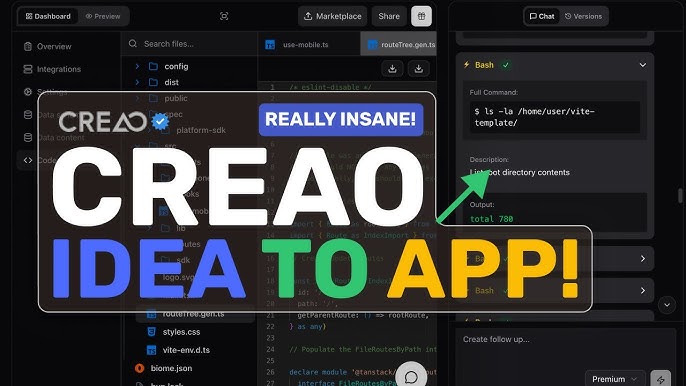
The main interface is a chat panel on one side and a live preview or workspace on the other. You describe what you want, the agent asks a few clarifying questions, then it starts building. Watching the system pick tools, write code, install packages and assemble an app in real time is satisfying in a way that other no code builders rarely achieve.
That said, the app is not perfect. Several Product Hunt reviewers and our own testing flagged the same issue. When you have a long multi turn conversation and try to refine your earlier requests, the agent sometimes loses track of which version of the spec you are working with. You can recover by being explicit about what to change, but it breaks the flow. The team has acknowledged this on the platform blog and says better intent recognition is a current priority.
Another rough edge is the visual polish of generated apps. They work, but the default styling looks generic. If you want a beautiful UI, you will spend extra prompts asking the agent to redesign the front end or you will export the code and tweak it yourself. Pro plan users get full code visibility, which helps.
Integrations and Ecosystem
This is where CREAO quietly shines. The platform connects out of the box with Gmail, Google Drive, Google Calendar, Google Docs, Google Sheets, Google Tasks, Notion, Slack, Discord, Microsoft Teams, Microsoft Outlook, GitHub, LinkedIn, X, TikTok, YouTube, Reddit, Perplexity, Firecrawl and OpenAI. Support for the Model Context Protocol is also baked in, so technical users can plug in their own MCP servers and skills.
During testing we built an agent that reads new Gmail messages every morning, summarises the important ones in a Notion page and posts a digest to a Slack channel. It took about 15 minutes of conversation to set up and has been running on a schedule without intervention. That kind of automation used to require Zapier plus three other tools.
User Experience: The Honest Verdict
CREAO is genuinely powerful, but it is not a tool you understand in five minutes. There is a learning curve, and the curve is steeper if you have never thought in terms of workflows or agents. Users coming from ChatGPT expecting an instant answer will feel like the platform is asking them to do too much upfront.
On the other hand, users who already understand automation, who have built things in Zapier, Make or Airtable, will probably love CREAO within the first hour. The natural language interface removes most of the friction of those older tools, and the persistent memory means you build up an actual system over time instead of one off zaps.
Speed is decent but not lightning fast. Complex builds can take several minutes as the agent installs packages and runs through steps. We never lost work, but we did wait.
Customer support is reachable by email, with priority routing for Pro Plus and dedicated support for Max plan users. Response times during our test period were within 24 hours, which is acceptable for the price point.
Pros and Cons of CREAO AI
What We Liked
- Free tier is real and does not demand a credit card
- Super Agent has actual persistent memory, not session based recall
- Builds full stack apps and not just chatbots
- More than 20 integrations including Gmail, Notion, Slack and GitHub
- Linux sandbox lets the agent run real code, install libraries and produce real files
- Backed by serious investors, including Aramco linked Prosperity7 Ventures
- Pricing is fair compared to enterprise alternatives
Where It Falls Short
- Multi turn conversations can lose context on complex projects
- Default visual design of generated apps is bland
- Credits get consumed quickly if you use heavy AI models
- No dedicated mobile app yet in 2026
- Steeper learning curve than typical chatbot tools
- Limited public information on enterprise compliance certifications
Nubia Magazine Verdict
CREAO is one of the more interesting agent platforms we have tested this year. It does what it promises, which is to turn natural language into working AI workflows and full stack apps without you writing code. The Super Agent concept with persistent memory is a real upgrade over basic chatbots, and the integration list covers most tools that small teams actually use.
The reason we are giving it a 3.2 out of 5 rather than something higher comes down to polish. The platform still feels like it is in active development. Multi turn intent recognition needs work, generated apps look generic without extra effort, and the free credits run out faster than the marketing suggests. For founders and operators who can live with these limitations, CREAO is worth a serious look. For everyone else, give it another six months and check back.
If you want to try it yourself, the free plan is honestly the best way to judge whether it fits your workflow. Sign in at agent.creao.ai, give it a real task that you actually need done this week, and see how the Super Agent handles it. That is a more useful test than any review can be.
Frequently Asked Questions About CREAO AI in 2026
These are the most common questions readers have been sending Nubia Magazine about CREAO, along with our research backed answers.
1. Is CREAO AI legit and safe to use in 2026?
Yes, CREAO AI is a legitimate company based in Palo Alto, California. It was founded in 2024 and has raised about $25 million in funding so far, with the latest round of $10 million led by Prosperity7 Ventures, an arm of Aramco Ventures, in April 2026. The platform uses standard cloud security practices and runs user code inside isolated sandbox environments.
2. How do I sign up and log in to CREAO AI?
You can sign up directly at creao.ai and then log in through agent.creao.ai. The free tier does not ask for a credit card. After registration you can start chatting with the Super Agent immediately, and workspaces are only created later if you want to organise multiple agents.
3. Does CREAO AI really have a free plan?
Yes, the free plan gives you 30 credits per month with no credit card required. That is enough for building and testing a couple of simple agents or small apps. However, anything beyond light experimentation will push you into the Pro plan at around $12.50 to $25 monthly, depending on current promotions.
4. Can CREAO AI build a full web app without coding?
Yes. You describe the app in plain English and the Super Agent handles the backend, database setup, hosting and the front end. The result is a working full stack app that you can share with your team. You can also view the source code and connect custom APIs on paid plans.
5. What integrations does CREAO AI support?
CREAO connects with more than 20 popular tools, including Gmail, Google Drive, Google Calendar, Google Sheets, Google Docs, Notion, Slack, Discord, Microsoft Teams, Microsoft Outlook, GitHub, LinkedIn, X (formerly Twitter), TikTok, YouTube, Reddit, Perplexity, Firecrawl and OpenAI. It also supports the Model Context Protocol, so you can plug in custom MCP servers.
6. How is CREAO AI different from ChatGPT or Claude?
ChatGPT and Claude are mostly conversational assistants that respond once and forget the context. CREAO is built around a Super Agent that has persistent memory, can run code in a Linux sandbox, schedules itself to run automatically, and can be saved as a reusable workflow. In simple terms, ChatGPT answers, while CREAO actually executes and remembers.
7. Is the CREAO AI app available on mobile?
As of 2026, CREAO is mainly a web based platform that you access from any modern browser on desktop or mobile. There is no dedicated standalone mobile app on the major app stores yet, but the dashboard at agent.creao.ai is responsive and works on phones and tablets.
8. Who should not use CREAO AI?
Users who want a polished one click answer like a chatbot will find CREAO heavier than expected. It also might not suit absolute beginners who have never thought about workflows, or enterprises that need very strict compliance certifications such as HIPAA or FedRAMP, as these are not yet listed on the public site.
9. What do real users say about CREAO AI on Product Hunt?
Reviews on Product Hunt are mostly positive, with users praising the natural language interface, the no code builder and the built in copilot. The main criticisms repeat across reviewers, mainly that the multi turn conversation handling can get confused on complex prompts, and that some parts of the builder still feel a bit rough.
10. How does CREAO AI pricing compare to other no code AI builders?
CREAO sits in the mid range. Its Pro tier at around $25 a month is cheaper than many enterprise focused platforms like Creatio, but slightly more expensive than basic chatbot builders. The free plan is generous compared to most competitors that hide everything behind a paywall after a short trial.
CREAO is not a magic button, and anyone telling you it will replace your entire team is exaggerating. It is, however, one of the most practical AI agent platforms we have seen in 2026 for small teams and solo founders. The free tier is generous enough to test it properly. The paid tiers are priced fairly. The team is funded and shipping updates regularly. If those three things matter to you, CREAO deserves a spot on your shortlist.
Stay tuned to Nubia Magazine for updated reviews as the platform evolves through the rest of 2026.
Related Posts


0 Comments
Join the discussion and share your thoughts
No Comments Yet
Be the first to share your thoughts on this article!