ChatCut Review 2026: AI, Download, App, Login & FAQs

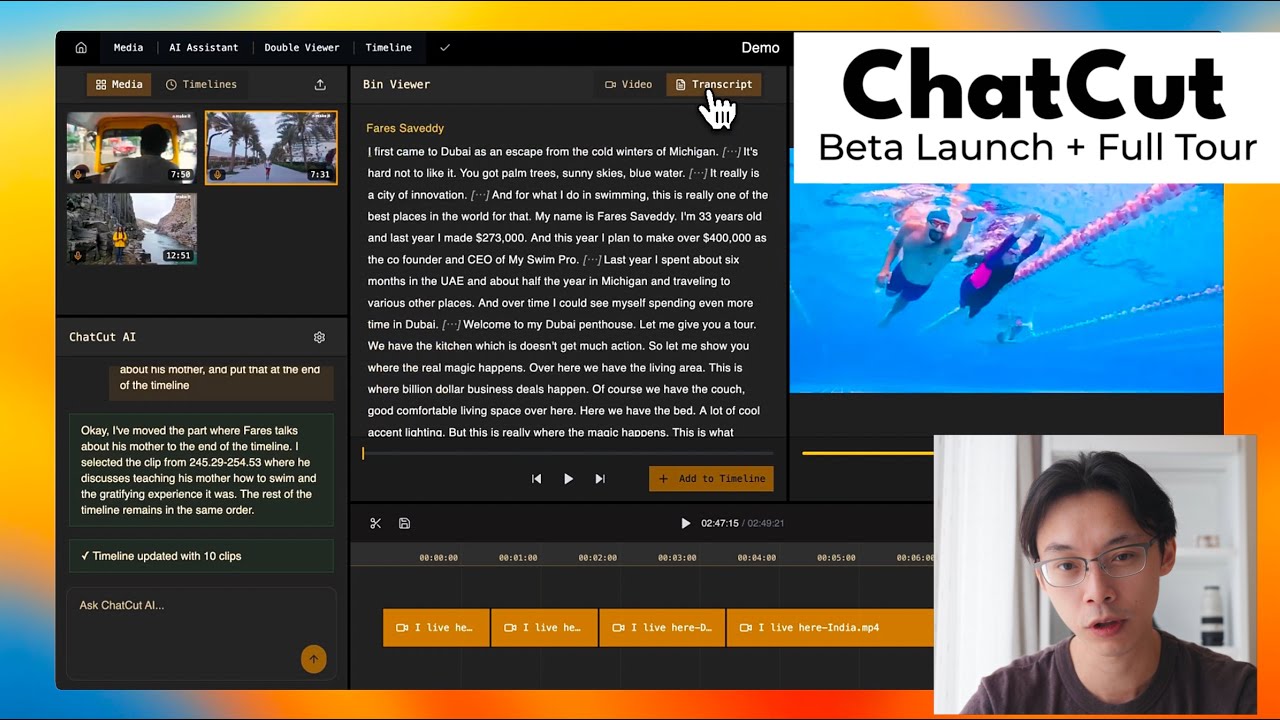
Table of Contents
ChatCut has been showing up a lot this year in conversations about AI video editing, and it is one of those tools that people either recommend cautiously or warn you about after a bad billing month. We wanted to know what all the noise was actually about, so we spent time inside the platform, tested the free tier, read through what current users are saying, and put together this review for anyone deciding whether ChatCut deserves a spot in their workflow in 2026.
This is not a sponsored placement. Nubia Magazine was not paid by ChatCut or any competing brand to publish this piece, and nothing here reflects an affiliate relationship. What follows is our own research and testing, written the way we would explain it to a friend who asked us over coffee.
ChatCut at a glance
Product name | ChatCut |
Category | AI video editor (prompt driven, timeline based) |
Website | chatcut.io |
Launched | 2026 |
Platforms | Web browser, mobile browser, ChatGPT desktop plugin (Mac and Windows) |
Native app | No dedicated iOS or Android app as of this review |
Core features | Prompt based editing, auto transcription and captions, AI video generation via Seedance 2.0, voiceover generation, motion graphics, XML export to Premiere and DaVinci Resolve |
Pricing | Free plan with a limited monthly credit pool. Paid plans start around $25 a month, billed on credits |
Best suited for | Solo creators, marketers and small teams who want fast turnaround without learning a traditional timeline editor |
Not ideal for | Casual mobile users who film and edit entirely on a phone, and editors who need a native app |
Nubia Magazine rating | 2.5 out of 5 |
What Is ChatCut?
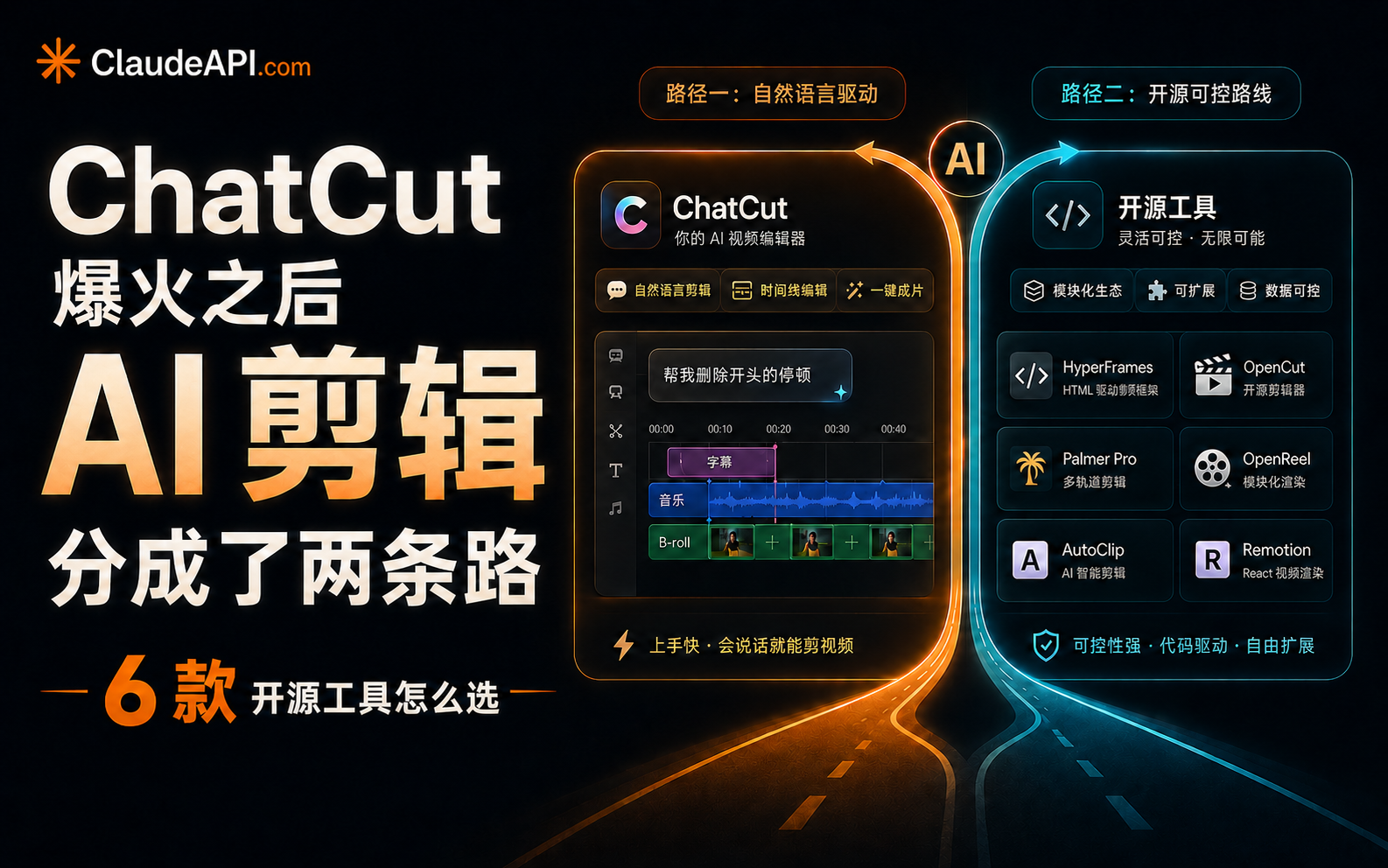
ChatCut is a browser based video editor built around a simple idea: instead of dragging clips across a timeline yourself, you type what you want done and an AI agent carries it out. Say something like 'cut the dead air' or 'give me a thirty second highlight reel' and ChatCut acts on a real, visible multi track timeline that you can still touch and adjust by hand afterward.
The pitch is that it sits between two worlds. On one side you have fully automated AI video generators that hand you a locked clip with little room to edit. On the other side you have traditional editors like Premiere Pro or DaVinci Resolve, which give you total control but demand real skill to use well. ChatCut tries to land in the middle, offering editable output driven by plain language instead of menus and keyboard shortcuts.
ChatCut AI: What It Can Actually Do
The AI layer is the whole point of ChatCut, so it is worth breaking down what it covers rather than just repeating the marketing copy.
- Transcript based editing: ChatCut converts your footage into a searchable transcript, so you can find a moment by describing what was said rather than scrubbing through the timeline.
- Automatic captions: captions are pulled straight from the transcript and come with more than twenty style presets across upward of a hundred languages.
- AI video and image generation: ChatCut can generate new footage or stills using models including Seedance 2.0 and GPT Image 2, useful for filling gaps in a sequence.
- Voiceover generation: you can generate a spoken voiceover track from a script without recording anything yourself.
- Motion graphics and B-roll: the tool can insert basic motion graphics and suggest or generate B-roll to support a cut.
- Repeat take removal: it can scan footage for repeated takes and silences and trim them automatically.
On paper this is a genuinely wide feature set. In practice, the quality varies. Cutting silences and generating captions from your own footage worked reliably in our testing. The AI generation side, particularly anything routed through Seedance 2.0, was noticeably less consistent, and a handful of user reviews online describe generation requests failing outright or timing out during busy periods.
ChatCut Download: Is There an App to Install?
This is one of the most searched questions about ChatCut, and the honest answer is that there is no traditional download in the way people expect from CapCut or Premiere Pro. ChatCut runs entirely in the browser, so there is nothing to install on Windows or Mac if you plan to use it that way.
There is also no dedicated iOS or Android app. ChatCut does technically load in mobile Safari and mobile Chrome, but the interface was clearly designed for a desktop screen, and editing on a phone browser feels cramped. If your workflow is entirely phone based, that alone may be a reason to look elsewhere.
The closest thing to an installable version is the ChatCut plugin for the ChatGPT desktop app on Mac and Windows. Once added, it works inside an existing ChatGPT conversation rather than as a standalone application, and it runs on whatever ChatGPT plan you already have rather than charging separately for that entry point.
The ChatCut App Experience
Whether you access ChatCut through the browser or through the ChatGPT plugin, the core app experience is the same: a chat box sits next to a multi track timeline. You type an instruction, watch the AI apply it, and the timeline updates in real time so you can see exactly what changed.
We liked that the timeline never disappears. A lot of AI editors hide their work behind a black box and just hand you a finished file, which makes small corrections painful. ChatCut keeps the editable structure visible the entire time, so if the AI misreads a prompt, you can undo just that action or nudge a cut by hand instead of starting over.
Export is a genuine strength. Paid plans allow export in ProRes 4444 with alpha channel support, which means you can do a fast AI pass in ChatCut and then hand the file off to Premiere or After Effects for finishing touches. It also supports XML export for a smoother handoff to professional editing software. That is a detail that suggests the team understands serious editors will not do all of their finishing work in a browser tab.
ChatCut Login: How Account Access Works
Getting into ChatCut is straightforward. You sign up on chatcut.io with an email address or a supported single sign on option, and no credit card is required to start on the free plan. Once you are logged in on the web, that same login carries over if you later connect the ChatGPT plugin, so you are not managing two separate accounts.
A few users online have reported friction around password resets and slow email verification, which lines up with a broader complaint we will get to in the next section: ChatCut's support responsiveness has not caught up with its feature list.
User Experience: What We Liked and What We Did Not
Here is where opinions on ChatCut start to split, and our own testing landed somewhere in the middle of the range you will find online.
What works well
- The natural language editing genuinely lowers the barrier to entry. If you have never opened a professional editor, ChatCut lets you produce a reasonable first cut without learning any of it.
- Auto captions are accurate on the first pass more often than not, since they come from an actual transcript rather than guesswork.
- Keeping a real, editable timeline visible at all times is a meaningful design choice that respects the user's need for control.
- Professional export options show the team is thinking about editors who need to finish work elsewhere.
Where it falls short
- Credit based pricing is confusing at first, and AI generation tasks burn through credits far faster than simple cutting or captioning, so costs can climb quickly for anyone leaning on the generation features.
- There is no native mobile app, which rules ChatCut out for creators who shoot and edit entirely on a phone.
- Customer support has drawn real criticism. Multiple independent reviews describe slow or absent responses when bugs come up, particularly for paying Pro users.
- Some reviewers have flagged inconsistency between what is advertised around Seedance 2.0 access and what the tool reliably delivers, with generation requests occasionally failing.
- Pricing is steep next to established mobile first competitors like CapCut for anyone who only posts occasionally.
None of this makes ChatCut a bad idea to try. It makes it a tool worth testing on the free tier before committing a card number to it, which is exactly what we would tell a friend.
Nubia Magazine Verdict
We are giving ChatCut 2.5 out of 5. The core editing concept is smart, the timeline stays usable, and the export options respect professional workflows. But the rating gets pulled down by real, recurring complaints about support quality, credit costs that outpace expectations, and generation features that do not yet match their own marketing. A tool with this much promise should not still be leaving paying users without help when something breaks.
If ChatCut tightens up support and makes credit consumption more predictable, this score has real room to climb. As it stands today, we would recommend testing the free plan thoroughly before upgrading to Pro.
ChatCut FAQs: What People Are Asking in 2026
1. Is ChatCut free to use?
Yes. ChatCut offers a free plan with no credit card required. It comes with a small monthly pool of credits for editing, captioning and limited AI generation. Paid plans start at roughly $25 a month for a larger credit allowance.
2. Does ChatCut have a mobile app?
No. There is no dedicated ChatCut app for iOS or Android as of this review. The platform loads in a mobile browser, but it is built for desktop use, and the mobile experience is limited.
3. How do I download ChatCut?
There is nothing to download for the core product since ChatCut runs in the browser at chatcut.io. The only installable piece is the ChatCut plugin for the ChatGPT desktop app on Mac and Windows.
4. Is ChatCut safe to use with my footage?
ChatCut requires you to upload your footage to its platform to process edits, similar to most cloud based editors. As with any cloud tool, it is worth reviewing its privacy policy on chatcut.io before uploading sensitive or unreleased material.
5. How does ChatCut compare to CapCut?
CapCut remains the stronger choice for mobile first creators thanks to its generous free tier and native phone app. ChatCut is aimed more at desktop users who want prompt driven editing with a real timeline underneath, and it costs more for regular use.
6. Why is ChatCut's customer support criticized so often?
Several independent reviews and user comments describe long waits or no response at all when bugs come up, especially for paying Pro subscribers. This is currently one of the most consistent complaints about the platform.
7. What is Seedance 2.0 and how does it relate to ChatCut?
Seedance 2.0 is an AI video generation model that ChatCut integrates for generating new clips from a prompt. Some users have reported that generation through this integration is inconsistent, so it is worth testing on the free tier before relying on it for paid work.
8. Can I export my ChatCut project to Premiere Pro or DaVinci Resolve?
Yes. ChatCut supports XML export for handing a project off to professional editors, and paid plans allow ProRes 4444 export with alpha channel support for further finishing work.
9. Do unused ChatCut credits roll over?
According to ChatCut's own pricing information, unused credits roll over for one month, after which they expire.
10. Is ChatCut worth it in 2026?
It depends on your workflow. If you value speed and are comfortable testing before committing, the free plan is worth trying. If you need a native mobile app or dependable customer support, ChatCut currently falls short of that bar, which is reflected in our 2.5 out of 5 rating.
Related Posts




1 Comment
Join the discussion and share your thoughts



