Wappalyzer Review 2026: Extension, Alternatives, Pricing & FAQs

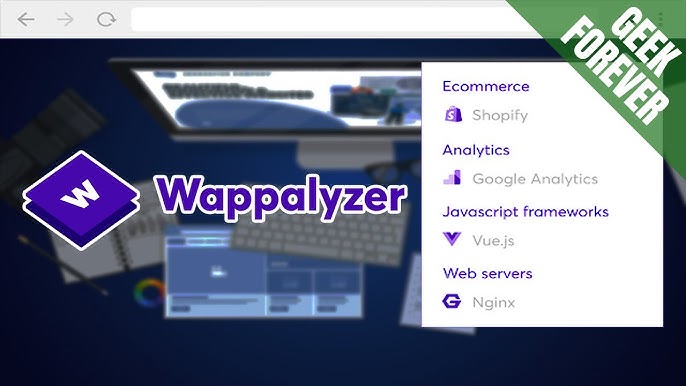
Table of Contents
Wappalyzer keeps showing up in the same conversation every time someone asks how to find out what a website is built with. It is one of those small browser tools that a lot of developers, marketers and SEO people already have pinned to their toolbar without ever really looking into what it does beyond the free lookup. We spent the past few weeks testing the extension, the paid plans, the API and the support experience, then compared notes against what real users are saying on Capterra, G2 and Reddit. Here is our honest, 2026 take on Wappalyzer, along with the alternatives worth considering and answers to the questions people keep typing into Google about this tool.

Wappalyzer Company Profile
Tool name | Wappalyzer |
Category | Technology detection and technographic lead data |
Founded | 2008 |
Headquarters | United Kingdom |
Access points | Browser extension, web app, API |
Supported browsers | Chrome, Firefox, Edge |
Free plan | Yes, browser extension with limited lookups |
Paid plans | Pro, Business, and Enterprise, starting around $250 per month |
Best suited for | Developers, SEO consultants, sales and marketing teams |
Main competitors | BuiltWith, Datanyze, SimilarTech, Bloomberry |
Nubia Magazine rating | 2.2 out of 5 |
What Is Wappalyzer, Exactly
Wappalyzer started life in 2008 as a simple technology fingerprinting tool. Point it at a website and it tells you what content management system, hosting provider, analytics tag, ecommerce platform, or JavaScript framework is running behind the scenes. Over the years the company built a second product on top of that same detection engine: a searchable database of tens of millions of websites that sales and marketing teams can filter by technology to build prospect lists. So in 2026, Wappalyzer is really two products wearing one name. The free browser extension that anyone can install in seconds, and the paid lead generation platform that competes with tools like BuiltWith and Datanyze.
The Wappalyzer Extension: Still the Best Part of the Product
If there is one thing that keeps Wappalyzer relevant, it is the extension. It is free, it does not require an account to use for basic lookups, and it works across Chrome, Firefox and Edge. Click the icon on any page and within a second or two it lists out the frameworks, plugins, server software and marketing tags in a clean little popup. For a developer doing competitor research or a student trying to understand how a site was built, this is genuinely useful and it is the reason so many people still recommend Wappalyzer as their first answer to the question of how to check a website's tech stack.
Where things get a little less impressive is once you push past the casual, one-off lookup. Several reviewers on Capterra and G2 mentioned that the extension can noticeably slow down page loading on heavier sites, and the depth of detail is thinner than what dedicated tools like BuiltWith offer once you need version numbers or a full history of technology changes on a domain.
Download and Installation
Getting the extension is straightforward. It is listed on the Chrome Web Store, Firefox Add-ons and the Microsoft Edge Add-ons store under the Wappalyzer name, and installation takes under a minute with no signup required for the basic lookup feature. Creating a free account unlocks a small allowance of saved lookups and access to the web app version at wappalyzer.com, which is where the paid lead list features live. We would recommend downloading directly from the official browser stores rather than third party download sites, since technology detection tools are a common target for lookalike extensions.
Wappalyzer Pricing: Free Tool, Pricier Data
The extension itself costs nothing and probably always will, since it also functions as a marketing funnel into the paid product. The paid side is where opinions split. Based on the current pricing page, the Pro plan starts at roughly $250 a month with a capped number of monthly lookups, Business sits around $450 a month with a higher cap, and Enterprise pricing is quoted individually. Credits on every paid tier expire after 60 days, which is worth knowing if your research needs are seasonal rather than constant.
- Free: browser extension with basic, single site lookups
- Pro: around $250 per month, several thousand monthly lookups
- Business: around $450 per month, a larger monthly cap
- Enterprise: custom pricing for high volume teams
A recurring theme in user reviews is that the free tier feels generous for casual use, but the jump to a paid plan feels steep for anyone who only needs occasional list building rather than a constant stream of leads. More than one reviewer specifically asked for a pay as you go credit option instead of a full monthly commitment.
Wappalyzer as a Sales and Lead Generation Tool
Beyond the extension, Wappalyzer sells itself to sales and marketing teams as a way to build lead lists filtered by technology. You can search for, say, every ecommerce site running a specific payment gateway, then export contact details for outreach. It connects with Salesforce, HubSpot and Zapier, which makes it easy to plug into an existing sales workflow. This side of the product tracks somewhere around 3,000 detectable technologies, a smaller library than BuiltWith's much larger catalogue, which means niche or newer tools sometimes will not show up in a search at all.
Wappalyzer Alternatives Worth Comparing
Wappalyzer is not the only option, and depending on what you actually need, one of these might fit better.
- BuiltWith: the closest direct competitor, with a far larger technology library and historical tracking, but a higher starting price.
- Datanyze: now folded into ZoomInfo, useful if your team already lives inside that ecosystem.
- SimilarTech: a cheaper entry point for technology based lead lists, though with a smaller dataset.
- Bloomberry: a newer technographic platform built specifically around ideal customer profile matching.
- WhatRuns and BuiltWith's own free lookup: lighter, free alternatives for one-off checks similar to what Wappalyzer's extension offers.
If your need is a quick, free answer to what a single site is running, the Wappalyzer extension remains hard to beat for convenience. If you need bulk lead data with real depth, most reviewers found BuiltWith the stronger, if pricier, option.
User Experience: What People Are Actually Saying
Reading through verified reviews on Capterra and Software Advice, a pattern shows up quickly. Users like the extension and the speed of a single lookup, and several SEO consultants specifically mention it saves them time during prospecting and reconnaissance work. The complaints cluster around three things: the cost of the paid plans relative to how often casual users actually need bulk data, thinner detail on some detected technologies compared to competitors, and a browser performance hit on certain heavy sites. Support responsiveness comes up as mixed rather than bad, with some users reporting quick help and others noting slower turnaround on billing questions.
Our own testing lined up with those comments. The extension felt fast and reliable across dozens of test sites, the web app dashboard was clean and easy to navigate, but the paid tier felt like it was built for teams doing high volume prospecting rather than the occasional researcher, which is exactly the gap that keeps pulling people toward cheaper or free alternatives.
Nubia Magazine Verdict
Wappalyzer earns real credit for the free extension. It is fast, it needs no account, and it answers the basic question of what a site is built with better than most free tools out there. Where our rating drops is on the paid side of the business. The pricing feels high for the depth of data on offer, the technology library is noticeably smaller than top competitors, there is no pay as you go option for occasional users, and multiple independent reviewers flagged browser slowdown and thin version detail as ongoing issues. For a casual, free lookup tool, it is solid. As a paid technographic platform competing with BuiltWith, it currently falls short of what the price tag promises, which is why we are landing on a 2.2 out of 5 overall.
Frequently Asked Questions About Wappalyzer in 2026
1. Is Wappalyzer free to use?
Yes, the core browser extension is free and does not require an account for basic single site lookups. The lead list and bulk API features sit behind paid Pro, Business and Enterprise plans.
2. How do I download the Wappalyzer extension?
Search for Wappalyzer in the Chrome Web Store, Firefox Add-ons or Microsoft Edge Add-ons store and install it directly from there. Installing from the official store avoids the lookalike extensions that sometimes appear in general search results.
3. Is Wappalyzer safe to install?
The official extension published on the major browser stores is generally considered safe and is widely used by developers and marketers. As with any browser extension, only install it from the official store listing rather than a third party download page.
4. What does Wappalyzer actually detect?
It identifies content management systems, ecommerce platforms, JavaScript frameworks, analytics and marketing tags, hosting providers, and a range of other web technologies, drawing from a library of roughly 3,000 recognized technologies.
5. How much does Wappalyzer cost for the paid plans?
As of 2026, the Pro plan starts around $250 a month, Business sits around $450 a month, and Enterprise pricing is quoted individually based on volume. Credits expire 60 days after purchase on every paid tier.
6. What is the best free alternative to Wappalyzer?
For a single free lookup, BuiltWith's free tool and WhatRuns both offer a similar experience to the Wappalyzer extension. For bulk, paid technographic data, BuiltWith and Bloomberry are the most commonly recommended alternatives.
7. Does Wappalyzer slow down the browser?
Some users report a noticeable slowdown on heavier, script dense websites when the extension is active. It is generally light on simple sites, but this is a fair complaint worth knowing about before pinning it permanently to your toolbar.
8. Is Wappalyzer good for sales prospecting?
It can work for light prospecting, particularly for teams that already have a defined technology based ideal customer profile. Teams needing deeper historical data or a larger technology catalogue typically end up pairing it with, or switching to, BuiltWith.
9. What rating does Wappalyzer deserve overall?
Based on our testing and a review of verified user feedback across Capterra, G2 and Software Advice, Nubia Magazine rates Wappalyzer 2.2 out of 5. The free extension is genuinely useful, but the paid platform underdelivers relative to its price.
Related Posts




0 Comments
Join the discussion and share your thoughts
No Comments Yet
Be the first to share your thoughts on this article!