Vozo AI Review 2026: Ai, Free, Alternative, Download, Pricing & FAQs

Table of Contents
Every few months a new wave of AI video tools shows up promising to make dubbing, translation and lip sync effortless. Most fade out within a year. Vozo AI is one of the few that has stuck around long enough to actually build a track record, and that is exactly why our team at Nubia Magazine decided it deserved a proper, hands on look in 2026.
We spent time testing the platform ourselves, read through verified user feedback on Trustpilot and G2, compared the pricing tiers, and checked how the free plan holds up against paid competitors. Below is everything we found, written the way we would explain it to a friend who is deciding whether to sign up.
What Is Vozo AI
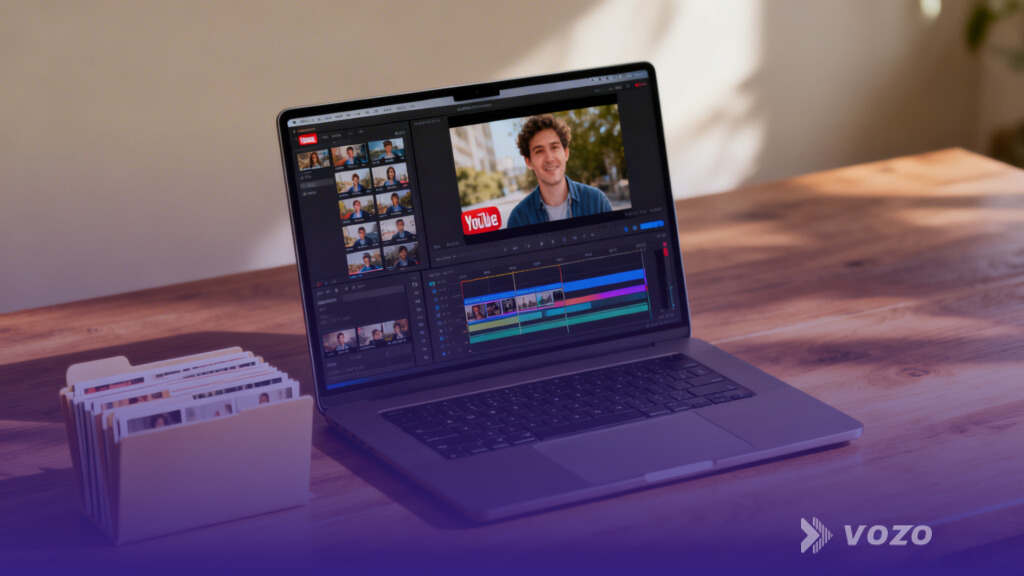
Vozo AI is a video localization platform built for creators, marketers, educators and companies that want to turn one video into several language versions without hiring a studio. Instead of just swapping audio tracks the way older dubbing software does, Vozo works on every visible and audible layer of a video at once, including the voice, the subtitles, the on screen text and the lip movement of the speaker.
The company behind it says the platform is now used by more than 7 million creators and businesses across over 40 countries, and the tool has grown from a simple captioning app (it actually started life as Blink Captions) into a full localization suite. That growth is part of why it keeps showing up in conversations about the best AI dubbing tools this year.
Its main features include AI video translation in over 160 languages, voice cloning and dubbing through its VoiceREAL and VoiceNATIVE engines, lip sync through its LipREAL engine, plus subtitle generation, AI avatars, talking photos and a teleprompter feature for recording new footage.
Vozo AI Profile At A Glance
Tool Name | Vozo AI |
Category | AI video translation, dubbing and localization software |
Founded As | Blink Captions, later rebranded to Vozo AI |
Core Features | Video translation, AI dubbing, voice cloning, lip sync, subtitles, AI avatars, talking photos, teleprompter |
Languages Supported | 160 plus languages and dialects |
Platforms | Web app, iOS app, Android app |
Free Plan | Yes, limited monthly minutes and points |
Paid Plans From | Around 15 to 19 USD per month on the entry tier |
Best For | Creators, marketers, educators, agencies and global teams |
Deployment | Cloud based, also listed on AWS Marketplace |
Nubia Rating | 4.5 out of 5 |
Vozo AI Free Plan, What You Actually Get
Yes, Vozo AI has a free tier, and it is genuinely usable for testing the platform rather than being a watered down demo. On the free plan you get a limited number of monthly credits that can be put toward translation, redub or rewrite jobs, plus a capped amount of processing minutes each month.
In practice this means you can upload a short clip, translate it into another language, preview the dubbing and lip sync quality, and decide whether the output is good enough for your channel before paying anything. Most reviewers, including our own testers, found the free tier is best used as a trial rather than a long term plan, since the monthly minutes run out quickly once you start producing regular content.
- A capped number of AI points refreshed monthly
- Limited video length per upload on the free tier
- Watermark or reduced export quality on some free outputs, depending on the feature used
- Full access to test translation, dubbing and lip sync before committing to a paid plan
Vozo AI Pricing In 2026
Vozo runs on a subscription model built around AI Points rather than a simple pay as you go system. You pick a plan based on how much video you expect to localize each month, and you can always top up with a one time Points Pack if you run out before your billing cycle resets.
Plan | Approx. Price | Who It Suits |
|---|---|---|
Free | $0 | Trying out translation, dubbing and lip sync on a small scale |
Standard / Creator | $15 to $19 / month | Solo creators publishing in a couple of languages regularly |
Professional | ~$47 / month | Marketers and small teams localizing at higher volume |
Enterprise / Custom | Custom quote | Agencies and companies needing bulk uploads, role based access and API access |
Note: pricing tiers and point allowances shift fairly often, so we recommend checking the official Vozo AI pricing page directly before subscribing, since promotional rates and regional pricing can change without much notice.
Vozo AI Alternatives Worth Comparing
Vozo is solid, but it is not the only option in this space, and depending on what you need it might not even be the best fit. Here is how it stacks up against the names our readers ask about most.
- HeyGen, often named the closest overall competitor, with a strong free plan and a large avatar library, though it leans more toward avatar led videos than full layer translation
- ElevenLabs, a strong pick if voice quality and natural sounding dubbing matter more to you than lip sync or on screen text translation
- Rask AI, a frequent comparison point for one click multilingual dubbing on a budget
- Descript, better suited to creators who want an all in one editor with transcription baked in, rather than a translation specialist
- Zoice, increasingly mentioned in 2026 round ups for avatar realism and facial stability on longer videos
If your main need is translating an existing talking head video into several languages while keeping lips and on screen text in sync, Vozo still tends to win these comparisons. If you mainly need new AI avatar content from scratch, it is worth testing HeyGen or Zoice alongside it.
How To Download Vozo AI
Vozo AI does not require a separate desktop install for its core functionality. The main product runs in your browser at vozo.ai, so there is nothing to download to start translating or dubbing a video on a computer.
- Web app, go to vozo.ai and create a free account to start uploading and translating videos
- iOS app, search Vozo AI Video Translator and Dub on the App Store
- Android app, search Vozo AI Video Translator and Dub on the Google Play Store
- Separate voice tool, AI Voice Editor by Vozo is also available on the App Store for voice cloning and text based speech editing
The mobile apps add captioning, a teleprompter and quick AI avatar features that are handy for recording and editing on the go, while the heavier translation and dubbing workloads are generally smoother on the web app.
User Experience, What People Are Actually Saying
We read through a wide spread of verified reviews on Trustpilot and G2 rather than relying only on the marketing copy, and the overall sentiment lines up closely with what we found in our own testing.
What users like
- Translation that sounds natural rather than robotic, with several reviewers saying it kept the tone and emotion of the original speaker
- Voice cloning that holds up well, including in videos with multiple speakers
- Lip sync accuracy that several users described as good enough that viewers could not tell the video had been dubbed
- An interface that beginners can pick up quickly without watching long tutorials
What users complain about
- Wait times during peak hours that can run longer than expected, though most generations still finish within minutes
- Pricing changes and plan adjustments that a few long term subscribers found frustrating
- Free plan minutes that disappear fast once you are producing content regularly
None of these complaints are dealbreakers on their own, but they are worth knowing before you commit to a paid plan, especially the part about pricing stability if you plan to use Vozo long term.
Pros And Cons Summary
Pros
- Translates voice, subtitles, lip sync and on screen text together instead of audio alone
- Supports over 160 languages and dialects
- Free plan available for testing before you pay
- Natural sounding voice cloning with decent emotional range
- Works on web, iOS and Android
Cons
- Free tier minutes are limited and run out quickly for active creators
- Pricing structure has shifted over time, which some users find hard to track
- Occasional longer processing times during high traffic periods
Nubia Magazine Verdict
Rating: 4.5 out of 5
Vozo AI earns its place among the better AI video localization tools on the market in 2026. It is not perfect, the pricing has moved around and the free plan will not satisfy heavy users for long, but the core technology behind the translation, dubbing and lip sync genuinely works, and that is the part that matters most for anyone trying to reach an audience outside their home language.
If you publish video content for an international audience and want to localize it without hiring voice actors or editors, Vozo AI is worth the trial. Start on the free plan, test a clip you actually plan to publish, and judge the output for yourself before upgrading.
Frequently Asked Questions
1. Is Vozo AI free to use?
Vozo AI offers a free plan with a limited number of monthly AI points and processing minutes. It is enough to test translation, dubbing and lip sync on a short clip, but most regular creators will need to upgrade once they go past the free monthly allowance.
2. Is Vozo AI actually AI powered, or is it manual editing with a marketing label?
It is genuinely AI driven. Vozo uses its own VoiceREAL and VoiceNATIVE voice cloning engines along with a lip sync model called LipREAL, trained on a large library of human voice and facial movement data, to automate translation, dubbing and lip syncing without manual frame by frame editing.
3. What is the best free alternative to Vozo AI?
HeyGen is the most commonly recommended free alternative, particularly for avatar based videos. For translation focused work specifically, Rask AI and TranslateVideo are also worth comparing, since both offer limited free tiers similar to Vozo's.
4. How much does Vozo AI cost per month?
Paid plans generally start around 15 to 19 US dollars per month for individual creators, with a Professional tier priced near 47 US dollars per month for higher volume use. Enterprise pricing is custom and requires contacting their sales team directly.
5. Can I download Vozo AI on my phone?
Yes. Vozo AI has both an iOS app and an Android app, listed as Vozo AI Video Translator and Dub on the App Store and Google Play. The core web app at vozo.ai does not require any download at all.
6. How many languages does Vozo AI support?
Vozo supports more than 160 languages and dialects across its translation, dubbing and subtitle tools, which is one of the wider ranges currently available among AI video localization platforms.
7. Is the lip sync on Vozo AI actually accurate?
Based on user reviews and our own testing, the lip sync quality is one of Vozo's strongest features. It handles head movement and multiple speakers reasonably well, though results can vary slightly depending on video resolution and how clearly the original speaker's face is visible.
8. Is Vozo AI good for businesses, or only individual creators?
Both. Individual creators use it for translating YouTube and social videos, while businesses and agencies use the higher tiers for bulk uploads, role based team access, brand governance controls and API access for larger localization workflows.
9. Does Vozo AI work for YouTube and TikTok content specifically?
Yes, it is commonly used by YouTube and TikTok creators to localize videos into multiple languages, complete with translated captions, dubbed audio and synced on screen text, without needing to re edit the original footage.
10. Is Vozo AI worth it in 2026?
For anyone regularly publishing video content to an international audience, yes. The combination of translation, dubbing, lip sync and subtitles in one workflow saves real time compared to juggling separate tools, and the free plan makes it easy to confirm the quality before paying.
Related Posts



0 Comments
Join the discussion and share your thoughts
No Comments Yet
Be the first to share your thoughts on this article!