Visme Review 2026: AI, App, Login, Download & FAQs

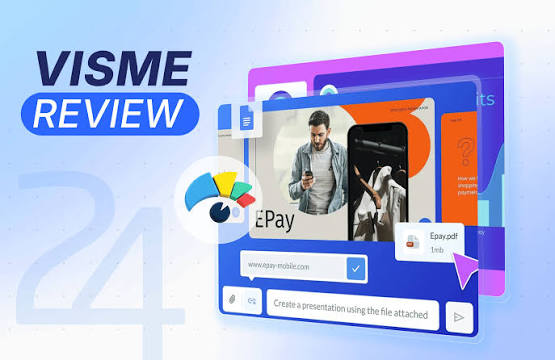
Table of Contents
Brand Profile: Visme at a Glance
Category | Details |
|---|---|
Brand Name | Visme |
Parent Company | Easy WebContent, Inc. |
Founded | 2013 |
Headquarters | Rockville, Maryland, USA |
Website | visme.co |
Type | Visual Content Creation Platform (SaaS) |
Primary Use | Presentations, Infographics, Reports, Marketing Visuals |
Free Plan | Yes (Basic, limited features) |
Starting Price (Paid) | $12.25/user per month (billed annually) |
App Availability | Web, macOS, Windows, iOS, Android |
AI Features | AI Presentation Builder, AI Image Generator, AI Text Generator, Brand AI |
Templates | 15,000+ |
Stock Library | 5+ Million Photos, 2+ Million Videos and Audios |
Integrations | Google Drive, OneDrive, SharePoint, PowerPoint, Google Slides, YouTube, Canva, Flaticon |
Support | Email, Live Chat, Knowledge Base (24/7 on paid plans) |
Nubia Magazine Rating | 2.7 / 5 |
Introduction: Why We Reviewed Visme
Let us be clear upfront. The Nubia Magazine team spent several weeks putting Visme through its paces before writing this review. We signed up for a free account, tested the paid tiers, ran the mobile app on both Android and iOS, spoke to actual users across forums and social channels, and read through hundreds of verified reviews from platforms like G2, Capterra, Trustpilot, and GetApp. What you are about to read is not a sponsored write-up. It is an honest, detailed account of what Visme actually is in 2026 and whether it deserves your money or your time.
Visme has been around since 2013, built by Easy WebContent, Inc. out of Rockville, Maryland. For over a decade it has marketed itself as the go-to visual content creation tool for non-designers. The pitch is simple: you do not need to know Photoshop or Illustrator to create professional presentations, infographics, or marketing materials. And honestly? That pitch still holds up in 2026, but with some serious caveats.
With competitors like Canva continuing to grow, and new AI-first design tools entering the market monthly, Visme needs to work harder than ever to justify its place in your toolkit. Here is what we found.
What Is Visme?
Visme is a cloud-based visual content creation platform that lets users build presentations, infographics, documents, videos, social media graphics, reports, and more. It supports over 100 content types, which is a genuinely impressive range, and comes with a library of more than 15,000 templates.
The platform is used widely by marketing teams, educators, business owners, and consultants who need polished visual content without the learning curve of professional design software. That said, it is not a tool for everyone and the pricing structure has been a consistent point of frustration among its user base, something we will get into further below.
According to data from GetApp, the most frequent use case cited by Visme reviewers is creating presentations, with about 70 percent of users relying on it primarily for that purpose. Beyond presentations, it is widely used for marketing materials and general content creation.
Visme AI: What It Does and Where It Falls Short
Nubia Magazine Rating for AI Features: 2.5 / 5
Visme has gone all-in on artificial intelligence over the past couple of years, and in 2026, the AI suite is one of its most advertised selling points. The platform offers an AI Presentation Builder, an AI Image Generator, an AI Text Generator, and what it calls Brand AI, which is designed to read your existing content from Google Drive, OneDrive, SharePoint, or existing decks, and then generate output that reflects your brand voice and style.
On paper, that sounds impressive. And to be fair, the Brand AI concept is genuinely interesting because, unlike most AI tools that work from a blank prompt, Visme's approach attempts to ground AI output in what your business already knows and has produced. For teams with large content libraries, that is a real differentiator.
However, the execution is mixed. Users across G2 and Capterra have consistently noted that the AI image generator produces results that feel generic and far behind what tools like Midjourney or even Canva's Dream Lab produce. One G2 reviewer put it plainly: the AI erase and replace feature simply does not work, and the AI background remover is noticeably weaker than Canva's equivalent tool.
The AI Presentation Builder works reasonably well for creating first drafts quickly, especially if you feed it structured input. But if you are expecting polished, publish-ready output on the first attempt, you will be disappointed. Expect to spend time editing. The AI also has limited ability to explain its own features or guide new users through workflows, something reviewers flagged as a support gap.
The basic free plan gives users only 10 AI credits, which is far too few to properly evaluate the AI toolset. The Starter plan bumps that to 200 credits, while the Pro tier gives 500. For a platform making AI a cornerstone of its pitch in 2026, restricting access so heavily on entry-level plans feels like a misstep.
Visme Login: Account Access and Sign-In Experience
Nubia Magazine Rating for Login and Account Access: 3.5 / 5
Getting into Visme is straightforward. You can register and log in through email or via Google authentication at visme.co. The sign-up process itself is clean and takes less than two minutes. Free account creation requires no credit card, which is a plus.
Enterprise users have access to Single Sign-On (SSO) and Two-Factor Authentication (2FA), which are standard security expectations at that tier. For individuals and small teams on lower plans, however, security options are more limited.
One area that drew repeated criticism from users is what happens after you are already logged in and trying to manage your subscription. Multiple reviewers on Trustpilot described Visme's cancellation process as deliberately difficult, with the unsubscribe option hidden in a non-obvious location. One user called it intentionally obscure. That kind of design choice damages trust, and it is worth flagging here.
Also worth noting: if you subscribe to a paid plan through the Visme mobile app, you cannot cancel through the app. You must access your account via the desktop website or browser to manage subscriptions, which is an unnecessary friction point that the company should address.
Visme App and Download: Desktop, iOS and Android
Nubia Magazine Rating for App and Download: 2.8 / 5
Visme is available across multiple platforms. You can use it in a web browser, download the desktop application for macOS and Windows, or use the mobile apps for iOS and Android. That cross-platform coverage is a genuine strength for teams that need flexibility.
The desktop app is the most capable version. Visme positions it as offering better performance and offline creation capabilities, which is useful for professionals who need to work without internet access. You can download the desktop app directly from visme.co/download for both Mac and Windows.
The Android app is relatively new, launched as part of Visme's push to match competitors in the mobile space. The company has described it as empowering creators on the move, and it does deliver a recognisable version of the core desktop experience. Work is saved across devices, and you can download content using the same export options as the desktop version.
That said, the mobile apps have received a noticeably lower satisfaction rate than the desktop experience. App Store reviews cite stability issues, platform-specific rendering bugs, and frustration around the download policies for free users. Some users reported spending significant time building a project on mobile, only to discover they needed to upgrade to export it. That is a sour experience, and it is reflected in the reviews.
On iOS, the app carries in-app purchase options for Starter and Pro subscriptions. There is also a Tablet app available for iPads, though Android tablet support appears to still be in progress based on the current download page. If you are a heavy mobile user, the app experience in its current state may leave you wanting more.
User Experience: What It Actually Feels Like to Use Visme
Nubia Magazine Rating for User Experience: 2.9 / 5
This is where things get genuinely complicated. Talk to ten different Visme users and you will get ten very different experiences. The platform has an overall rating of 4.5 on G2 from over 500 reviews, and 4.5 on Capterra from nearly 720 reviews. So on the surface, users seem happy.
But dig deeper and a consistent pattern emerges. Non-technical users, marketing contributors, and template-based creators tend to get productive quickly and genuinely enjoy the platform. Meanwhile, advanced users, teams migrating from PowerPoint, and people who push beyond the basic templates often hit walls.
Resizing and layout control are frequently cited pain points. Text editing has been described as challenging and inconsistent. Collaboration features, while available, are regularly flagged as inadequate for real team workflows. Specifically, users want better organisation tools for graphics and more intuitive co-editing.
There is also a noticeable learning curve. Even seasoned designers using the platform for the first time have noted that it takes time to figure out all of Visme's features. The interface packs a lot in, and navigation is not always intuitive. For a tool that markets itself to non-designers, that is a tension worth acknowledging.
What Visme does well, and this is where its loyal user base comes from, is the depth of content types and the breadth of templates. Creating a polished infographic, a branded report, or an interactive presentation is genuinely achievable here without a design background. The Brand Kit and collaboration features, when they work well, are a real asset for keeping content consistent.
Some long-term users have been on the platform for six or more years and describe it as outstanding. That loyalty says something. But for new users arriving with expectations shaped by tools like Canva or Figma, there may be a rough adjustment period.
Visme Pricing in 2026: Is It Worth It?
Nubia Magazine Rating for Pricing and Value: 2.3 / 5
Visme's pricing is one of the most discussed topics in its user reviews, and not in a flattering way. The free plan is available but significantly limited: you get 500MB of storage, only 10 AI credits, and restricted download options. It is enough to test the platform but not enough to actually build a workflow around.
Plan | Price | Storage | AI Credits |
|---|---|---|---|
Basic (Free) | Free | 500MB | 10 credits |
Starter (Annual) | $12.25/user/mo | 1GB | 200 credits |
Pro (Annual) | Contact Visme | 5GB | 500 credits |
Enterprise | Custom Pricing | 25GB+ | Unlimited |
Multiple reviewers have drawn direct comparisons to Canva, noting that Visme's pricing is roughly double that of a comparable Canva plan. That is a gap that Visme needs to justify with either significantly better features or a noticeably different user experience. For some users, it does make that case. For others, particularly freelancers and small businesses working with tight budgets, it does not.
Essential features on the free plan are severely restricted, and the gap between what is advertised and what a free user can actually do has frustrated users who felt misled. If you are seriously considering Visme, go in expecting to need a paid plan from day one for anything meaningful.
Pros and Cons: The Honest Assessment
What We Liked
+ Over 15,000 templates covering a genuinely wide range of content types and industries
+ An impressive media library with 5 million plus photos and 2 million plus videos and audio files
+ Brand Kit functionality that keeps visual output consistent across a team
+ Cross-platform availability: web, Mac, Windows, iOS, Android
+ Brand AI concept that attempts to personalise output based on existing brand materials
+ Real-time collaboration with commenting and approval workflows for teams
+ Interactive content support, including animation and embedded forms
+ SCORM and xAPI support for eLearning use cases on higher tiers
What Needs Improvement
- Pricing is significantly higher than Canva for comparable plans
- Free plan is severely restricted and can feel misleading in its advertised capabilities
- AI tools, particularly the image generator and background remover, lag behind competitors
- Mobile apps carry stability issues and rendering bugs
- Resizing and layout control are inconsistent and frustrating for experienced users
- Text editing tools are described as challenging and not as flexible as expected
- Collaboration features feel underdeveloped compared to Figma or Google Slides
- Subscription cancellation is not straightforward and has drawn criticism from multiple reviewers
- No SVG download format available
Visme FAQs: Answers to What People Are Actually Searching
1. Is Visme free to use in 2026?
Yes, Visme has a free plan. But you should know what you are getting before you sign up expecting to do serious work on it. The Basic plan gives you 500MB of storage, only 10 AI credits, and limited download options. Many of the features that make Visme worth using, including PPTX export, premium templates, Brand Kit access, and meaningful AI credits, are locked behind paid plans. The free tier is best thought of as an extended trial. If you plan to use Visme regularly for professional work, budget for a paid subscription.
2. How does Visme compare to Canva in 2026?
This is probably the most common question we see, and it is a fair one because these two tools compete for the same audience. Canva is generally easier to use, more affordable, has a stronger AI image generation tool, and allows SVG downloads, which Visme does not. Visme, on the other hand, goes deeper on data visualisation, interactive content, and eLearning features. If your work is primarily presentations and marketing graphics, Canva is likely the better value for most users in 2026. If you need advanced infographics, interactive forms, and SCORM content for eLearning, Visme becomes more competitive.
3. Is Visme good for teams and collaboration?
Visme does offer collaboration tools, including real-time co-editing, comments, and approval workflows. These features are genuinely useful for small to mid-sized teams that need to review and sign off on content together. That said, reviewers consistently flag collaboration as one of the platform's weaker areas. The tools are there but they do not feel as seamless or intuitive as what you get in Google Slides or Figma. Teams that are used to fluid co-editing and robust comment threading may find Visme's approach a bit limiting.
4. Can I download the Visme app on Android?
Yes. Visme launched its Android app after initially being available only on iOS. You can find it on the Google Play Store by searching for Visme. The app allows you to create, edit, and download content with continuity between your mobile and desktop work. That said, the Android app is not yet as mature as the desktop version. User feedback points to stability issues and some rendering inconsistencies. If you are testing it, go in with realistic expectations.
5. How do I cancel my Visme subscription?
This is a question that comes up far more than it should, which tells you something. To cancel your Visme subscription, you need to log in through the web browser or desktop app, go to your account settings, and find the subscription management section. You cannot cancel through the mobile app. Multiple users have described this process as confusing and have reported that the cancellation option is not prominently displayed. If you decide to cancel, give yourself enough time before your renewal date to find the option and complete the process.
6. Is Visme's AI actually useful?
Partially, yes. The AI Presentation Builder is probably the most genuinely useful AI feature on the platform. Feed it structured content and it will produce a usable first draft faster than starting from scratch. The Brand AI, which learns from your existing content to match your voice and style, is an interesting concept that works better in theory than in practice but shows real promise. Where Visme's AI disappoints is in image generation and editing tools. The AI image generator has been repeatedly described as generic. The erase and replace tool has been reported as non-functional by multiple reviewers. The AI background remover is noticeably weaker than Canva's. If AI image quality matters to your work, Visme is not leading that race in 2026.
7. What file formats can I export from Visme?
On the free plan, you can download files as JPG, PNG, and PDF. Paid plans unlock full download options including PPTX, which is important if you need to hand off presentations to clients or colleagues who use PowerPoint. One notable gap: Visme does not currently support SVG export, which is a limitation that has frustrated designers who need scalable vector files. If SVG export is essential to your workflow, that alone may push you toward a different tool.
8. Is Visme good for beginners with no design experience?
It can be, but it takes some patience. Visme's template library is extensive and the drag-and-drop interface does reduce the barrier to entry considerably. Non-technical users who stick to templates tend to get productive relatively quickly. Where it gets tricky is when you try to move beyond templates and customise more deeply. The interface packs a lot of features into one space, and finding specific tools or settings is not always intuitive. If you are brand new to design tools, budget some learning time and consider starting with the existing templates rather than building from scratch.
9. Does Visme work offline?
The desktop app for macOS and Windows is positioned as offering offline creation capabilities, which means you can work without an internet connection when using the downloaded desktop version. The web browser version and mobile apps require an internet connection to function fully. If offline access matters to you, the desktop app is the version to use, but make sure you download and set it up while you have connectivity.
10. What integrations does Visme support?
Visme integrates with a reasonable but not exhaustive list of tools. These include Google Drive, OneDrive, SharePoint, Microsoft PowerPoint, Google Slides, YouTube, Canva, Flaticon, and SamCart. For enterprise users, there are also SSO integrations and custom subdomain options. The integrations are functional and cover most common workflows. If you are looking for deep integration with project management tools like Asana, Notion, or Monday.com, you will need to work around those gaps manually.
Nubia Magazine Verdict
Visme is not a bad product. That needs to be said clearly. For the right user and the right use case, it delivers real value and has earned genuine loyalty from people who have been using it for years. The depth of its template library, the range of content types it supports, and its Brand Kit features make it a credible tool for teams that need to produce consistent, professional-looking visual content without a design team.
But Visme is also a product with real problems that it has not fully solved in 2026. Its pricing is difficult to justify when Canva offers a comparable experience at a lower cost for most users. Its AI tools, which it has made a major part of its identity, are uneven and in some cases underperform significantly against competitors. The mobile apps need substantial work. Collaboration features feel like an afterthought rather than a core capability. And the cancellation experience is a trust problem that the company should fix.
If your work centres on data-heavy infographics, interactive presentations, eLearning content, or deeply branded visual materials, Visme remains one of the stronger tools in that niche. If you are looking for a general-purpose visual design tool for everyday marketing and social content, the alternatives deserve a serious look first.
Nubia Magazine Overall Rating: 2.7 / 5
Related Posts


0 Comments
Join the discussion and share your thoughts
No Comments Yet
Be the first to share your thoughts on this article!