Twistly Review 2026: AI, Presentation, Login, & FAQs

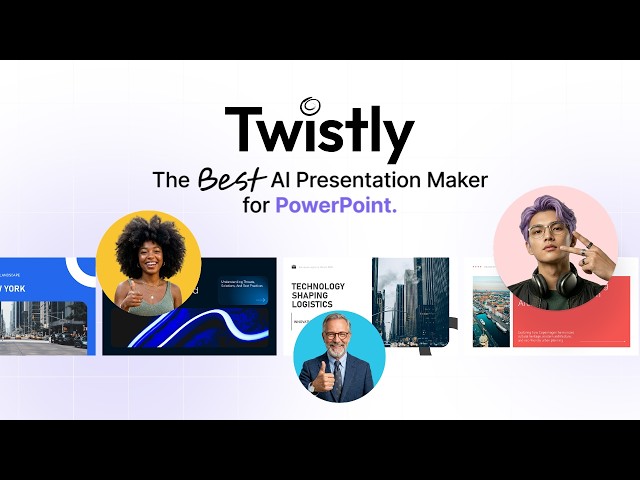
Table of Contents
Every few months a new AI tool lands on our desks with the promise of changing the way we work. Some live up to the hype. Most do not. Twistly is one of those names that kept popping up in our Slack threads and in reader emails this year, so the Nubia Magazine team decided to put it through its paces and write an honest, unfiltered review.
If you have ever opened PowerPoint at midnight, stared at a blank slide, and quietly questioned every life choice that led you there, this review is for you. Below, we walk through what Twistly actually does, how the login and setup process feels, what the AI is genuinely good at, where it falls short, and the questions readers keep typing into Google about the brand in 2026.
Twistly Brand Profile at a Glance
Before we get into the meat of the review, here is a quick snapshot of the brand for readers who like the facts up front.
Attribute | Details |
Brand Name | Twistly (also known as ChatGPT for PowerPoint) |
Category | AI Presentation Tool / PowerPoint Add-in |
Founded / Launched | Owned by Apps Do Wonders, distributed via Microsoft AppSource |
Official Website | twistly.ai |
Platform Support | Microsoft PowerPoint (Windows, Mac, Web) |
Core Technology | ChatGPT-powered AI engine for slide generation |
Pricing Range | Free trial; Starter from 5 USD/month; Pro from 10 USD/month (annual billing) |
User Base | Over 3 million users worldwide |
Free Trial | Yes, no credit card required |
Money-Back Guarantee | 14 days from date of purchase |
Best For | Students, teachers, marketers, sales teams, HR professionals |
Support Channel | |
Nubia Magazine Rating | 4.2 / 5 |
What Exactly Is Twistly?
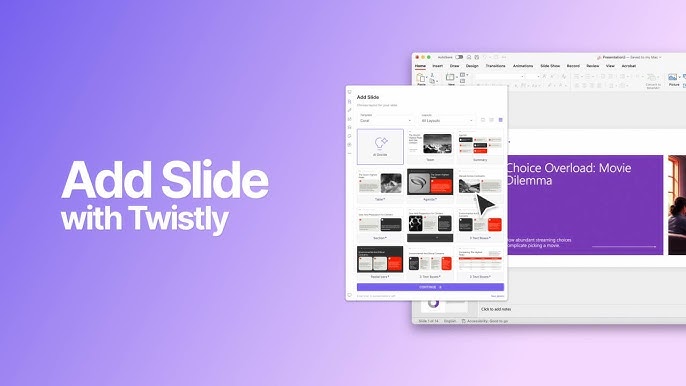
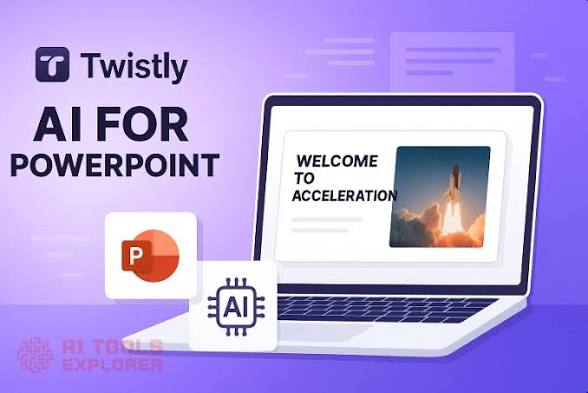
Twistly is an AI-powered add-in that lives inside Microsoft PowerPoint. Instead of opening a separate web app, exporting files, and copy-pasting your way to a finished deck, you launch Twistly straight from the PowerPoint ribbon and let it draft slides for you in seconds. Some people still call it by its longer marketplace name, ChatGPT for PowerPoint, because the engine under the hood is powered by ChatGPT.
In plain English, you give Twistly something to work with, whether that is a topic, a chunk of text, a PDF, a Word document or even a YouTube link, and it returns a clean, editable deck inside your PowerPoint file. No tab switching. No download. No reformatting nightmare. According to the brand and multiple third party trackers, Twistly is used by over 3 million people across schools, marketing teams, sales departments and HR offices.
Twistly Review in 2026: The AI Engine
This is the section most readers want first, so we will not bury the lead. The AI behind Twistly is the strongest part of the product. After spending several afternoons feeding it everything from a 20 page academic PDF to a rambling YouTube video on consumer fintech, we came away genuinely impressed.
What the AI does well
- Generates a full deck from a single prompt in under thirty seconds in most of our tests.
- Pulls structure out of messy source material. We threw a long meeting transcript at it and it produced a 10 slide summary that actually made sense.
- Handles multiple input types, including text prompts, PDFs, Word docs, blog post URLs and YouTube videos up to two hours long.
- Creates AI images that match the dimensions of a PowerPoint slide, so you are not constantly resizing visuals.
- Writes speaker notes automatically, which is a small detail that quietly saves a lot of time before a real presentation.
- Translates entire presentations into other languages, useful for teams that work across regions.
Where the AI still wobbles
Twistly is not magic. For the testers on our team who work in finance and consulting, the absence of advanced charting was a real limit. If your job lives and dies on waterfall charts, Marimekko graphs or Excel linked visualisations, Twistly will not replace your manual work. The AI is also occasionally generic on niche topics, so very specialised industries may need to rewrite a few bullet points.
Image generation has improved from earlier versions, but around fifteen percent of the visuals we generated needed a second pass to feel on brand. For abstract concepts and people focused images, the output can still look a bit AI flavoured.
Twistly Review in 2026: The Presentation Experience
Plenty of tools can spit out slides. The harder question is whether those slides are usable when you stand in front of a room of clients, students or executives. This is where Twistly differentiates itself from the browser based crowd like Gamma and Beautiful.ai.
Because Twistly works inside PowerPoint, the slides it generates are real, native PowerPoint slides. You can grab a text box and move it. You can swap a layout. You can hand the file to your colleague who has never heard of Twistly and they can open it like any other deck. There is no export step and no weird formatting that breaks when the file leaves the tool.
Templates and design
Twistly ships with a library of AI enhanced templates aimed at business, education and research. They are not the most artistically ambitious templates in the world, but they are clean, balanced and presentation ready. For a sales kickoff or a class project, you will not feel embarrassed.
Speed of output
In our testing, a full 10 slide deck from a written prompt took between 14 and 25 seconds depending on the prompt length. Generating from a long PDF or a 12 minute YouTube video took slightly longer but still finished in under a minute. For people who genuinely spend hours a week formatting slides, this is the kind of speed that shifts your relationship with the task.
Twistly Review in 2026: Login and Onboarding
Getting into Twistly is refreshingly low friction, though it is not quite a one click experience because the product is an add-in rather than a standalone app.
How to log in and get started
- Step 1: Visit twistly.ai or open PowerPoint and go to the Home tab, then click Add-ins and search for Twistly in the Microsoft AppSource store.
- Step 2: Click Add. The installation usually finishes in under a minute.
- Step 3: Sign up with your email address. No credit card is required for the free trial.
- Step 4: Launch the add-in from the PowerPoint ribbon and start generating.
One small note for readers using older versions of PowerPoint. We had a smoother time on the Microsoft 365 desktop app than on legacy Office installations. If your IT department locks down add-ins at work, you may need a quick chat with them before installing.
Once you are signed in, your account is tied to the email you registered with, so if you switch between a laptop and a desktop, you simply log in again and continue where you left off.
Twistly Review in 2026: User Experience
User experience is where a lot of AI tools quietly lose their users. They start strong, then frustrate people with confusing menus, hidden upgrade walls or laggy interfaces. Twistly mostly avoids those traps.
The good
- The interface sits in a panel on the right side of PowerPoint and feels like a natural extension of the software, not a foreign object.
- Prompts are entered in plain English. There is no need to learn a special syntax or remember formula style commands.
- Outputs land directly on your slides, ready to edit. No download, no copy paste, no opening a second app.
- The free trial gives you a real taste of the product. Watermarked output is the main limit, which felt fair to us.
- Multi language support is genuinely usable, not just a marketing line.
The not so good
- Slide limits on the cheaper plans can feel tight. Teachers and trainers who build longer modules may bump into the cap quickly.
- A small share of users on review platforms report the AI producing generic content for very specific industries. Editing is still part of the workflow.
- Customer support is responsive over email but there is no live chat option at the time of writing, which can slow things down if you hit a billing issue.
What real users are saying
Across Trustpilot, Capterra, SoftwareAdvice and G2, the overall sentiment is positive. Most reviewers highlight the time saved, the cleanliness of the output and the convenience of staying inside PowerPoint. The most common complaints centre on slide limits, the occasional need to redo AI images, and a few isolated billing experiences. The average score across these platforms hovers between 4.3 and 4.7 out of 5 as of early 2026.
Twistly Pricing in 2026
Twistly operates on a freemium model with two paid tiers and a 40 percent discount for annual billing. The numbers below reflect what the brand advertises on its official pricing page at the time of writing.
- Free Trial: full feature access for a limited number of slides, with watermarked output and no credit card needed.
- Starter Plan: from 5 USD per month on annual billing, or 7 USD per month on monthly billing. Removes watermarks, unlocks unlimited presentations, allows up to 10 slides per deck and includes speaker notes.
- Pro Plan: from 10 USD per month on annual billing, or 14 USD per month on monthly billing. Adds higher slide limits, more AI generations, advanced features and is aimed at professionals and teams.
- Money Back Guarantee: 14 days from the date of purchase, no questions asked, refunded to the original payment method.
Compared to Microsoft Copilot at around 30 USD per month for similar slide generation features, Twistly is meaningfully cheaper. For users who only want the slide generation use case and do not need the wider Copilot suite, that price gap is hard to argue with.
Our Detailed Ratings Breakdown
Here is how Twistly scored across the categories the Nubia Magazine review team uses.
Category | Score | Verdict |
AI Performance | 4.4 / 5 | Excellent |
Presentation Quality | 4.3 / 5 | Very good |
Login & Onboarding | 4.0 / 5 | Smooth |
User Experience | 4.3 / 5 | Intuitive |
Value for Money | 4.2 / 5 | Fair |
Customer Support | 4.0 / 5 | Responsive |
OVERALL | 4.2 / 5 | Recommended |
Pros and Cons at a Glance
What we liked
- Generates surprisingly polished slides in seconds.
- Lives inside PowerPoint, so there is no friction with existing workflows.
- Accepts a wide range of inputs, including PDFs, Word docs and YouTube videos.
- Built in AI image generation, speaker notes and translation.
- Affordable pricing compared to direct competitors.
- Free trial with no credit card required, which is increasingly rare.
What could be better
- No advanced charting for finance and consulting users.
- Slide caps on lower tier plans feel restrictive for educators.
- Some AI generated visuals still feel generic and need redoing.
- Only available inside the Microsoft ecosystem, so Google Slides and Keynote users are out of luck.
- No live chat support at the time of writing.
Who Should Use Twistly?
After all the testing, here is our honest take on who gets the most out of Twistly in 2026.
It is a strong fit for students who need to turn a research paper or lecture notes into a presentation under deadline pressure. It is equally useful for teachers, lecturers and trainers who build a constant stream of teaching material. Marketers, sales teams and HR professionals who live inside PowerPoint will also feel right at home, especially anyone tired of formatting the same kind of internal deck week after week.
It is a weaker fit for management consultants, finance professionals and analysts whose decks rely on heavy data visualisation. If your slides are built around custom charts and Excel linked visuals, Twistly will help with the framing but not with the numbers.
Frequently Asked Questions About Twistly in 2026
These are the questions readers are actually typing into Google and asking us by email about Twistly this year.
1. Is Twistly legit and safe to use in 2026?
Yes. Twistly is a legitimate product distributed through the Microsoft AppSource store, which has its own vetting process for add-ins. The brand has over 3 million users and an average score above 4.3 across major review platforms. As with any tool that processes your content, we still recommend avoiding uploading highly sensitive or confidential documents until you have read the privacy terms on the official website.
2. How much does Twistly cost in 2026?
Twistly offers a free trial with no credit card required. Paid plans start at 5 USD per month on annual billing for the Starter tier and 10 USD per month on annual billing for the Pro tier. Monthly billing is also available at a slightly higher rate. There is a 14 day money back guarantee on paid plans.
3. How do I install and log in to Twistly?
Open PowerPoint, go to the Home tab, click Add-ins, then Get Add-ins, and search for Twistly or ChatGPT for PowerPoint in the AppSource store. Click Add to install, then sign up with your email address. You can also start the process from the official website at twistly.ai. The full install and login flow usually takes less than two minutes.
4. Does Twistly really work without an internet connection?
No. Because Twistly relies on AI models hosted in the cloud, an active internet connection is required to generate or edit slides with AI. Once your slides have been generated, you can of course present them offline like any other PowerPoint file.
5. Can Twistly convert a PDF or YouTube video into a presentation?
Yes. This is one of its standout features. You can upload a PDF, drop in a Word document, paste a long block of text or share a YouTube link, and Twistly will draft a structured slide deck from that source. In our tests, YouTube videos up to roughly two hours long were handled without issue, though long videos can take a little longer to process.
6. Is Twistly better than Microsoft Copilot or Gamma?
It depends on your workflow. Twistly is cheaper than Copilot and lives inside the PowerPoint file you already use, which is its biggest advantage. Gamma is more design driven and web first, which suits brands that share decks online rather than as files. For PowerPoint heavy teams, Twistly is usually the more practical choice. For web native presentations, Gamma may feel more at home.
7. Does Twistly support languages other than English?
Yes. The tool supports prompt input and full presentation translation in multiple languages, including major European and Asian languages. Speaker notes can also be translated automatically. This is one of the reasons it has picked up traction with marketing and training teams that operate across regions.
8. Can I get a refund if I do not like Twistly?
Yes. Twistly offers a 14 day money back guarantee on paid plans. If the product does not work for you within that window, you can email support at [email protected] and request a refund to your original payment method. Outside the 14 day window, refunds are reviewed on a case by case basis.
9. Will Twistly replace a real designer or presentation specialist?
No, and the honest answer is that it is not designed to. Twistly handles the heavy lifting of structure, content and basic visuals. For high stakes investor decks, brand sensitive launches and consulting style storytelling, a human designer or specialist still adds value that AI cannot replicate today.
10. Is Twistly worth it in 2026?
For most everyday users, yes. If you build presentations regularly, even at a modest pace, the time it saves easily pays back the subscription within a single deck. For users with very specialised needs around finance, consulting or design heavy work, it is a useful sidekick rather than a full solution.
Nubia Magazine Verdict
Twistly is one of the more honest AI tools we have tested this year. It does what it says on the tin, it integrates naturally into a tool people already use every day, and it is priced sensibly. The AI engine is genuinely useful, the user experience is friendly to non technical users, and the free trial is generous enough to let people make an informed decision before paying.
It is not perfect. The slide caps on the lower tier can feel mean spirited, advanced charting is missing, and a small share of AI outputs still need a human touch. But these are the kinds of weaknesses that come with the territory of a fast moving AI category, not red flags.
If you are a student, teacher, marketer, salesperson or HR professional who lives inside PowerPoint and you have been waiting for a sensible AI assistant that does not try to replace your entire workflow, Twistly is well worth a trial. Nubia Magazine rates it 4.2 out of 5 and recommends it for everyday presentation work in 2026.
Related Posts


0 Comments
Join the discussion and share your thoughts
No Comments Yet
Be the first to share your thoughts on this article!