Trello Review 2026: Login, Download, Free Plan, Windows App, Alternatives & FAQs

Table of Contents
Trello has been part of the daily routine of freelancers, students, small businesses and even large companies for over a decade. It made the sticky note board digital, and for a long time that simple idea was enough to make it one of the most recommended project tools online. Our team at Nubia Magazine spent several weeks in 2026 going through the platform again, from the login screen to the Windows app, the free plan limits and the growing list of complaints from long time users, to see whether Trello still earns the praise it built its name on.
What we found is a mixed picture. Trello is still simple, still lightweight, and still one of the easiest tools to pick up on day one. But 2026 has also brought account and billing frustrations, a public shift in direction from its owner Atlassian, and a free plan that keeps shrinking in comparison to what rivals now offer. Here is our full breakdown.
Trello Company Profile
Full name | Trello (a Kanban based project and task management tool) |
Parent company | Atlassian |
Founded | 2011 (by Fog Creek Software, acquired by Atlassian in 2017) |
Category | Personal task management and lightweight team collaboration |
Website | trello.com |
Free plan | Yes, permanent free tier with limits |
Paid plans | Standard $5, Premium $10, Enterprise $17.50 (per user, per month, billed annually) |
Platforms | Web, Windows, macOS, iOS, Android |
Best suited for | Individuals, freelancers, and small teams with simple workflows |
2026 direction | Repositioned by Atlassian as a personal productivity app rather than a team project management platform |
Nubia Magazine rating | 2.0 out of 5 |
What Trello Is in 2026
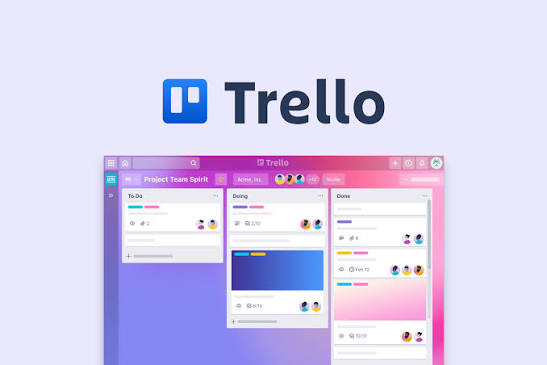
Trello is a visual task management app built around boards, lists and cards. You create a board for a project, break it into lists such as To Do, Doing and Done, and move cards across those lists as work progresses. Atlassian, the same company behind Jira and Confluence, has owned Trello since 2017.
The bigger story in 2026 is a change in direction. Atlassian confirmed that Trello is no longer being pushed as a team project management platform. Instead, future development is aimed at individual users and simple personal workflows, while teams with more complex needs are being steered toward Jira. Existing team features on Trello have not been removed, but anyone hoping for new collaboration tools, deeper reporting or more board views should not expect much from the roadmap going forward.
On the product side, Trello has added a few genuinely useful things this year. Trello Planner brings a calendar style drag and drop scheduling view that syncs with Google Calendar. Mirror Cards let you keep one card in sync across several boards, so updates in one place show up everywhere else automatically. There is also a refreshed navigation bar for switching between Inbox, Planner and your boards, plus an AI powered Quick Capture tool that turns messages and emails into organised cards.
Trello Login: What to Expect
Logging into Trello works the way most Atlassian products do now. You sign in through email and password or through an Atlassian account, with two factor authentication available on every plan including the free one. For most people this is a quick, uneventful process.
It is not uneventful for everyone. A number of reviews from 2026 describe recurring connection problems where the app fails to reach Trello's servers and throws an error instead of logging the user in. Others describe a more frustrating loop: their only way to reach customer support is through the help center inside their account, but they cannot get into the account in the first place because of the very login problem they need help with.
If you run into a login error, the usual fixes are the first thing to try:
- Clear your browser cache and cookies, or try a private browsing window
- Confirm you are using the correct Atlassian account if your workspace was migrated
- Check Trello's status page for an ongoing outage before assuming the fault is on your end
- Update the desktop or mobile app, since older builds sometimes fail to authenticate
- Reset your password directly from the login screen rather than through a saved link
Trello Download: Windows, Mac and Mobile
Trello is not limited to the browser. A desktop app is available for Windows and macOS, and it is essentially a wrapped version of the web app rather than a separate build, so the feature set matches what you would get online.
Trello for Windows
The Windows app can be installed either through the Microsoft Store or as a direct download from Trello's website. It behaves like a lightweight browser window, opens quickly, and does not put much strain on system resources, which matches what long time users have said for years about the tool feeling light compared to heavier project management suites.
The trade off is that the Windows app offers nothing the browser version does not already give you. There is no offline mode to speak of and no unique desktop only feature, so installing it comes down to convenience rather than added functionality.
Mobile Apps
Trello is available on both iOS and Android. The iOS app has generally been considered stable and smooth in day to day use. The Android app has a rougher reputation, with several reviewers in 2026 still describing occasional slowdowns and freezing during heavier use, an issue that has been raised in reviews for a few years running without a clear fix.
Is Trello Free in 2026?
Yes, Trello still has a genuine free plan and it is not a time limited trial. As of 2026 the free tier includes:
- Up to 10 boards per workspace
- Unlimited cards and unlimited Power-Ups per board
- Up to 10 collaborators per workspace
- 250 workspace command runs per month for Butler automation
- File attachments capped at 10MB each
- Custom backgrounds, stickers, activity log, assignee and due dates
- Two factor authentication and mobile apps for iOS and Android
The catch is that the free plan does not include any of Trello's AI features. Atlassian Intelligence, which powers card writing, summarising and the smarter Quick Capture tool, is switched on automatically for Premium and Enterprise accounts only. Free and Standard users are locked out of it completely, which is a noticeable gap if AI assistance is part of why you were considering Trello in the first place.
For anyone who outgrows the free plan, here is how the paid tiers break down.
Plan | Price | Who it fits |
Free | $0 forever | Solo users and small teams of up to 10 people testing out Kanban boards |
Standard | $5 per user/month | Small teams that need unlimited boards, custom fields and advanced checklists |
Premium | $10 per user/month | Growing teams that want Timeline, Calendar and Dashboard views plus Atlassian Intelligence |
Enterprise | $17.50 per user/month | Larger organisations that need SSO, SCIM and org wide governance |
A detail worth knowing before you subscribe: several 2026 reviews mention that starting the cancellation flow on a paid plan has triggered a retention offer, in one documented case a 90 percent discount for three months. It is worth going through the cancel steps even if you plan to stay, just to see what is offered, and documenting anything you are promised in writing.
User Experience in 2026
On the positive side, the core experience that made Trello popular is still intact. The drag and drop board layout is intuitive enough that most people need no onboarding at all. Butler, Trello's no code automation tool, remains genuinely useful for cutting down repetitive steps like moving cards or adjusting due dates automatically. The app is also light on system resources and rarely lags, something reviewers have consistently praised across both the free and paid tiers.
On the negative side, 2026 has brought a wave of complaints that go beyond the usual minor gripes. A Trustpilot review from August 2026 described being placed into a Premium trial without a clear path back to the free plan, along with billing settings that were difficult to locate and an account deletion option that could not be found at all. Atlassian's own support message in that case, stating an account could not be deleted because the user was the last billing admin on an active entitlement, offered no explanation of what that meant or what to do next.
Separately, PissedConsumer complaints describe being locked out after an email change request went wrong, with support agents allegedly unable or unwilling to help, and no phone line to fall back on. Combined with the login and server connection issues covered earlier, these reports paint a picture of a support and account management system that has not kept pace with the product's user base.
None of this erases the years of goodwill Trello built with a genuinely useful, simple tool. But it does explain why our overall score sits lower than the rating you will find on older, more established review aggregators. Our 2.0 out of 5 reflects the account, billing and support experience we found in 2026 specifically, not a judgement of the Kanban board concept itself, which still works well.
Trello Alternatives Worth Comparing in 2026
Because Atlassian has openly repositioned Trello away from team project management, this is a reasonable moment to look around, especially if your team has been patching gaps with Power-Ups for a while. A few names come up again and again in 2026 comparisons:
- monday.com, for teams that want more automation, reporting and customisable workflows
- ClickUp, often cited for its generous free plan and Gantt style timeline view
- Asana, for teams managing several projects at once and needing portfolio level visibility
- Notion, for anyone who wants boards alongside notes, wikis and documents in one workspace
- Basecamp, for asynchronous teams who prefer to-do lists and check-ins over real time boards
- Zoho Projects, a budget friendly option for freelancers and small teams
- Airtable, for teams that need to treat their work like structured data rather than simple cards
- ProofHub, which becomes noticeably cheaper than per-seat competitors once a team passes about 12 to 15 users
If your workflow is genuinely simple, a single person or a small team moving cards through a few stages, Trello still does that job well and cheaply. If you need timelines, dependencies or heavier reporting, it is worth testing one of the alternatives above before committing further.
Nubia Magazine Verdict
Trello in 2026 is a tool caught between two identities. It is still the simple, fast, easy to learn board that made it famous, and for personal use or small teams with light needs, it remains a fair choice, especially at the free and Standard price points. But the direction Atlassian has chosen, the AI features locked behind Premium, and a run of serious account and billing complaints pull the overall experience down.
Our rating of 2.0 out of 5 is meant to reflect where Trello stands today for someone signing up in 2026, not where it stood five years ago. If you already use Trello and it works for your simple boards, there is little reason to panic. If you are starting fresh and need something built for a growing team, we would suggest testing at least one alternative before you commit.
Frequently Asked Questions
1. Is Trello still free to use in 2026?
Yes. Trello keeps a permanent free plan with up to 10 boards per workspace, unlimited cards, and up to 10 collaborators. It does not include AI features, which are reserved for Premium and Enterprise.
2. Why can't I log into Trello?
Most login failures come down to server connection errors, an outdated app, or using the wrong account after an Atlassian migration. Clearing your cache, checking Trello's status page, and resetting your password from the login screen resolve the issue in most cases.
3. Is there a Trello app for Windows?
Yes, Trello offers a Windows app through the Microsoft Store or as a direct download. It mirrors the web app closely and does not add extra offline features, so it is mainly a matter of convenience.
4. How much does Trello cost in 2026?
Trello has four tiers: Free, Standard at $5 per user per month, Premium at $10 per user per month, and Enterprise at $17.50 per user per month, all billed annually.
5. Is Trello being replaced by Jira?
Not exactly replaced, but Atlassian has confirmed Trello is now positioned as a personal task app rather than a team project management platform, and team users are being encouraged toward Jira for more complex needs.
6..Does the Trello free plan include AI tools?
No. Atlassian Intelligence, which covers AI card writing, summaries and the smarter Quick Capture feature, is only switched on for Premium and Enterprise accounts.
7. What is the best Trello alternative in 2026?
It depends on your needs. monday.com and ClickUp suit teams wanting more automation and views, Notion suits people who want notes and boards together, and Basecamp suits async teams who prefer to-do lists over Kanban.
8..Can I delete my Trello account easily?
Not always. Several 2026 reviews report being unable to locate a delete option or being blocked by a vague error tied to billing admin status. If you hit this, going through Atlassian's official billing support channel directly is currently the most reliable route.
9. Is Trello good for large teams in 2026?
It can work for large teams, but it was not designed for the reporting depth or dependency tracking that bigger organisations often need. Enterprise adds SSO and governance controls, but teams with complex workflows tend to be better served elsewhere.
10. What is Trello Planner?
Trello Planner is a 2026 addition that gives you a calendar style, drag and drop scheduling view synced with Google Calendar. Free users only get view access, while full functionality requires Standard or above.
Related Posts




0 Comments
Join the discussion and share your thoughts
No Comments Yet
Be the first to share your thoughts on this article!