Top 10 Best Electronic Signature Apps In 2026

Table of Contents
Electronic signature software has moved from a convenience to a core business requirement. Teams no longer ask whether they need e-signature tools; they ask which one handles compliance, integrations, and volume without breaking the budget. To build this ranking, we weighed performance across several criteria: user ratings from G2 and Gartner Peer Insights, pricing transparency, compliance certifications (SOC 2, HIPAA, GDPR), integration depth with platforms like Salesforce and Microsoft 365, and real-world user sentiment about ease of use and customer support.
We also considered how each platform handles document routing, audit trails, and mobile experiences, since these factors determine whether a tool works for a two-person shop or a global enterprise. The result is a list that spans industry incumbents, budget-friendly alternatives, and specialized players. Here are the ten best electronic signature apps in 2026, ranked.
The List Of The Top 10 Best Electronic Signature Apps In 2026:
1. DocuSign

DocuSign remains the default choice for electronic signatures, and for good reason. More than one million companies use the platform, and its enterprise-grade compliance features make it the benchmark against which every other tool is measured. The platform holds a 4.5/5 rating on G2, and Data Quadrant awarded it a Champion designation with an 8.9 composite score based on verified user reviews.
Pricing starts at $10 per user per month, though that entry-level plan limits users to five signatures monthly. Teams needing heavier volume will want the Business Pro tier at $40 per user per month. The cost is justified by the platform's extensive third-party integrations, global reach, and comprehensive audit trails. For organizations that need regulatory compliance across multiple jurisdictions, DocuSign's consistency makes it a safe top-three pick for virtually any use case.
The main criticism we hear from users is cost. Smaller teams often find the per-signature limits on cheaper plans frustrating, and the platform's feature set can feel overwhelming if you only need basic signing. But for enterprises that prioritize compliance and reliability above all else, DocuSign earns its place at the top.
2. Dropbox Sign (formerly HelloSign)
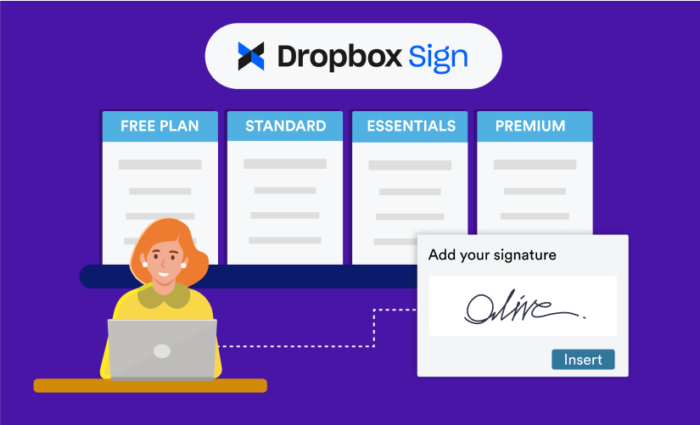
Dropbox Sign has carved out a strong position for teams that need legally binding workflows without the enterprise price tag. The platform supports complex routing with up to 20 signers in sequential or parallel order, which makes it a solid choice for contracts that require multiple approvals. It holds a 4.4/5 rating on G2 across 126 ratings, and SoftwareReviews named it a Data Quadrant Champion with an 8.9 composite score.
Pricing starts at $15 per month for Essentials and $25 per user per month for Standard. The tight integration with Dropbox storage is the standout feature here; teams already using Dropbox will find the workflow seamless. Bank-level security and detailed audit trails round out the offering. A free plan allows up to three signature requests per month, which is enough for occasional users to evaluate the platform.
Where Dropbox Sign falls short is in advanced document generation. Unlike PandaDoc or DocuSign, it does not offer the same depth of proposal or quote building. It is a signing tool first, not a document automation platform. For teams that already have document creation covered elsewhere, that focus is a feature, not a flaw.
3. Adobe Acrobat Sign
Adobe Acrobat Sign is the natural choice for teams that live inside PDFs. The platform combines secure e-signatures with the full suite of Acrobat PDF tools: create, edit, protect, redact, compare versions, and build signable web forms, all in one subscription. It holds a 4.4/5 rating on G2, and SoftwareReviews awarded it Data Quadrant Champion status with an 8.8 composite score.
Pricing starts at $14.99 per user per month as part of Acrobat plans. The signing capability ships inside Acrobat Pro subscriptions, which means firms already paying for Acrobat may already have access to e-signatures without an additional purchase. That hidden value is worth checking before you buy anything else.
The platform integrates with Microsoft 365, Teams, Salesforce, and Dropbox, and includes automated reminders, custom branding, bulk send, and enhanced authentication for sensitive documents. For organizations that handle heavy PDF workflows, consolidating signing and document editing into one subscription simplifies both budgeting and training.
Users occasionally note that the interface feels denser than competitors like Dropbox Sign or SIGN.PLUS. The feature set is deep, but that depth comes with a learning curve. If your team already knows Acrobat, though, the transition is minimal.
4. PandaDoc
PandaDoc takes a different approach than the other tools on this list. Rather than focusing purely on signatures, it functions as an all-in-one document automation platform. Teams use it to generate proposals, quotes, and contracts, then route those documents for signature within the same workflow. It holds a 4.6/5 rating on G2, the highest on this list, with Starter pricing at $19 per user per month and Business at $49 per user per month.
The platform's strength is its appeal to sales teams. Real-time analytics show when a prospect opens a document and how much time they spend on each section. CRM integrations with Salesforce and HubSpot mean proposals can be generated directly from deal records. The Business tier adds custom branding, advanced approvals, and deeper CRM integrations, while a free eSign tier covers signature-only needs.
PandaDoc's weakness is that it is not the cheapest option for pure e-signature use. If you only need to collect signatures and never generate proposals, you are paying for functionality you will not use. But for organizations that need documents plus signatures in one workflow, PandaDoc is the most complete package available.
5. SIGN.PLUS
SIGN.PLUS delivers one of the smoothest mobile signing experiences available in 2026. The iOS and Android apps are fast, intuitive, and mirror the desktop flow perfectly, which matters more than most buyers realize. Teams that review and sign documents from phones and tablets will appreciate the consistency across devices.
Paid plans start at approximately $8 per user per month, making it one of the more affordable options on this list. The platform includes templates, bulk sending, and audit trails while maintaining a clean, user-friendly interface across all devices. For a tool at this price point, the feature set is surprisingly complete.
The trade-off is brand recognition. SIGN.PLUS does not have the enterprise footprint of DocuSign or Adobe, and some larger organizations may have procurement policies that favor established vendors. For small and midsize teams that want a polished mobile experience without enterprise pricing, it is hard to beat.
6. airSlate SignNow
airSlate SignNow offers exceptional value for growing teams, with unlimited users included on every plan. That is a significant differentiator, since competitors like DocuSign charge per user and the costs compound quickly as teams scale. The Business plan runs $8 per user per month with annual billing, and unlimited templates are included.
The platform provides SOC 2 Type II certification, HIPAA compliance, GDPR compliance, and 256-bit encryption, making data security comparable to bank transactions. It supports core document signing, required fields, and unlimited templates, with a 7-day free trial that offers access to Enterprise features. SignNow received 105 ratings on Gartner Peer Insights, giving it a solid base of verified user feedback.
The main limitation is depth. SignNow does not offer the same breadth of document generation or analytics as PandaDoc, and its integration marketplace is smaller than DocuSign's. For teams that need straightforward, compliant signing at scale, the unlimited user model makes it the most cost-effective option here.
7. Xodo Sign (formerly eversign)
Xodo Sign focuses on simplicity while ensuring electronic signatures are legally valid in both the United States and Europe. The platform supports drawing, typing, or uploading signatures, multi-party signing with centralized tracking, automated reminders, secure cloud storage, and a REST API for integration. A free plan is available, with the Business plan starting at $8 per user per month with annual billing.
The platform scales from single users to enterprise teams and offers comprehensive audit trails and legal defensibility. Its particular strength is serving individuals, small businesses, and midsize teams that need legally binding signatures without paying for enterprise-tier features they will never use.
Xodo Sign's interface is straightforward, which appeals to non-technical users but may frustrate power users who want more granular control. The REST API does provide a path for custom integrations, though it requires development resources to implement. For most small and midsize teams, the out-of-the-box experience is more than sufficient.
8. WeSignature
WeSignature positions itself as the best electronic signature software for 2026 based on its balance of ease of use, legal compliance, and feature depth. The platform offers transparent pricing and predictable workflows, making it a strong DocuSign alternative for teams that want similar capabilities without the enterprise markup.
Key features include automation, integrations, customization and branding options, and AI and analytics capabilities. The platform's AI features are worth particular attention; they go beyond basic analytics to offer insights into document performance and signing patterns. For teams that want to optimize their document workflows, that data is valuable.
Some advanced features, including branding and bulk sending, require higher-tier plans. There is also a learning curve for non-technical users due to the extensive functionality. WeSignature is a capable platform, but it rewards teams that invest time in learning its full feature set.
9. SignWell
SignWell stands out for its combination of straightforward workflows, budget-friendly pricing, and responsive human chat support. The free plan covers up to 3 documents per month, and the Personal plan runs $12 per month for unlimited documents. That pricing structure makes it one of the most accessible options on this list.
In 2026, SignWell added MCP integration, allowing users to create, send, and track documents from AI apps like Claude and Cursor. Zapier connectivity enables intelligent multi-step document systems, which opens up automation possibilities that most competitors do not offer at this price point. The platform includes shared workspaces, team member management, and comprehensive reporting on document activity including sent, pending, completed, and expired items.
Users consistently highlight the responsive human support, which is increasingly rare in software. The trade-off is that SignWell does not have the enterprise compliance certifications or integration depth of larger competitors. For small teams and solo operators who want a reliable tool with real human backup, it is an excellent choice.
10. Blueink
Blueink is built for teams managing signatures across multiple locations. Secure authentication options and bulk send capabilities accelerate paperwork while maintaining compliance, which makes it particularly well-suited for legal, educational, and business teams that need to collect signatures from parties in different places.
The platform currently holds a 4.8 rating across 181 reviews on Software Advice, with an average score of 82 out of 100. Users highlight responsive customer support and clear guidance during onboarding, which reduces the friction of switching from another tool. Blueink ranked #7 among digital signature software in 2026 according to its own ranking announcement, though our analysis places it in the top ten based on user satisfaction and feature completeness.
Blueink's interface is clean and modern, but the platform lacks some of the advanced document generation features found in PandaDoc or WeSignature. For teams whose primary need is collecting signatures efficiently across distributed groups, that focus is exactly what they want.
Related Posts

0 Comments
Join the discussion and share your thoughts
No Comments Yet
Be the first to share your thoughts on this article!