Top 10 Best Demo Recorder Apps In The World 2026

Table of Contents
Demo recording software has evolved far beyond simple screen capture. In 2026, the best tools use artificial intelligence to clean up recordings, generate voiceovers, and even clone your product's front end for interactive walkthroughs. Whether you are a sales team trying to shorten deal cycles, a product manager onboarding new users, or a developer creating App Store previews, the right demo recorder can transform how you communicate.
This ranking takes into account G2 ratings, pricing structures, feature sets (including AI capabilities, HTML capture, and video editing), enterprise adoption metrics, and user-reported outcomes. We weighed criteria like production speed, ease of sharing, and the specific use cases each platform serves best. The result is a list of ten tools that represent the current state of the art, from the most widely adopted platform to a niche mobile-only option.
The Best Demo Recorder Apps In 2026:
1. Loom
Loom remains the most recognizable name in demo recording, and for good reason. With a 4.5/5 G2 rating and a generous free tier that supports up to 50 users, it has become the default choice for teams that need to communicate asynchronously through video. The workflow is simple: record your screen, your face, or both from a browser tab or desktop app, and Loom generates a lightweight shareable link instantly. Viewers can leave time-stamped comments, which turns a one-way recording into a conversation.
In 2026, Loom's AI features have matured significantly. The platform now automatically removes filler words like "um" and "uh" and cuts out long silences. A "live rewind" feature lets users correct mistakes mid-recording without starting over. The Business plan costs $15 per month per user, which is competitive for teams that need unlimited recording length and advanced analytics. However, Loom lacks HTML capture capabilities, meaning it cannot create interactive demos where prospects click through a live product clone. It is best for product, support, and sales teams that need quick, shareable screen recordings rather than interactive walkthroughs.
2. Arcade
Arcade has carved out a strong position by focusing on visual storytelling. The platform lets users create polished, embeddable interactive walkthroughs in 10 to 15 minutes, which is significantly faster than building traditional demos from scratch. With a 4.7/5 G2 rating and over 22,000 teams using the platform, Arcade has proven its appeal to marketing and onboarding teams.
AI features include Avery voiceover, which generates natural-sounding narration from text prompts, along with copy suggestions, automatic translations, and auto-chapters that break demos into digestible sections. Enterprise clients have reported strong results: Zapier increased booked meetings by 70%, RudderStack saw a 2X increase in pipeline from product launches, and Wrike boosted onboarding conversion by 65%. Clients include OpenAI, Salesforce, Red Hat, and Labelbox. One limitation is that HTML capture, branching, and custom branding require the Growth plan at $297.50 per month, which may be steep for smaller teams. The free plan includes three published demos, which is enough to evaluate the platform.
3. Storylane
Storylane holds the highest G2 rating in this category at 4.8/5, and it earns that score by delivering a fast, affordable workflow for teams that want to clone their product's front end without writing code. The platform supports both screenshot-based and HTML-based interactive demos, making it flexible for different use cases.
The free option includes one published demo, which is a useful trial. Paid plans start at $40 per user per month, but the full HTML capture capabilities unlock at the Growth plan, which costs $500 per month billed annually. This puts Storylane in a competitive middle ground: more affordable than enterprise platforms like Walnut but with stronger HTML capture than budget tools. Sales teams particularly appreciate the ability to create personalized product walkthroughs quickly, and positive reviews consistently highlight the extensive feature set relative to the price.
4. Supademo
Supademo positions itself as the easiest tool to set up, and G2 reviewers agree, rating it number one for fastest implementation. With a 4.7/5 G2 rating and a starting price of $27 per creator per month, it is one of the most budget-friendly options for interactive demos. The platform offers loginless, multilingual demos with AI voiceovers and in-app tours.
According to Supademo's 2026 State of Interactive Demos report, top-performing demos average 10 to 12 steps with completion rates above 80%. The platform uses screenshot-based interactive demos with no-code editing, custom branding, and analytics that track engagement metrics like clicks, views, and completion rates. A key improvement in 2026 is the updated Chrome extension, which handles click events more efficiently and reduces refresh prompts during recording. This makes the recording experience smoother than in previous versions. Supademo is best for teams that want a low-cost entry point into interactive demos without sacrificing analytics or multilingual support.
5. Walnut
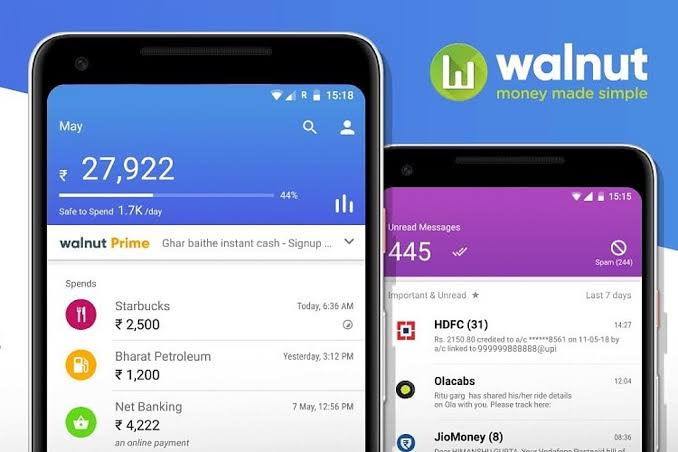
Walnut takes a different approach by positioning itself as a comprehensive sales enablement platform rather than just a demo recorder. It captures your product's front end and lets sales teams personalize demos through a no-code editor with AI assistance. The platform also includes digital deal rooms, which bundle videos, decks, and interactive demos into a single shareable link.
With a 4.6/5 G2 rating, Walnut is well-regarded for enterprise sales personalization. It supports HTML cloning and live demo environments, though the pricing reflects its enterprise focus. Plans start at $9,200 per year (roughly $767 per month), with custom enterprise pricing available. This makes Walnut a significant investment, but for teams that need personalized, interactive demos at scale with advanced analytics and customization, it delivers. The digital deal rooms feature is particularly valuable for complex B2B sales cycles where multiple stakeholders need to review different pieces of content.
6. Navattic

Navattic specializes in HTML capture technology that preserves every pixel of your product's front end. This makes it the best choice for teams with complex, visually detailed products where accuracy matters more than speed. The platform saw over 40,000 demos built in 2025, representing 35% year-over-year growth, which signals strong adoption in the technical product space.
With a 4.6/5 G2 rating, Navattic offers a free starter plan and a base plan from $500 per month, though enterprise plans require custom pricing. The platform excels at creating exact product replicas for interactive demos, which is critical for technical buyers who need to evaluate software in detail. The trade-off is that Navattic's demos take longer to build compared to screenshot-based tools like Arcade or Supademo. It is best for teams where pixel-perfect accuracy is non-negotiable, such as enterprise software companies with complex UI elements.
7. Consensus
Consensus takes a unique approach by focusing on buying groups rather than individual prospects. The platform automates on-demand video demos with analytics that track which features each stakeholder explored. This is particularly valuable in B2B sales cycles where multiple decision-makers need to evaluate a product independently.
With a 4.5/5 G2 rating and starting plans around $6,000 per year, Consensus is built for scalability. Companies using the platform report 50% increases in stakeholder discovery and up to 68% shorter sales cycles. Unlike most tools on this list, Consensus is video-based rather than HTML-based, which makes it best for scaling presales teams that need to send personalized video demos to multiple decision-makers simultaneously. It is less suited for product-led growth or marketing teams that need interactive, embeddable demos.
8. HowdyGo

HowdyGo offers a straightforward value proposition: unlimited HTML demos for $159 per month billed annually, with no per-user pricing. This makes it uniquely scalable for marketing teams that need to produce high volumes of interactive demos for campaigns and website embedding.
The platform supports interactive HTML demos that can be embedded and shared without login requirements, which removes friction for prospects. At $159 per month, it sits between budget tools like Supademo and enterprise platforms like Walnut, offering a middle-ground option for teams that want HTML capture without committing to a per-seat pricing model. HowdyGo is best for marketing teams that prioritize volume and embedding over advanced personalization or analytics.
9. Camtasia
Camtasia is the veteran of this list, having been an industry standard for screen recording and video editing since 2002. With a 4.4/5 G2 rating and a $299.99 one-time purchase price for a perpetual license, it remains the gold standard for structured training videos and polished screen recordings.
The platform offers a complete video editor with transitions, annotations, callouts, cursor effects, and multi-track timeline editing. Unlike newer interactive demo tools, Camtasia focuses on producing high-quality video exports rather than HTML-based interactive experiences. This makes it best for teams that need professional-grade training content, tutorials, and marketing videos with full post-production control. The trade-off is that Camtasia lacks the AI-powered automation and instant sharing workflows that tools like Loom and Arcade offer. It is a production tool, not a quick-sharing tool.
10. DemoScope
DemoScope is the only app on this list built exclusively for mobile app screen recording. At a one-time purchase price of $12.99, it is also the most affordable dedicated demo recorder. The app is iOS only and designed for developers and creators who need to showcase their mobile apps.
Features include a face cam overlay optimized for mobile proportions, touch indicators that show exactly where users tap, and a built-in teleprompter for staying on script. These features are tailored for creating App Store preview videos, tutorial content, or Product Hunt demos. While DemoScope cannot compete with the feature breadth of desktop-focused tools, it fills a specific niche that no other app on this list addresses. For indie developers who need a simple, one-time purchase solution for mobile demo recording, DemoScope is the clear choice.
Related Posts

1 Comment
Join the discussion and share your thoughts
