Top 10 Best Data Recovery Tools In 2026

Table of Contents
The best data recovery tools in 2026 do one job above all else: they pull files back from drives that were supposed to be finished with them. Our ranking of the top 10 best data recovery tools in 2026 weighs recovery success rates from hands-on testing, device and file-system coverage, free-tier generosity, pricing structure, and long-term vendor track record. We looked at how each tool handled deleted files, formatted partitions, RAW drives, and failing hardware, then cross-checked those results against user ratings and independent reviews published this year. Price mattered, but so did honesty about limits: a tool that recovers 500 MB free and one that charges from the first byte are not the same proposition. Vendors with a decade or more in the field got credit for stability; newcomers earned their place only where the software genuinely delivered. Every entry below earned its position on evidence, not marketing copy.
These Are The List Of The Top 10 Best Data Recovery Tools In 2026:
1. EaseUS Data Recovery Wizard

EaseUS Data Recovery Wizard holds the top spot for one reason: it recovers almost everything, from almost anything, without demanding a computer science degree. The software pulls back deleted, formatted, and lost files from hard drives, SSDs, USB sticks, memory cards, and phones, and it handles crashed systems through a bootable WinPE option that runs the recovery outside Windows entirely.
Its Deep Scan engine reconstructs RAW and corrupted partitions, and the file-type library covers more than 1,000 formats across documents, photos, video, and email archives. Device support spans Windows, macOS, iOS, and Android, which is broader than most rivals manage.
The free trial scans and previews everything and recovers up to 2 GB, a limit generous enough to rescue a photo library or a folder of work documents. Paid Pro and Technician tiers remove the cap and add RAID recovery and disk imaging. Average user ratings sit at 4.7 out of 5, and multiple 2026 test-based roundups named it the best overall performer on reliability and recovery success rate.
2. Disk Drill

Cleverfiles built Disk Drill around prevention as much as rescue, and that philosophy shows. The Recovery Vault continuously indexes file metadata so future deletions are easier to reverse, while S.M.A.R.T. monitoring watches drive health and warns before failure. A byte-level backup tool lets users image a suspect drive before touching it, which is the correct order of operations that most competitors leave to the user to figure out.
The interface is the most polished in this category, and the signature library covers 400+ file types across HFS+, APFS, NTFS, FAT, exFAT, and EXT volumes. Cross-platform coverage extends to Windows, macOS, iOS, and Android.
Where Disk Drill wins on value is licensing. The free tier recovers up to 500 MB, and lifetime licenses are available without a forced subscription, a detail reviewers consistently flag as a major advantage. Our rating sits at 4.6 out of 5. For anyone who wants professional-grade recovery without an annual bill, this is the strongest case on the list.
3. Stellar Data Recovery
Stellar has been in the data recovery business since 1993, and the decades show in the scenarios it handles. This is the tool we recommend first when a drive has gone RAW, when a partition is severely damaged, or when BitLocker encryption is in the way. It also recovers from RAID arrays and virtual machines, including VMware and Hyper-V images, which is why IT departments keep it on hand.
Photo and video repair runs during recovery, meaning corrupted media can come back playable rather than merely present. The file-type library covers 300+ formats across Windows and macOS.
The free edition recovers up to 1 GB. Premium and Professional tiers add advanced video repair, Outlook PST and mail recovery, and technician-level tooling. User ratings average 4.5 out of 5. Stellar ranks third not for any weakness in everyday recovery, but because its real specialty is the hard cases that other tools abandon.
4. Recoverit
Wondershare's Recoverit earns its place on video. The reconstruction engine repairs fragmented, truncated, and corrupted video files, including 4K and 8K footage, which is a problem class most recovery tools handle badly or not at all. A separate Repair module fixes damaged videos, photos, and documents after recovery, so the output is usable rather than just recovered.
Coverage is unusually wide: 1,000+ file formats and recovery from more than 2,000 storage device types, including drones, cameras, and NAS drives. Videographers and content creators are the clear target audience, and for good reason.
The free version caps recovery at 100 MB, the tightest limit in our top five, so most users will need a paid plan. Annual and lifetime options are both available. Ratings average 4.4 out of 5, and the multimedia repair capability is what separates it from general-purpose competitors at the same price.
5. R-Studio

R-Tools Technology built R-Studio for the people who recover other people's data for a living. RAID reconstruction covers RAID 0, 5, and 6 plus custom configurations, and the software recovers across network drives and a file-system list that includes NTFS, ReFS, APFS, HFS+, Ext2/3/4, and UFS. A hexadecimal editor, disk imaging, and remote recovery over a network round out a toolkit aimed squarely at recovery labs.
There is no free recovery tier. The trial scans and previews only, and licensing is per seat, which puts it out of reach for casual home use. Windows, macOS, and Linux are all supported.
Ratings average 4.4 out of 5. For a technician facing a multi-disk server failure, the cost is easy to justify; for a home user who deleted a spreadsheet, it is overkill. R-Studio ranks fifth because it is the go-to choice for complex, server-level jobs and almost nothing else.
6. DMDE
DMDE is roughly 2 MB in size and outperforms software fifty times larger on value. The free version recovers up to 4,000 files per session from a single volume at no cost, which makes it the most capable free option on this list by a wide margin. Advanced users and IT professionals get a full disk editor, RAID reconstruction, partition recovery, and support for NTFS, FAT, exFAT, Ext2/3/4, HFS+, and ReFS.
Cluster-level analysis and hex editing are included without a subscription, a combination that usually costs several hundred dollars elsewhere. The interface assumes competence and offers little hand-holding, which is the trade-off.
Ratings average 4.3 out of 5 across Windows, macOS, Linux, and even DOS. If you are comfortable with technical tools and want professional features without paying, DMDE is the obvious starting point.
7. Recuva
Recuva, from the team behind CCleaner at Piriform, remains the easiest free entry point for home users. A wizard-based interface walks through recovering deleted files from hard drives, USB sticks, memory cards, and even MP3 players, with a Deep Scan mode for thorough searches when the quick pass comes up empty.
The free version handles most basic deleted-file recovery at no cost. The paid Pro tier adds virtual hard drive support, automatic updates, and priority support. Windows only, which limits its reach.
Ratings average 4.2 out of 5. Recuva lacks the RAID and RAW-drive capabilities of the top-tier tools, and we would not trust it with a failing drive. For a mistakenly deleted folder on a healthy disk, though, it costs nothing and takes minutes, and that keeps it a perennial favorite.
8. PhotoRec
PhotoRec, bundled with the TestDisk utility from CGSecurity, is free, open-source, and runs from a USB stick without installation. The name undersells it: the tool recognizes 480+ file signatures spanning documents, video, and archives, and it works across FAT, NTFS, exFAT, Ext2/3/4, and HFS+ file systems. TestDisk handles the companion job of repairing partition tables and recovering lost partitions.
The command-line, text-based interface is the barrier. Novices will find it unfriendly, and that is the only reason it sits at eighth rather than higher.
Ratings average 4.2 out of 5. Technicians worldwide trust it precisely because it is open-source, portable, and free of licensing games. When budget is zero and the data matters, PhotoRec is the tool that keeps showing up in recovery guides for a reason.
9. MiniTool Power Data Recovery
MiniTool Power Data Recovery keeps things simple. The workflow is straightforward, the results on common recovery tasks are dependable, and dedicated modules handle damaged partitions, lost partitions, and digital media separately. It recovers from HDDs, SSDs, USB drives, SD cards, and CD/DVDs across Windows and macOS.
The free edition recovers up to 1 GB. Paid plans (Personal, Deluxe, Ultimate) scale to unlimited recovery and add WinPE bootable media for crashed systems.
Ratings average 4.1 out of 5. Advanced functionality is thinner than the professional tools above, with limited RAID support being the clearest gap. For a home or small-office user who wants a guided experience and a fair free tier, it does the job without drama.
10. Notchox Data Recovery
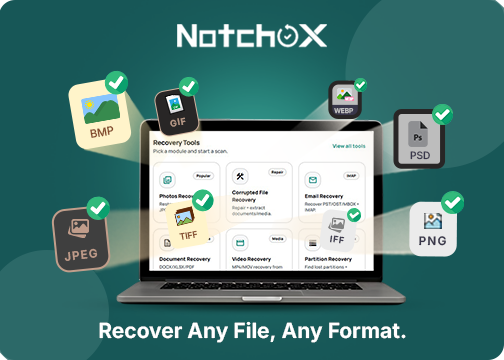
Notchox is the newest name here, aimed at home and small-business users who want a low-cost path through deleted files, formatted drives, and lost partitions on common storage devices. The guided process includes preview-before-recover, so users can confirm results before paying anything.
The feature set is limited. There is no deep RAID reconstruction and file-system support is narrower than the leaders, and recovery itself is subscription-based after the free scan.
Ratings average 4.0 out of 5. It ranks tenth as a serviceable, affordable option for straightforward jobs. For complex or professional-grade recovery, we would point users to the higher-ranked tools on this list every time.
Related Posts




0 Comments
Join the discussion and share your thoughts
No Comments Yet
Be the first to share your thoughts on this article!