Top 10 Best AI SOP Generators In The World 2026

Table of Contents
For years, standard operating procedures meant static Word documents that went stale the moment they were saved. The AI SOP generators of 2026 have changed that entirely. These tools now capture workflows automatically, generate multi-language documents from a single prompt, and surface the right procedure at the exact moment an employee needs it. Our analysis of the market identifies the ten best AI SOP generators available today, ranked by capability, adoption, and real-world utility.
How We Ranked These
We evaluated each tool across five dimensions: automation depth (how much manual work the AI eliminates), output quality (readability, structure, and formatting), compliance readiness (version control, audit trails, e-signature support), integration reach (how well the tool connects to existing platforms), and cost relative to value. User reviews from G2, product documentation, and hands-on testing by our team informed the final rankings. We prioritized tools that save actual time rather than those that simply repackage generic AI chat into a branded interface.
These Are The Top 10 Best AI SOP Generators In 2026:
1. Scribe

Scribe is the tool that put automated SOP generation on the map. Its browser extension and desktop app watch every click, capture each screenshot, and write instructions like "Click the Save button in the top-right corner" without any human input. For teams working inside Salesforce, HubSpot, NetSuite, or any web-based platform with repetitive clicking sequences, Scribe produces structured step-by-step procedures faster than any competitor. Starting at $35 per user per month, it remains the most widely adopted solution for documenting digital workflows. The tool pioneered the pattern that nearly every competitor now follows: record a sequence of actions, let the AI turn that recording into a numbered SOP document, and publish it in seconds. For pure browser-based work, nothing beats its speed.
2. AiDocX
AiDocX takes a different approach. Instead of capturing screens, it generates structured SOPs from a short text description and supports 13 languages out of the box. The output exports cleanly to PDF and Word, and the platform includes built-in e-signature acknowledgment and full version control. This makes AiDocX the strongest option for compliance-heavy environments where ISO 9001 and SOC 2 evidence tracking matter. Every document has a view history showing who read it and when. Users can edit the generated text in a full WYSIWYG editor, reorder steps, and regenerate individual sections without starting over. While it lacks screen capture, its structured framework and multilingual support make it the most complete solution for regulated industries and enterprise deployments.
3. Tango
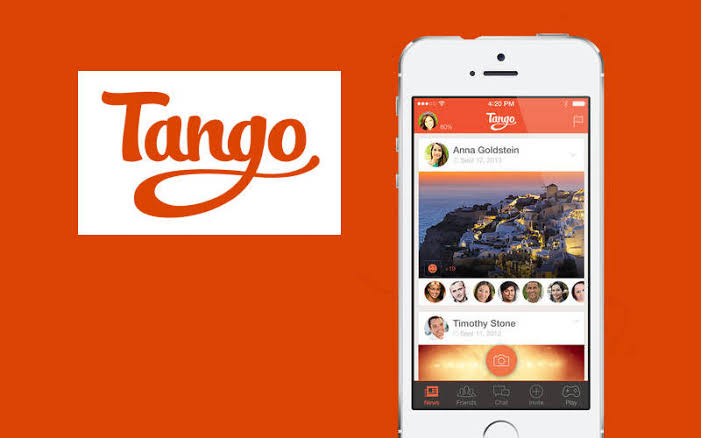
Tango is Scribe's closest peer, offering a browser extension with click capture and AI-cleaned step text in a slightly more polished interface. Its G2 rating sits at 4.8 out of 5 across 82 reviews, and its free tier allows up to 25 documents, making it the most accessible entry point for small teams testing AI SOP generation. Starting at $20 per user per month, Tango excels at simple linear browser flows where no additional context is needed. The annotated screenshot guides it produces communicate even intricate software workflows effectively. For teams that need clean visual guides without the complexity of a full documentation platform, Tango delivers quickly and reliably.
4. Trainual
Trainual combines AI SOP generation with a full learning management system, creating a single platform for documentation and training. Starting at $250 per month for teams, it supports English plus five additional languages and includes built-in checks for acknowledgment and compliance tracking. The LMS functionality means teams can create text-based procedures and then assign training paths that test employees on the material. Trainual uniquely bridges the gap between writing a procedure and ensuring people actually learn it. The higher price point limits its appeal for smaller teams, but organizations that need both SOP creation and employee onboarding in one system will find the integration valuable.
5. Whale

Whale sits at the intersection of SOP documentation and knowledge management. Its AI writing assistant, named Alice, can draft a complete SOP from a rough description. The CoPilot browser extension surfaces the right procedure inside whatever tool an employee is already using, addressing the critical adoption gap that many other tools overlook. Whale includes a step recorder, video screen recorder, approval flows, and mobile-first access. The free tier is available, and the Team plan costs $249 per month for ten users. Whale's contextual guidance feature pushes procedures to employees in the moment they need them, which reduces the friction of searching through a knowledge base. It costs more than screen-capture-only alternatives, but the added value comes from solving the problem of SOPs being written but never used.
6. Guidde
Guidde distinguishes itself by focusing on video-first SOPs. It converts screen recordings into AI-generated video walkthroughs with synthetic voiceover, captions, and visual callouts. Starting at $19 per user per month with a G2 rating of 4.8 out of 5, Guidde works best for teams creating video-based onboarding and training content without a dedicated production process. The platform offers both video and written summaries as hybrid output. Customer success teams and training departments producing onboarding walkthroughs for external users will find Guidde's approach particularly useful. However, it lacks the step-by-step text capture that most teams need for internal documentation, which limits its utility as a primary SOP tool.
7. SweetProcess
SweetProcess is an all-in-one SOP, onboarding, and knowledge base platform designed for collaborative writing and updating. Starting at $99 per month for teams, it is popular with service businesses that have 20 to 200 employees. The tool offers text and image-based documentation with AI assistance for drafting, and multiple contributors can work on the same procedure simultaneously. SweetProcess works well for teams that need to maintain living documents with input from various departments. Its collaborative approach is its strongest feature, but it lacks the automated capture capabilities of higher-ranked tools and has limited multilingual support, which makes it less suitable for global teams.
8. Process Street
Process Street turns documented procedures into actionable and trackable workflows using checklist-based procedures with conditional logic. Starting at $30 per user per month on the Pro plan, it integrates with task management tools, Slack, and Salesforce. Ops teams that need procedures to function as runnable workflows rather than only reference documents will find Process Street effective. The checklist-driven approach enforces process compliance by requiring users to check off each step as they complete it. However, the change detection is checklist-driven rather than source-driven, meaning the platform requires manual updates when underlying processes change. It works well for enforcing existing procedures but less well for keeping them current.
9. Notion (with AI)
Notion brings AI tools like GPT-4 and Claude directly into its docs platform, enabling SOP creation through text prompts, summarization, and workspace querying. The free plan is available, and paid plans start at $10 per user per month. With a G2 rating of 4.6 out of 5 across more than 12,000 reviews, Notion is a widely trusted platform for project management and documentation. For teams already living inside Notion, creating and storing SOPs alongside related projects and tasks is convenient. But Notion is not purpose-built for SOPs. There is no native completion tracking, no automatic audit trail, and no role-based procedure assignment. Scaling beyond a handful of procedures becomes frustrating once compliance requirements or onboarding volumes increase.
10. ChatGPT Free
ChatGPT Free serves as a no-cost fallback for founders and small teams who do not mind formatting manually. Users can prompt ChatGPT to generate SOP outlines, step-by-step procedures, and checklists, then manually format the output in Word or Google Docs. The free tier offers unlimited access and strong multilingual support. But there is no screen capture, no structured SOP framework, no version control, no document tracking, and no integrations. Each document requires 15 to 30 minutes of manual refinement, making the approach impractical for teams scaling beyond a handful of procedures. For a team with zero budget and a single process to document, it works. For anything more, a purpose-built tool saves time and reduces errors.
The best AI SOP generator for 2026 depends on your team's workflow and compliance requirements. Teams documenting browser-heavy digital processes should start with Scribe or Tango. Regulated industries that need audit trails and multi-language support will find AiDocX the strongest fit. Organizations that combine documentation with training should evaluate Trainual or Whale. And teams on tight budgets can begin with Notion AI or ChatGPT Free, but should plan to migrate once the volume of procedures grows beyond a manageable handful. The market has matured enough that there is no reason to write SOPs from scratch anymore. The question is simply which tool fits your specific workflow.
Related Posts




2 Comments
Join the discussion and share your thoughts
