Top 10 Best AI Coding Assistants In The World 2026

Table of Contents
The market for AI coding assistants has matured rapidly. What began as simple autocomplete tools has evolved into a competitive landscape of agent-driven platforms that can refactor entire codebases, run tests, and deploy applications autonomously. To build this ranking, we weighed several factors: market adoption and revenue share, benchmark performance on Terminal-Bench and SWE-bench, developer satisfaction scores, integration depth with existing tools, pricing, and the quality of agentic workflows. We also considered how well each assistant handles real-world tasks like debugging, multi-file refactoring, and code review. The result is a snapshot of the ten tools defining development in 2026.
The Top 10 Best AI Coding Assistants In 2026:
1. GitHub Copilot
GitHub Copilot remains the undisputed market leader with a 42 percent share of paid AI coding tools and 4.7 million paid subscribers, representing 75 percent year-over-year growth. The tool integrates deeply into VS Code, JetBrains, Vim, and Neovim, and its inline suggestions learn from your coding style over time. In February 2026, GitHub launched agent mode, which enables multi-agent workflows across Copilot, Claude, and Codex agents simultaneously. The Copilot Memory feature, currently in public preview, automatically deduces and stores repository information so the assistant retains context between sessions.
The free tier offers 2,000 completions and 50 chat or agent requests per month, while the Pro+ plan at $39 per month provides 1,500 premium requests and access to top-tier models. The individual plan remains $10 per month. Copilot's primary weakness is that it occasionally suggests outdated or insecure code patterns, a consequence of its training data. For most developers, however, its ecosystem integration and sheer user base make it the default choice.
2. Cursor
Cursor commands an estimated 18 to 25 percent of market revenue and delivers what many consider the best AI-native IDE experience. Its Composer feature handles complex multi-file projects by mixing frontier models from Anthropic, OpenAI, and Google with its in-house model. The tool provides multi-file-aware tab completions that understand your entire workspace, not just the file you are editing. Developers consistently report that Cursor significantly reduces time spent on refactoring and scaffolding tasks.
At $20 per month for the Pro plan, Cursor competes directly with Copilot on price while offering a more integrated editing experience. Its Cascade feature, comparable to Windsurf's workflow engine, is polished but occasionally lags behind Windsurf for workflow-oriented tasks. The smaller community and occasional friction in the editing experience are its main drawbacks. Still, for developers who want a purpose-built AI coding environment rather than a plugin, Cursor sets the benchmark.
3. Claude Code (Anthropic)
Claude Code operates entirely in the terminal and excels at reasoning depth on hard problems. It achieved a 78.9 percent score on Terminal-Bench and 69.2 percent on SWE-Pro, powered by Opus 4.8 with an effort parameter that defaults to high. The tool handles context windows exceeding 100,000 tokens, making it suitable for understanding large codebases. Developers praise its clear, thoughtful explanations and lower hallucination rates compared to competitors. It has accumulated 134,868 GitHub stars and is available on the Pro plan at $20 per month.
Claude Code is best suited for complex debugging, code review, and understanding unfamiliar codebases. Its terminal-based workflow has no direct IDE integration, which can be a barrier for developers accustomed to graphical tools. Notably, Claude Sonnet 4 serves as the default model for GitHub Copilot CLI and VS Code, meaning Anthropic's models power both their own tool and their biggest competitor's assistant. For developers comfortable in the terminal, Claude Code offers unmatched reasoning quality.
4. Google Gemini Code Assist
Google Gemini Code Assist, powered by Gemini 3.1 Pro, achieved a 70.7 percent score on Terminal-Bench 2.1. It integrates deeply with Google Cloud services and VS Code, offering code completion, chat, and code transformation features. Whole-codebase indexing provides practical value for complex multi-repository architectures. Google's SWE-bench Verified scores consistently exceed 75 percent, placing Gemini at the frontier level.
The tool is free for individual use, with Standard at $19 per user per month and Enterprise at $45 per user per month. However, the free individual tier sunsets on June 18, 2026, with migration to Google's new Antigravity platform underway. Weaknesses include dependency on the Google Cloud ecosystem and higher per-seat costs at the Enterprise tier. For teams already invested in GCP, Gemini Code Assist is a natural fit. For others, the ecosystem lock-in may outweigh the benefits.
5. Codex CLI (OpenAI)
Codex CLI re-emerged in late 2025 as a serious, agent-first coding platform rather than just a legacy model name. It achieved the highest public Terminal-Bench 2.1 score at 83.4 percent, ranking first overall. The tool recommends GPT-5.5 as its default model and is described by developers as more deterministic on multi-step tasks. It understands repo structure, makes coordinated changes, runs tests, and iterates without drifting off course.
Codex CLI is free to use, with a Plus plan at $20 per month. Its Apache-2.0 license, combined with 94,277 GitHub stars, makes it attractive for open-source development. The tool appears most often in CLI- and workflow-oriented discussions, treated as something you aim at a task and let work autonomously. For developers who want a powerful, open-source agent that can operate independently, Codex CLI is currently the top option by benchmark performance.
6. Amazon Q Developer
Amazon Q Developer evolved from CodeWhisperer and carries a 4.4 out of 5 rating from 456 reviews on Gartner. It offers code completion, chat, security scanning, and AWS-specific features like infrastructure-as-code generation. The tool understands Lambda, CDK, CloudFormation, and AWS SDK patterns deeply, making it the go-to choice for AWS-centric development teams. Built-in security scanning identifies vulnerabilities as you code, and the code transformation feature can upgrade Java applications across versions.
A generous free tier includes code suggestions and security scanning, while the Pro plan costs $19 per user per month. Its weaknesses include a less polished editing experience compared to Cursor and a smaller community for support. For teams building on AWS, however, the deep integration and security features make Amazon Q Developer a compelling choice that competitors cannot easily replicate.
7. Tabnine
Tabnine leads the privacy-focused segment with support for more than 20 programming languages and local, on-premises, and self-hosted deployment options. The Code Assistant Platform costs $39 per user per month, while the Agentic Platform is $59 per user per month. Tabnine offers code-to-code translation across languages and a VS Code extension with API access. For teams in regulated industries or large organizations with strict security requirements, Tabnine represents a fundamentally different category of tool: it can run entirely air-gapped with no code leaving the environment.
The Enterprise Context Engine provides governance controls that competitors cannot match. The free tier is rate-limited, and the full feature set requires a paid plan. For most individual developers, Tabnine's pricing and limited free tier make it less attractive than Copilot or Cursor. But for enterprises that must comply with data residency or security regulations, Tabnine is often the only viable option.
8. Windsurf (Cognition)

Windsurf's Cascade feature is its killer differentiator. Describe a multi-step task, and Cascade plans and executes across files, terminal, and browser. For refactoring, scaffolding, and feature implementation, Cascade often outperforms Cursor's Composer because it thinks in workflows rather than individual edits. The tool saves project context across sessions so developers do not re-explain their codebase every time. Multi-file-aware tab completions understand your entire workspace, and the tool can auto-execute terminal commands.
The Pro plan costs $15 per month, and the Team plan is $30 per user per month. BYOK and IDE model-agnostic options are available. Weaknesses include more technical quirks, a steeper learning curve for non-developers, and a smaller community than market leaders. For developers who are willing to invest time in learning the tool, Windsurf's workflow-based approach can be more powerful than any other assistant on this list.
9. JetBrains AI Assistant
JetBrains AI Assistant is integrated natively into IntelliJ IDEA and all JetBrains IDEs, offering deep static analysis integration, refactoring awareness, and enterprise-ready features. It works best inside the JetBrains ecosystem and is optimized for Java, Kotlin, and enterprise developers. Pricing ranges from free (AI Free) to $20 per month (AI Pro) to $30 per month (AI Ultimate). The AI Pro plan offers a free 30-day trial.
According to the JetBrains AI Pulse January 2026 survey of more than 10,000 developers, the tool achieved 91 percent customer satisfaction and a Net Promoter Score of 54, the highest product loyalty metrics of any AI coding tool surveyed. Awareness of the tool has grown from 31 percent in mid-2025 to 57 percent. For developers already working in JetBrains IDEs, the assistant is a no-brainer. For cross-IDE teams, tools with whole-codebase indexing may provide deeper context. The high satisfaction scores, however, suggest that JetBrains is doing something right.
10. Aider
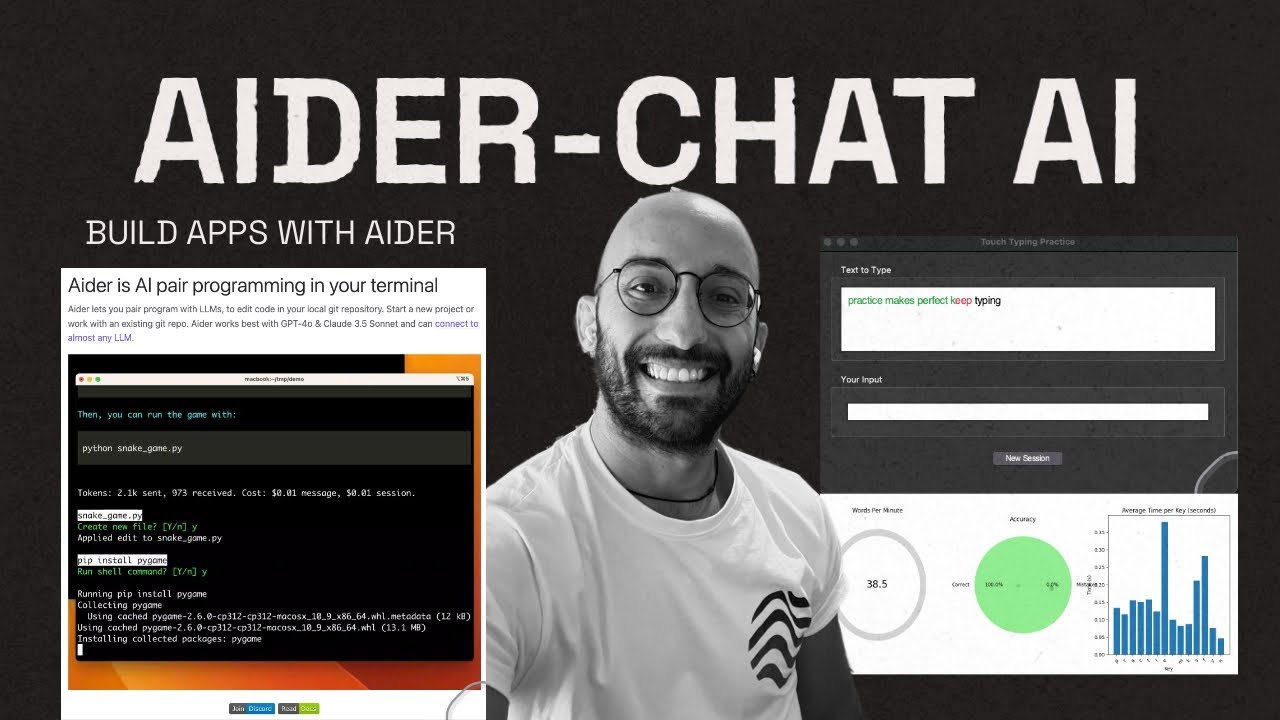
Aider is the open-source alternative to Claude Code, connecting to any model including Claude, GPT-4, and local models. It provides git-integrated code editing from the terminal, with changes committed automatically and accompanied by clear commit messages. The map-of-the-repository feature gives the AI context about your entire project. Aider has 46,808 GitHub stars and is available under the Apache-2.0 license.
Aider publishes the polyglot leaderboard across 225 Exercism exercises in C++, Go, Java, JavaScript, Python, and Rust. GPT-5 leads that leaderboard at 88.0 percent, the highest recorded score. Aider is ideal for developers who want CLI AI assistance without vendor lock-in and are comfortable paying API usage costs directly. The UX is less polished than commercial alternatives, and the leaderboard has not been refreshed with the newest 2026 frontier models. For developers who value control and transparency over polish, however, Aider remains the best open-source option.
The best AI coding assistant in 2026 depends heavily on your development environment and priorities. For most developers, GitHub Copilot remains the safest choice due to its market dominance, ecosystem integration, and rapidly improving agent features. Developers who want a purpose-built AI-native IDE should look at Cursor. Those who need deep reasoning on complex problems and are comfortable in the terminal will find Claude Code or Codex CLI more capable. Teams in regulated industries should evaluate Tabnine for its air-gapped deployment. And developers already invested in AWS, Google Cloud, or JetBrains ecosystems will find their respective assistants offer the deepest integration.
The market is moving toward agent-driven workflows that can plan and execute multi-step tasks autonomously. Tools like Windsurf and Codex CLI are leading that shift, while established players like GitHub Copilot are racing to catch up. By 2027, the distinction between a coding assistant and a full development agent will likely disappear. For now, the ten tools on this list represent the best options available for developers at every level of expertise and every type of organization.
Related Posts


1 Comment
Join the discussion and share your thoughts