Back4app Review 2026: Pricing, Login, Career, Alternatives & FAQs

Table of Contents
Back4app keeps showing up in developer forums, comparison lists and "best backend for my app" threads, and for good reason. It is one of the few backend as a service platforms still standing from the original Parse era, and in 2026 it has grown into a full toolkit for people building mobile apps, web apps and now containerized projects. At Nubia Magazine, we spent weeks going through Back4app's pricing pages, its login and dashboard flow, real reviews from developers on G2 and Product Hunt, its hiring and career footprint, and how it stacks up against rivals like Firebase and Supabase before writing this review.
This guide covers everything people are actually searching for in 2026: what Back4app costs today, how to log in and recover your account, whether the company is hiring, how it compares with the alternatives, what real users think of the day to day experience, and the questions that keep popping up around the brand. We rate Back4app 4.3 out of 5 overall, and we explain exactly why below.
Back4app Company Profile
Before getting into pricing and features, here is a quick snapshot of who Back4app is and what the company offers.
Company name | Back4app, Inc. |
Founded | 2015 |
Founders | Antonio Davi Macedo Coelho de Castro and team |
Headquarters | Sunnyvale, California, United States |
Company type | Private, backend as a service (BaaS) platform |
Core technology | Open source Parse Server |
Website | back4app.com |
Free plan | Yes, no credit card required |
Paid plans start at | Around $5 to $15 per month depending on the product line |
Team size | Small, roughly 1 to 50 employees, fully remote |
Support channels | Email, live chat, Slack community, documentation, webinars |
Nubia Magazine rating | 4.3 out of 5 |
What Is Back4app?
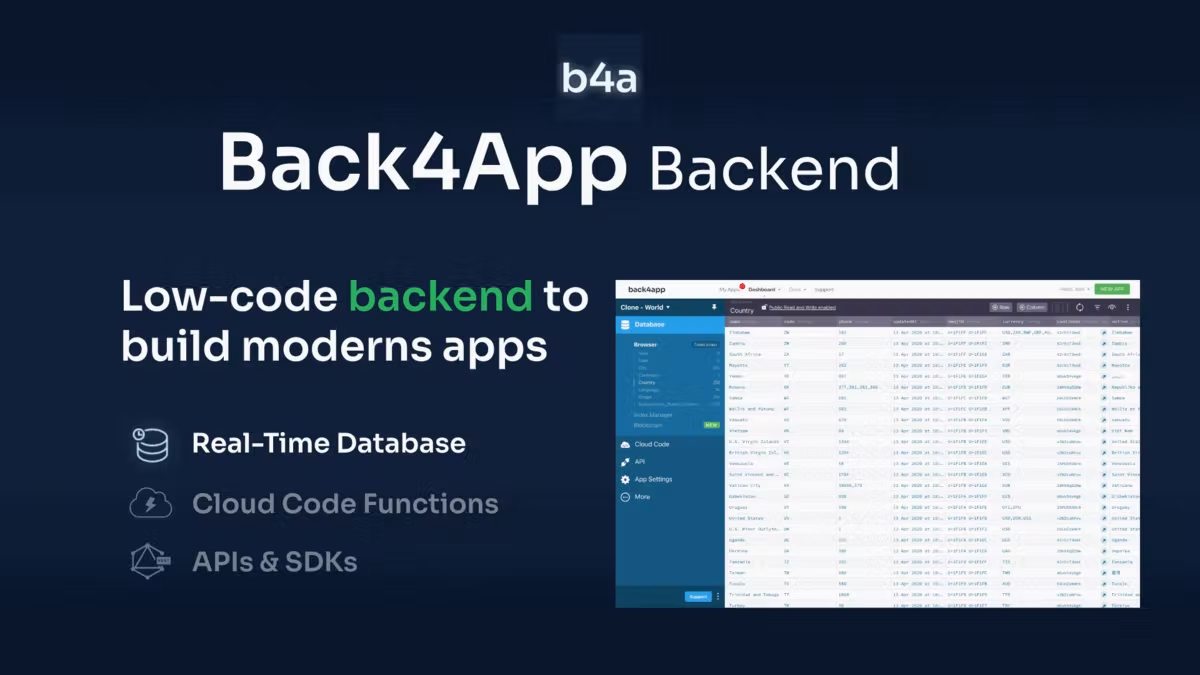
Back4app is a low code backend as a service (BaaS) platform built on top of the open source Parse Server. In plain terms, it gives app developers a ready made backend, meaning a database, user authentication, file storage, push notifications, cloud functions and REST or GraphQL APIs, without the need to build or maintain servers from scratch.
The platform is aimed mostly at startups, solo developers, freelancers and small to mid sized product teams who want to launch an app quickly without hiring a dedicated backend engineer. Over the years, Back4app expanded past its original Parse hosting roots and now also offers Back4app Containers, a service for deploying Docker based applications, alongside its core database and API products.
Back4app Pricing in 2026
Pricing is one of the most searched terms attached to Back4app, and it remains one of the platform's biggest selling points. Unlike usage based platforms that can surprise you with a large bill after a traffic spike, Back4app leans on flat, predictable tiers.
Backend as a Service (database and APIs)
- Free plan: $0 per month, includes 25,000 requests, 250MB of data storage and 1GB of file storage. No credit card required to start.
- MVP plan: starts at roughly $15 per month per app, with 500,000 requests, 2GB of data storage and 250GB of data transfer.
- Pay as you go and scale plans: priced for growing apps, with overage charged per extra requests, storage and data transfer once you cross your quota.
- Enterprise plans: custom pricing for larger teams that need dedicated infrastructure, higher limits and priority support.
Back4app Containers
Back4app also runs a separate pricing track for its container hosting product, which lets developers deploy an app straight from a GitHub repository. It includes a free tier for testing personal projects, with paid plans billed per container per month once you move to production.
Our take: Back4app's flat tier structure is genuinely one of its strongest points. Teams that got a shock bill from Firebase after a traffic spike tend to appreciate knowing exactly what they will pay each month. The trade off is that you do not get the raw compute flexibility of a platform like Supabase or AWS, so heavy, data hungry apps may still outgrow the free and MVP tiers faster than expected.
Back4app Login: How to Access Your Account
Logging in to Back4app is straightforward and does not require any special setup.
- Go to back4app.com and click Sign In at the top right of the homepage.
- Enter the email and password used during registration, or continue with a linked GitHub or Google account if you signed up that way.
- Once logged in, you land on the App Dashboard, where every project you have created is listed with its own database, settings and analytics.
- Forgot your password? Use the Forgot Password link on the login page. Back4app sends a reset email within a few minutes in most cases.
- Having trouble logging in? Clear your browser cache, check that you are using the correct account email, or reach out to Back4app support through their live chat or the help center.
One thing worth flagging for new users: Back4app requires email verification before you can fully use certain features, so check your inbox and spam folder right after signing up.
Back4app Career: Is the Company Hiring?
Back4app is a small, fully remote company, and its hiring activity reflects that. Based on job boards such as Wellfound, Glassdoor and Get on Board, Back4app does not run a constant, high volume hiring pipeline the way larger tech companies do. Instead, openings appear occasionally, usually for backend engineers, developer advocates, customer support and growth roles.
Reviews from current and former employees on Glassdoor describe a remote first culture with a friendly, transparent team and a flat structure typical of an early stage startup. The company is headquartered in Sunnyvale, California, but the team works from multiple countries.
If you are interested in working at Back4app, the most reliable approach is to check the careers section on back4app.com directly, follow their page on Wellfound or LinkedIn for alerts, or watch job boards that specialize in remote and startup roles. Because the team is lean, positions tend to fill quickly once posted.
Back4app User Experience: What Real Users Say in 2026
We combed through dozens of verified reviews on G2, Product Hunt and Capterra to see how actual developers rate their day to day experience with Back4app. A clear pattern emerged.
What people like
- Fast setup. Many reviewers mention getting a working backend running within an hour of signing up, even with little backend experience.
- Clean dashboard. The Parse Dashboard used by Back4app makes it easy to browse data, manage user roles and test cloud functions without writing extra admin tools.
- Responsive support. Several users single out quick, helpful replies from the support team as a reason they stuck with the platform.
- Generous free tier. Developers repeatedly point to the free plan as a low risk way to validate a new app idea before spending anything.
- Real time features. Live Query, Back4app's websocket based real time database tool, gets consistent praise for being simple to implement.
What people dislike
- The admin dashboard is not really built to be handed to a non technical client, which can be a problem for agencies building apps for third parties.
- Some developers feel the documentation UI looks dated and lacks a proper search function.
- Pricing tiers jump in fairly large steps, and a few users wish there were more gradual, in between plans.
- Push notification setup in production has tripped up a handful of reviewers.
On G2, Back4app currently holds a strong average rating from verified business reviewers, and Product Hunt users frequently mention the platform as reliable for long term projects, not just quick prototypes. Taking all of this together with our own evaluation of the pricing structure, login experience and support quality, Nubia Magazine rates Back4app 4.3 out of 5.
Back4app Alternatives in 2026
Back4app is not the only backend as a service option out there, and depending on your project, another platform might fit better. Here is how the main competitors compare.
Supabase
Supabase is built on full PostgreSQL rather than the MongoDB based structure Back4app uses. It gives developers joins, full text search and a large extension ecosystem, plus pgvector for AI features. Supabase Pro starts at $25 per month per project, and real world bills often land between $35 and $175 once compute is factored in, so Back4app's flat pricing can be easier to predict for small teams.
Firebase
Google's Firebase remains the most established name in the space, with Firestore offering best in class offline support on mobile. Firebase added an AI powered development environment and a managed PostgreSQL option in 2026, but its usage based billing has a reputation for unpredictable spikes, which is exactly the problem Back4app's flat tiers were designed to avoid.
Appwrite
Appwrite is a self hosted, Docker based backend that appeals to teams that want full control over their infrastructure. It requires more hands on server management than Back4app's managed hosting.
AWS Amplify
Amplify suits larger, enterprise level teams already inside the AWS ecosystem who need deep scalability, though it comes with a steeper learning curve than Back4app.
Xano and Nhost
Xano appeals to no code builders, while Nhost pairs Postgres with a GraphQL first API through Hasura. Both are worth a look if your team leans more no code or already thinks in GraphQL.
Our take: choose Back4app if you want predictable pricing, an easy learning curve and a platform built specifically around Parse Server. Choose Supabase if you need full relational SQL power. Choose Firebase if mobile offline sync is your top priority and you are comfortable with usage based billing.
Back4app Pros and Cons Summary
Pros
- Predictable, flat rate pricing that avoids surprise bills
- Beginner friendly setup with a short learning curve
- Solid free tier for testing and early stage projects
- Responsive customer support across chat, email and Slack
- Open source foundation, so you are not locked into a proprietary system
Cons
- Admin dashboard is not polished enough to hand off to non technical clients
- Documentation search could be better
- Fewer relational database features compared with SQL first platforms like Supabase
- Pricing tiers could use more gradual, mid range steps
Nubia Magazine Verdict
Back4app earns a 4.3 out of 5 from Nubia Magazine. It is not the flashiest backend platform on the market, and it will not out muscle Firebase on mobile offline sync or Supabase on raw SQL power, but it consistently delivers on what it promises: a fast, low code way to launch and scale an app backend without babysitting servers, at a price you can predict months in advance. For solo developers, small teams and startups that want to move quickly without a surprise bill, Back4app remains one of the more sensible choices in 2026.
Frequently Asked Questions About Back4app in 2026
1. Is Back4app free to use?
Yes. Back4app offers a free plan with 25,000 requests, 250MB of data storage and 1GB of file storage per month, and no credit card is required to sign up.
2. How much does Back4app cost after the free plan?
Paid plans start around $15 per month for the MVP tier, with pay as you go and enterprise options available as your app grows. Back4app Containers has its own separate pricing, also starting with a free tier.
3. How do I log in to my Back4app account?
Go to back4app.com, click Sign In, and enter your email and password or use your linked Google or GitHub account. If you forget your password, use the Forgot Password link on the login page to reset it by email.
4. Is Back4app good for beginners?
Yes. Multiple user reviews describe the learning curve as almost non existent, especially for developers who are new to backend work but comfortable with basic JavaScript.
5. What is Back4app built on?
Back4app runs on the open source Parse Server, which gives it a real time database, REST and GraphQL APIs, cloud functions and built in user authentication.
6. Is Back4app hiring in 2026?
Back4app hires occasionally rather than continuously, since the team is small and fully remote. Openings for engineering, support and growth roles show up on their careers page, Wellfound and general remote job boards.
7. What is the best Back4app alternative?
Supabase is the most commonly recommended alternative for teams that want a full PostgreSQL database, while Firebase remains popular for mobile apps that need strong offline support. Appwrite and Nhost are also worth considering depending on your stack.
8. Is Back4app safe and reliable for production apps?
Yes. Back4app is used in production by mobile and web apps across various industries, and reviewers consistently mention stable uptime, secure environments and responsive support when issues come up.
9. Can I migrate from Firebase to Back4app?
Yes. Back4app provides migration documentation and data import tools to help teams move away from Firebase, including guides for exporting user records and adapting SDK calls.
10. Does Back4app offer customer support?
Back4app offers support through live chat, email, a Slack community and detailed documentation, with dedicated Slack channels available for customers on paid plans.
Related Posts




0 Comments
Join the discussion and share your thoughts
No Comments Yet
Be the first to share your thoughts on this article!



