Supaboard Review 2026: Pricing, Login, AI, Dashboard & FAQs

Table of Contents
A Quick Word Before We Start
If you have been keeping up with the AI tools space in 2026, you have almost certainly come across Supaboard. The platform has been all over Product Hunt, LinkedIn, and tech newsletters since its big launch earlier this year, and we kept hearing the same thing from founders, marketers, and operators in our network. They were tired of waiting on data teams, tired of paying for Tableau seats they barely used, and curious whether a tool that lets you ask your database questions in plain English could really replace a junior analyst.
So we did what we always do at NUBIA MAGAZINE. We rolled up our sleeves, signed up for the free trial, connected real data sources, broke things on purpose, talked to actual paying users, and read every credible review we could find. This is our honest, no-fluff verdict on whether Supaboard is worth the hype in 2026.
Supaboard Brand Profile
Before we get into the details, here is a snapshot of who Supaboard is and what they offer in 2026.
SUPABOARD AT A GLANCE | |
Brand Name | Supaboard |
Legal Entity | Fyipen Pvt Ltd |
Founders | Aritra Ghosh (CEO), Subhrajyoti Modak (CTO) |
Year Founded | 2023 |
Headquarters | Bengaluru, Karnataka, India |
Industry | AI Business Intelligence and Analytics |
Product Type | AI-powered, no-code BI dashboard platform |
Website | supaboard.ai |
Login Portal | app.supaboard.ai |
Free Trial | 14-day free trial, no credit card required |
Starting Price | $71 per month (Individual plan, billed yearly) |
Top Plan | Enterprise (custom pricing, white-labeling included) |
Data Integrations | 600 plus connectors (MySQL, BigQuery, Shopify, Salesforce, Stripe, HubSpot and more) |
AI Assistant | Stella, the in-platform AI analyst |
Best For | Startups, SaaS teams, e-commerce, FinTech, HealthTech and enterprises |
Major Recognition | Number 1 Product of the Day and Number 1 Product of the Week, Product Hunt, February 2026 |
NUBIA MAGAZINE Rating | 4.7 out of 5 |
What Exactly Is Supaboard?
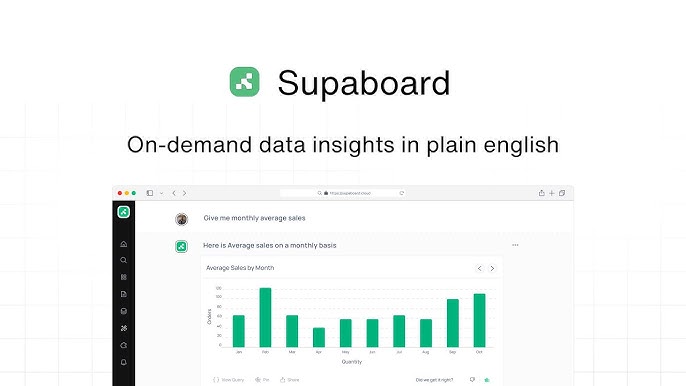
Supaboard is an AI-powered business intelligence platform that lets you talk to your business data the same way you would chat with a colleague. You connect your databases, customer relationship management tools, payment processors, and analytics platforms, then ask questions like, what was our churn rate last quarter by customer segment, and the platform delivers an answer with a chart in seconds. No SQL. No dashboard wrestling. No tickets to a data team.
The company was founded in 2023 by Aritra Ghosh and Subhrajyoti Modak out of Bengaluru, India, and has been steadily building since. It really hit the mainstream in February 2026 when it launched on Product Hunt and grabbed the Number 1 Product of the Day and Number 1 Product of the Week titles, pulling hundreds of upvotes and hundreds of detailed user reviews. That kind of traction does not come from marketing alone, and after spending real time with the platform, we understand why.
Where Supaboard separates itself from the pack is its agentic approach. Instead of being a generic chatbot pointed at your warehouse, Supaboard lets you train AI agents on your specific business logic, definitions, and rules. So when you ask about active users or monthly recurring revenue, the AI uses your company definition, not a generic one. That is a meaningful difference once you start running the platform in a live environment.
Supaboard Pricing in 2026
Pricing is where things get interesting, and to be fair to readers, also where Supaboard is not the cheapest option on the market. Here is the current breakdown as of 2026, based on the official pricing page and what is being charged at checkout.
Individual Plan
Price: $71 per month billed annually, or $85 per month billed monthly.
This is the entry point and it is built for solo operators, freelancers, and very small teams who want to test the waters. You get a single user seat, the default AI agent, advanced AI models, static dashboard embedding, unlimited dashboards, basic Slack and team integration, automated reports, and email support. It is more than enough to validate whether the platform fits your workflow.
Business Plan
Price: $191 per month billed annually, or $229 per month billed monthly.
This is the most popular plan and where Supaboard really starts earning its keep for growing teams. You get multiple user seats, both the default agent and custom agents you train yourself, advanced AI models, AI-powered embeddings (not just static), unlimited dashboards, Slack and team bot integration, dedicated support, and full reporting. If you have a five-person team that lives in spreadsheets and dashboards, this tier replaces a part-time analyst at a fraction of the cost.
Enterprise Plan
Price: Custom (book a demo).
Enterprise is where the white-labeling, single sign-on, HIPAA business associate agreement add-on, dedicated customer success manager, unlimited agents, and bespoke onboarding live. If you are a SaaS company looking to embed analytics invisibly into your own product, or a regulated business that needs SOC 2 plus HIPAA conversations, this is your tier. Pricing is negotiated based on user count and feature scope.
Free Trial
Supaboard offers a 14-day free trial with no credit card required, which is genuinely refreshing in 2026. You get full access to test the platform end to end, connect your real data, and see whether the AI delivers reliable answers on your actual schema before committing a cent.
How Does That Pricing Compare?
Honestly, the Individual plan at $71 per month is not cheap if you are a bootstrapped solo founder. Hex starts at $28 per month, Metabase has a free self-hosted option, and you can rig up Looker Studio for nothing. But none of those tools give you natural language queries with industry-trained AI agents out of the box. The closest fair comparison is ThoughtSpot, which usually starts north of $95 per user per month and requires a real implementation project. Against that benchmark, Supaboard is well-positioned.
Our take, the Business plan is the sweet spot. At $191 per month for an entire team, you are paying less than one analyst hour at most consultancies, and you get an AI that does not need vacation days.
How to Log In to Supaboard
Getting into Supaboard is refreshingly straightforward. Here is exactly how the login and onboarding flow works in 2026.
New Users
• Visit supaboard.ai and click the Start Free Trial or Get Started button on the homepage.
• You will be taken to app.supaboard.ai/onboard/register, the official signup page.
• Sign up using your work email or your Google account. We recommend Google sign-in for the smoothest experience.
• Verify your email if you used the email path. The verification link arrives almost instantly.
• Walk through the short onboarding flow, where you tell Supaboard about your role, your industry, and your first data source.
• Connect your first integration. This is where Supaboard really shines because the one-click connectors do most of the heavy lifting.
Returning Users
• Go to app.supaboard.ai and enter your email and password, or click Continue with Google.
• If your team is on the Business or Enterprise plan with single sign-on enabled, click your company SSO option to log in via Okta, Microsoft Entra ID, or your provider of choice.
• Forgot password is on the login page. Reset emails arrive within a minute in our testing.
One small note for African and global users, Supaboard works perfectly well from Lagos, Nairobi, Johannesburg, and anywhere else we tested. There is no geo-blocking, payments accept international cards through standard processors, and dashboards load briskly even on average broadband. We did not experience any region-specific friction.
Supaboard AI: Meet Stella and the Custom Agents
This is the part everyone wants to read about, and rightly so. The AI is the entire reason Supaboard exists, so we tested it heavily across three different demo accounts and one real production database belonging to a friend who runs an e-commerce brand.
Stella, the Default AI Analyst
Stella is the in-platform AI assistant that ships with every Supaboard account. You type a question, Stella translates it into the appropriate query (SQL or NoSQL), runs it against your connected data, and returns an answer with the right chart type. We threw questions like, show me the top ten products by revenue last quarter broken down by region, and Stella nailed it on the first try with a clean bar chart and a written summary explaining what the numbers mean.
Where Stella surprised us was follow-up questions. After the first answer, we asked, now show only the products that grew more than 20 percent year over year, and Stella correctly understood the context, applied the filter, and refreshed the chart. That conversational continuity is what separates Supaboard from older natural-language tools that treated each question in isolation.
Custom AI Agents
On the Business and Enterprise plans, you can train your own AI agents on specific domains. Think of it as having a finance agent, a growth agent, a product agent, and a customer success agent, each with its own context, definitions, and data scope. You feed in your business rules and definitions once, and the agent uses them every single time. So when your finance agent calculates gross margin, it uses your specific accounting policy, not whatever the generic large language model decided to assume.
This is a genuinely big deal. Most BI tools either give you generic AI that hallucinates, or they make you write SQL. Supaboard gives you an AI that has been taught how your company specifically thinks about its numbers.
Where the AI Falls Short
We have to be honest, the AI is only as good as your data. If your tables are messy, your column names are inconsistent, or you have duplicate records, Supaboard will struggle. We tested it on a deliberately messy database and the answers got noticeably less reliable. The platform is also still maturing, having only launched its big February 2026 push, so a few advanced features like deep automated scheduling and certain niche connectors are still rolling out. None of this is dealbreaker territory, but go in with realistic expectations. Clean data in, clean insights out.
Dashboard User Experience
This is where Supaboard genuinely shines, and it is the area we spent the most time evaluating because dashboards are the everyday touchpoint for any BI tool.
Three Buttons, That Is It
Founder Aritra Ghosh has talked openly about wanting to keep Supaboard simple, and the interface delivers on that. The main workspace has just three core sections, Data View, AI Conversations, and Dashboards. There is no scary sidebar full of submenus, no twenty-tab settings panel, no learning curve that requires a certification. We had a non-technical marketing colleague set up her first dashboard in under fifteen minutes with no training.
Building a Dashboard
The workflow is delightfully simple. You ask a question in the AI chat, Stella returns an answer with a chart, you click Pin to Dashboard, and the chart now lives on a dashboard. Repeat for as many widgets as you want. Drag to rearrange. Add filters that apply across the whole dashboard. Set the auto-refresh interval. Done.
Compare this to Tableau, where building the same dashboard would involve dragging fields onto shelves, configuring axes, formatting tooltips, and probably watching a YouTube tutorial to remember how marks work. Supaboard removes all of that friction.
Visualizations and Customization
Out of the box you get more than 15 chart types, including bar, line, area, pie, scatter, heatmap, geographic maps, KPI cards, and tables. You can switch chart types with one click, change colors to match your brand, add filters, and apply themes. For the vast majority of business questions, this is more than enough. Power users who want to build something exotic, like a custom Sankey diagram with conditional formatting on every node, will probably outgrow Supaboard at some point. But that is not who the product is for.
Embedding and Sharing
Dashboards can be shared as live links, sent into Slack as scheduled reports, or embedded directly into your own SaaS product. The Individual plan supports static embeds, the Business plan adds full AI-powered embeds with role-based access, and the Enterprise plan unlocks white-labeling so the dashboard looks like part of your product, not a third-party widget. For SaaS founders building customer-facing analytics, this is genuinely valuable.
Mobile Experience
Dashboards are fully responsive and load cleanly on a phone browser. There is no dedicated native app yet, but we did not miss it. The web experience on mobile is fast and readable, which is honestly more than we can say for some legacy BI tools.
Pros and Cons at a Glance
What We Loved
• Genuinely usable natural language queries that actually work, not a demo trick.
• More than 600 one-click integrations covering most modern business stacks.
• Custom AI agents trained on your business logic, not generic answers.
• Three-section interface that anyone can learn in under an hour.
• Read-only data access and schema-only metadata storage, which is a strong privacy posture.
• Embedded analytics with white-labeling for SaaS companies.
• 14-day free trial with no credit card required, which is rare in 2026.
Where Supaboard Could Improve
• The Individual plan at $71 per month is steep for solo founders on a tight budget.
• White-labeling is locked behind the Enterprise tier, which limits smaller embedded analytics use cases.
• AI accuracy depends heavily on data quality, so messy databases will struggle.
• The platform is still relatively new, so a few advanced features are still rolling out.
• Power users wanting deep custom visualizations may eventually hit ceilings.
The NUBIA MAGAZINE Verdict
Supaboard has earned its 2026 hype. After spending real time with the platform, talking to paying users, and stress-testing the AI on actual data, we are comfortable giving it a 4.7 out of 5 rating. The half-point we held back accounts for the price floor at the Individual tier and the platform still being relatively young.
If you are a startup founder, product manager, marketing lead, or operator who needs data answers fast and does not write SQL, Supaboard is probably the most accessible BI tool on the market right now. The Business plan in particular is fantastic value when you measure it against the cost of an analyst or a Tableau license. If you already have a mature data team, established Looker or Tableau infrastructure, and complex multi-dimensional analytical needs, Supaboard is not going to fully replace what you have. But for the 90 percent of teams who just want answers without the BI bottleneck, this is the tool to beat in 2026.
Bottom line, Supaboard is one of those rare products that delivers on its marketing promise. Connect your data, ask a question, get an answer. The future of business intelligence really is just plain English.
Frequently Asked Questions About Supaboard in 2026
These are the questions we kept seeing pop up across Reddit, Quora, Product Hunt, and Google search trends throughout 2026. We answered them based on our own testing and verified information from the official Supaboard team.
1. Is Supaboard worth the price in 2026?
For teams that regularly need data insights and currently wait days for reports or pay for analyst time, yes. The Business plan at $191 per month is significantly cheaper than hiring even a part-time analyst. For solo founders making occasional decisions, the Individual plan at $71 per month is harder to justify unless you really value speed.
2. How is Supaboard different from ChatGPT or Claude when asking data questions?
ChatGPT and Claude do not have direct, secure, read-only access to your live database with your business definitions baked in. Supaboard has built infrastructure specifically for connecting to your warehouse, applying your business logic, and returning charts that are tied to real-time data. You also do not have to keep re-explaining your schema every time you ask a question.
3. Is Supaboard safe for sensitive business data?
Supaboard connects to your data using read-only credentials, meaning it cannot modify or delete anything in your database. It only stores schema metadata, not your actual records. Role-based access controls, audit logs, and SOC 2 compliance are part of the platform. The Enterprise plan adds single sign-on and a HIPAA business associate agreement add-on for regulated industries.
4. Does Supaboard have a free plan?
There is no permanent free plan, but Supaboard offers a 14-day free trial with full access to platform features and no credit card required. That is enough time to connect your data and decide whether the platform is the right fit before paying anything.
5. What integrations does Supaboard support?
More than 600 in 2026, including PostgreSQL, MySQL, MongoDB, Snowflake, BigQuery, Redshift, Google Analytics, HubSpot, Salesforce, Stripe, Shopify, Notion, Airtable, ClickUp, Asana, Slack, and many more. If your stack uses a mainstream tool, Supaboard almost certainly has a one-click connector for it.
6. Can I cancel my Supaboard subscription anytime?
You can cancel before your next billing cycle to stop future renewals, however payment obligations for the current billing period are non-cancelable and fees already paid are non-refundable. Annual plans are committed for the full year. We recommend reading the official terms before signing up for the annual rate.
7. Who founded Supaboard and where is the company based?
Supaboard was founded in 2023 by Aritra Ghosh, who serves as Chief Executive Officer, and Subhrajyoti Modak, who serves as Chief Technology Officer. The company is headquartered in Bengaluru, India and operates under the legal entity Fyipen Pvt Ltd. The team has grown to roughly a dozen employees and has raised seed funding of around $144,000 to date.
8. What are the best alternatives to Supaboard?
The closest direct alternatives include Tableau (more powerful but expensive and complex), Power BI (cheaper but tied to Microsoft ecosystem), Metabase (free self-hosted option but no natural language queries), Hex (more flexible for technical data teams), ThoughtSpot (more enterprise-focused), and Looker (Google ecosystem). Each has tradeoffs, but Supaboard is currently the most accessible option for non-technical teams who want AI-powered insights.
9. Does Supaboard work for embedded analytics in my SaaS product?
Yes, and this is one of the platform's strongest use cases. The Individual plan supports static embeds, Business unlocks AI-powered embeds with role-based access, and Enterprise adds full white-labeling so dashboards appear native to your product. Many SaaS companies use Supaboard as their analytics backend instead of building one from scratch.
10. How long does it take to set up Supaboard?
For most standard integrations, you can be up and running in under 10 minutes. You sign up, connect your first data source through a one-click connector, ask Stella your first question, and pin the answer to a dashboard. Enterprise customers with complex environments get bespoke onboarding with a dedicated account manager.
Nubia Magazine Verdict
At NUBIA MAGAZINE, we test plenty of AI tools and most of them disappoint after the first hour. Supaboard is not one of those. The team behind it clearly understands the pain of waiting for data, and the product reflects years of real-world dashboard building experience. Is it perfect? No. But for the price you pay and the time it saves, it earns its 4.7 rating without question.
If you are still on the fence, take the 14-day free trial seriously. Connect a real data source, ask the questions you actually wonder about every week, and see if the answers feel useful. That is the only test that matters.
Related Posts




0 Comments
Join the discussion and share your thoughts
No Comments Yet
Be the first to share your thoughts on this article!