Render Review 2026 Pricing, AI, Login, Download, Free Plan & FAQs

Table of Contents
Every year, our team at Nubia Magazine takes a fresh look at the platforms that developers and small businesses keep talking about. Render has been on that list since 2018, sitting somewhere between Heroku and the bigger hyperscalers like AWS. For 2026, we decided to spend a few weeks actually deploying real apps on Render, checking pricing, poking at the free tier, and reading through what users have been saying on Reddit, G2, Hacker News, and the Render community boards. This is what we found.
Render markets itself as the modern cloud for builders. In simpler words, it lets you push code from GitHub or GitLab and have a live web app a few minutes later, without needing a DevOps engineer. The promise is real, but the experience in 2026 is more uneven than the marketing suggests. Below is our full breakdown.
Render Brand Profile
Before going into the review, here is a quick profile of the company so you know exactly who you are dealing with.
Brand Name | Render |
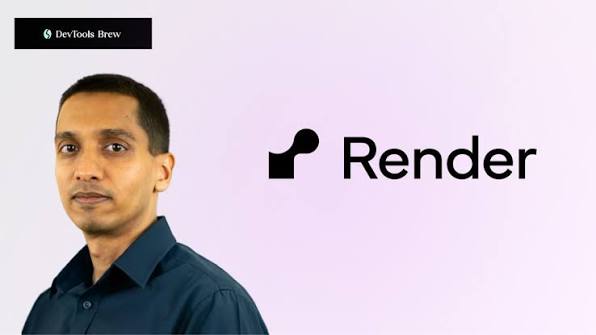
Founder & CEO | Anurag Goel |
Year Founded | 2018 |
Headquarters | San Francisco, California, United States |
Industry | Cloud Computing, Platform as a Service (PaaS) |
Type of Service | Application hosting, deployment, managed databases, autoscaling |
Total Funding | $258 million across 7 rounds |
Valuation (2026) | $1.5 billion |
Active Developers | Over 800,000 worldwide |
Employees | Approximately 194 (as of 2026) |
Website | render.com |
Nubia Magazine Rating | 2.6 / 5 |
What Exactly Is Render?
Render is a cloud platform that hosts websites, APIs, background workers, cron jobs, and databases. You connect a code repository from GitHub, GitLab, or Bitbucket, tell Render how to build and start your app, and the platform handles the rest. That includes provisioning servers, issuing SSL certificates, routing traffic, and redeploying every time you push new code.
Founded in 2018 by Anurag Goel, a former Stripe employee, the company is headquartered in San Francisco and has now raised a total of 258 million dollars in funding. In February 2026, Render closed a Series C extension worth 100 million dollars, pushing its valuation to 1.5 billion dollars. The platform now serves over 800,000 developers, which sounds impressive until you realise a sizable chunk of that number is sitting on the free tier.
Render is often compared to Heroku, Vercel, Railway, and Fly.io. It tries to occupy a middle ground: friendlier than raw AWS, more flexible than Vercel for backend work, and more structured than a plain VPS. Whether that middle ground still makes sense in 2026 is a question this review tries to answer.
Render Pricing in 2026
Pricing is the area where Render has changed the most this year. In early 2026, the company quietly removed per-seat workspace fees, which had been a long-running complaint from teams. Plans are now based on compute consumption plus a flat plan fee, which is a healthier model for growing teams.
The Hobby plan remains free, with usage limits and shared compute. The Professional plan now starts at 25 dollars per month for unlimited users, which is a big improvement over the previous structure that charged 19 dollars per user. On top of that flat fee, you still pay for whatever compute, bandwidth, and databases you use.
Paid web services start at 7 dollars per month for a 512 MB instance. Larger Pro instances with 4 GB of RAM and 2 CPUs go up to about 85 dollars per month, per service. Managed PostgreSQL begins at 6 dollars per month for the Basic tier, and the free Postgres database is deleted after 30 days with no grace period, a behaviour that has caught more than a few side project owners off guard.
Bandwidth used to be one of the louder complaints. Render reduced its overage charges from 30 dollars per 100 GB to 15 dollars per 100 GB this year, which is a real and welcome improvement. Still, when you stack up a backend, a database, a Redis cache, a background worker, and a staging environment, a small full-stack app can easily land in the 150 to 200 dollar a month range. Predictable, yes. Cheap, not really.
Compared to Heroku after its acquisition by Salesforce, Render offers better value at the entry level. Compared to a plain virtual private server from DigitalOcean or Hetzner, you are paying a clear premium for the convenience.
Render and AI in 2026
Render does not pitch itself as an AI cloud in the same way that some newer platforms do. The CEO has been consistent in calling it an application cloud first. That said, AI workloads are a big slice of what people are actually deploying on Render right now, so the question of how well it handles them matters.
The good news is that Render plays well with long-running AI processes. Unlike serverless platforms that time out after a few seconds, Render web services and background workers can run for as long as needed. This makes the platform suitable for AI agents, RAG pipelines, chatbots, and other workloads that need persistent processes. Private networking between services is included, which means your AI agent can talk to a vector database without paying egress fees.
The platform also carries SOC 2 Type II compliance, which is a relief for teams that need to ship AI features into regulated industries. Render published several articles in 2026 positioning itself as a serious option for enterprise AI deployment, and on paper the security and reliability story is reasonable.
The bad news is that Render does not currently offer GPU instances. If your workload needs to fine tune a model or serve large open source models on dedicated hardware, you will need to look elsewhere. Render is fine for hosting code that calls an external AI API like OpenAI, Anthropic, or Mistral. It is not the right home if you want to run heavy machine learning training in house.
Render Login: How to Sign In
Signing in to Render is straightforward. You head to render.com and click the Sign In or Get Started button. From there, you can authenticate using GitHub, GitLab, Google, or your Bitbucket account. Email and password is also available for those who prefer it. Most developers pick the GitHub option because it makes connecting repositories trivial later on.
Two factor authentication is supported and we strongly recommend turning it on, especially if your Render account is connected to production deployments. The dashboard URL after login is dashboard.render.com, where you land on your workspace view. Switching between multiple workspaces takes a couple of clicks, which is fine for small teams but starts to feel clunky once you manage several client projects.
Password recovery uses a standard email reset flow. We did notice a handful of users on the community board complaining about delayed or missing reset emails in 2026, but in our own tests the reset link arrived in under a minute every time.
Render Download: Is There One?
This is a common search query but the short answer is no, you do not download Render. It is a cloud platform that runs entirely in the browser. There is no desktop application for Windows, Mac, or Linux, and no mobile app at the time of this review. Everything happens inside the dashboard or through your code editor and a connected Git repository.
What you can install is the Render CLI, which is a command line tool for managing services, viewing logs, and triggering deploys from your terminal. The CLI is free and works on macOS, Linux, and Windows. For most users though, the web dashboard handles every common task without needing the CLI at all.
So if you came to this review looking for a Render download link, that is the closest thing you will find. The platform itself is permanently online and accessible from any modern browser.
The Render Free Plan: What You Actually Get
Render still offers a real free tier in 2026, which is rare enough to be worth applauding. Static sites are free with no time limit, and you can deploy unlimited static front ends without paying a cent. For a portfolio, a documentation site, or a small marketing page, this is a great deal.
Dynamic web services on the free tier are where things get tricky. You get one free web service that runs on shared compute, but the service spins down after 15 minutes of inactivity. When the next request comes in, the server has to wake up, which can take anywhere from 30 to 60 seconds. For a hobby project or a demo, that is fine. For a real product that you want users to trust, it is not.
Free PostgreSQL is available, but the database is hard deleted after 30 days. There is no grace period and no way to extend it without upgrading. Several developers we spoke to had been burned by this, including one who lost a small side project database while travelling. The free tier also does not include background workers or any horizontal autoscaling.
So the Render free plan is genuinely free, but the limits are intentional. They exist to push you toward a paid plan once your project becomes serious. As a sandbox for learning and testing, the free tier is solid. As infrastructure for a live product, it is not designed to be.
User Experience: What It Feels Like to Use Render
The dashboard is clean and uncluttered. New users can usually deploy their first service in under ten minutes, which is genuinely impressive. The build logs are easy to read, the deploy history is accessible, and rollbacks are a single click. For developers coming from raw AWS or a bare metal server, the relief is immediate.
Zero downtime deployments are the default. Render spins up the new version of your service, runs your health checks, and only then routes traffic away from the old version. If the health check fails, the old version stays live and you get a clear error message. This kind of behaviour usually requires a lot of custom engineering on other platforms.
Documentation is one of Render's strongest assets. The official docs cover most common stacks with copy and paste accuracy, and the community is reasonably active. We found ourselves rarely needing to file a support ticket during testing.
Where the experience falls down is at the edges. Customer support response times have been a persistent complaint in 2026, with some users on Reddit reporting waits of two to three weeks for non urgent tickets. Account suspensions without clear explanations come up often enough to be a pattern. Region availability is still narrower than AWS or Google Cloud, which becomes a real problem for teams serving users in Africa, the Middle East, or parts of Asia. From Lagos for example, latency to the nearest Render region is noticeable enough that we would think twice before using it for a Nigeria first product without a CDN in front of it.
Preview environments work well but are not free. Every pull request that spins up a preview costs compute, which means active teams can see surprise charges if they are not careful. Monorepo support exists but requires manual configuration, which feels dated in a year where competing platforms are using AI to auto detect project structure.
Pros and Cons at a Glance
What we liked
- Fast and reliable Git based deployments with sensible defaults.
- Predictable, flat rate pricing now that per seat fees are gone.
- Free SSL, zero downtime deploys, and automatic rollbacks out of the box.
- Genuinely useful free tier for static sites.
- Excellent documentation and a stable, polished dashboard.
- SOC 2 Type II compliance, useful for AI products entering regulated markets.
What we did not like
- Cold starts on the free tier ruin the experience for real users.
- Free PostgreSQL gets hard deleted after 30 days with no warning grace.
- Customer support response times have slipped badly in 2026.
- No GPU support for AI training or self hosted model inference.
- Limited region availability, weak coverage for African and Asian users.
- Costs stack up faster than the marketing implies once you add services.
- Occasional unexplained account suspensions reported by users.
Nubia Magazine Verdict
Render is not a bad platform. It is a competent one that has been squeezed from both sides over the last two years. Cheaper virtual private servers offer better value if you do not mind managing your own server. More polished platforms like Vercel handle frontend deployments more elegantly. Newer entrants are pushing into AI driven, zero configuration deployment that Render has not really matched yet.
If you are a solo developer or a small team that values simplicity over savings, Render still works. If you are running an early stage product and you have outgrown the free tier but you do not want the complexity of AWS, Render remains a reasonable middle option. For anyone scaling past a few thousand monthly users, the cost curve and the support story start to push you toward alternatives.
Frequently Asked Questions About Render in 2026
These are the questions readers and search users have been asking the most about Render this year. We compiled them from search trends, community boards, and our own readers.
1. Is Render really free, or is there a hidden catch?
Render is genuinely free for static sites with no time limit, and you get one free web service that runs on shared compute. The catches are real though. Free web services spin down after 15 minutes of inactivity, so they have a 30 to 60 second cold start when traffic returns. Free PostgreSQL databases are deleted after 30 days. So yes, it is free, but the free tier is built for prototypes and learning, not for production.
2. How much does Render really cost for a small startup?
For a basic app with a backend, a database, and a small team, expect to pay between 50 and 200 dollars a month depending on usage. A single 7 dollar web service plus a 6 dollar Basic Postgres database is the cheapest realistic starting point, but most teams end up adding a background worker, a Redis cache, a staging environment, and bandwidth, which is where costs climb.
3. Is Render good for hosting AI applications in 2026?
It is good for hosting AI applications that call external APIs like OpenAI, Anthropic, or Mistral. Long running processes, background workers, and persistent connections all work well. The platform has SOC 2 Type II compliance and zero configuration private networking, which helps for production AI deployments. The big limitation is that Render does not offer GPU instances, so it is not suitable for fine tuning or self hosting large models.
4. How do I log in to Render and is it secure?
You log in at render.com using GitHub, GitLab, Google, Bitbucket, or an email and password. Two factor authentication is supported and we strongly suggest enabling it for any account connected to production. Render is SOC 2 Type II certified, which means it has been audited for security controls. As with any cloud platform, the weakest link is usually your own password hygiene, so use a manager and unique credentials.
5. Can I download Render as a desktop or mobile app?
No, Render does not have a desktop or mobile app. It is a fully web based platform that runs in any modern browser. The only downloadable component is the Render CLI, a command line tool for managing services from your terminal. Most users never need it because the web dashboard handles every common task.
6. Why is my Render free service so slow on the first request?
That is the cold start problem. Free tier services on Render spin down after 15 minutes without traffic to save resources. When a new request comes in, the server has to boot back up, which takes between 30 and 60 seconds. There is no official way to keep a free service warm. The supported fix is upgrading to the Starter plan at 7 dollars a month, which keeps the service running continuously.
7. Is Render better than Heroku, Vercel, or Railway?
It depends on your workload. Render is better than Heroku for cost and modern features in 2026. Vercel is better for pure frontend and Next.js work. Railway is more flexible for custom infrastructure and uses pay as you go billing. Most serious teams end up using two of these together, for example Vercel for the frontend and Render or Railway for the backend. There is no single winner across every use case.
8. Does Render support custom domains and SSL for free?
Yes. You can add a custom domain on any plan, including the free tier, and Render issues a free SSL certificate automatically using Let's Encrypt. Renewal is also automatic. Adding a domain is a matter of pointing your DNS at the values Render shows you in the dashboard, and the certificate is usually live within a few minutes.
9. Is Render available in Africa or the Middle East?
Render does not currently have data centres in Africa or the Middle East. The closest regions for users in Lagos, Nairobi, Cairo, or Dubai are in Europe, which means added latency. For Africa first products, we recommend pairing Render with a global content delivery network like Cloudflare, or considering alternatives that host closer to your users. This is a real limitation that has come up often in our reader emails.
10. How responsive is Render customer support?
Customer support has been one of the weaker areas in 2026. Paid plans get faster responses than free users, as you would expect, but several developers on community forums have reported waits of two to three weeks for non urgent tickets. Critical production issues do get attention faster, but the overall response time has slipped compared to where it was two years ago.
Render has had a busy year. The pricing model improved. The bandwidth charges came down. The funding round closed. And yet, our reader feedback and our own testing both kept pointing at the same thing. The platform is fine, but the magic that made Render exciting in 2020 and 2021 has faded. Newer platforms feel sharper. Older platforms have caught up. Render sits comfortably in the middle, which is not the worst place to be, but it is not the most exciting either.
Our rating of 2.6 out of 5 reflects that reality. We are not telling you to avoid Render. We are telling you to pick it for the right reasons. If you want a simple Git to live URL workflow without learning AWS, Render still does the job. If you want the best price, the best performance, or the best AI infrastructure, you should look at the alternatives before committing.
Related Posts




0 Comments
Join the discussion and share your thoughts
No Comments Yet
Be the first to share your thoughts on this article!