Obsidian Review 2026: App, AI, Pricing, Company, Tool & FAQs

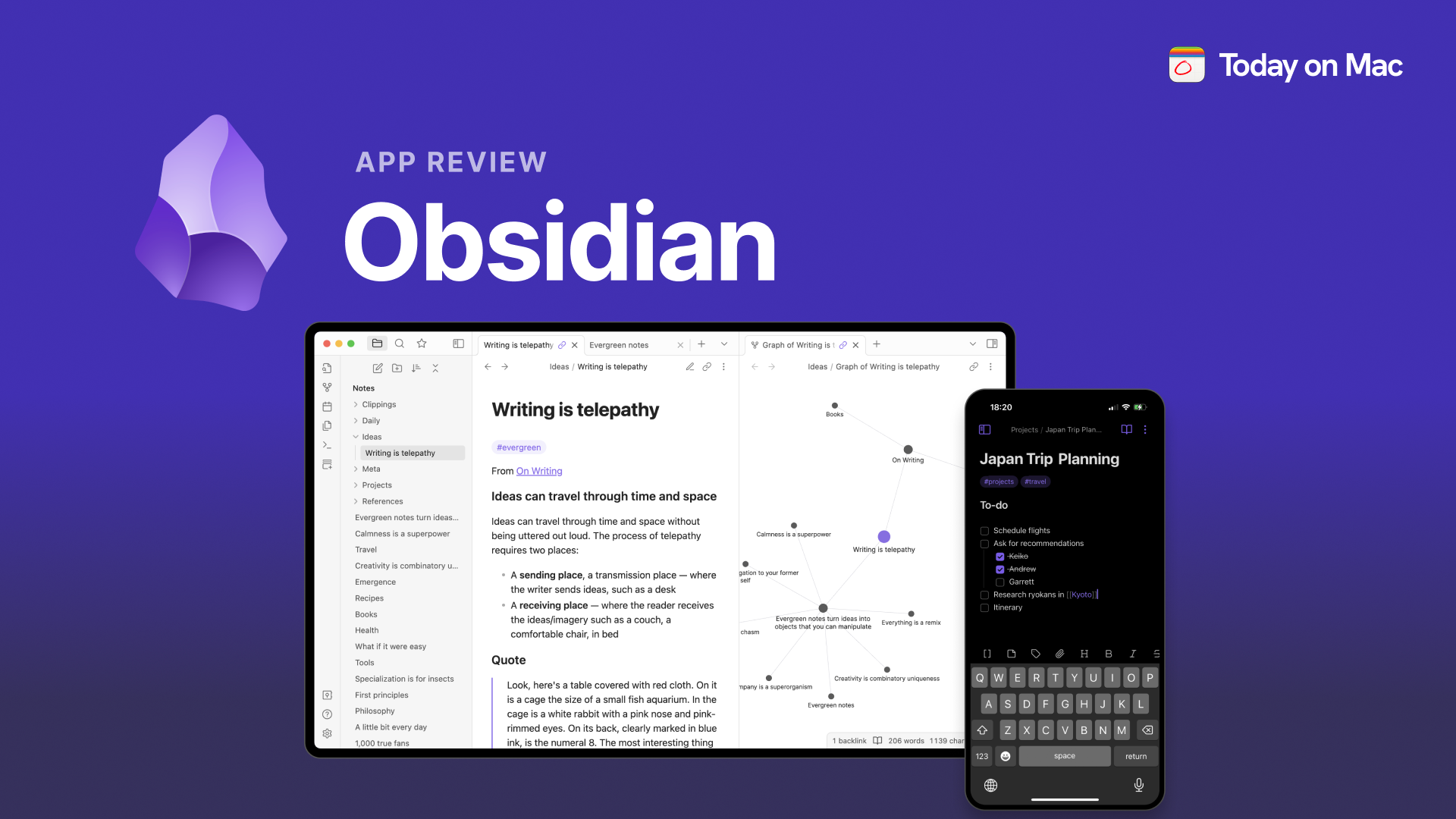
Table of Contents
Obsidian has spent the last few years turning into something bigger than a note taking app. It is now closer to a personal operating system for anyone who reads, writes, plans, or researches for a living. Our team at NUBIA MAGAZINE spent several weeks in 2026 going through the app on desktop and mobile, testing its AI plugin ecosystem, comparing its pricing against rivals like Notion and Logseq, and reading through hundreds of user comments on forums and review sites, to put together this Obsidian review in 2026.
This is not a quick skim of the pricing page. We looked at how Obsidian actually behaves once you have a few thousand notes in a vault, how well its AI plugins hold up against native AI tools from competitors, what the company behind it looks like today, and where real users still get frustrated. Below you will find our full breakdown, a quick company profile table, and answers to the questions people keep typing into Google about this brand.
Obsidian company profile at a glance
Product name | Obsidian |
Category | Note taking app and personal knowledge management (PKM) tool |
Developer | Dynalist Inc. |
Founders | Erica Xu and Shida Li |
CEO | Steph Ango (kepano) |
Founded | 2020 (Dynalist Inc. itself dates back to 2016) |
Headquarters | Toronto, Ontario, Canada |
Team size | Around 18 people, fully bootstrapped, no outside venture funding |
Platforms | Windows, macOS, Linux, iOS, Android |
File format | Local Markdown (.md) files stored on your device |
Core app price | Free for personal and commercial use |
Paid add ons | Obsidian Sync from 4 to 5 US dollars a month, Obsidian Publish from 8 to 10 US dollars per site a month |
Plugin ecosystem | Over 2,000 community plugins plus official ones like Bases and the Obsidian CLI |
Users | Reported at more than a million monthly active users worldwide |
Website | obsidian.md |
NUBIA MAGAZINE rating | 3.2 out of 5 |
Obsidian: the app in 2026
At its core, Obsidian is still what it was when it launched in 2020, a folder of plain Markdown files with a very good editor sitting on top of it. That decision has aged well. While plenty of note apps have come and gone, or quietly changed their pricing and data policies, Obsidian's notes remain readable text files that live on your own hard drive, not locked inside a proprietary database somewhere on a company's server.
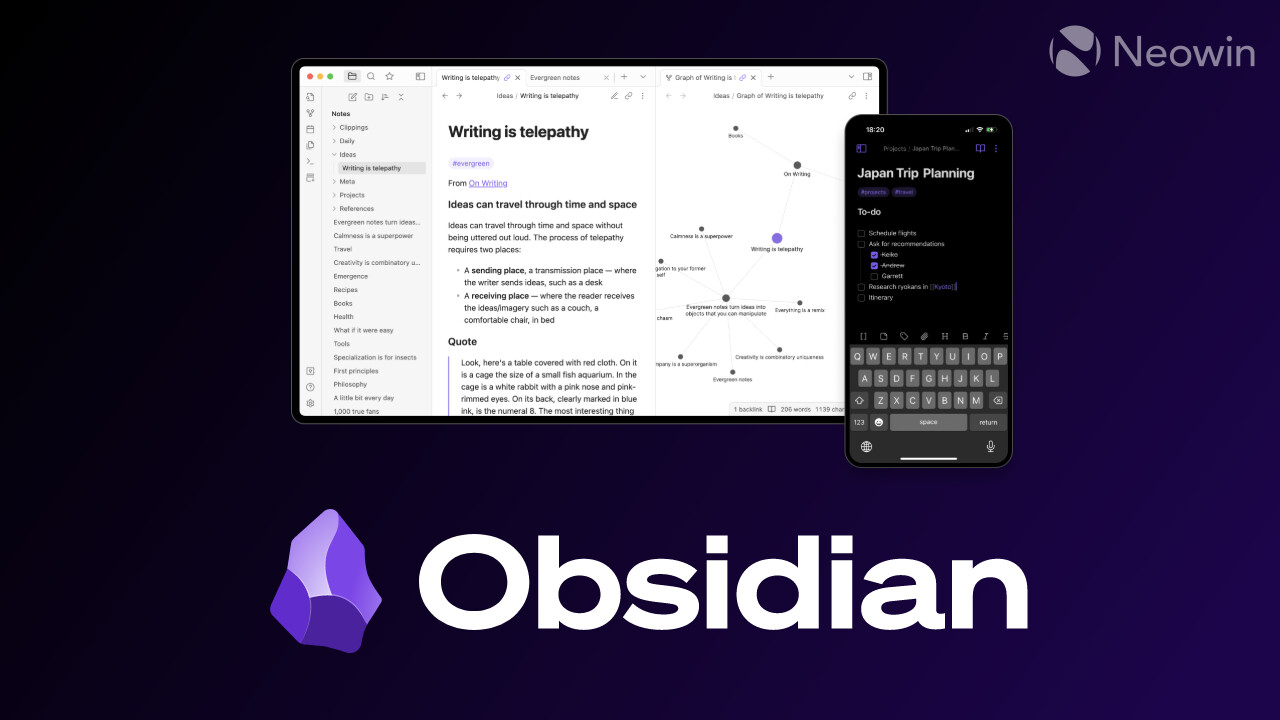
The app in its current form is built around a few pillars. Bidirectional linking lets any note reference any other note, and Obsidian automatically tracks which notes point back to which. The graph view turns that web of links into a visual map you can explore, which is genuinely satisfying once your vault has some size to it. Canvas gives you an infinite whiteboard for laying out ideas spatially rather than linearly. And Bases, a newer built in feature, lets you treat groups of notes like a database, filtering and sorting them by their properties without needing a plugin.
The editor itself supports live preview Markdown, so you are not stuck toggling between raw text and a rendered view the way older Markdown tools forced you to. Mobile apps for iOS and Android have improved a lot since the early days, though our testers still found them a step behind the desktop experience, particularly for plugin heavy vaults.
What stands out
- Local first storage means your notes work offline and are not tied to a subscription to remain accessible.
- The plugin marketplace has grown past 2,000 community plugins, covering everything from task management to spaced repetition.
- Canvas and Bases give Obsidian genuine database and whiteboard style features without leaving the app.
- The graph view is still one of the most visually compelling ways to see how your knowledge connects.
Where it falls short
- The learning curve is real. New users used to Notion or Apple Notes can feel lost in the first week.
- Because features come from third party plugins, quality and long term support vary from plugin to plugin.
- Mobile still lags behind desktop in polish, especially with large vaults or heavier plugin setups.

Obsidian AI: what it can and cannot do
Obsidian itself does not ship with a built in chatbot the way Notion or Apple Notes now do. That is a deliberate choice. The company has kept its editor minimal and let its plugin developers build the AI layer on top, which means AI in Obsidian in 2026 is really a landscape of independent plugins rather than one official feature.
Broadly, those plugins fall into three groups. The first uses local embeddings for semantic search, so tools like Smart Connections can surface related notes based on meaning rather than exact keywords, often without sending your data anywhere. The second group brings a chat interface into your vault, letting you ask questions about your own notes using models like GPT or Claude, with Copilot for Obsidian being one of the more mature options here. The third group focuses on generation, using templates and prompts to draft content, summarize meeting notes, or auto tag entries.
For people who want AI features but do not want their notes leaving their device, there are also fully local options that run through Ollama, keeping everything on your own machine. It is a more fragmented setup than a native AI assistant, and it asks more of the user to configure, but it also means you are not boxed into one vendor's AI stack, and you can swap models as better ones appear.
Our verdict on the AI side is mixed. Power users who enjoy tinkering will find Obsidian's AI ecosystem more capable and more private than most competitors. Casual users who just want a chat box to appear and start working will find the setup process more involved than they expected.
Obsidian pricing in 2026
Obsidian's pricing has not changed much in spirit, and that consistency is part of why users trust the brand. The core desktop and mobile app remains completely free, for individuals and businesses alike, with no feature gating and no forced account creation.
Where Obsidian does charge is for optional cloud services. Obsidian Sync, which keeps your vault updated across devices with end to end encryption and version history, runs about 4 US dollars a month billed annually, or 5 US dollars a month billed monthly. Obsidian Publish, which turns a vault into a public website, costs about 8 US dollars a month billed annually, or 10 US dollars a month billed monthly, per site.
Because notes are stored as plain files, plenty of users skip Sync entirely and instead sync their vault through Dropbox, Google Drive, iCloud, OneDrive, or Git for free. That workaround is common enough that several review sites treat it as a genuine alternative to paying for Sync, though it can be less reliable for very large or heavily plugin dependent vaults.
Quick pricing snapshot
- Personal use: free, unlimited vaults, all core features and community plugins included.
- Commercial use: free as well, a paid commercial license is only required for organizations above a certain size.
- Obsidian Sync: roughly 4 to 5 US dollars a month depending on billing cycle.
- Obsidian Publish: roughly 8 to 10 US dollars a month per published site.
The company behind Obsidian
Obsidian is built by Dynalist Inc., a small, independent, and bootstrapped software company. It was co-founded by Erica Xu and Shida Li, who first built the outliner app Dynalist before turning their attention to Obsidian in 2020. Neither founder took outside venture funding for Obsidian, and the company has stayed intentionally small, reported at around 18 employees as of 2026.
Steph Ango, known in the community by his handle kepano, serves as CEO and is one of the more visible faces of the brand, writing frequently about the philosophy behind the product. That philosophy is often summarized as file over app, the idea that your notes should outlive any particular piece of software, which is why Obsidian keeps everything in plain Markdown rather than a proprietary format.
This structure, a small independent team with no investors to answer to, shows up in how the product is run. Updates tend to be deliberate rather than rushed, pricing has stayed simple for years, and the company leans heavily on its community of plugin developers instead of building every feature in house. It is a different model from venture backed competitors, and it is a big part of why longtime users describe Obsidian as a tool they trust to still be around, and still be theirs, years from now.
Obsidian as a knowledge management tool
Strip away the plugins and the AI debate, and Obsidian's real value proposition is as a thinking tool. It was built around the idea of a second brain, a personal system where notes link to other notes the way ideas actually connect in your head, rather than sitting in isolated folders.
This makes it a strong fit for researchers, writers, developers, and students who deal with large volumes of interrelated information. Academics use it to connect sources and citations. Developers use it as a technical wiki alongside their codebases. Writers use it to track characters, plot threads, and worldbuilding notes across long projects. For simpler use cases, like a quick shopping list or a single project's meeting notes, Obsidian is arguably more tool than most people need.
Compared to Notion, Obsidian trades away real time collaboration and a polished all in one workspace for offline reliability, speed, and full ownership of your data. Compared to Logseq, another local first Markdown tool, Obsidian tends to feel more like a traditional note app, while Logseq leans harder into outlining. Where Obsidian pulls ahead of both is its plugin ecosystem, which is larger and more mature than almost anything else in the category.
User experience: what people actually say
Reading through recent user reviews, a pattern shows up consistently. People who stick with Obsidian past the first two or three weeks tend to become long term, loyal users, often describing it as the last note app they will ever need. People who bounce off it usually do so early, overwhelmed by the number of settings, plugins, and formatting choices in front of them on day one.
Search is a frequent highlight, with users praising how quickly they can find old notes even in very large vaults. The Markdown based workflow is another common point of praise, especially from technically minded users who like knowing their notes will still open in a plain text editor decades from now. On the negative side, the mobile app is the most repeated complaint, described as noticeably less smooth than desktop, particularly for anyone running a heavier plugin setup.
Support is handled by a small customer success team, and while free users rely mostly on the community forum and Discord, paying Sync or Publish customers get priority email support. Given the size of the company relative to its user base, response times can vary, which shows up occasionally in reviews as a minor frustration.
Nubia Magazine verdict
Obsidian earns real credit for its privacy first architecture, its refusal to lock users into a proprietary format, and a plugin ecosystem that genuinely rivals or beats most competitors. Its pricing is about as fair as software gets in 2026, with a fully featured free tier and modestly priced add ons rather than a subscription trap.
What holds it back from a higher score is accessibility. The steep learning curve, the reliance on third party plugins for features that competitors ship natively, the fragmented AI experience, and the gap between desktop and mobile polish all add friction for anyone who is not willing to invest a few weekends into setting the app up properly. For power users and knowledge workers who enjoy that kind of tinkering, Obsidian is close to unmatched. For someone who just wants notes to sync quietly in the background with zero configuration, it can feel like more app than they bargained for. That mix of strong fundamentals and real onboarding friction is what lands our rating at 3.2 out of 5.
Frequently asked questions about Obsidian in 2026
1. Is Obsidian really free in 2026?
Yes. The core Obsidian app, including community plugins, themes, and unlimited vaults, remains free for both personal and commercial use. You only pay if you choose optional add ons like Sync or Publish, or if your organization needs a commercial license above a certain size.
2. Does Obsidian have built in AI or a chatbot?
Not natively. Obsidian keeps its core editor free of AI features and instead relies on community plugins such as Smart Connections, Copilot for Obsidian, and Smart Composer to bring AI chat, semantic search, and text generation into your vault. Some of these run fully offline through local models.
3. Is Obsidian owned by a big tech company?
No. Obsidian is developed by Dynalist Inc., a small, independently owned, bootstrapped company founded by Erica Xu and Shida Li, with Steph Ango serving as CEO. It has never taken outside venture capital funding.
4. Is Obsidian good for beginners?
It can be, but there is a learning curve. Beginners coming from simpler apps like Apple Notes or Google Keep often need a week or two to get comfortable with Markdown formatting, linking notes, and choosing plugins. Users who push through that early stage tend to stay long term.
5. How does Obsidian make money if the app is free?
Revenue comes from optional paid services, primarily Obsidian Sync for cross device syncing and Obsidian Publish for turning vaults into websites, plus commercial licenses for larger organizations. The core note taking experience is never paywalled.
6. Is my data safe and private on Obsidian?
Obsidian stores your notes as plain Markdown files locally on your device by default, which means your data does not have to touch any external server unless you choose to use Sync, which is end to end encrypted, or a plugin that connects to a cloud AI model.
7. Can I use Obsidian on my phone?
Yes, Obsidian has apps for both iOS and Android. The mobile experience covers most core features, though our testing and user feedback both suggest it is somewhat less polished and slower with large, plugin heavy vaults compared to the desktop version.
8. What is the difference between Obsidian and Notion?
Notion is a cloud based, all in one workspace built for real time collaboration, while Obsidian is a local first, single user focused tool built around Markdown files and linked notes. Notion generally wins on team collaboration, Obsidian wins on offline access, data ownership, and customization depth.
9. Do I need to know Markdown to use Obsidian?
Not strictly, since the live preview mode renders formatting as you type, similar to a normal text editor. That said, understanding basic Markdown syntax helps you get more out of advanced features like tables, callouts, and templates.
10. Is Obsidian worth it for students and researchers?
Generally yes. Its linking system, graph view, and plugin ecosystem make it well suited to managing large amounts of interconnected material, such as citations, lecture notes, and long form research, though the setup time is worth planning for before a busy semester starts.
Related Posts



0 Comments
Join the discussion and share your thoughts
No Comments Yet
Be the first to share your thoughts on this article!