Naptick AI Review 2026: App, Sign Up, Login, Download, Alternatives, & FAQs

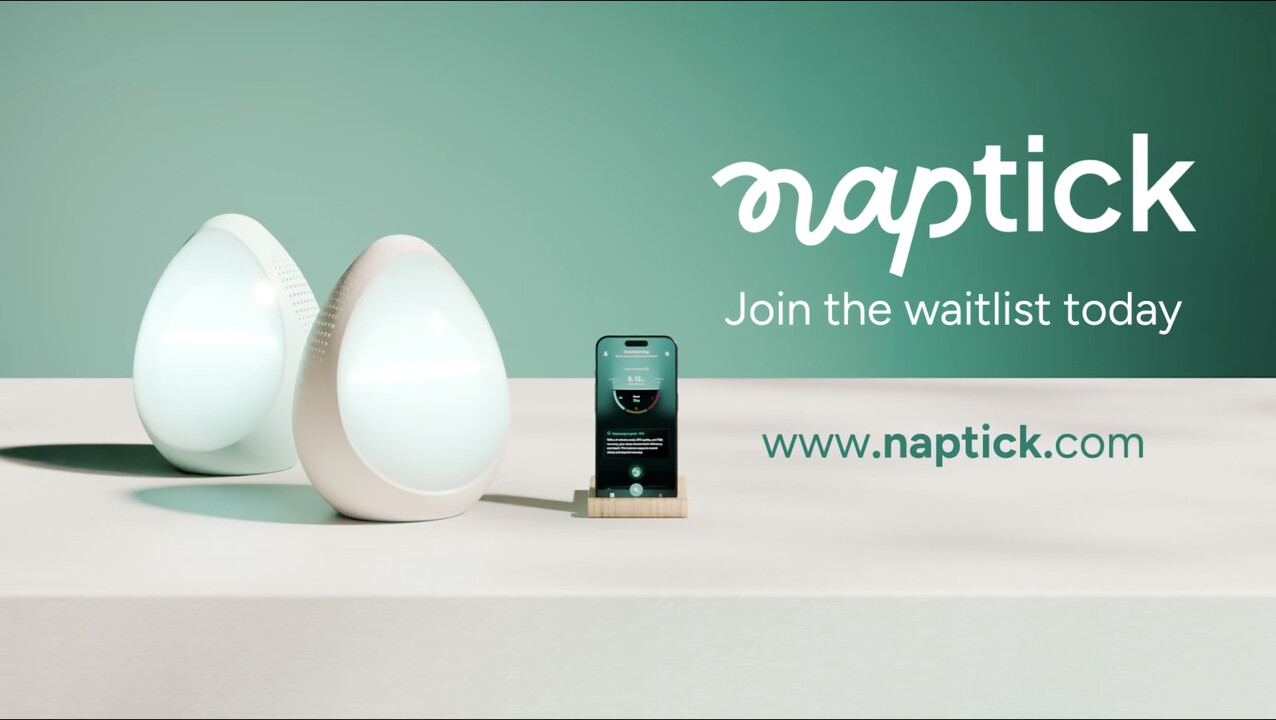
Table of Contents
Sleep gadgets are everywhere now, and most of them do the same thing: they tell you how badly you slept the morning after, then leave you to figure out the rest. Naptick wants to flip that script. Instead of grading your night once it is already over, it tries to step in beforehand, during the part most people quietly struggle with, the slow handover from a busy mind to actual rest.
We spent time with the Naptick app, dug through its App Store and Google Play listings, read early user feedback, and followed how the company has rolled the product out through 2025 and into 2026. Below is our full breakdown of what Naptick is, how to get started with it, where it shines, where it still feels early, and the questions people keep asking before they commit. Here is what we found.
Naptick AI Profile
Brand Name | Naptick (Naptick AI) |
Product Type | AI sleep companion (bedside device + companion app) |
AI Assistant | “Napp” (also referred to as “Nap”) |
Parent Company | Naplabs Solutions Private Limited |
Founder & CEO | Anubhab Goel |
Headquarters | Listed across the United States and India |
Category | Sleep, wellness, health and fitness |
Platforms | iOS (App Store) and Android (Google Play); bedside hardware device |
App Price | Free to download |
Device Price | From $149 at introductory pre-order pricing (positioned against a $499+ value) |
Free Trial / Returns | 60-night home trial with full refund, free returns within the US |
Standout Features | Voice-first AI coaching, 1,000+ adaptive soundscapes, circadian light, room sensing, app-locking, voice journaling, smart wake light |
Official Website | naptick.com |
Our Rating | 3.5 out of 5 |
What Is Naptick AI?
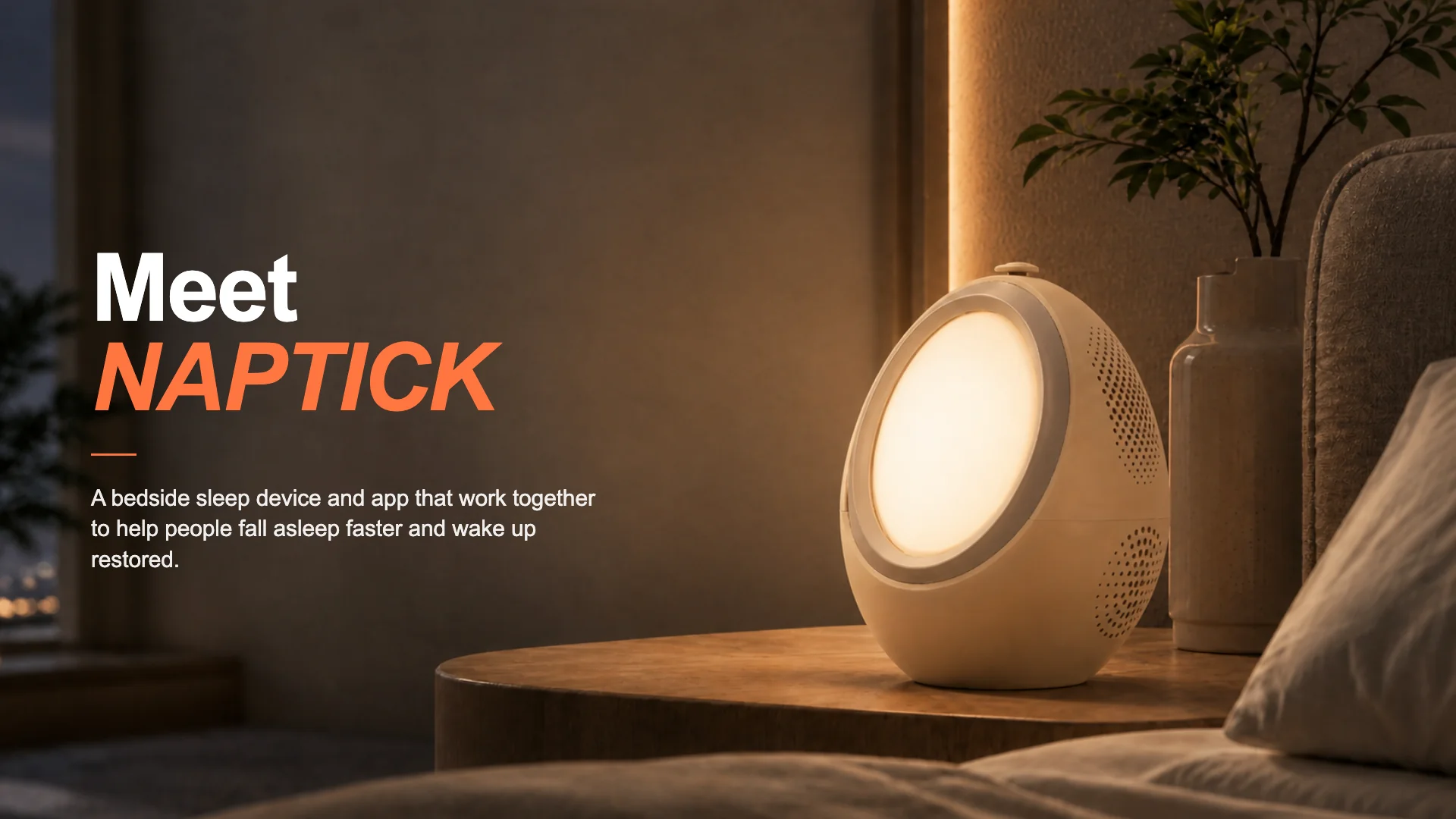
Naptick is an AI powered sleep companion built by Naplabs Solutions, a startup led by founder Anubhab Goel. The product has two sides that work together. There is a small bedside device, often described as egg shaped, that lives on your nightstand, and there is a companion app that handles setup, preferences and the day to day coaching.
At the centre of it all is an AI assistant the company calls Napp. Rather than dumping charts on you, Napp is meant to talk to you, walk you through a wind down routine, play the right sound for the night, and gently nudge your habits over time. The pitch the company keeps coming back to is simple. Most sleep tech is passive and tells you what already went wrong. Naptick is trying to be active and help before you even lie down.
The feature list is genuinely broad for the price point:
- An on device AI sleep coach you can speak to, including voice journaling so you can talk through the day without a screen.
- More than 1,000 adaptive soundscapes, from pink and brown noise to binaural beats, nature sounds and guided sessions.
- Circadian light therapy that warms down in the evening and simulates a gradual sunrise to wake you.
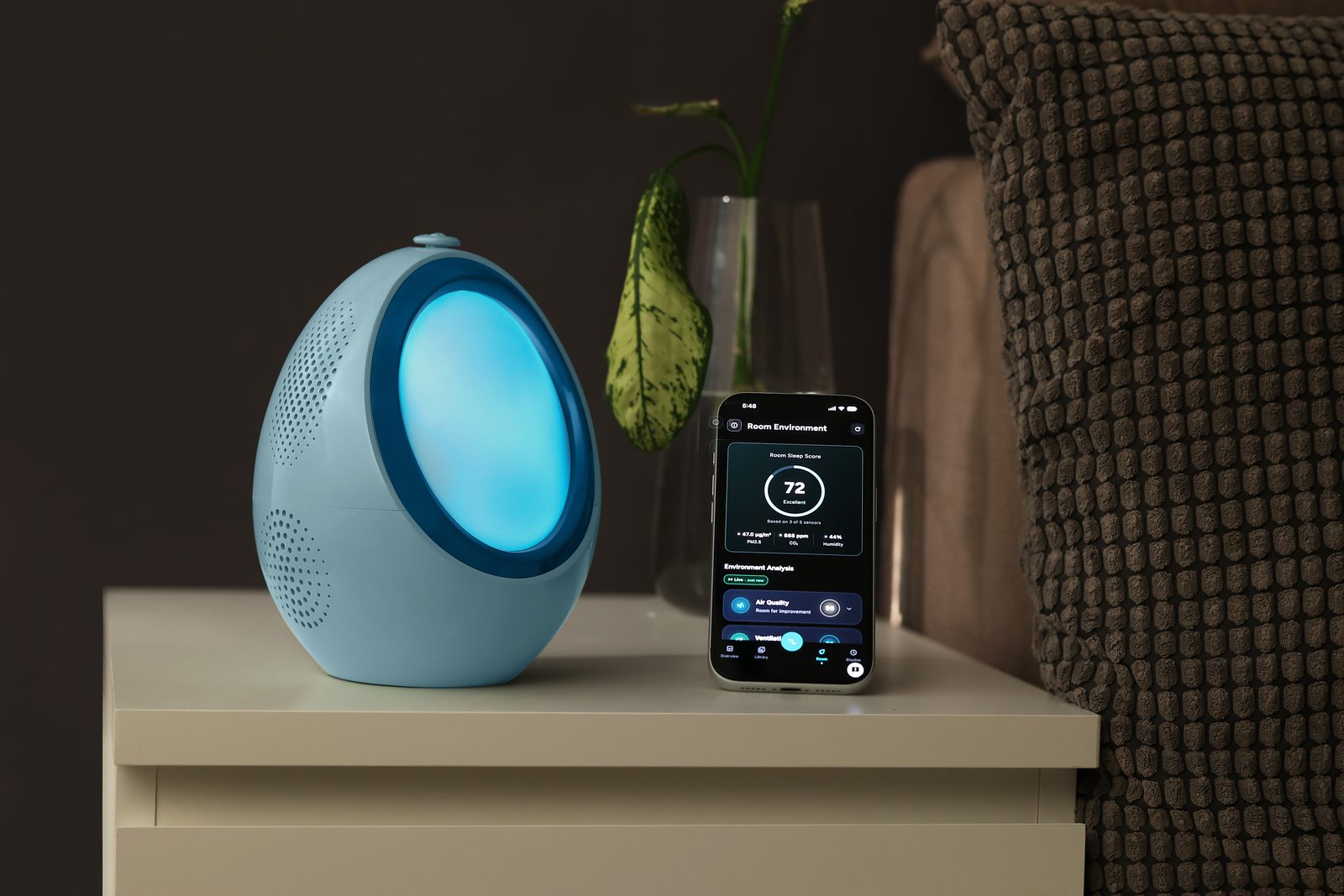
- Room condition sensing that reads CO2, air quality, temperature, humidity, light and noise through the night.
- App locking and a gentle smart alarm aimed at breaking the late night doomscroll habit.
- Wearable integration, so data from devices like the Apple Watch feeds into the coaching.
The Naptick App
The app is where most people will meet Naptick first, and it is free. It is published by Naplabs Solutions Private Limited and is available on both the Apple App Store and Google Play. On Android it is rated for everyone, and the listing has moved through several updates since launch, with a redesigned interface and a voice to voice onboarding flow added along the way.
Inside, the app leans on its voice first idea. You can speak to the assistant to start a routine, ask for a sleep recap or get a quick read on your night, instead of tapping through menus. It also tries hard to make your numbers readable. Rather than a wall of graphs, you get plain language insights, for example a note that your HRV dipped after screen time, or that your REM sleep improved on nights you napped less.
One thing worth being clear about: the app and the hardware are designed to complement each other. You can use the app on its own as an AI sleep coach that reads your wearable data, but the full Naptick experience, the light, the room sensors and the phone free bedside controls, comes from pairing it with the device. Recent app updates have specifically improved the experience for people who do not own the bedside unit, which suggests the team knows plenty of users start with the app alone.
Naptick Sign Up
Creating an account is straightforward and happens inside the app. After you install Naptick, you open it and run through the onboarding, which the company has built as a voice to voice experience rather than a long form. In practice that means:
- Download and open the Naptick app from the App Store or Google Play.
- Start the guided onboarding and create your account using your email or the sign in options offered on your device.
- Answer a short set of questions about your sleep, schedule and habits so the AI can personalise its coaching.
- Connect a wearable such as an Apple Watch if you have one, and pair your Naptick device if you own it.
The whole point of the voice driven setup is to keep it light. You are essentially having a short conversation with the assistant rather than filling in a clinical questionnaire, which fits the calm, low effort tone the brand is going for.
Naptick Login
Logging in is simple once your account exists. You sign in through the same Naptick app on your phone using the credentials you set up during onboarding. Because Naptick is built around the app and the bedside device rather than a public web dashboard, there is no separate browser login to worry about for everyday use. If you switch phones or reinstall, you log back into the app with your account details and your history and preferences follow you.
If you ever run into a login snag, the usual fixes apply: make sure the app is updated to the latest version, check your internet connection, and use the account recovery option tied to the email you signed up with. For anything stubborn, the company points users to support through its official channels at naptick.com.
How to Download Naptick
Getting the app is free and takes a minute:
- On iPhone or iPad, open the App Store and search for “Naptick: AI Sleep Coach”, then tap Get.
- On Android, open Google Play and search for the same title, then tap Install. The download is in the region of 140 MB, so a Wi Fi connection helps.
- Make sure the developer reads as Naplabs Solutions Private Limited so you know you have the official app.
The bedside device is a separate purchase. As of 2026 it is sold through the official Naptick site, with introductory pre-order pricing starting at $149, which the company frames against a stated value of $499 or more. Early buyers at the launch price are promised lifetime access to the premium Naptick+ features with no subscription, while later retail buyers are expected to get a trial period followed by an optional plan. If you only want the app, you do not need to buy anything.
Naptick Alternatives
Naptick sits in a crowded space, and depending on what you actually want, a few other names are worth a look. No single rival does exactly what Naptick does, which is part of its appeal, but here is how the landscape breaks down:
- Calm and Headspace: the heavyweights for guided meditation, sleep stories and soundscapes. Stronger content libraries, but they are apps only with no hardware or room sensing.
- Sleep Cycle and Pillow: solid, affordable sleep tracking and smart alarms on your phone, though they lean passive and skip the active coaching angle.
- Oura Ring and Whoop: excellent biometric tracking and recovery data through wearables, but again, they report on your sleep rather than guiding you into it.
- Eight Sleep: a premium smart mattress cover that controls bed temperature. Powerful and pricey, and aimed at the environment rather than the wind down routine.
- Muse: an EEG headband for meditation and sleep, closer to Naptick in spirit but worn on the head rather than sitting bedside.
The short version: if you mainly want content, Calm or Headspace are cheaper. If you want deep data, Oura or Whoop win. Naptick's argument is that it bundles light, sound, environment, coaching and phone discipline into one bedside system, and that combination is hard to find elsewhere at the price.
User Experience
Early impressions of Naptick are encouraging, with a few honest caveats. The app feels clean and unfussy, and reviewers who paired it with an Apple Watch have praised how accurately it tracks sleep and, more importantly, how clearly it explains the numbers. The plain language insights are a genuine highlight. Being told what your REM and deep sleep mean, and getting a bedtime suggestion that actually fits your routine, lands better than yet another dashboard.
On the hardware side, the product has built real momentum. It earned strong placement on Product Hunt, including a run as a top product of the day and recognition in the health and fitness category, and the founder led launch has drawn a steady stream of positive early feedback about falling asleep faster and scrolling less at night.
Now the caveats. Naptick is still a young product. The bedside device has largely been in pre-order and early shipping through 2026, so long term, real world reviews of the hardware are still thin on the ground. The app, while polished, has noted that it did not yet have enough ratings to show a full overview on some stores, which tells you the user base is still growing. Pricing and value also shift depending on when you buy, since the generous lifetime Naptick+ deal is tied to the early launch window rather than every future purchase.
Put together, the experience is promising and clearly built with care, but it is a product you are buying partly on potential. That is exactly why we landed where we did.
Nubia Magazine Verdict
Naptick is one of the more thoughtful entries in the sleep tech category. The idea of coaching you into sleep instead of grading you afterwards is the right one, the all in one approach is genuinely convenient, and the app is friendly and easy to live with. For founders, professionals and chronic late night scrollers, it could be a real upgrade over a phone on the nightstand.
We are holding at 3.5 out of 5 for now, and that is a compliment with a condition. The vision and execution are strong, but it is still an early product with a small review base, hardware that is only just reaching wider hands, and a value proposition that depends on buying at the right moment. If the company keeps shipping and the long term reviews hold up, this is a rating that could climb. For today, it is a promising, well made companion that we would happily keep an eye on.
Category | Score |
Concept and originality | 4.5 / 5 |
App design and ease of use | 4 / 5 |
Features and value | 3.5 / 5 |
Track record and reviews so far | 3 / 5 |
Overall | 3.5 / 5 |
Frequently Asked Questions (FAQs)
1. What is Naptick AI?
Naptick is an AI powered sleep companion made by Naplabs Solutions. It pairs a bedside device with a companion app and an AI assistant called Napp, and it focuses on helping you fall asleep through sound, light, room sensing and gentle coaching rather than just tracking how you slept.
2. Is the Naptick app free?
Yes. The Naptick app is free to download on both the App Store and Google Play. The bedside device is a separate, paid product, and some premium features are tied to it through the Naptick+ tier.
3. How do I sign up for Naptick?
You sign up inside the app. Download Naptick, open it, and follow the voice guided onboarding to create your account, answer a few questions about your sleep and habits, and connect a wearable or your device if you have one.
4. How do I download Naptick?
Search for “Naptick: AI Sleep Coach” on the App Store or Google Play and install it for free. Check that the developer is listed as Naplabs Solutions Private Limited so you know it is the official app.
5. Does Naptick work without the device?
Partly. The app can work on its own as an AI sleep coach that reads your wearable data, and recent updates have improved that solo experience. The full setup, including the light, room sensors and phone free bedside controls, needs the Naptick device.
6. How much does the Naptick device cost?
As of 2026 the device starts at $149 with introductory pre-order pricing, which the company positions against a stated value of $499 or more. Pricing can change once the early launch window closes.
7. Is there a subscription?
Buyers at the early launch price are promised lifetime access to Naptick+ with no subscription. Later retail buyers are expected to get a trial period followed by an optional paid plan, so the answer depends on when and how you buy.
8. Is Naptick available on Android?
Yes. Naptick is available on Google Play as well as the Apple App Store, and the Android version is rated suitable for everyone.
9. What are the best alternatives to Naptick?
It depends on your goal. Calm and Headspace are strong for sleep content, Sleep Cycle and Pillow for affordable tracking, Oura and Whoop for biometric data, Eight Sleep for bed temperature, and Muse for guided meditation. None bundle everything the way Naptick does.
10. Is Naptick legit and does it actually work?
Naptick is a real product from a real company, with positive early reviews, strong Product Hunt recognition and a 60 night home trial with a refund. That said, it is still young, so long term results, especially for the hardware, are still being proven. Treat it as promising rather than fully battle tested.
Can I get a refund if it does not help?
Yes. The company offers a 60 night home trial and a full refund if Naptick does not work for you, with free returns within the United States.
Related Posts

0 Comments
Join the discussion and share your thoughts
No Comments Yet
Be the first to share your thoughts on this article!