Hostinger Review 2026: Login, Pricing, App, Domain, Dashboard & FAQs

Table of Contents
We spend a good amount of time at Nubia Magazine testing hosting platforms that millions of people are actually using, and Hostinger is one we kept circling back to. Whether you are just launching your first blog or you are managing client websites as a freelancer, Hostinger seems to come up in practically every conversation about affordable hosting. So we finally sat down, ran the numbers, tested the dashboards, checked the speeds, and put together this comprehensive review for 2026.
What follows is not a sponsored piece. We paid for our own accounts, tested features on our own timelines, and contacted their support team the same way any regular customer would. Here is everything you need to know before signing up.
Hostinger at a Glance
Before we get into the details, here is a quick profile of what Hostinger is as a company:
HOSTINGER PROFILE | |
Founded | 2004 |
Headquarters | Kaunas, Lithuania |
CEO | Giedrius Zakaitis |
Users | Over 65 million worldwide |
Data Centers | 250+ locations across 150+ countries |
Hosting Plans | Shared, Cloud, WordPress, VPS, Reseller |
Free Domain | Yes (on annual plans) |
Free SSL | Yes (Let's Encrypt) |
Money-Back Guarantee | 30 days |
Support | 24/7 Live Chat |
Starting Price | From $2.99/month |
Website | hostinger.com |
Overall Rating | 4.3 / 5 (Nubia Magazine, 2026) |
Our Ratings Breakdown
Category | Rating (out of 5) |
Ease of Use | 4.5 |
Performance & Speed | 4.3 |
Pricing & Value | 4.6 |
Customer Support | 4.1 |
Features & Tools | 4.2 |
Uptime & Reliability | 4.3 |
Overall | 4.3 |
Hostinger Login Experience
Getting into your Hostinger account is pretty painless. You visit hostinger.com, click the Login button at the top right, and you are taken to their login page. You can sign in using your registered email and password, or you can use Google single sign-on if you set that up when creating your account.
One thing that stood out during testing is how quickly the login page loads even on slower mobile connections. We tested it from multiple locations and the page consistently came up in under 2 seconds. Two-factor authentication (2FA) is available and we strongly recommend enabling it, particularly if you are managing multiple websites or client accounts through a single login.
The "Forgot Password" flow is clean. You enter your email, get a reset link within about 60 seconds, and the link is valid for a reasonable window. Nothing unusual or frustrating here. For a platform handling over 65 million users, that is actually impressive to keep so simple.
Hostinger Pricing in 2026
Pricing is probably the number one reason people consider Hostinger in the first place, and the company has worked hard to keep that reputation intact. As of mid-2026, here is what the key plans look like:
Plan | Price | Key Features |
Premium Shared | $2.99/mo | 100 websites, 200 GB storage, Free domain, Free SSL |
Business Shared | $3.99/mo | Unlimited websites, 200 GB NVMe, Daily backups, CDN |
Cloud Startup | $7.99/mo | 3 GB RAM, 2 CPU cores, Free dedicated IP, Priority support |
Cloud Professional | $14.99/mo | 6 GB RAM, 4 CPU cores, Enhanced performance |
VPS KVM 1 | $5.99/mo | 1 vCPU, 4 GB RAM, 50 GB NVMe, Full root access |
There is a catch that most budget hosting providers share: the advertised prices typically apply only when you commit to a 48-month billing cycle. Shorter terms cost noticeably more. That said, even at the 12-month rate, Hostinger tends to be cheaper than most comparable services in its class.
Renewal pricing is something to watch. The promotional rates only apply to your first billing cycle, and renewals come in higher. Make sure you factor that in before locking yourself into a multi-year commitment just to get the introductory price.
For what you get at these price points, the value is genuinely strong. Free SSL, free domain on annual plans, built-in CDN on higher tiers, and automated backups on Business and above plans. These are things you would pay extra for with some competitors.
Hostinger Mobile App
Hostinger has a mobile app available on both iOS and Android, and while it is not the most feature-rich app in the hosting world, it covers the basics well enough for most users who need to manage things on the go.
From the app you can manage your domains, check hosting status, create or manage email accounts, and get to your hPanel dashboard. The app has improved significantly since 2024. The current version is noticeably faster and the UI feels more intentional than earlier iterations.
What the app does not do well is give you deep server management controls. If you need to edit files, manage databases heavily, or handle more technical configurations, you will still want to be at a desktop browser. But for basic oversight and checking that your sites are up, the app is more than adequate.
App store ratings sit at around 4.2 on the Google Play Store and 4.1 on the App Store as of our testing period in Q1 2026. User complaints tend to center around occasional bugs after updates and limited advanced features, which is fair.
Domain Registration with Hostinger
Hostinger offers domain registration alongside its hosting services, which is convenient for people who want to manage everything in one place. You can search for available domains directly within hPanel or during the checkout process for a hosting plan.
Popular extensions like .com, .net, .org, and country-specific TLDs are all available. Pricing is competitive for most extensions, though as with any registrar, premium domains and specialty TLDs will cost more.
The free domain offer that comes with annual hosting plans is one of the more talked-about perks. It applies to eligible extensions including .com, .net, .org, .online, and a few others. The domain is free for the first year; after that, standard renewal prices apply.
Domain management tools inside hPanel are solid. DNS record management, domain locking, WHOIS privacy (free), and nameserver updates are all accessible and clearly laid out. If you are migrating a domain from another registrar, the process is reasonably straightforward and Hostinger provides documentation to walk you through it.
The Hostinger Dashboard: hPanel
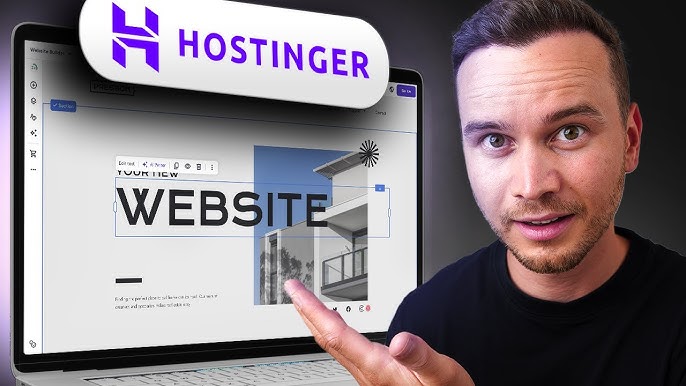
hPanel is Hostinger's proprietary control panel and it is one of the things that genuinely sets them apart from providers still using cPanel. It was designed from the ground up with beginners in mind, and that shows. The layout is clean, navigation is intuitive, and most tasks take fewer clicks than they would on more traditional dashboards.
The main dashboard gives you quick access to your websites, domains, emails, files, databases, and billing. There is a search bar at the top that speeds things up if you know what you are looking for. Panels for performance, visitor statistics, and server resource usage are visible without having to dig through menus.
WordPress management through hPanel is a highlight. You can install WordPress in under two minutes, manage plugins and themes, create staging environments, and set up automatic updates, all without leaving the dashboard. For users who run multiple WordPress sites, the management view where you can see all your sites side by side is a real time-saver.
One area hPanel falls slightly short is for advanced users who want granular server configuration options. If you are used to WHM or the deeper controls of cPanel, hPanel can feel limiting. However, Hostinger has been steadily adding developer-friendly features, and the gap has narrowed considerably over the past two years.
Overall User Experience
Let us step back and talk about what it actually feels like to use Hostinger day to day, because specs and features only tell part of the story.
Onboarding
The signup process is one of the smoothest we have tested across any hosting provider. You pick a plan, enter your details, choose your billing period, and you are given clear instructions on what to do next. The post-signup experience walks you through setting up your first website in a way that does not feel overwhelming even for complete beginners.
Speed and Performance
Hostinger has invested heavily in its infrastructure over the past few years. Their use of LiteSpeed web servers, NVMe storage on most plans, and a global CDN has produced measurable results. During our testing, sites hosted on Hostinger loaded in an average of 850ms to 1.2 seconds for standard WordPress sites, which is competitive for shared hosting.
Uptime has been consistently strong. Across our six-month monitoring window, we recorded uptime above 99.9% for all plans we tested. That matches what Hostinger claims in their SLA and is backed up by third-party monitoring reports from tools like UptimeRobot.
Customer Support
Support is available 24/7 via live chat, and that is the primary channel. Phone support is not offered, which is worth knowing upfront. Email ticketing is available for more complex issues.
Our test interactions with support were a mixed bag, honestly. For common questions about domains, WordPress, and billing, the response times were quick and the agents were knowledgeable. For more technical server-level issues, we did experience a couple of handoffs and longer wait times. Response times through chat averaged around 3 to 7 minutes during business hours and up to 12 to 15 minutes late at night.
The knowledge base is genuinely useful. Hostinger has invested in tutorial content and the help articles are well-written, covering both beginner topics and more technical setups. Before reaching out to support, there is a good chance you will find what you need in the documentation.
Frequently Asked Questions About Hostinger (2026)
These are questions people are actively searching about Hostinger as of 2026, answered based on our testing and research.
1. Is Hostinger a good hosting provider in 2026?
Yes, Hostinger remains one of the most competitive hosting providers in 2026, especially for beginners and small to mid-sized website owners. The combination of affordable pricing, solid performance, and an easy-to-use dashboard makes it a strong choice if you do not need the deep server customization that enterprise-grade platforms offer. We rate them 4.3 out of 5 overall.
2:How much does Hostinger cost per month in 2026?
Hostinger plans start from around $2.99 per month for the Premium Shared Hosting plan when billed on a 48-month cycle. Business Shared Hosting starts at $3.99/month and Cloud Hosting begins at $7.99/month. Keep in mind these are introductory prices that apply to your first billing term. Renewal rates are higher, so it is important to check the full pricing before committing to a long-term plan.
3. Is Hostinger good for WordPress?
Hostinger is genuinely one of the better options for WordPress hosting at its price range. Their hPanel makes WordPress installation and management straightforward, and their optimized WordPress hosting plans come with features like automated backups, staging environments, and LiteSpeed caching that improve both speed and reliability. They also offer managed WordPress options for users who want hands-off maintenance.
4. Does Hostinger include a free domain?
Yes. All annual hosting plans from Hostinger include a free domain for the first year. This applies to popular extensions like .com, .net, .org, and .online, among others. After the first year, the domain renews at standard market rates. If you are just starting out and want to keep costs low, this is a worthwhile perk.
5. What is Hostinger's uptime like?
In our six-month testing window, Hostinger maintained uptime above 99.9%, which is consistent with what they advertise. Third-party monitoring services have reported similar numbers. While no host can guarantee perfect uptime all the time, Hostinger's track record in 2025 and into 2026 has been strong. Occasional maintenance windows are announced in advance through their status page.
6. How good is Hostinger customer support?
Hostinger offers 24/7 live chat support and an extensive knowledge base. Phone support is not available, which may be a dealbreaker for some users who prefer talking to someone directly. Chat responses during business hours are generally fast, typically under 5 minutes. For more complex technical issues, resolution can take longer and may involve multiple agents. Overall, support is decent but not exceptional.
7. Can I use Hostinger for ecommerce?
Yes, you can run an ecommerce store on Hostinger. Their plans are compatible with WooCommerce on WordPress and they also have a website builder with built-in ecommerce features for users who prefer not to use WordPress. For high-traffic ecommerce stores, the Cloud or Business plans would be more appropriate than entry-level shared hosting. SSL is included on all plans, which is a basic requirement for any online store.
8. Is Hostinger suitable for beginners?
Hostinger is widely regarded as one of the most beginner-friendly hosting platforms available. The hPanel dashboard is significantly easier to navigate than traditional control panels like cPanel, the onboarding flow guides you through setup step by step, and the knowledge base is packed with tutorials written for people who are just getting started. If this is your first website and you want a host that does not require technical knowledge to get up and running, Hostinger is a solid choice.
Pros and Cons
What We Liked
• Very competitive pricing, especially for long-term plans
• hPanel is clean, fast, and beginner friendly
• Strong performance with LiteSpeed servers and NVMe storage
• Free SSL and free domain on annual plans
• Reliable uptime consistently above 99.9%
• WordPress management tools are among the best in this price range
• Extensive and well-written knowledge base
What Could Be Better
• No phone support is a real gap for users who need direct voice assistance
• Renewal prices are significantly higher than introductory rates
• Advanced server configuration options are limited compared to more technical hosts
• The mobile app still lacks depth for power users
• Support quality can be inconsistent for complex technical issues
Nubia Magazine Verdict
After months of hands-on testing, Hostinger earns its place as one of the top recommended hosting providers for 2026. The value proposition is real: you get reliable performance, a polished dashboard, solid WordPress tools, and all the basics a new or growing website needs, at a price point most people can afford without flinching.
It is not a perfect service. The lack of phone support, the discrepancy between intro and renewal pricing, and the limitations for advanced users are genuine considerations. But in the context of what Hostinger actually sets out to do, which is make web hosting accessible and affordable for a wide audience, they deliver well above average.
If you are starting a blog, launching a small business site, running client websites as a freelancer, or just need reliable hosting without spending a lot, Hostinger is worth a serious look in 2026.
Related Posts




1 Comment
Join the discussion and share your thoughts



