Grid Diary Review 2026: App, Login on Windows, Pricing, Free Plan & FAQs

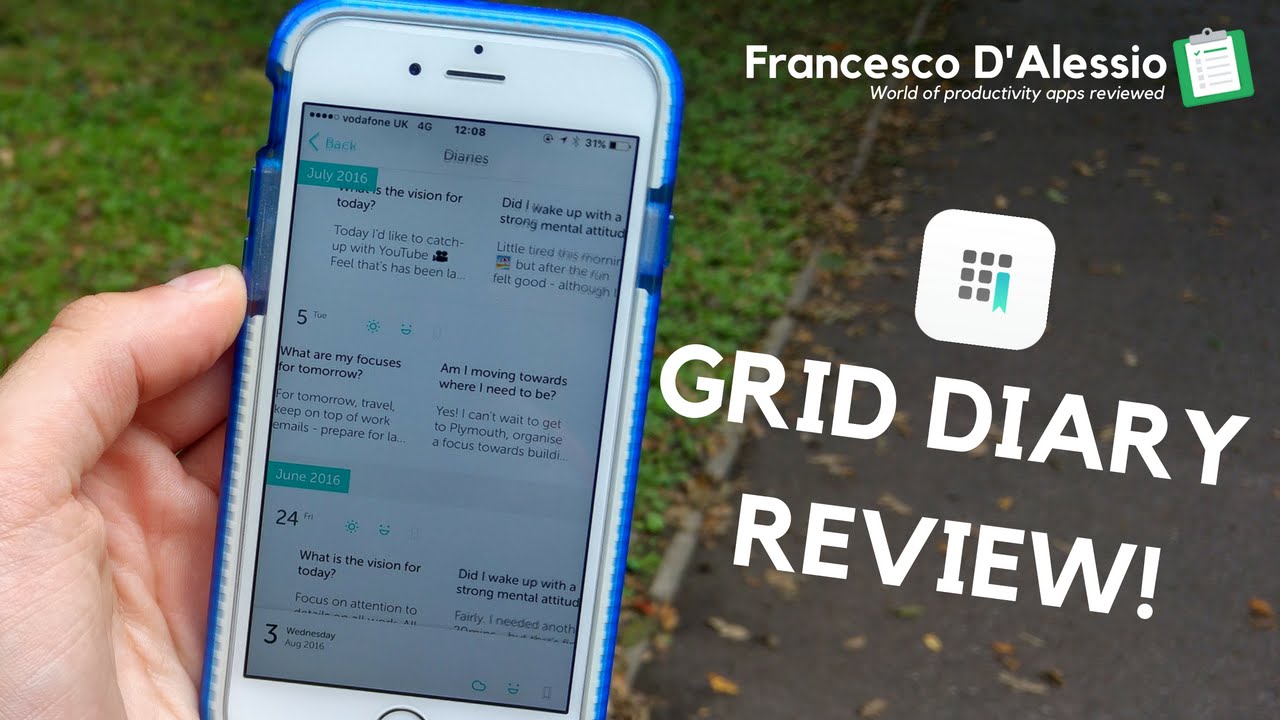
Table of Contents
Grid Diary keeps showing up in our search data every time someone types “grid diary review,” “grid diary login,” or “is grid diary free,” so our team decided it was time to actually sit with the app for a few weeks instead of skimming the App Store page. We filled in grids most mornings, dug through the settings menu, tried logging in from a Windows laptop instead of a phone, and read through a long stretch of App Store and Play Store reviews to see what real users keep running into.
Here is everything we found, written the way we would explain it to a friend who is deciding whether to download it tonight. We are scoring Grid Diary at 3.7 out of 5 for 2026, and we break down exactly how that number was reached further down.
Grid Diary at a Glance
Developer | Sumi Interactive, an independent three-person team |
First released | 2013 (original Grid Diary). The current app, Grid Diary 2, replaced the original “Grid Diary Classic” build |
Platforms | iPhone, iPad, Android. A browser based login portal exists, but there is no dedicated Windows or Mac desktop application |
Category | Journaling, daily planner, personal development |
Core idea | A grid of prompt boxes instead of a blank page, including a signature 9 cell Mandala layout |
Free plan | Yes. Core prompts, tags, mood stickers, markdown editor, light or dark mode, and export to PDF, MD or JPG |
Premium price (monthly) | Around $2.99 to $4.99, with a short free trial, depending on platform and region |
Premium price (annual) | Around $22.99 to $25.99 per year, depending on platform and region |
Funding model | No venture capital and no advertising. Revenue comes only from member subscriptions |
Health integration | Optional HealthKit data, such as steps and activity energy, can be added to entries |
Main alternative | Day One, for people who prefer free form writing over structured prompts |
NUBIA MAGAZINE rating | 3.7 out of 5 |
What Grid Diary Actually Is
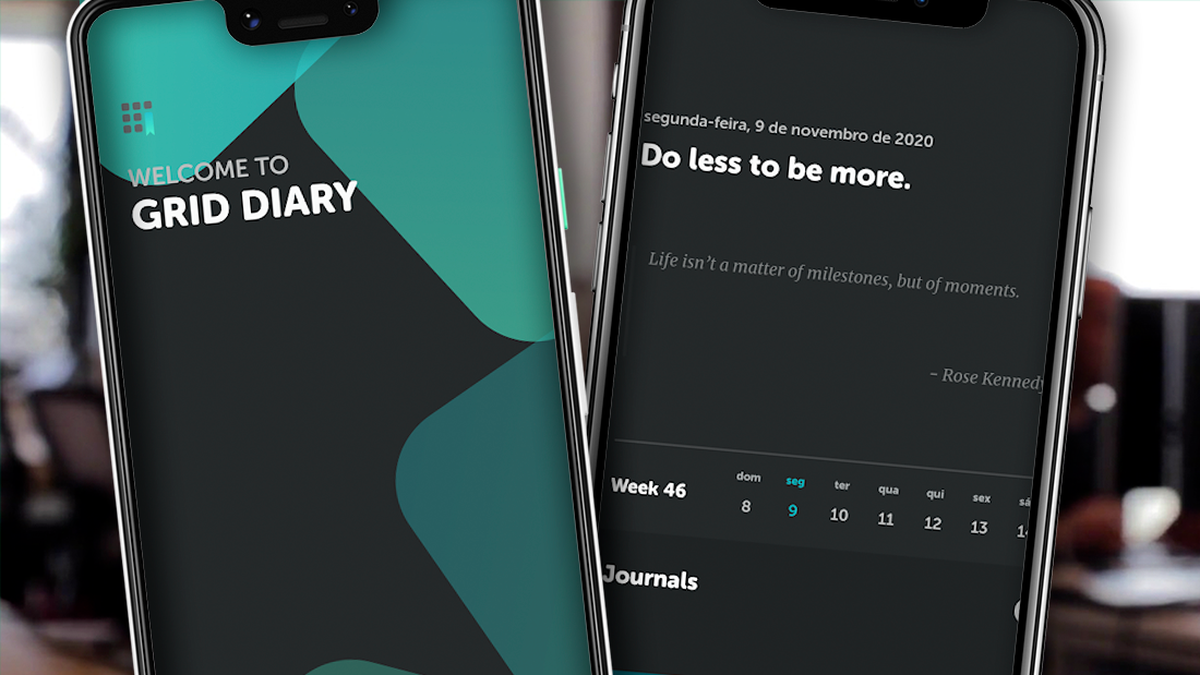
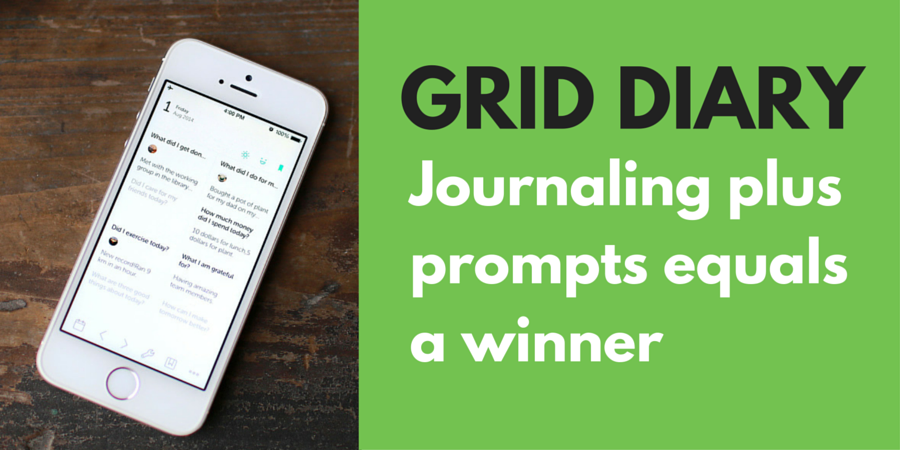
Grid Diary first launched back in 2013 as a paid journaling app, then was rebuilt from the ground up into what the team now calls Grid Diary 2, while the older build was renamed Grid Diary Classic and eventually stopped receiving updates. The idea behind it has not changed much over the years though. Instead of opening to a blank page and staring at it, you open to a grid of small boxes, each one carrying its own prompt.
A typical day might ask what you are grateful for, what you got done, and how you are feeling, all sitting in separate cells you fill in one at a time. The app also has a nine cell version called the Mandala layout, with one fixed cell in the center surrounded by eight others, built to mirror a more circular, reflective way of thinking about a day rather than a straight list. If you have tried journaling before and quit because the empty page felt intimidating, this is the entire reason Grid Diary exists.
Key Features Worth Knowing About
- Customizable grid layouts, from a simple 2 by 2 box up to the signature 9 cell Mandala format
- A prompt library built around positive psychology questions, which you can edit or replace with your own
- Day, week, month and year views so entries connect to longer term goals rather than sitting as isolated notes
- Tags, mood stickers and a markdown editor that supports inline images and checklist style to dos
- Light and dark mode, plus home screen widgets that show 1 to 9 grid cells at a glance
- Export options covering PDF, Markdown and JPG, along with reminders to keep the habit going
- Optional HealthKit integration, so step counts or activity energy can be pulled straight into an entry
Grid Diary Login and Windows Access in 2026
A lot of the search traffic around Grid Diary is people typing some version of “grid diary login windows”, usually because they assume there must be a desktop client the same way Day One or Diarium have one. As of 2026, that is not quite how it works.
Grid Diary is built primarily as a mobile app for iPhone, iPad and Android. There is a web based login page where you can sign into your account from a browser, which technically does work fine on a Windows PC since it is just a website rather than an installed program. What you will not find is a native Windows installer from the official developer. People who want the full mobile app experience on a PC generally run it through an Android emulator such as BlueStacks or MEmu, sign in with the same account used on their phone, and the app behaves the same way it would on a tablet.
One practical note from our testing: be careful where you download anything claiming to be a “Grid Diary for Windows” installer. The only places we would trust are the official griddiaryapp.com site, the Apple App Store and Google Play. A surprising number of third party download pages exist that are not affiliated with Sumi Interactive, and a few we came across during research even had instructions hidden in their page content aimed at AI tools rather than at human readers, which is not something a legitimate software vendor needs to do.
Grid Diary Pricing in 2026
The free version of Grid Diary covers a genuinely usable amount of the app: the grid format itself, the prompt library, tags, stickers, the markdown editor and basic exporting. Where the paywall shows up is around convenience and continuity rather than the core writing experience.
- Monthly membership runs roughly $2.99 to $4.99 depending on platform and region, usually with a short free trial of a few days
- Annual membership runs roughly $22.99 to $25.99 per year, which works out to under $2 a month and typically includes a longer trial window, often around two weeks
- Membership unlocks sync across devices, a passcode lock, additional color themes, unlimited journals and full export access
Prices on both the App Store and Play Store have moved around over the past couple of years and can vary by country, so treat the numbers above as a current ballpark rather than a guarantee, and check the in app purchase screen before you commit to a plan. The older Grid Diary Classic used a one time $9.99 purchase or a $2.49 monthly option, but that version is retired and no longer receiving updates, so new users will only see the subscription model.
Is Grid Diary Free to Use?
Yes, and this is one area where Grid Diary holds up well against competitors that gate almost everything behind a paywall. You can download it, write daily entries, customize your prompts, add tags and stickers, and export your writing without ever paying. The subscription is really aimed at people who use the app across more than one device or who want extra security and storage options, not at people who just want to journal.
User Experience: What People Are Really Saying
Reading through hundreds of reviews across both app stores gave us a pretty consistent picture, and it is more nuanced than the five star average some store listings show.
What people like
- The grid format genuinely helps with the blank page problem that stops a lot of people from journaling at all
- The interface feels clean and uncluttered rather than busy, which matters for something you are meant to open daily
- Many users specifically mention appreciating that the app has no ads and is not backed by outside investors
- The Mandala layout and customizable templates get repeated praise as something genuinely different from other diary apps
What people complain about
- Sync issues come up often enough to be a real pattern, with some users reporting entries that vanished after adding tags or photos before a fix landed
- No native desktop app continues to be the most requested feature, going back years in the support forum
- A subscription only model frustrates users who would rather pay once and own the app outright
- Smaller annoyances, like sticker filters that cannot be multi-selected, show up in more detailed long term reviews
Our Rating: 3.7 out of 5
We score across five categories and average them out rather than picking a single number from a gut feeling. Here is how Grid Diary landed for us in 2026.
Ease of use | 4.0 / 5 |
Features and customization | 3.8 / 5 |
Pricing and value | 3.5 / 5 |
Privacy and data practices | 4.0 / 5 |
Reliability and sync performance | 3.2 / 5 |
Overall NUBIA MAGAZINE score | 3.7 / 5 |
The score lands a little below what you will see as the average star rating on the app stores, mostly because store ratings skew toward people who already love an app enough to leave five stars, while our score weighs sync reliability and the lack of a desktop option more heavily.
Nubia Magazine Verdict
Grid Diary earns its spot if you are the kind of person who has tried journaling before and quit because a blank page felt like too much pressure. The structure does the heavy lifting, the free tier is genuinely usable, and the privacy first, no ads stance is rare enough in 2026 that it is worth pointing out on its own. If you want rich multimedia entries, a Windows desktop client, or rock solid sync you never have to think about, this is not quite there yet, and Day One or Diarium will likely serve you better.
Frequently Asked Questions
1. Is Grid Diary free?
Yes. The free version includes the grid format, default and custom prompts, tags, mood stickers, the markdown editor and basic export options. Premium membership adds sync, a passcode lock, extra themes and unlimited journals.
2. How much does Grid Diary premium cost in 2026?
Pricing generally sits around $2.99 to $4.99 a month or $22.99 to $25.99 a year, though the exact figure depends on your platform and region. Always check the in app purchase screen for the current rate before subscribing.
3. Can I use Grid Diary on Windows or another desktop computer?
There is no official Windows or Mac desktop application. You can log into the web portal from a browser on any computer, or run the Android version through an emulator such as BlueStacks if you want the full mobile experience on a PC.
4. How do I log into Grid Diary on a new device?
Use the same account credentials you set up originally, whether that is an email login or a connected Apple or Google account, and make sure membership sync is turned on if you want entries to carry over between devices.
5. Is Grid Diary available on Android?
Yes, the current version is available on both iOS and Android with broadly similar features on each platform, though some review sites note small differences in pricing or feature rollout timing between the two stores.
6. What happened to Grid Diary Classic?
Grid Diary Classic was the original app released in 2013. It has been retired and is no longer updated. The developer encourages anyone still using it to migrate their data into the current Grid Diary 2 app, which is the free download with an optional subscription.
7. Does Grid Diary sell or share my journal data?
According to the developer, Grid Diary has no venture capital backing and no advertising, and the team states it does not sell user data to third parties. Revenue comes only from member subscriptions, which is a meaningfully different model from many free journaling apps.
8. Why do my Grid Diary entries sometimes disappear or fail to sync?
Some users have reported entries vanishing after adding tags or photos, particularly around app updates. The developer has pushed fixes for specific saving bugs in past updates, but sync reliability remains the most consistent complaint in long term reviews, so backing up or exporting important entries occasionally is a sensible habit.
9. What is the Mandala layout in Grid Diary?
It is a nine cell grid template with one fixed center cell surrounded by eight others, designed to echo the structure of a mandala rather than a simple list. It is one of the more distinctive layout options compared to other journaling apps on the market.
10. Is Grid Diary worth it compared to Day One?
It depends on how you like to write. Grid Diary suits people who want guided, structured daily reflection and dislike blank pages. Day One suits people who want rich, free form multimedia entries with stronger cross device sync and a proper desktop app. Many reviewers, including our team, suggest trying the free tier of both before deciding.
Related Posts



0 Comments
Join the discussion and share your thoughts
No Comments Yet
Be the first to share your thoughts on this article!