Google AI Review 2026: Gemini, Free Plan, App, Pricing & FAQs

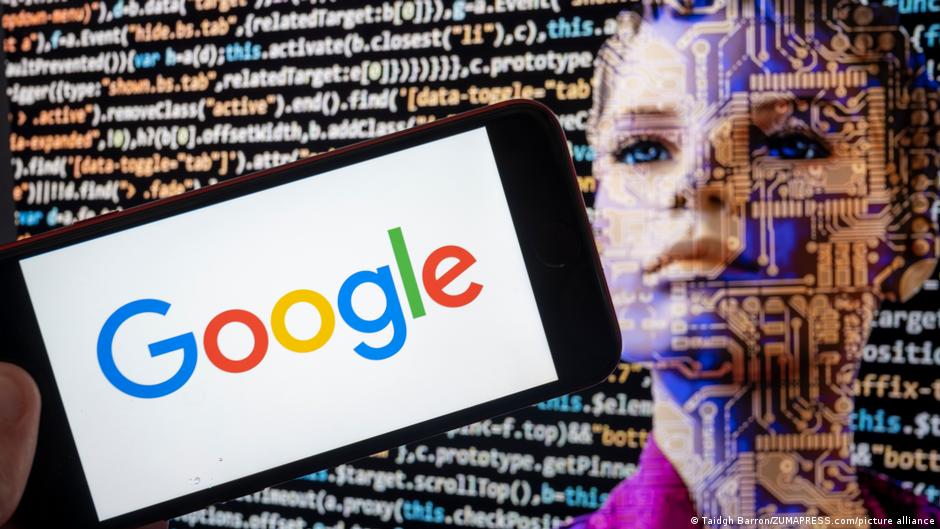
Table of Contents
Google AI has quietly become one of the most used pieces of software in the world, and most people did not have to download anything new to start using it. It now sits inside Gmail, Docs, Search, Android, and Chrome, alongside its own standalone Gemini app. For this review, our team spent several weeks back inside the free tier, the paid Google AI Plus, Pro, and Ultra plans, and the mobile apps on both iOS and Android, to see whether Google AI still earns its place on your phone in 2026.
We looked past the marketing language and tested the things people actually search for: what is genuinely free, what the app feels like day to day, where the pricing has changed since Google's I/O event in May 2026, and whether the assistant holds up against the competition. Here is what we found.
What Is Google AI in 2026
Google AI is the umbrella name Google now uses for its Gemini models and the products built on top of them. The consumer-facing piece is the Gemini app, available on the web, iOS, and Android, while Gemini also shows up inside Search, Workspace apps like Docs and Sheets, and Android phones through Gemini Live and the assistant overlay.
Underneath the hood, the lineup includes the fast Gemini 3 and 3.5 Flash models for everyday chat, and the heavier Gemini 3.1 and 3.5 Pro models for reasoning, coding, and longer documents. Google also folded video tools like Veo and Flow, the image tool Whisk, and the research tool NotebookLM into the same subscription structure, so a single Google AI plan now unlocks a fairly wide toolbox rather than just a chatbot.
Is Google AI Free? What You Actually Get
Yes, Google AI has a genuine free tier and you do not need a credit card to use it. Once signed in with a Google account, you get the Gemini app running on Gemini 3 Flash for general chat, drafting, and brainstorming, plus a limited daily allowance on the more capable Pro model.
- Text chat, writing help, and coding assistance with no daily prompt limit that feels restrictive for casual use
- Gemini Live for voice conversations, and Canvas for collaborative writing or code editing
- Up to five Deep Research reports per month, Google's automated multi-step research tool
- Basic image generation and a small monthly allowance of AI credits for short video clips
- 15 GB of shared Google storage across Gmail, Drive, and Photos
The catch is that the free plan rate-limits the better models and caps research and video credits fast if you use them regularly. For occasional use, the free tier is genuinely solid. For daily, heavy use, you will run into walls within a week.
The Google AI App: Hands On
The Gemini app is clean and easy to pick up even if you have never used an AI chatbot before. Conversation history syncs automatically across devices, switching between the Flash and Pro models takes one tap, and voice mode through Gemini Live feels natural rather than robotic.
What we liked
- Fast responses on both 5G and Wi-Fi, with no noticeable lag compared to the web version
- Deep integration with Gmail, Docs, and Drive once you turn extensions on, which genuinely saves time
- Gemini Live makes voice conversations feel closer to a phone call than a robotic Q&A
- Switching models mid conversation is simple and clearly labeled
Where it falls short
- Image edits sometimes redraw the whole picture instead of changing the one detail you asked for
- Responses can turn generic on very specific or niche technical questions, and need a sharper follow-up prompt
- A few advanced tools, including NotebookLM, are still web only and do not yet have a full mobile build
None of these issues were dealbreakers during our testing, but they are worth knowing before you lean on the app for precise, high-stakes work.
Google AI Pricing in 2026
Google reorganized its subscription lineup at Google I/O in May 2026, replacing the older single Pro and Ultra split with three clearer paid tiers sitting on top of the free plan. The headline change was a sharp price cut to the entry point of Ultra, which dropped from $249.99 to $99.99 per month.
Plan | Price | Best for |
|---|---|---|
Free | $0 | Casual chat, basic writing help, and trying Gemini for the first time |
Google AI Plus | $7.99/month | Light daily use that needs more than the free caps allow |
Google AI Pro | $19.99/month | Students, professionals, and Workspace users who want Gemini 3.1 Pro and Deep Research |
Google AI Ultra | From $99.99/month | Power users who need top model access, the largest credit pool, and the most storage |
All three paid tiers now include Deep Research, Gems, Canvas, and Gemini Live. The biggest practical differences come down to which model you get by default, how big your monthly AI credit pool is for video and image generation, and how much cloud storage is bundled in. Google also moved away from flat daily prompt caps toward a compute-based usage system, so a short text question now uses far less of your monthly allowance than a long video render or coding session.

User Experience: What Real Reviews Say
Beyond our own testing, we cross-checked sentiment from independent review platforms including G2 and Gartner Peer Insights. The consistent theme is that people like how naturally Gemini slots into tools they already use, while a smaller group of reviewers flags occasional generic answers or accuracy slips on niche topics.
- Reviewers most often praise ease of use, fast responses, and tight Google Workspace integration
- The most common complaint is inconsistency on highly specific or technical prompts, which sometimes need a follow-up question
- Several reviewers mention that image editing can overcorrect rather than making a small, targeted change
- Multi-language support and the mobile voice experience get singled out as standout strengths
Taken together, the picture is a tool that is reliable and pleasant for most daily tasks, with the usual caveat that any AI assistant still needs a human check on anything factual or high stakes.
Nubia Magazine Verdict
Rating: 4.0 out of 5
Google AI earns a strong 4 out of 5 from our team. The free tier is one of the most usable on the market, the app experience is smooth on both iOS and Android, and the deep tie-in with Gmail, Docs, and Drive is a genuine time saver if you already live in Google's ecosystem. The May 2026 price cut to Ultra also makes the top tier far more reasonable than it was a year ago.
It loses points for occasional generic answers on specialized topics, an image editing tool that can be heavy-handed, and a couple of features that are still missing from the mobile app. None of that changes our overall take: Google AI is one of the most practical AI assistants you can put on your phone right now, particularly if you are already a Google user.
Google AI Profile at a Glance
Product name | Google AI (Gemini app and Google AI subscription plans) |
Developer | Google LLC / Google DeepMind |
Category | AI chatbot, productivity assistant, and generative AI suite |
Core models | Gemini 3 Flash, Gemini 3.5 Flash, Gemini 3.1 Pro, Gemini 3.5 Pro |
Platforms | Web (gemini.google.com), iOS, Android, Chrome, Google Workspace |
Free plan | Yes, no credit card required |
Paid plans | Google AI Plus, Google AI Pro, Google AI Ultra |
Starting paid price | From $7.99 per month (Google AI Plus) |
Top tier price | From $99.99 per month (Google AI Ultra) |
Storage included | 15 GB free, up to 20 TB on Ultra |
Key features | Deep Research, Gemini Live, Canvas, Gems, Veo video generation, NotebookLM |
Our rating | 4.0 out of 5 |
Frequently Asked Questions
1. Is Google AI actually free to use?
Yes. You can sign in with a regular Google account and use the Gemini app at no cost. The free tier runs on Gemini 3 Flash for everyday chat, drafting, and quick research, with limited daily access to more advanced models. You will hit usage caps if you ask a lot of complex questions in one day, but for casual use it holds up fine.
2. What is the difference between Google AI Plus, Pro, and Ultra?
Plus is the cheapest paid step up and mostly raises your usage limits. Pro adds Gemini 3.1 Pro, a much bigger context window, and full Deep Research access, which makes it the plan most people end up choosing. Ultra is built for heavy users who want the highest model access, the biggest credit pool for video and image tools, and far more cloud storage.
3. Does the Google AI app work on both iPhone and Android?
Yes. Gemini has dedicated apps for iOS and Android, and both versions mirror the web experience closely, including conversation history, voice mode, and model switching. We did not find a meaningful gap between the two platforms during testing.
4. Is Google AI better than ChatGPT in 2026?
It depends on what you need. Google AI has a clear edge if you already live inside Gmail, Docs, Drive, or Android, since it plugs directly into those tools. ChatGPT still has a slight edge for some users in raw conversational polish. Most people choosing between the two should test both on their actual daily tasks rather than relying on a single winner.
5. Can Google AI read my Gmail and Google Drive files?
Only if you turn that on. Gemini can search and summarize your Drive files or draft replies in Gmail once you grant permission through the extensions settings. It does not access that data by default, and you can revoke the permission at any time.
6. How much does Google AI Ultra actually cost?
Google restructured its plans at Google I/O in May 2026 and dropped the entry price of Ultra to $99.99 per month, down from the earlier $249.99 price point. There is still a higher Ultra tier above that for users who need the absolute maximum usage limits, so it is worth checking the live pricing page before you subscribe.
7. What happened to Gemini Advanced?
Gemini Advanced was renamed Google AI Pro as Google folded its assistant subscriptions into a single AI Plus, AI Pro, and AI Ultra lineup. The features did not disappear, they were simply repackaged under the new naming.
8. Is my data used to train Google's AI models?
On the free Gemini app and the free Gemini API tier, Google may use your conversations to improve its products unless you adjust your activity settings. Paid API usage through the developer tier is excluded from training by default. If privacy is a priority for your work, check your Gemini Apps Activity settings and the data controls page directly.
9. Do I need a Google One subscription separately from Google AI?
No. Storage is bundled into the Google AI plans themselves. The free tier includes 15 GB shared across Gmail, Drive, and Photos, while paid AI plans add substantially more storage, up to the multi terabyte range on Ultra, without needing a separate Google One purchase.
Related Posts



0 Comments
Join the discussion and share your thoughts
No Comments Yet
Be the first to share your thoughts on this article!