Discord Review 2026: Login, Signup, Download, App, Extension & FAQs


Table of Contents
Discord has spent the last decade turning itself from a small gamer chat tool into one of the biggest community platforms on the internet. Heading into 2026, it still has that reputation, but our team at Nubia Magazine wanted to look past the marketing and actually test what using Discord feels like today. We spent weeks signing up fresh accounts, logging in from different devices, downloading the apps on desktop and mobile, poking at browser extensions, and reading through hundreds of recent user complaints and support threads. What we found is a platform that is still enormous and still useful for a lot of people, but one that is also going through a rough patch with logins, account security, moderation, and its new age verification rules. Below is our full breakdown, along with a quick profile table and the questions people keep typing into Google about Discord this year.
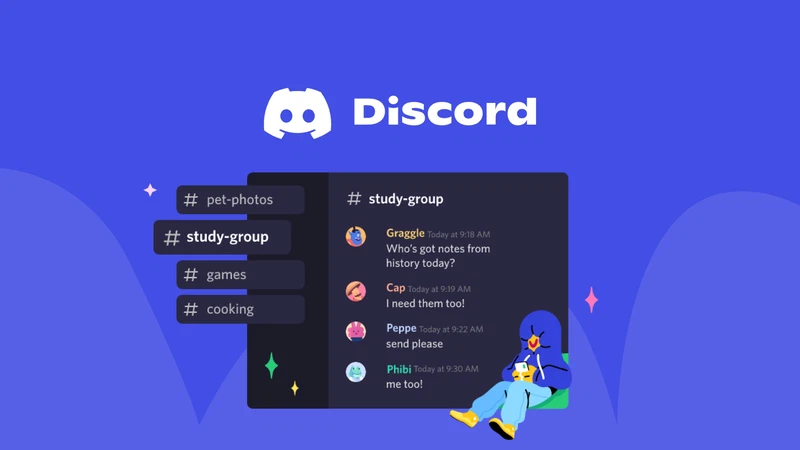
Discord Company Profile
App name | Discord |
Developer | Discord Inc. |
Category | Voice, video and text chat for communities and gaming |
Founded | 2015 |
Headquarters | San Francisco, California, United States |
Website | discord.com |
Platforms | Windows, macOS, Linux, iOS, Android, web browser, Meta Quest |
Sign up method | Email, phone number, or QR code login from mobile |
Pricing | Free, with optional Nitro subscription for extra features |
Minimum age | 13, with teen by default safety settings and age assurance for adult features |
Reported user base | Over 200 million monthly users worldwide |
Nubia Magazine rating | 1.0 out of 5.0 |
Discord Login Review 2026
Logging into Discord in 2026 should be simple, and most of the time it still is. You type your email or phone number, enter your password, and you are in. Discord also supports passkeys and two factor authentication, which is genuinely a good thing for account safety. The problem our team ran into, and the one that shows up again and again in Trustpilot and Reddit threads this year, is what happens when something goes wrong.
A number of users reported waking up to find their account locked for suspicious activity, only to discover their passkey had also been revoked at the same time, leaving them with no working way back in. Others said their accounts were compromised and used to send scam links to friends, then flagged for review with no clear timeline for getting it back. When login problems happen on Discord, getting a human to help tends to take a long time, and several reviewers said they only ever received automated Clyde bot replies that repeated the same instructions they had already tried.
On a normal day, with no account flags and no hacking attempt, the login experience is fast and unremarkable in a good way. It is when things go sideways that the cracks show.
Discord Signup Review 2026
Creating a new Discord account is still quick. You can sign up with an email address or a phone number, pick a username, and you are dropped straight into the app. That part has not changed much over the years and it remains one of Discord's strengths for onboarding new users into servers fast.
What has changed in 2026 is what happens after signup. Every new account is now placed into a teen by default state, meaning sensitive content is blurred, DMs from strangers are restricted, and access to age gated servers is locked until the account completes an age assurance step. Discord has said this applies globally and affects both brand new accounts and accounts that have existed for years. For most people this just means a short verification prompt using a face scan or selfie video that stays on the device, but a smaller group of users are asked to submit a government ID to a third party vendor instead, and that is where a lot of people start to feel uneasy, especially after a 2025 breach that exposed identity documents submitted through one of Discord's verification partners.
- Signup takes minutes and only needs an email, phone number, or QR code scan from an existing logged in device.
- New accounts start with restricted, teen appropriate settings by default.
- Full adult features require an age assurance step, either an on device face scan or an ID upload to a vendor.
- Some long time users say they were re prompted for verification even though nothing about their account had changed.

Discord Download and Installation
Downloading Discord is still straightforward on every platform we tested. The desktop client is available for Windows, macOS, and Linux directly from discord.com, and it also runs on iOS and Android through the usual app stores. In 2026 Discord also pushed a native app for Meta Quest headsets, letting people join voice channels and servers in VR, which is a genuinely interesting expansion for the platform.
Installation itself is painless. The desktop installer is small, updates happen quietly in the background, and the mobile apps install the way any other app would. Where we ran into friction was after installation, with several users this year reporting the app getting stuck on an updating screen and refusing to open, or freezing entirely on both PC and phone at the same time even while on separate networks. These are not universal problems, but they show up often enough in outage trackers that they are worth mentioning before you rely on Discord for something time sensitive.
Discord App Review 2026
The core Discord app, meaning the actual client you spend your time in, is where opinions get split. Long time users still appreciate the mix of text channels, voice channels, threads, and server organization that made Discord popular in the first place. New features added this year include the ability to pin important direct messages and channels, see who is already in a voice channel before you join, tap to react on mobile, and faster media uploads. Gaming focused updates from GDC 2026 added account linking with titles like Riot's games, in chat purchases, and small playable experiences inside servers.
On the other side, a growing number of reviewers describe the app as cluttered and harder to navigate than it used to be, with notifications that pile up instead of staying meaningful. Bot verification rules were loosened this year to let bots get verified without needing to already run in a hundred or more servers, and that has led to a noticeable rise in low quality bots showing up in channels. Crashes and general instability were mentioned frequently enough in recent reviews that we cannot call the app rock solid right now, even though the feature set itself is still strong on paper.
Discord Browser Extension and Web Version
If you would rather not install anything, Discord's web version at discord.com/app works in most modern browsers and mirrors the desktop client fairly closely, including voice and video calls. There is no official first party browser extension from Discord itself, but the web app functions well enough as a lightweight alternative, and it is handy for shared or work computers where installing software is not an option.
Third party browser extensions built around Discord do exist, mostly for things like server statistics, custom themes, or notification tweaks, but these come from independent developers rather than Discord, so treat them the way you would any unofficial extension: check reviews, check permissions, and do not hand over your login credentials to anything that is not the official site or app.
Discord User Experience in 2026
Pulling everything together, the user experience on Discord in 2026 is a mixed bag leaning toward frustrating. The platform is still genuinely good at what it was originally built for: bringing communities together around voice and text in a way that feels casual and alive. People who use it for gaming groups, hobby communities, or staying in touch with friends generally still enjoy it day to day.
The friction shows up around the edges. Customer support is widely described as slow, repetitive, and heavily automated, which matters a lot when the issue is a hacked account or a wrongful ban. Moderation is described as inconsistent, with some rule breaking servers surviving for a long time while others get shut down quickly. The rollout of mandatory age verification, even with Discord's promise not to store ID documents permanently, has made a real portion of the user base uncomfortable, particularly given the vendor breach from late 2025. None of this erases what Discord does well, but it does mean the overall experience feels heavier and more anxious than it did a few years ago, which is reflected in the low score we have given it below.
Nubia Magazine verdict
Nubia Magazine rates Discord 1.0 out of 5.0 for 2026. This score reflects the pattern of account lockouts, slow and largely automated customer support, inconsistent moderation, rising bot spam, and the anxiety many users feel around the new mandatory age verification rollout and its ties to a recent data breach. The core chat and community features remain functional and even enjoyable for many, but the trust and support issues surrounding the platform right now are significant enough that we cannot recommend it without serious reservations.
Frequently Asked Questions About Discord in 2026
1. Is Discord safe to use in 2026?
Discord has added more safety layers this year, including teen by default settings and age verification for adult features. That said, account hacking, phishing scams sent through compromised accounts, and slow support responses remain common complaints, so treat your login credentials and personal information with extra caution.
2. Why is Discord asking me to verify my age?
Discord rolled out a global age assurance system in 2026 that treats every account as a teen by default until age is confirmed. Verification can happen automatically through an inference system, through an on device face scan, or in some cases through a government ID submitted to a third party vendor.
3. Do I have to submit my ID to keep using Discord?
No. Discord has said the large majority of users will be classified automatically without submitting any documents. ID or face scan verification is generally only requested from users trying to access age restricted servers, channels, or features.
4. Why did my Discord account get locked or disabled?
Accounts are commonly flagged for suspicious login activity, reported content, or automated moderation systems. Several users this year reported being locked out after their account was used to send scam messages without their knowledge, which triggers an automatic suspicious activity flag.
5. Is Discord free to use?
Yes. The core app is free, including servers, voice channels, and messaging. Discord Nitro is an optional paid subscription that adds perks like higher upload limits, custom emoji use across servers, and profile customization.
6. Can I use Discord without downloading the app?
Yes. Discord works through a web browser at discord.com/app with most of the same features as the desktop client, including voice and video chat, so you do not need to install anything to use it.
7. Why does Discord keep freezing or getting stuck updating?
Outage tracking sites have logged a steady stream of reports in 2026 about the app freezing, getting stuck on an updating screen, or failing to load new messages while still showing older cached ones. These issues tend to be temporary and often clear up after a restart or a short wait, but they have been frequent enough to affect the app's reliability reputation.
8. How do I get help if Discord support is not responding?
Many users report that initial support responses come from an automated bot rather than a person. If that does not resolve your issue, replying with clear details and any evidence, checking Discord's official support and status pages, and being persistent through the appeal process are currently the most effective options available.
9. Is Discord good for gaming communities?
Yes, this is still one of Discord's strongest use cases. New 2026 features including account linking with popular games, in chat purchases, and playable experiences were built specifically to make Discord more useful for gaming communities.
10. What is Discord's minimum age requirement?
Discord's stated minimum age is 13. Several child safety focused reviewers recommend a higher practical age, generally 16 or 17 and up, given the platform's mature content, open communities, and the fact that verification systems can still be bypassed.
Related Posts




0 Comments
Join the discussion and share your thoughts
No Comments Yet
Be the first to share your thoughts on this article!