Bravo Studio Review 2026: AI, App, Free Plan, Pricing, Login & FAQs

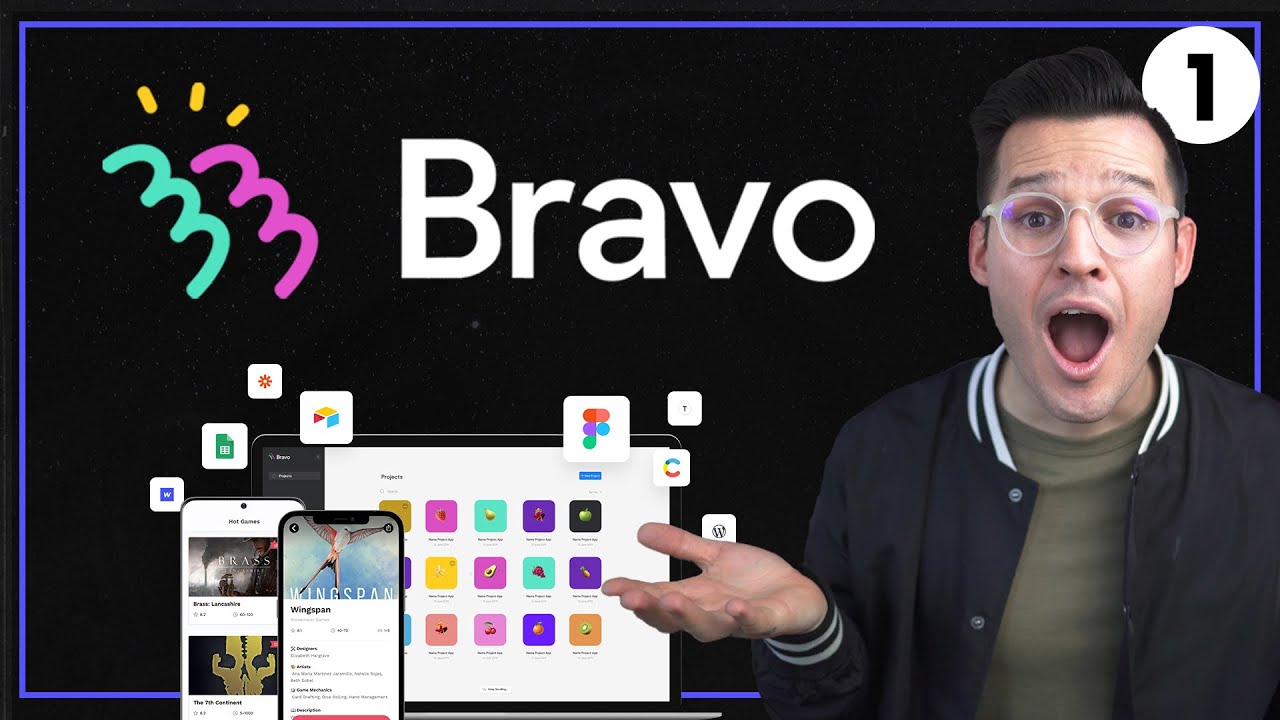
Table of Contents
Every year a new wave of no-code app builders shows up promising the same thing, that you can ship a mobile app without writing a line of code. Most of them fall apart the moment you try anything serious. Bravo Studio is one of the few that has stayed in the conversation since 2019, and in 2026 it feels more relevant than ever because of how cleanly it now sits between Figma, AI assistants like Claude and ChatGPT, and the actual App Store and Google Play.
The team at NUBIA MAGAZINE spent time inside the platform, tested the new Bravo MCP beta, looked at the pricing pages, signed up for a fresh account, and built a small native test app from a Figma file. This is the long form, honest review of what Bravo Studio looks like right now, who it is really for, where it shines, and where you might want to think twice before committing.
What Is Bravo Studio?
Bravo Studio is a no-code platform that turns Figma designs into real native mobile apps for iOS and Android. You design your screens in Figma the way you normally would, tag a few layers, connect to an API or backend, and Bravo produces a working APK or IPA that you can publish to the app stores. There is no React project to maintain, no Xcode build server to babysit, and no need to learn Swift or Kotlin.
The company was started in Barcelona in 2019 by Toby Oliver, a former CTO at Typeform, and Pedro Rodriguez Codina. The legal name is App Foundry SL. According to the company, more than 100,000 apps have been built on Bravo so far, from solo founders shipping their first MVP to brands like Unity and G42 using it for internal tools.
Bravo Studio Profile at a Glance
Profile | Details |
|---|---|
Company name | Bravo Studio (legal entity: App Foundry SL) |
Founded | 2019 |
Headquarters | Barcelona, Catalonia, Spain |
Founders | Toby Oliver (CEO) and Pedro Rodriguez Codina |
Team size | Around 27 to 30 employees |
Industry | No-code mobile app development |
Core product | Figma to native iOS and Android app builder |
Notable 2026 launch | Bravo MCP (Bravo 4.0 beta) for Claude, ChatGPT and Cursor |
Free plan | Yes, the Starter plan |
Paid plans start at | About $22 per month (Solo) |
Website | www.bravostudio.app |
Our rating | 4.5 out of 5 |
Bravo Studio and AI in 2026
This is the part of the story that changed the most this year. For most of its life, Bravo Studio was a visual tool. You opened a browser, opened Figma, and clicked. In 2026 the team launched Bravo MCP, currently labelled as a 4.0 beta, and it shifts the whole experience.
Bravo MCP is an implementation of the Model Context Protocol. In plain English, it lets you build a native mobile app from inside an AI chat. You can sit inside Claude, ChatGPT or Cursor, describe the app you want, and Bravo handles the build pipeline in the background. The output is a real React Native app, with a Convex backend and live sync from Figma.
Two things make this different from a typical AI app builder. First, it does not need a separate AI subscription. You bring your own Claude or ChatGPT plan and Bravo plugs into it. Second, the Figma side of the workflow is preserved. Designers can still own the visual layer while the AI handles the wiring.
Bravo MCP is bundled with the Solo plan. There is no extra fee on top of the regular subscription, which is a refreshing pricing decision in a market where every AI add-on usually carries its own monthly bill.
On top of MCP, Bravo also supports Web Components, which means you can drop in custom HTML, JavaScript and CSS generated by tools like OpenAI or Claude into your app. If a feature is not available natively in Bravo, you can essentially have an AI write that feature as a web block and slot it in.
The Bravo Studio App: What You Can Actually Build
Bravo is most often described as a Figma to mobile app tool, but that undersells what it can do once you start exploring. The kind of apps people are shipping on it in 2026 includes content apps for media brands, event and conference apps, fitness and wellness tools, internal staff apps, MVPs for early stage startups, marketplace front ends, and educational apps with video and audio content.
Some of the heavier features that ship out of the box include:
- Firebase based user authentication with email, password and social logins
- Stripe and RevenueCat integration for one off payments and subscriptions
- Push notifications with deep linking
- Native device features like camera, GPS and gallery access
- API binding so you can pull data from any REST endpoint, including AI generated backends from tools like bolt.new
- Bravo Vision, a free companion app that lets clients preview your build on a real phone before publishing
The frontend looks and feels native because it is native. This is the main reason many users pick Bravo over hybrid or web wrapper builders. Animations, transitions, gestures and scroll behaviour all feel right on iOS and Android.
Is Bravo Studio Free?
Yes, Bravo Studio has a free forever plan called Starter. You can sign up, design unlimited projects, connect APIs, and share your app privately with up to three other people using Bravo Vision. No credit card required.
The honest catch is that the free plan is for building, not for shipping. You cannot publish to the App Store or Google Play from Starter, and there is a cap on how many app builds you can request per week. If you only want to prototype, validate an idea with a few test users, or learn the tool, the free tier is more than enough. The moment you want a real app live in the stores, you need to step up to Solo.
Bravo Studio Pricing
Bravo runs a freemium SaaS model with a small set of clearly defined tiers. Annual billing knocks roughly two months off the price across paid plans.
Plan | Price | What you get |
|---|---|---|
Starter | Free forever | Unlimited app projects, content data binding, app sharing with up to 3 emails, 3 app builds per week for testing |
Solo | Around $22 per month | App store publishing, Bravo MCP (4.0 beta) access, email support, full Solo features for individual creators |
Business | From 199 EUR per app per month | High-volume apps, monetisation tools, advanced add-ons, priority support |
Enterprise | Custom quote | Done-for-you delivery, Bravo To Go service, dedicated team and SLAs |
On top of the base plans, Bravo sells per app add-ons. These are smaller monthly fees you pay only on the apps where you need a specific feature, such as removing Bravo branding, unlocking in-app purchases, or adding deeper analytics. It is a fair model because you do not get pushed into a higher tier just to unlock one feature on one project.
Compared to alternatives like FlutterFlow, Thunkable or Draftbit, Bravo lands somewhere in the middle on price. It is not the cheapest option, but the time savings from skipping the React Native build pipeline tend to pay it back quickly, especially if you already work in Figma.
Bravo Studio Login: How to Get In and Get Started
Logging into Bravo is intentionally simple. Go to bravostudio.app and click the Login button at the top right, or hit Sign Up if you do not have an account yet. You can authenticate with Google or with email and password. Two factor authentication is available for paid accounts.
Once inside the dashboard you will see your projects on the left, recent builds on the right, and shortcuts to the Figma plugin, the API connection panel and the Build queue. New users get pushed through a short walkthrough that imports a sample Figma file so you can see a tagged screen working end to end before you build your own.
If you are using Bravo MCP, the login flow is slightly different. You authorise your AI client once, paste the connection details into Claude, ChatGPT or Cursor, and from that point on you can build inside the AI chat without going back to the web dashboard for routine tasks.
A small note for teams: there is no full multi-seat collaboration on the Solo plan. If you want shared editing across designers and developers, you need to look at the Business or Enterprise tier.
User Experience
Bravo Studio sits in a strange but useful spot. It is more powerful than a true drag and drop app builder, and easier than writing React Native by hand. The learning curve depends almost entirely on your Figma skills.
If you are comfortable in Figma already, the onboarding feels light. You install the Bravo plugin in Figma, learn the tagging system (a small set of keywords like data, image, action and so on), and you are productive within an afternoon. The plugin shows you in real time which layers are recognised and which are not, which saves a lot of guesswork.
If you have never used Figma, expect a steeper start. The hardest part is not Bravo itself, it is learning to structure a Figma file in a way that translates well to a working app. Auto layout, components and consistent naming all matter much more here than in a normal design file.
The build experience is solid. You request a build, Bravo runs it on its servers, and a few minutes later you get an APK or IPA in your inbox. Bravo Vision means you do not need to publish to share, which removes a huge amount of friction during client review and beta testing.
Performance of the finished apps is good in normal use. We tested a content style app with around 30 screens, API driven lists, and a login flow. Scroll, transitions and image loading all felt native. Very animation heavy apps or apps with complex offline logic still benefit from a custom build, and Bravo is honest about that.
Support is friendly and responsive. Email replies on the Solo plan came back within a working day during our test. The documentation site and community forum are both active and easy to search.
What We Liked
- Genuine native iOS and Android output, not a web wrapper
- Tight Figma integration that respects the designer workflow
- Free forever plan that is actually useful for prototyping
- Bravo MCP brings AI app building without an extra AI bill
- Clear, honest pricing without surprise feature locks
- Bravo Vision makes private testing painless
- Strong third party integrations for auth, payments and analytics
What Could Be Better
- No native custom code injection outside Web Components
- Free plan does not allow App Store or Play Store publishing
- Some advanced features sit behind add-ons rather than the main subscription
- Solo plan is single seat, so team workflows push you to Business
- Bravo MCP is still in 4.0 beta, so expect some rough edges
Nubia Magazine Verdict
Bravo Studio in 2026 is the most credible answer we have seen so far to the question, can a designer ship a real native app on their own. The new MCP integration with Claude, ChatGPT and Cursor pushes it further than most of its no-code rivals, while the core Figma to app workflow remains its real superpower.
Half a point comes off mainly for the limits around custom logic and the fact that team collaboration is still gated behind the Business tier. For solo founders, designers, content creators and small product teams, however, Bravo is one of the best uses of your subscription budget this year.
If you are sitting on a Figma file you have been meaning to turn into an app for the last six months, this is your sign to actually do it.
Frequently Asked Questions about Bravo Studio in 2026
1. Is Bravo Studio really free?
Yes. The Starter plan is free forever, with no time limit and no credit card required. You can build unlimited projects, connect APIs and share apps with up to three emails. The only real limit is that you cannot publish to the App Store or Google Play on the free tier.
2. Does Bravo Studio use AI?
As of 2026, yes. The big update this year is Bravo MCP (Bravo 4.0 beta), which lets you build native mobile apps from inside AI tools like Claude, ChatGPT and Cursor. It uses your existing AI subscription, so you are not charged twice.
3. Do I need to know how to code to use Bravo Studio?
No, you do not need to write code to build a standard app. You will need to understand Figma well, including auto layout and components. If you want to add custom features beyond what Bravo supports natively, you can use the Web Components system to drop in HTML, JavaScript or CSS.
4. Can I publish a Bravo Studio app to the App Store and Google Play?
Yes, on the Solo plan or higher. Bravo generates a signed IPA file for iOS and an APK or AAB file for Android, which you upload to the stores yourself. Bravo also helps with the submission process through its documentation.
5. How much does Bravo Studio cost in 2026?
Pricing starts at zero on the Starter plan. The Solo plan, which is what most individual creators use, sits at roughly 22 USD per month and includes Bravo MCP. Business plans start at around 199 EUR per app per month for high-volume monetised apps, and Enterprise is custom priced.
6. How do I log into Bravo Studio?
Go to bravostudio.app and click Login at the top right. You can sign in with Google or with an email and password combination. Paid users can enable two factor authentication for added security.
7. Is Bravo Studio better than FlutterFlow or Thunkable?
It depends on what you want. FlutterFlow gives you deeper customisation and code export, which suits developers. Thunkable is closer to drag and drop. Bravo wins for designers who already work in Figma and want a clean path from design to a real native app, especially now that AI building through MCP is included.
8. What kind of apps can I build with Bravo Studio?
Content apps, event apps, fitness and wellness apps, MVPs, internal team apps, simple marketplaces, educational apps and lifestyle apps all work well on Bravo. Heavy gaming, AR or apps that need very specific offline logic are still better served by a custom native build.
9. Does Bravo Studio support payments and subscriptions?
Yes. Bravo integrates with Stripe for one off payments and with RevenueCat for in-app subscriptions on both iOS and Android. This makes it possible to monetise an app from day one without writing payment code yourself.
10. Is Bravo Studio safe and trustworthy for business use?
Bravo has been operating since 2019 from Barcelona under App Foundry SL, with over 100,000 apps built on the platform and customers ranging from indie founders to enterprise names like Unity and G42. For most business use cases it is safe to build on. For regulated industries like finance or healthcare, run your own security review of the integrations you plan to use, especially around authentication and data storage.
Related Posts


0 Comments
Join the discussion and share your thoughts
No Comments Yet
Be the first to share your thoughts on this article!