Top 10 Best Desktop Automation Tools In The World 2026

Table of Contents
Desktop automation tools have evolved far beyond simple macro recorders. In 2026, these platforms combine robotic process automation (RPA), artificial intelligence, and low-code interfaces to handle everything from data entry to complex, multi-system workflows. Choosing the right tool depends on your organization's size, technical expertise, and the specific tasks you need to automate. Our analysis of the top 10 best desktop automation tools in the world for 2026 covers the market leaders, open-source champions, and niche specialists that define the current landscape.
How We Made Our Picks
We evaluated each tool based on several factors: market share and user adoption rates as of early 2026, user satisfaction ratings on platforms like G2 and Capterra, the breadth of integrations and supported platforms, and suitability for different user segments (enterprise, small business, individual developers). We also considered each tool's unique differentiators, such as AI capabilities, open-source flexibility, and security certifications. The list prioritizes tools that are actively maintained and widely recognized in the automation community.
The Top 10 Best Desktop Automation Tools In 2026:
1. UiPath
UiPath remains the undisputed leader in enterprise robotic process automation, commanding the largest market share in the sector. With a 4.6 out of 5 rating on G2, it is the go-to platform for large organizations that need to automate complex, multi-step workflows across legacy systems where APIs are unavailable or insufficient. Its signature feature in 2026 is Agentic Automation, a capability that allows bots to operate toward defined goals without requiring rigid, step-by-step instructions. For example, a single bot can pull customer data from Salesforce, check ticket status in ServiceNow, and retrieve order details from SAP concurrently.
The platform's Automation Hub allows entire teams to submit and prioritize automation ideas, creating a centralized pipeline for process improvement. UiPath supports both attended automation (where a human triggers and interacts with the bot) and unattended automation (where bots run independently on schedules). Its governance, compliance, and orchestration tools make it the standard for regulated industries like finance and healthcare. However, this power comes with a significant price tag and a learning curve that may be excessive for smaller teams.
2. Microsoft Power Automate
For organizations already invested in the Microsoft ecosystem, Power Automate is the natural extension. Rated 4.4 out of 5, it integrates natively with Outlook, Excel, SharePoint, Teams, and Dynamics 365. The visual builder allows users to scrape website data, loop through Excel rows, and send customized emails without writing a single line of code. Power Automate Desktop extends this capability to the desktop, supporting both attended and unattended RPA.
A key differentiator in 2026 is Copilot integration, which guides users through building RPA workflows using natural language prompts. This dramatically lowers the barrier to entry for non-technical staff. For a marketing team that needs to pull reports from multiple sources and format them in a PowerPoint deck, Power Automate is often the fastest path from idea to execution. Its primary limitation is that its deepest integrations are within Microsoft products; automating non-Microsoft applications can be more cumbersome.
3. Automation Anywhere
Automation Anywhere has pushed aggressively into AI-augmented automation, particularly through its AARI (Automation Anywhere Robotic Interface) platform. With a 4.6 out of 5 rating, it excels at creating complex, cognitive workflows that combine traditional RPA with machine learning models. The platform is especially strong in cloud-first enterprise environments and handles unstructured data, such as scanned invoices or handwritten forms, with high accuracy.
Its process discovery tools automatically map out existing workflows, identifying the best candidates for automation. Automation Anywhere supports both attended and unattended bots and includes advanced analytics dashboards that track bot performance and ROI. For organizations that need to process large volumes of documents or integrate AI into their automation pipelines, Automation Anywhere is a top contender. Its pricing and complexity put it in the enterprise tier alongside UiPath.
4. Blue Prism
Blue Prism differentiates itself with a security-first architecture designed for compliance-heavy industries. Rated 4.5 out of 5, it is the preferred choice for banks, insurance companies, healthcare providers, and government agencies that require rigorous audit trails, role-based access controls, and enterprise-grade governance. The platform treats bots as a "digital workforce," providing a centralized management console for deploying, monitoring, and auditing all automated processes.
Its model-based approach to automation means that processes are documented in a structured, reusable format, making it easier to maintain compliance with regulations like SOX, HIPAA, and GDPR. Blue Prism is not the easiest tool to learn, and its focus on security means that flexibility sometimes takes a back seat. But for organizations where a failed automation could lead to regulatory penalties, Blue Prism's reliability is unmatched.
5. Zapier
Zapier is the most popular no-code automation platform in the world, connecting over 9,000 applications through simple, trigger-based workflows called "Zaps." With a 4.5 out of 5 rating and a generous free tier, it dominates the small business and startup segments. In 2026, Zapier has expanded beyond pure web automation to include desktop triggers and AI-powered features, including natural language workflow creation.
A typical use case might involve automatically saving email attachments from Gmail to Google Drive and then posting a notification in Slack. Zapier's strength is its sheer breadth of integrations and its intuitive interface. Its weakness is that it is not designed for complex, logic-heavy workflows or for automating desktop applications that lack web interfaces. For simple, app-to-app automations, however, no tool is faster to set up.
6. AutoHotkey
AutoHotkey is the developer's lightweight scripting tool for Windows desktop automation. With over 12,500 GitHub stars and active v2 releases as of 2026, it remains the gold standard for power users who need to create custom keyboard shortcuts, remap keys, automate repetitive tasks, and build complex GUI automation scripts. Its scripting language is simple but powerful, allowing users to create anything from a one-line hotkey to a full-fledged automation program.
AutoHotkey is free and open-source, with a massive community of users who share scripts and libraries. It is not an enterprise tool; it lacks a graphical workflow builder, centralized management, or support for attended/unattended modes. But for individual developers or small IT teams who need to automate Windows tasks with precision and speed, AutoHotkey is irreplaceable. Its biggest drawback is that it only runs on Windows.
7. Keyboard Maestro (macOS)
Keyboard Maestro is the premier desktop automation tool for macOS, widely considered the gold standard for Mac power users. It enables users to create powerful macros triggered by hotkeys, system events, application focus changes, and even time-based schedules. The tool supports variables, conditional logic, and deep integration with AppleScript, shell scripts, and JavaScript.
For a solo Mac user or a small team, Keyboard Maestro can automate virtually any repetitive task: resizing images, filling in web forms, launching complex application setups, or manipulating text across multiple documents. Its interface is more approachable than AutoHotkey's scripting language, but it still requires a willingness to learn macro logic. The tool's primary limitation is that it is macOS-only, and it lacks the enterprise orchestration features of platforms like UiPath.
8. Fortra Automate
Fortra Automate, formerly known as Automate by HelpSystems, is a mid-market RPA solution that balances enterprise-grade capabilities with accessibility for smaller teams. It provides visual workflow design, scheduled automation, and support for both attended and unattended bots, all without the complexity and cost of enterprise-tier platforms like UiPath or Automation Anywhere.
For operations teams that need reliable desktop automation but do not have dedicated RPA developers, Fortra Automate offers a practical middle ground. It can automate tasks like file transfers, data entry, report generation, and email processing. Its strengths are ease of use and a reasonable price point. Its weaknesses are a smaller integration library and less advanced AI capabilities compared to the market leaders.
9. n8n
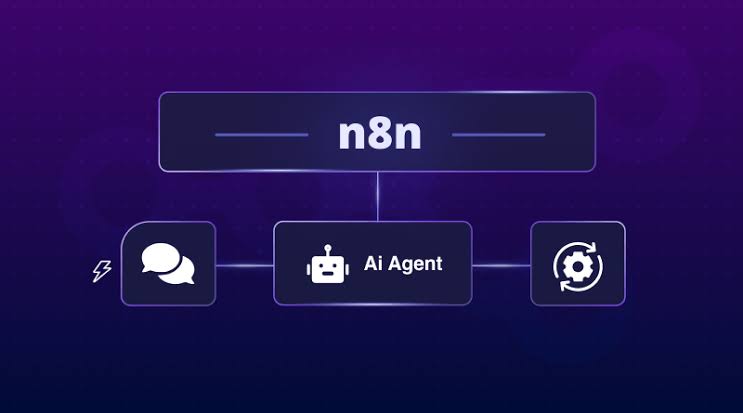
n8n is an open-source workflow automation platform that can be self-hosted, giving developers complete control over their automation infrastructure. It supports desktop integration via local triggers, webhooks, and over 400 nodes for connecting various services, APIs, and databases. In 2026, n8n is the top choice for teams that need developer-grade control, custom integrations, and data sovereignty without the overhead of enterprise RPA platforms.
Because it is self-hosted, n8n avoids vendor lock-in and enterprise pricing. It is particularly popular among startups and mid-size tech companies that want to build custom automation pipelines without exposing sensitive data to third-party servers. The trade-off is that it requires technical expertise to set up and maintain. It is not a tool for non-technical business users.
10. Sikuli / PyAutoGUI
Sikuli and PyAutoGUI represent the open-source, image-recognition approach to desktop automation. SikuliX uses screenshots and visual patterns to identify and interact with GUI elements, making it possible to automate applications where traditional object-based automation is not feasible. PyAutoGUI provides cross-platform Python-based automation for mouse and keyboard control, allowing developers to script complex interactions programmatically.
These tools are best suited for developers who are comfortable with scripting and need to automate legacy or custom applications that lack standard automation interfaces. They are not enterprise tools; they lack centralized management, audit trails, and user-friendly interfaces. But for solving specific, hard-to-automate problems, they offer unmatched flexibility. PyAutoGUI runs on Windows, macOS, and Linux, while SikuliX is primarily Java-based.
The best desktop automation tool for your organization depends on your specific requirements. Enterprise organizations with complex, regulated workflows should look at UiPath, Automation Anywhere, or Blue Prism. Organizations already in the Microsoft ecosystem will find Power Automate the most natural fit. Small businesses and startups should start with Zapier for web-based tasks and consider AutoHotkey or Keyboard Maestro for desktop-specific needs. Developers who want maximum control and no vendor lock-in should explore n8n or the Sikuli/PyAutoGUI combination.
No single tool covers every use case. Many organizations end up using two or more tools: an enterprise RPA platform for critical business processes, a no-code tool for quick wins, and a scripting tool for niche automation tasks. The key is to start with a clear understanding of what you need to automate and then match the tool to the task.
Related Posts


0 Comments
Join the discussion and share your thoughts
No Comments Yet
Be the first to share your thoughts on this article!