Behance Review 2026: Login, Sign Up, Download, App & FAQs

Table of Contents
Behance profile at a glance
Platform name | Behance |
Website | behance.net |
Founded | 2005 |
Founders | Scott Belsky and Matias Corea |
Parent company | Adobe Inc. (acquired Behance in 2012) |
Headquarters | New York City, United States |
Platform type | Creative portfolio and networking site |
Main categories | Graphic design, illustration, photography, UX/UI, animation, branding |
Account requirement | Adobe ID (email, Google, Apple or Facebook sign in) |
Cost to join | Free |
Available on | Web browser, iOS app, Android app, Creative Cloud desktop app |
Nubia Magazine rating | 1.3 out of 5 |
Our take on Behance in 2026
If you have spent any time around designers, illustrators or photographers, you have probably heard someone mention Behance. It is the Adobe owned platform where creatives post their portfolios, and for a long time it was treated as one of the default places to be discovered. At Nubia Magazine we spent several weeks this year going through the sign up flow, the mobile app, the desktop experience and dozens of user complaints across review sites to see whether that reputation still holds up in 2026.
Our conclusion is a low one. We are giving Behance 1.3 out of 5 stars. That number will surprise people who still think of it as the go to home for design portfolios, and we want to be upfront that plenty of creatives still use it daily and get value from it. But once you look past the surface, the account setup friction, the support complaints, the payment issues raised by freelancers, and the feeling that the platform has not evolved much in years all add up to an experience that falls short of what a 2026 creative tool should offer.
Behance login: what to expect
Behance does not run its own separate login system. Every account is tied to an Adobe ID, the same credentials used for Photoshop, Illustrator and the rest of Creative Cloud. That has upsides, since one login covers your whole Adobe toolkit, but it also means Behance login problems are really Adobe account problems, and Adobe's authentication layer has been a recurring source of frustration for users this year.
To log in, you go to behance.net, click login, and either enter your email and password or use Google, Apple or Facebook if that is how you originally signed up. Several users we came across this year reported getting stuck on an authenticating screen, particularly when logging in through Google on the mobile app. Clearing the app cache or logging in through a browser first usually resolves it, but it should not be something a user has to troubleshoot in the first place.
How to sign up for Behance
Creating a Behance account is straightforward on paper. You visit the sign up page, choose email or a social login, fill in your name and basic details, pick a username that becomes part of your public profile link, and verify your email address before you can upload projects or message anyone.
- Go to behance.net and select Sign Up.
- Choose Sign Up With Email, or continue with Apple, Facebook or Google.
- Enter your name, email address and password to create your Adobe ID.
- Pick a unique username for your public profile URL.
- Check your inbox and verify your email to unlock uploading and messaging.
If you already use Photoshop, Illustrator or any other Creative Cloud app, you do not need to sign up again. Opening the Creative Cloud desktop app and searching for Behance will create a profile automatically using your existing Adobe ID.
Downloading and using the Behance app
Behance is available as a free app for iOS and Android, alongside the website and the Creative Cloud desktop app. The mobile app lets you browse projects, save inspiration to moodboards, message other creatives and upload work directly from your phone.
In practice, our testers found the app functional but dated. Scrolling through the discovery feed works well enough, and the moodboard feature is genuinely useful for saving references. Where it falls apart is reliability. Several reviewers this year described login loops, slow project loading, and an interface that has barely changed while competing platforms have modernized. It does the job, but it rarely feels delightful to use.
User experience: the honest picture
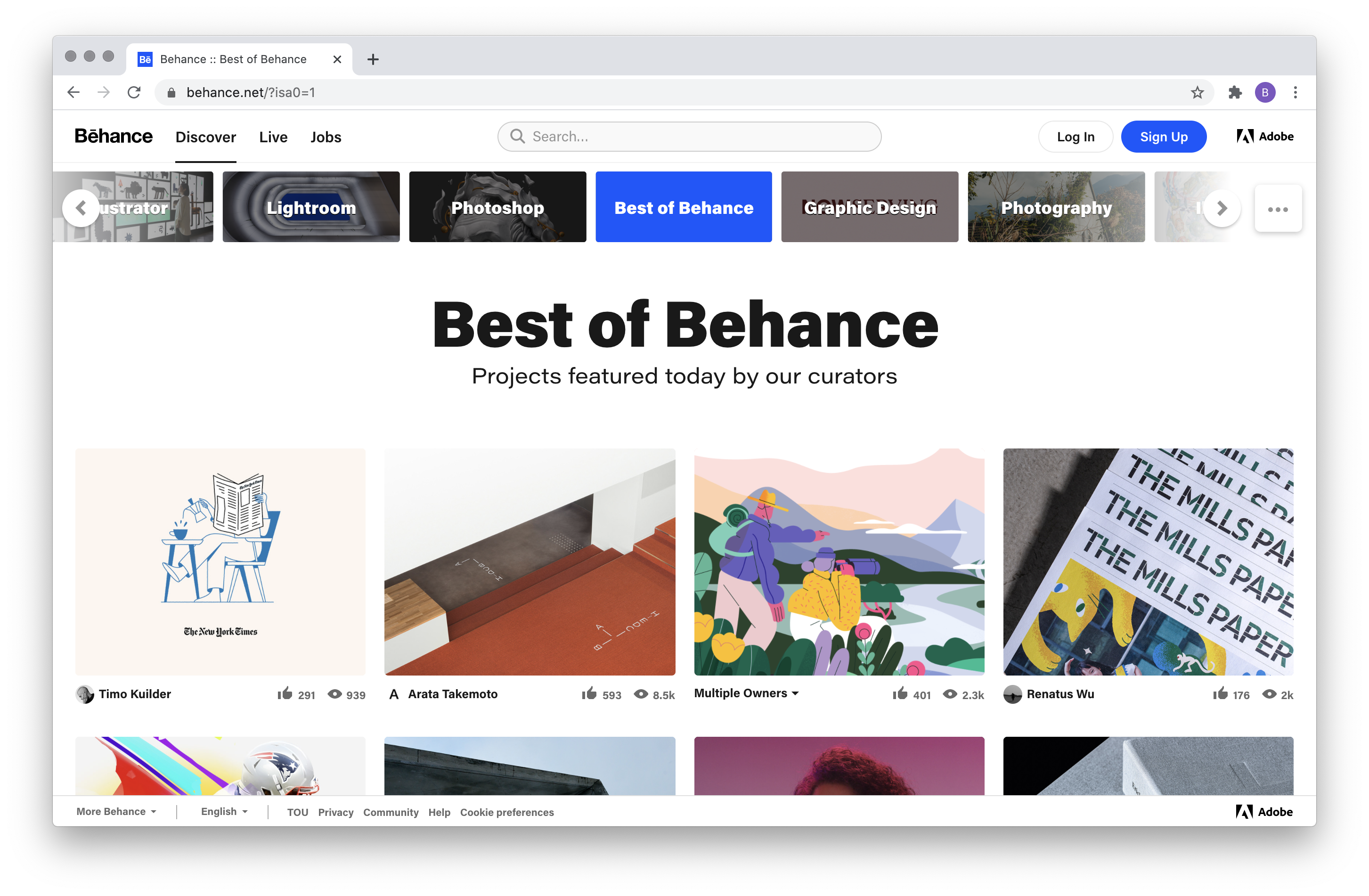
This is where our score takes its biggest hit. Behance's visual gallery layout is still one of the cleanest ways to browse creative work, and that has not changed. The problems show up once you try to do more than scroll.
- Support tickets are frequently closed as resolved without an actual answer, according to multiple recent complaints.
- Freelancers hiring through the platform have reported payment and billing issues, including charges going through without the promised delivery of work.
- Accounts have been suspended over false copyright claims with little explanation offered to the account holder.
- The moodboard and organization tools are seen by long time users as basic compared to newer portfolio and inspiration tools.
- Standing out in the feed is difficult given how saturated the platform has become, especially for newer creatives without an existing following.
On the positive side, the Adobe Creative Cloud integration remains a real convenience. If your files already live in Photoshop or Illustrator, getting them onto Behance takes very little effort. The platform is also still free to join and use, and a well kept profile is widely recognized by studios and agencies as a legitimate professional reference.
Behance pros and cons
What still works
- Free to join, with no paywall for basic portfolio hosting.
- Clean, image first layout that makes work easy to browse.
- Deep integration with Adobe Creative Cloud apps.
- A large, established audience of designers, recruiters and studios.
What needs fixing
- Slow and inconsistent customer support, based on numerous 2026 reviews.
- Login and authentication issues reported across both the app and the website.
- Payment disputes for freelancers using the hiring features.
- An interface that has not kept pace with newer portfolio platforms.
- Discoverability that heavily favors already established creators.
Nubia Magazine verdict
Behance still has name recognition and a genuinely large audience, and for some creatives it continues to open doors. But a portfolio platform is judged on more than its gallery view. It is judged on whether logging in works, whether support actually helps when something goes wrong, and whether freelancers can trust the payment process. On those measures, the pattern of complaints we found throughout 2026 was hard to ignore, and it is why Nubia Magazine is rating Behance 1.3 out of 5 this year. We would encourage creatives to keep a presence there for visibility, while also building a personal site or using an additional platform so their work and their income do not depend on Behance alone.
Frequently asked questions about Behance in 2026
1. Is Behance still free to use in 2026?
Yes. Creating a profile, uploading projects and browsing other creatives' work remains free. Behance makes money through the wider Adobe ecosystem rather than by charging for portfolio hosting.
2. Do I need an Adobe account to log into Behance?
Yes. Behance runs on Adobe ID, so your Behance login is the same email and password, or the same Google, Apple or Facebook login, that you would use for Photoshop or any other Adobe product.
3. Why does the Behance app keep getting stuck on the login screen?
This has been a recurring complaint in 2026, especially when signing in through Google on mobile. It is usually an Adobe authentication issue rather than something wrong with your account. Logging in through a browser first, or clearing the app's cache, tends to fix it.
4. Is Behance safe to use for hiring freelancers?
Use caution. A number of 2026 reviews describe payment disputes and delivery problems when hiring through the platform, with support slow to intervene. Treat it the way you would any open marketplace, and keep records of every agreement and payment.
5. Can I download the Behance app on both iPhone and Android?
Yes, Behance has official apps in the Apple App Store and the Google Play Store, and both are free downloads.
6. Why was my Behance account suspended?
The most common reason cited by users is a copyright or ownership flag on uploaded work, sometimes triggered even when the creator owns the project. Appeals can be submitted through Behance support, though several users report long delays before getting a response.
7. Is Behance better than Dribbble or a personal portfolio website?
It depends on the goal. Behance offers a bigger audience and tighter Adobe integration, Dribbble tends to favor short form shots and a tighter design community, and a personal site gives full control with no platform risk. Many working creatives use more than one of these together rather than relying on a single platform.
8. How do I contact Behance customer support?
Support requests go through the Adobe Help Center linked from Behance's help pages. Response times vary, and multiple 2026 reviews mention tickets being marked resolved without a clear answer, so following up with specific details and screenshots tends to get better results.
9. Does deleting my Behance account also delete my Adobe ID?
No. Your Adobe ID is a separate account used across all Adobe products, so removing your Behance profile does not remove your wider Adobe account or your access to other Creative Cloud apps.
Related Posts




0 Comments
Join the discussion and share your thoughts
No Comments Yet
Be the first to share your thoughts on this article!



