Zeabur Review In 2026: App, AI, Login, Free, Download & FAQs


Table of Contents
If you have spent any time scrolling through developer forums, hackathon recaps or tech Twitter in the past year, you have probably bumped into the name Zeabur. The Singapore-based platform has been pushing the idea of one-click deployments, AI-assisted DevOps and pay-as-you-go cloud infrastructure since 2022, and in 2026 it is louder than ever. So when readers kept dropping the brand name in our inbox, we decided to put our editorial gloves on and dig in properly.
For this Zeabur review, the Nubia Magazine team spent several weeks signing up, testing the free tier, talking to active users on Discord, deploying small side projects and reading through the platform documentation, billing pages and the not-so-flattering threads. The goal was simple. We wanted to know if Zeabur really lives up to the hype it gets from the deploy-with-one-click crowd, and whether the average user, especially someone outside the Silicon Valley bubble, will actually get value out of it.
This is what we found, with no sugarcoating. Our final verdict comes in at 2.9 out of 5, and below we break down exactly why.
Zeabur Brand Profile
Before getting into the experience, here is a quick snapshot of the brand for readers who like to size things up at a glance.
Profile Detail | Information |
|---|---|
Brand Name | Zeabur |
Founder | Yuanlin Lin |
Year Founded | 2022 |
Headquarters | Singapore |
Industry | Cloud Infrastructure / Platform-as-a-Service (PaaS) |
Core Offering | AI-assisted application deployment and hosting |
Free Plan | Yes (services auto-sleep when idle) |
Paid Plans | Dev $5/mo, Pro $19/mo, Team $79/mo for 3 seats, Enterprise (custom) |
Platforms | Web Dashboard, iOS App, Desktop (via WebCatalog), VS Code/Cursor Extension |
Login Methods | Google, Apple, GitHub |
Official Website | zeabur.com |
Customer Support | Community Forum, Discord, Email |
Nubia Magazine Rating | 2.9 / 5 |
What Exactly Is Zeabur?
Zeabur is a cloud platform that wants to remove the stress from deploying applications. In simple words, if you have built a website, an app, a database or any kind of online service, Zeabur is supposed to help you put it online without you having to mess with servers, firewalls, Docker files or complicated cloud consoles like AWS.
The brand sells itself as an AI DevOps engineer. You can chat with its AI agent, ask it to deploy something, rent a server, set up a database or pull a template, and it tries to do the heavy lifting for you. It works with almost any programming language, and the platform automatically figures out the framework you are using once you connect your GitHub repository.
Founded by Yuanlin Lin in 2022, the company has grown into a small but loud player in the PaaS space. It now competes with names like Vercel, Railway, Render, Northflank and Fly.io. Its customer list includes products like ChatHub, Bytebase, PodWise and Kanaries Data, which gives it a bit of credibility, even though it is still nowhere near the size of its bigger rivals.
Zeabur Login and Sign Up Experience
Getting into Zeabur is straightforward. You head to zeabur.com, click sign in, and you are offered three options: Google, Apple or GitHub. For most developers, GitHub is the natural choice because it links your repositories immediately. The whole signup process took us about thirty seconds, with no credit card required for the free plan.
One thing worth flagging is that some users on the forum have complained about phone verification requests appearing later, especially for accounts coming from certain regions. If your account gets flagged, you may need to verify your phone before you can deploy anything serious. It is not a dealbreaker, but it caught us off guard. For users in countries like Nigeria, Ghana or Kenya, this extra step can feel a bit gatekeepy if your number is not accepted on the first try.
Once you are in, the dashboard is clean. There is no overwhelming wall of menus. You see your projects, services, billing and a little chat box for the AI agent. Even a complete beginner can find their way around within a few minutes.
Is Zeabur Really Free?
Yes, Zeabur has a free plan, and no, it is not as free as you might hope. Let us explain.
The Free Plan does not require a credit card. You can sign up, deploy templates, host a small website or test a side project. That part is genuinely useful, especially for students, hobbyists and early-stage builders who just want to try something out.
The catch is the auto-sleep rule. Services on the free plan automatically go to sleep when they are idle for a while. The moment a visitor lands on your website after the sleep kicks in, the service wakes up, which can cause a cold-start delay of a few seconds. For a personal blog or a portfolio, you can probably live with that. For anything that needs to run 24/7, like a Discord bot, a Telegram bot, a small API for an app you are launching, or a database with real users, the free plan will frustrate you very quickly.
There is also no automated database backup, no Service Level Agreement and no email sending on the free tier. These limits push serious users toward the Dev Plan at $5 per month. To Zeabur's credit, the $5 plan comes with $5 worth of credits, so if your usage stays low, you are effectively paying for the seat and getting your compute almost free.
Zeabur Pricing Breakdown for 2026
Pricing on Zeabur is where things start to feel a little less rosy. Here is the structure as of mid 2026.
- Free Plan: $0 per month. Auto-sleep enabled. No SLA. Good for testing only.
- Dev Plan: $5 per month with $5 monthly credits. Targeted at solo developers and side projects. Includes priority support and automatic backups.
- Pro Plan: $19 per month. Comes with a 14-day free trial. Recommended for production workloads.
- Team Plan: $79 per month for 3 seats, plus $24 for every extra seat. Built for teams that need collaboration features.
- Enterprise: Custom pricing. You have to contact sales.
On top of the subscription, you pay for the actual compute resources you consume, billed per minute. This is where users tend to get burned. Several reviewers on Product Hunt openly complained that the platform makes it difficult to estimate how much your real bill will be once traffic picks up. One user described it as a bait and switch model. That is a strong word, but it captures the frustration that comes when a side project suddenly costs more than expected because of resource spikes. Pricing transparency is the weakest part of the Zeabur experience and the main reason our rating dropped.
Zeabur AI: Does the Hype Hold Up?
Zeabur leans heavily on artificial intelligence in its marketing, and in fairness, the AI side is one of the more interesting parts of the product.
There are two main AI offerings to look at. The first is Zeabur Agent, which is a chat-based assistant inside the dashboard. You can type something like, deploy my Node app to a Tokyo server with a Postgres database, and the agent will try to set it up for you. It connects with tools like Cursor IDE and VS Code, so developers using AI coding tools can deploy their work without leaving the editor. In our testing, the agent handled simple tasks well. It struggled a little with multi-service setups that had unusual configurations, but for routine deployments it was honestly impressive.
The second offering is Zeabur AI Hub. This is a unified API endpoint that lets you access multiple AI models through one OpenAI-compatible key. Through AI Hub you can call GPT-5, Claude, Gemini, Grok and others without juggling separate API keys and billing accounts. For developers building AI apps, this is genuinely useful and saves real time. Per-token billing is transparent here, which makes it less stressful than the general compute pricing.
So yes, the AI claims are real, not just buzzwords. Just keep in mind that the AI Hub is a paid service that bills you per token, on top of any subscription plan.
The Zeabur App and Download Options
A lot of readers searching for Zeabur download or Zeabur app are curious about whether the platform exists outside the browser. The answer is yes, but with some nuance.
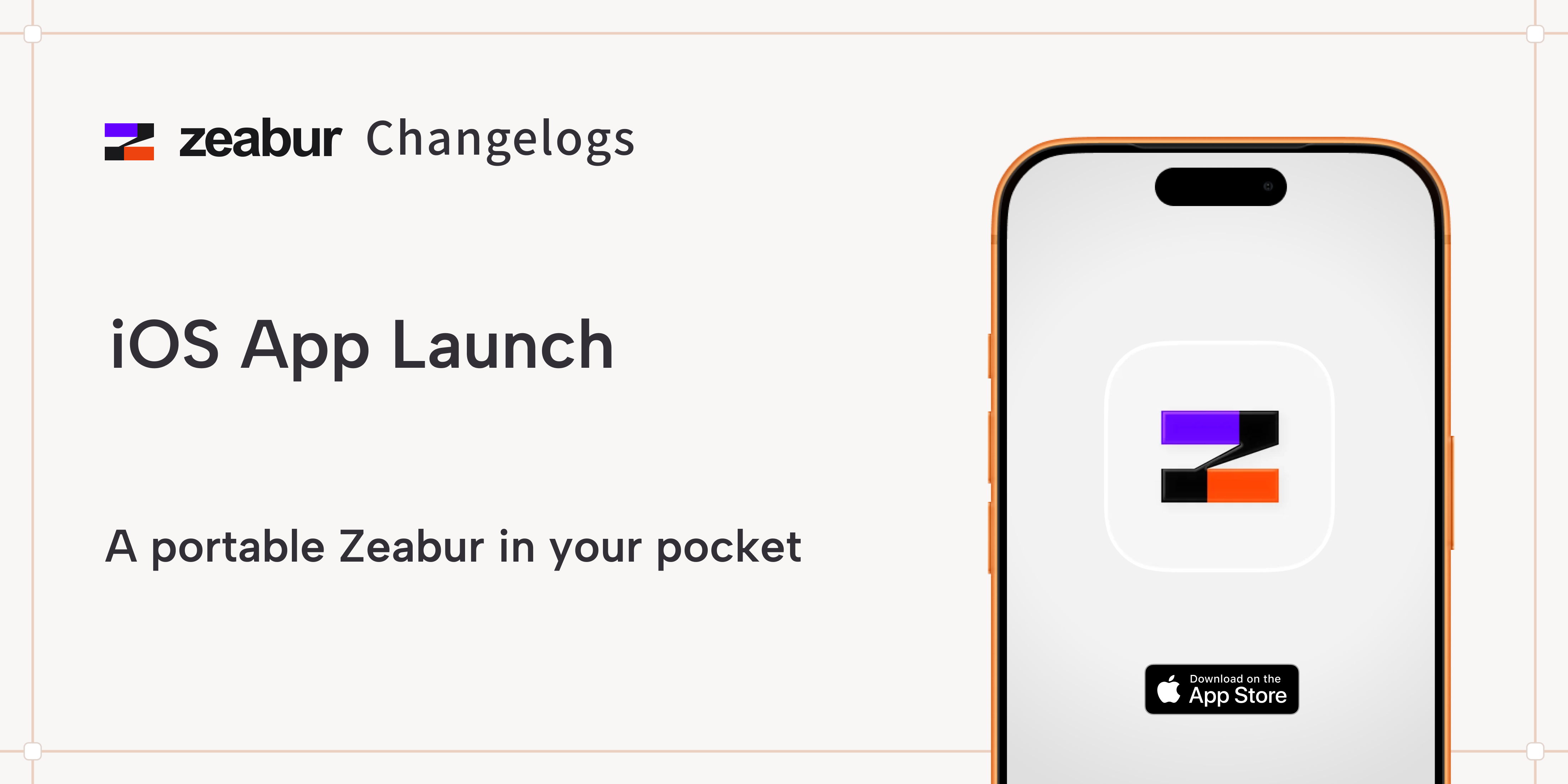
Zeabur has an official iOS app available on the App Store for iPhone and iPad. It lets you deploy templates with one tap, monitor projects in real time, manage servers across regions, view your billing and sign in using Apple or Google. The app is clean and functional, but it is clearly built as a companion to the web dashboard rather than a full standalone tool. Heavy lifting, like editing configuration files or managing complex services, still happens better in a browser.
There is no official Android app yet, which is frustrating for the large developer community in Africa, India and Southeast Asia where Android dominates. If you are on Android, you are stuck using the mobile web version, which works but is not as polished.
On desktop, there is no native Mac or Windows installer from Zeabur directly. Some users wrap the web app inside tools like WebCatalog to get a dedicated window. There is also a VS Code and Cursor extension that lets you deploy your local project to Zeabur with one click, which is the closest thing to a true desktop experience.
Zeabur User Experience: The Honest Verdict
This is where opinions split. On the positive side, the dashboard feels modern and well thought out. New users can deploy their first project within minutes, which is a genuine win in a category where tools usually demand a learning curve. The template marketplace is also a strong point. You can spin up WordPress, Supabase, Dify, n8n, LobeChat, Stable Diffusion variants and other popular apps with a single click. For someone building a self-hosted setup, this is honestly delightful.
Customer support also gets praised a lot. Users on Discord regularly mention that the Zeabur team responds within minutes during business hours, and the founder himself has been seen helping debug specific templates. That kind of hands-on support is rare in cloud platforms, and Zeabur deserves credit for it.
On the negative side, three issues stand out. The first is the auto-sleep behaviour of the free plan, which we have already covered. The second is the pricing opacity, which keeps coming up in user reviews like a broken record. The third is reliability on the lower tiers. A few users have reported services going down during regional maintenance windows with little warning, which is the kind of thing that can break trust quickly if you are running anything that customers depend on.
For the average user, the experience can feel like riding a sports car with no fuel gauge. Fast and smooth most of the time, but you never quite know when the bill or the cold start will hit you.
Pros of Using Zeabur
- Genuinely fast and beginner-friendly deployment process.
- Strong template marketplace with one-click installs for popular tools.
- Useful AI agent that can handle routine deployment tasks.
- AI Hub provides a unified API for GPT, Claude, Gemini and other models.
- Responsive support team active on Discord and the community forum.
- Multiple deployment options, including shared clusters, managed VPS and your own servers.
- Free plan does not require a credit card to get started.
Cons of Using Zeabur
- Pricing at scale is hard to predict, which has burned more than a few users.
- Free plan services auto-sleep, making them unsuitable for production use.
- No official Android app, which limits accessibility in many markets.
- Phone verification can be triggered for accounts in certain regions, which feels uneven.
- No native desktop apps, only third-party wrappers and IDE extensions.
- Reliability on lower tiers is not always consistent.
- Customer service is mostly handled through Discord and a forum, with no live chat for free users.
Our Detailed Rating
After putting Zeabur through its paces, here is how we scored the brand across the categories we usually look at.
Category | Score |
|---|---|
Ease of Use | 3.5 / 5 |
Pricing Transparency | 2.2 / 5 |
Customer Support | 3.4 / 5 |
Feature Depth | 3.6 / 5 |
Reliability of Free Plan | 2.0 / 5 |
Mobile App Experience | 2.8 / 5 |
Trust and Reputation | 2.7 / 5 |
Overall | 2.9 / 5 |
A 2.9 out of 5 puts Zeabur firmly in the average category. It is not a scam, far from it. The product works, and many developers genuinely love it. But the cost opacity, the limits on the free plan and the missing Android app keep it from being a clear win for the average user. We would happily recommend it for personal experiments, hackathon projects or small side businesses, but we would advise caution before betting your startup on it without fully understanding the billing first.
Frequently Asked Questions About Zeabur
Here are some of the most common questions our team has been asked about Zeabur in 2026, along with our straight answers.
1. Is Zeabur legit or a scam?
Zeabur is a legitimate company, registered as Zeabur Pte. Ltd. in Singapore. The complaints you may have read online are about pricing transparency and surprise costs at scale, not about the company stealing money or vanishing with deposits. The product is real, the team is active, and major brands use it. Just go in with eyes open about how billing works.
2. Is Zeabur really free to use?
Yes, Zeabur has a free plan, but it comes with auto-sleep for idle services, no SLA and no email sending. It is great for testing and personal projects, but not suitable for anything that needs to run 24/7.
3. How do I download the Zeabur app?
You can download the official Zeabur app from the Apple App Store on iPhone or iPad. There is no official Android app at the time of this review, so Android users have to stick with the mobile web version. For desktop, there is no native installer, but you can access everything through your browser or use the VS Code or Cursor extension.
4. How does the Zeabur login work?
You can log into Zeabur using Google, Apple or GitHub. For developers, signing in with GitHub is the smoothest path because it automatically connects your repositories. Some accounts may be asked for phone verification, depending on region or account behaviour.
5. What can I actually do with Zeabur AI?
Zeabur AI has two main parts. The Zeabur Agent is a chat-based assistant inside the dashboard that can deploy services, rent servers and manage configs through plain English prompts. The AI Hub lets you access models like GPT-5, Claude, Gemini and Grok through a single OpenAI-compatible API key, with per-token billing.
6. Is Zeabur cheaper than Vercel, Render or Railway?
It can be, especially for small projects. Zeabur charges per minute of actual resource usage, which is more flexible than fixed instance pricing. However, your bill can grow quickly if your traffic spikes, and many users find it harder to predict than the flat pricing on Vercel or Render. If predictable monthly cost matters to you, Zeabur may not be the cheapest in the long run.
7. Can Zeabur host WordPress, Supabase or Discord bots?
Yes. The Zeabur template marketplace includes one-click deployments for WordPress, Supabase, n8n, LobeChat, InvokeAI, Discord bots, Telegram bots and a long list of other popular tools. This is one of the strongest reasons to pick the platform if you want self-hosted versions of common apps without the headache of setting them up manually.
8. Is Zeabur safe for hosting customer data and production apps?
For low-traffic production workloads on the Pro or Team plan, yes, Zeabur is generally safe. The platform supports custom domains, automatic SSL, environment variables and backups on paid tiers. For larger production deployments with strict compliance needs like SOC2, HIPAA or detailed audit logs, you will want to look at Enterprise pricing or stick with bigger platforms. Always review the Zeabur Service Level Agreement and ensure you have proper backups in place.
9. Does Zeabur work for users in Nigeria and other African countries?
Yes, Zeabur is accessible from Nigeria, Ghana, Kenya, South Africa and most African countries. Payment can be made with international credit cards or supported online payment methods. The main friction is the occasional phone verification step, which may delay account activation if your number is not accepted on the first try. We would recommend using a virtual card or a verified international card to avoid payment issues.
10. Where can I get help if my Zeabur service breaks?
Zeabur support runs through two main channels. The Community Forum at zeabur.com/forum is the official place for service issues, refunds and account problems. The Zeabur Discord server is where you will find faster, community-style help, often with staff jumping in. Team plan customers get a private group chat through Discord or WhatsApp. Free users mostly rely on community channels.
Nubia Magazine Verdict
Zeabur is a clever product with a passionate team and a real point of view. The platform makes deployment genuinely easier, the AI tooling is more than marketing fluff, and the template library saves real hours of setup work. If you are a solo developer running side projects, a hackathon team building a prototype or a small startup testing a new idea, Zeabur is worth a try.
That said, the lack of pricing clarity, the auto-sleep limits on the free plan, the missing Android app and the inconsistent reliability on lower tiers keep us from giving it a glowing recommendation. Until the team fixes the cost predictability problem, we cannot in good conscience push it as a default choice for production workloads. That is why we land on a 2.9 out of 5.
For now, treat Zeabur like a sharp tool. Use it for what it is great at, but watch the bill, read the fine print and have a backup plan. As always, Nubia Magazine will keep an eye on the brand and update this review as the platform evolves.
Related Posts



0 Comments
Join the discussion and share your thoughts
No Comments Yet
Be the first to share your thoughts on this article!