Typeless Review in 2026: App, Pricing, AI, Download, & FAQs

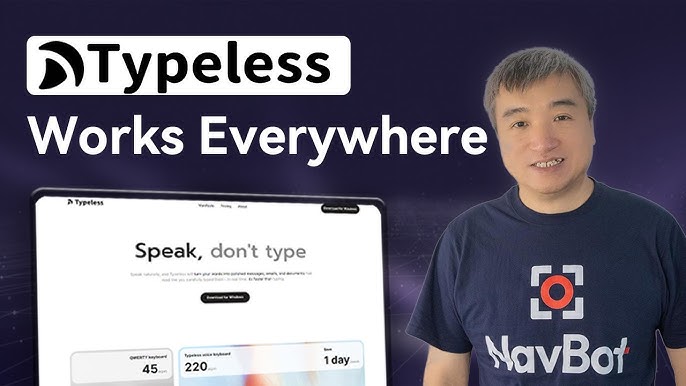
Table of Contents
When the team at Nubia Magazine first stumbled on Typeless trending on Product Hunt late last year, the pitch sounded almost too clean to be true. Talk into your phone or laptop, and the app prints out polished sentences ready to send. No filler words, no half-finished thoughts, no awkward grammar. After spending several weeks poking around the app, comparing it with rivals, and digging through real user feedback on Product Hunt, Trustpilot, and the Google Play Store, our verdict landed somewhere in the middle. Typeless is clever, but it is far from perfect.
Here is the full breakdown of what we found, what works, what does not, and whether the brand is worth the hype going into the second half of 2026.
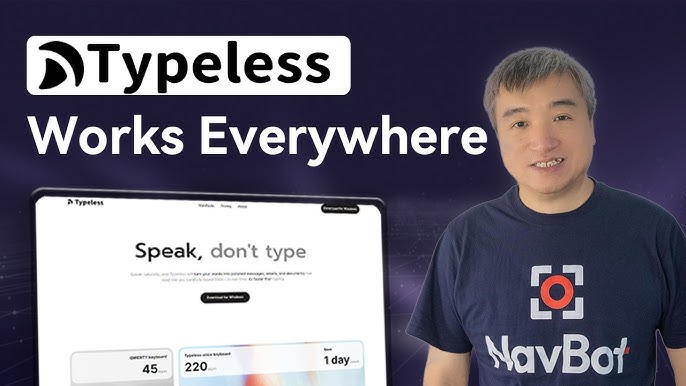
Typeless Brand Profile
Before we get into the nitty gritty, here is a quick snapshot of the brand so you know exactly what you are dealing with.
Brand Profile | Details at a Glance |
Brand Name | Typeless |
Category | AI Voice Dictation / Productivity App |
Launch Year | November 2025 (Product Hunt debut) |
Platforms | macOS, Windows, iOS, Android |
Free Tier | 4,000 words per week |
Pro Plan | $12/month (annual) or $30/month (monthly) |
Free Trial | 30-day Pro trial for every new account |
Languages Supported | Over 100 languages with mixed-language dictation |
Claimed Speed | Up to 220 words per minute |
Privacy Policy | Zero data retention, no model training on user voice |
Processing | Cloud-based, internet required |
Official Website | typeless.com |
Nubia Magazine Rating | 2.5 / 5 |
What Exactly Is Typeless?
Typeless is an AI voice dictation tool that turns spoken words into clean, formatted text in real time. Think of it as a smarter cousin to the default dictation tool already living on your phone. Instead of just transcribing what you say, the app uses language models to strip out filler words like "um" and "uh," trim repeated phrases, and tidy up self corrections on the fly. The end result is meant to read like you sat down and typed it out carefully.
Founded by a team that includes Stanford alumni, the brand officially launched on Product Hunt in November 2025 and quickly picked up attention for its generous free tier and slick AI cleanup. By early 2026, it had expanded across macOS, Windows, iOS, and now Android, making it one of the few dictation apps with that kind of cross platform reach.
The Typeless App: How It Works
Typeless runs system wide, which is the part most users seem to enjoy. Once installed, you can dictate directly into Gmail, Slack, Notion, Google Docs, VS Code, or basically any text field where your cursor lives. There is no need to copy and paste from a separate transcription window. You tap a key, speak, and the polished text drops right where you need it.
On desktop, the Function (Fn) key triggers dictation, while on mobile the app installs as a keyboard. The setup is straightforward enough, but the iOS version comes with one annoying quirk. Because Apple limits how third party keyboards behave, users have to manually switch to the Typeless keyboard each time. Many reviewers found that frustrating. The Android version, which arrived in January 2026, fares slightly better since Google allows deeper system integration.
Features that stood out during our testing include automatic punctuation, smart formatting based on the app you are typing into, live translation across more than 100 languages, and a personal dictionary for custom vocabulary. The brand markets the dictation speed at around 220 words per minute, which is roughly five times faster than the average typist, though real world results depend heavily on how clearly you speak.
Typeless Pricing in 2026
Pricing is where Typeless gets a bit polarising. There are two main plans, and the gap between them is wider than most competitors.
- Free Plan: $0 per month, capped at 4,000 words per week with access to lightning fast voice typing, AI auto editing, dictionary words, and over 100 languages.
- Pro Plan: $12 per month when billed annually (a total of $144 upfront) or $30 per month when billed monthly. Pro unlocks unlimited words, priority features, and team member management.
Every new account starts with a 30 day free trial of Pro, which automatically drops down to the Free plan if you do not upgrade. That is genuinely useful for testing the waters.
Here is our honest take. At $12 a month on the annual plan, Typeless sits in a reasonable range, though it is still more expensive than rivals like BossAI at $9.99 or AquaVoice at $8. But the monthly rate of $30 is where things get hard to justify. That is roughly double the category average, and considering the app still has notable gaps (which we will cover shortly), paying $30 a month feels steep. The free tier saves the day for casual users, but heavy dictators will quickly bump into that 4,000 word ceiling.
The AI: Smart, But Not Always Right
This is where Typeless tries hardest to stand out, and to be fair, the AI cleanup is impressive when it works. In quiet environments with clear speech, the transcription accuracy hovers around 95 percent. The app catches filler words, handles mid sentence corrections gracefully, and adjusts tone based on whether you are dictating into a casual chat app or a professional email.
That said, the AI has clear limits. Accuracy drops noticeably when there is background noise, heavy accents, or fast speech. Reviewers on Trustpilot, where the brand currently averages a low 2.6, complained about the app missing technical jargon, misreading proper nouns, and occasionally rewording sentences in ways that changed the original meaning. Several users on Product Hunt also pointed out that the customisation is shallow. You cannot tell the AI to keep things less polished in social apps while staying formal in work emails. It applies one general style across the board.
There is also the small matter of session caps. Independent reviewers reported a six minute session limit per dictation, which interrupts long form work like drafting articles or writing reports. For a productivity tool marketed at professionals, that is an awkward ceiling.
Privacy: Better Than Most, But Read the Fine Print
Typeless leans heavily on its privacy story. The brand promises zero data retention, meaning your voice and transcripts are not stored after processing. It also pledges not to train its models on user voice data. Both claims are spelled out in the privacy policy on typeless.com.
However, independent privacy researchers have flagged a subtle but important detail. Despite the marketing language, Typeless is not fully on device. Audio still travels to cloud servers for processing before being discarded. Zero retention is not the same as zero transmission. For most users this is fine, but if you work in regulated industries like healthcare or law, that distinction matters. Competitors like Voibe and Superwhisper handle processing locally on Apple Silicon Macs, which is a stronger privacy guarantee.
How to Download Typeless
Downloading the app is simple. Head to typeless.com/downloads and you will find direct download links for macOS (both Apple Silicon and Intel) and Windows. For mobile, the iOS version is on the Apple App Store and the Android version is available on Google Play. Note that the brand also operates a beta programme for early access to new features, and accepted beta users receive a separate download link by email.
Setup takes a few minutes. The app needs Accessibility permissions to insert text into other applications and microphone access to capture your voice. Both prompts appear on first launch.
User Experience: A Mixed Bag
Reviews are sharply split, which is honestly what dragged our rating down. On Product Hunt, where early adopters dominate, Typeless averages a glowing 5 out of 5. Power users describe it as life changing, with one reviewer claiming the app saved them ten hours of typing over nineteen days.
The picture changes on Google Play, where the Android app sits at 3.9 from over 1,335 reviews. And on Trustpilot, the score plunges to 2.6, with complaints ranging from accuracy issues to billing frustrations and weak customer support. The disconnect between these platforms tells you everything. Enthusiastic tech users love it. Everyday consumers are far less convinced.
Common complaints we kept seeing include the iPhone keyboard friction, the missing emoji key (since Typeless replaces it), limited personalisation, occasional crashes, and the high monthly price point. On the flip side, users who stuck with the app praised how natural the polished text feels, how fast they could draft long emails, and how well it captures the speaker's own writing style over time.
The Nubia Magazine Verdict
Typeless is one of those products that gets a lot right and still leaves you wishing for more. The cross platform coverage is genuinely rare in this category, the AI cleanup is smart, and the free tier is generous enough for light users to enjoy without paying a cent. The brand has clearly thought about the speak first, edit later workflow more carefully than most competitors.
But the cracks are real. The monthly Pro price feels punishing. The accuracy dips in noisy environments. The privacy story is good but not as airtight as marketed. The session cap interrupts long form work. And the iOS experience is hamstrung by Apple's own restrictions, which the brand cannot fully solve.
For the average user, especially those outside heavy professional dictation, the value just is not quite there yet. Typeless feels like a strong version two product still waiting for its version three polish. Until the brand fixes the accuracy gaps, smooths out the iOS friction, and either lowers the monthly price or adds more value at the current price, we cannot rate it higher than middle of the road.
Nubia Magazine Rating: 2.5 / 5
Frequently Asked Questions About Typeless
Based on what people have been searching about the brand in 2026, here are the questions that come up most often along with the answers we found.
1. Is Typeless free to use?
Yes, Typeless has a free plan that gives you 4,000 words per week along with AI auto editing and support for over 100 languages. Every new account also starts with a 30 day free trial of the Pro plan before automatically dropping to the Free tier.
2. How much does Typeless Pro cost in 2026?
Typeless Pro costs $12 per month when billed annually, which works out to $144 paid upfront for the year. If you prefer monthly billing, the price jumps to $30 per month, which is significantly higher than most rivals in the AI dictation space.
3. Does Typeless work on Android phones?
Yes. Typeless rolled out its Android app in January 2026, making it one of the few AI dictation tools with full cross platform support across macOS, Windows, iOS, and Android. The Android version integrates more smoothly with the system than the iOS one, thanks to Google's looser keyboard restrictions.
4. Is Typeless safe and private?
Typeless has a strong public privacy stance with zero data retention and a promise not to train its AI models on user voice. However, the app is cloud based, meaning your audio is sent to servers for processing before being deleted. If you handle highly sensitive information, fully on device alternatives like Voibe or Superwhisper offer stronger guarantees.
5. How accurate is Typeless dictation?
In quiet environments with clear speech, accuracy lands around 95 percent. However, accuracy drops in noisy settings, with heavy accents, or when dictating technical jargon and proper nouns. Several users have reported the AI rewording sentences in ways that subtly change the original meaning.
6. Where can I download Typeless?
You can download Typeless directly from typeless.com/downloads for macOS and Windows. For mobile, the iOS version is on the Apple App Store and the Android version is available on the Google Play Store. The brand also runs a beta programme that grants accepted users early access to new features.
7. What is the catch with the iPhone version of Typeless?
Apple restricts how third party keyboards can operate on iOS, which means Typeless cannot fully integrate the way it does on Android or desktop. Users have to manually switch to the Typeless keyboard each time, and the app replaces the emoji key, which many reviewers found frustrating.
8. Is Typeless worth the money in 2026?
It depends on how much you dictate. For casual users, the free plan covers most needs and is genuinely useful. For heavy users, the annual Pro plan at $12 per month is reasonable. The $30 monthly Pro plan, however, is hard to justify when competitors like BossAI charge less than $10. Cross platform users and Android fans get the most value, while Mac and Windows users may find better deals elsewhere.
9. Can I cancel my Typeless subscription anytime?
Yes. You can cancel your subscription at any time directly from the Account page in the Typeless app under the Subscription tab. The brand accepts all major credit cards including Visa, Mastercard, American Express, and Discover, and refund or cancellation issues can be resolved by contacting their support email.
10. Does Typeless work offline?
Not yet. Typeless currently requires an internet connection because audio processing happens on cloud servers. The brand has said it is working on offline support for some common tasks, but as of mid 2026 the app is fully cloud dependent across all platforms.
Typeless is a brand with serious potential and a solid foundation. The AI works well when conditions are right, the cross platform coverage is impressive, and the team behind it seems genuinely committed to improving the product based on regular updates. But the gap between what the brand promises and what it actually delivers, especially at the higher monthly price, is wider than we would like. Nubia Magazine will keep an eye on Typeless through the rest of 2026 and update this review as the brand grows. For now, our score stays at 2.5 out of 5. Decent, but plenty of room to grow.
Related Posts



0 Comments
Join the discussion and share your thoughts
No Comments Yet
Be the first to share your thoughts on this article!