Top 10 Best Automatic Caption Generators In The World 2026

Table of Contents
Automatic caption generators have moved from a nice-to-have accessibility feature to a core part of the content creation workflow. Short-form video dominates social feeds, silent autoplay is the default on most platforms, and search engines increasingly index spoken content. That means accurate, stylish captions are no longer optional.
To build this ranking, we weighed several factors across the leading platforms. Accuracy matters most, but we also considered language support, export flexibility, editing workflow, pricing structures, and how well each tool handles the messy reality of real-world audio: background noise, heavy accents, overlapping speakers, and technical jargon. We looked at free tier limitations, collaboration features, and whether each platform serves solo creators, agency teams, or enterprise engineering departments. The result is a list that spans browser-based editors, desktop software, developer APIs, and AI research models, because the right caption generator depends entirely on how you work.
The Top 10 Best Automatic Caption Generators In 2026:
1. VEED.io

The platform works well for agencies and content teams too. Brand kits let you save your fonts, colors, and logo treatments, so every caption style stays consistent across client work. Collaboration features mean multiple editors can review and approve videos in one place. Exports include reliable SRT and VTT files, which matters if you need clean caption tracks for YouTube or broadcast delivery.
Pricing starts with a free tier that includes roughly 10 minutes of processing with a watermark. Paid plans begin at $12 per month for Pro and $25 per month for Business, both of which unlock unlimited exports and the full caption style library. For the balance of ease-of-use, output quality, and language coverage, VEED remains the default recommendation across multiple independent reviews we consulted, including comparisons from novascribe.ai and maestra.ai.
2. Wondershare Filmora
Wondershare Filmora takes the number two position on the strength of its subtitle accuracy, which the company rates at up to 99%. That number comes from its AI speech recognition engine, and in practice, it handles clear audio exceptionally well. The desktop editor supports more than 45 languages and dialects for transcription, plus translation of captions into 23 additional languages.
What sets Filmora apart is the dual-caption translation feature. You can display the original language and a translated version simultaneously, which is a powerful option for creators targeting multilingual audiences or for businesses localizing content for multiple markets. The side-by-side caption display on the timeline makes it easy to review and adjust subtitles without leaving the editing interface.
The interface appeals to both beginners and experienced editors. Filmora has been a staple in consumer video editing for years, and the caption tools integrate naturally into that workflow. PlayStation Universe ranked it among the top auto caption generators for 2026, citing its combination of accuracy and accessibility. It is not a browser tool, so you will need to install the software, but for creators who already edit video on their desktop, the subtitle features justify the learning curve.
3. Reap
Reap is the most ambitious platform on this list, and it earns the third spot by consolidating what typically requires several separate tools. It combines automatic subtitle generation with a full timeline editor, visual overlays, B-roll insertion, AI voiceover, and direct publishing options. For short-form creators producing YouTube Shorts, TikTok, Instagram Reels, or LinkedIn videos, that integration eliminates the constant round-tripping between a caption tool, an editor, and a repurposing app.
The transcript-based editing workflow is particularly strong. You can remove filler words like "um" and "uh" directly from the transcript, and the video and captions update to match. Reframing tools adjust your footage for different aspect ratios, and the multi-language caption workflow supports creators who publish the same content across regions.
Reap also handles AI voice dubbing, which extends its usefulness beyond captions into full content localization. For a solo creator or a small team that wants one subscription instead of four, this all-in-one approach is compelling. Reap's own 2026 ranking highlights this consolidation as its core value proposition, and we agree that the platform's scope is unmatched among dedicated captioning tools.
4. OpenAI Whisper
OpenAI Whisper occupies a unique position on this list because it is not a commercial product with a polished interface. It is an open-source speech recognition model, and it is free to use. That alone makes it the most accessible option for developers, researchers, and anyone comfortable with command-line tools or Python scripts.
Whisper supports over 100 languages and was trained on a massive multilingual audio dataset. It handles challenging conditions exceptionally well, including background noise, varied accents, and technical jargon that trips up many commercial engines. The model can also translate speech into English, which adds a layer of utility for international content.
Professionals in transcription, subtitling, and academic research consistently choose Whisper for its precision. It also serves as the underlying engine for many commercial captioning tools, which speaks to its reliability. The tradeoff is the lack of a friendly interface. You will need to run it locally or use a third-party wrapper like Subtitle Edit to integrate it into a workflow. For users who want maximum accuracy without subscription costs and are willing to handle the technical setup, Whisper is the clear choice.
5. Descript
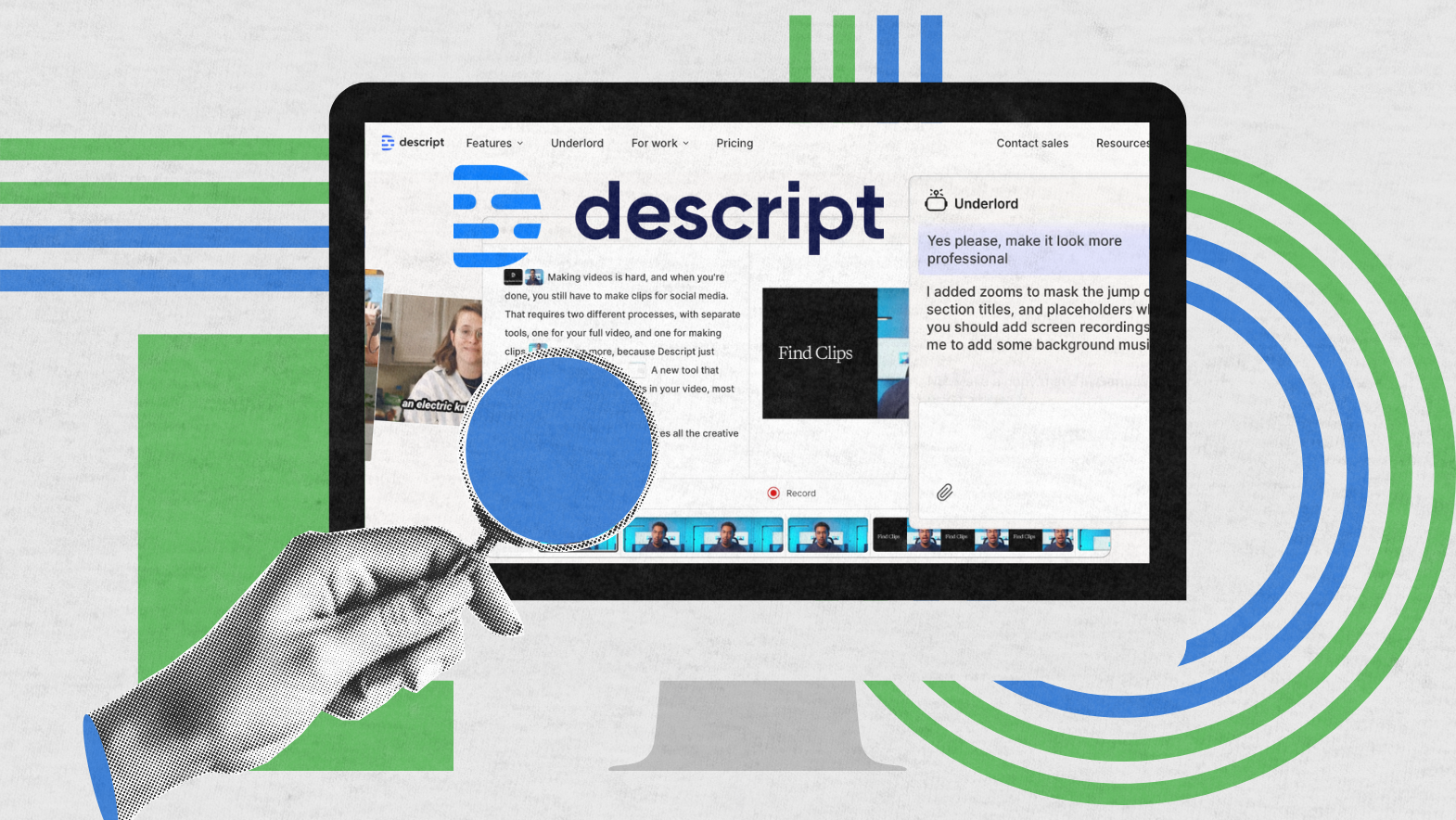
Descript approaches captions from a different angle: instead of adding captions to video, it treats the transcript as the source of truth and edits the media through the text. This is a genuinely different workflow, and for podcasters and long-form content creators, it is transformative. You delete a sentence from the transcript, and the corresponding audio and video disappear too.
The free plan includes roughly one hour of transcription per month, which is generous for testing the platform. The Hobbyist tier costs $12 per month and includes 10 hours of transcription. The Creator plan at $24 per month adds the overdub feature, which uses a cloned version of your voice for AI voiceovers. That capability extends Descript well beyond captioning into full audio production.
Integration with Zoom makes Descript particularly useful for repurposing meeting recordings into podcasts, training videos, or client deliverables. The platform also handles filler word removal, studio sound cleanup, and multi-track editing. For creators who think in text rather than timelines, Descript is the most natural fit on this list. It is less suited to quick, stylized social media captions, but for deep editing work, nothing else comes close.
6. OpusClip (Captions AI)
OpusClip targets a specific but growing need: turning long videos into short, branded clips. The platform claims over 95% AI transcript accuracy on clear English audio, and it can transcribe a 60-minute video in minutes. What makes OpusClip valuable is not just the transcription speed but the automated workflow that follows.
The platform identifies highlight moments in your source video, reframes them for vertical formats, and applies caption styling automatically. You can then schedule a month's worth of posts across social platforms in under ten minutes. Brand templates apply your logo, colors, and fonts with one click, which is a major time-saver for marketing teams producing high volumes of clips.
Multi-platform integrations and built-in analytics round out the package. OpusClip is ranked as a top pick for creators and small teams by both AFFiNE and Colossyan in their 2026 comparisons. It is less suited to projects that require fine-grained manual caption editing, but for repurposing webinars, podcasts, or YouTube videos into social clips, the automation is unmatched.
7. Sonix

Sonix is the enterprise option on this list, and it earns its place by serving a different audience than the consumer-focused tools. The platform supports 49+ languages and offers millisecond timestamp precision, which is essential for professional subtitle work. It is SOC 2 compliant, making it viable for organizations with strict data security requirements.
The batch API and webhooks are well-documented, which is why Sonix is the default choice for engineering teams building subtitle pipelines into their own products. If you are integrating caption generation into a SaaS platform, a mobile app, or an internal video processing system, Sonix provides the infrastructure to do it at scale.
Pricing reflects that enterprise positioning: pay-as-you-go is $10 per hour of audio, while the Premium plan drops to $5 per hour plus $22 per user per month. A 20% education discount is available. Sonix is not the cheapest option for solo creators, and it does not offer the flashy caption styles of VEED or Kapwing. But for organizations that need reliable, compliant, automated caption generation, it is the most robust choice on the market.
8. Kapwing
Kapwing is the closest competitor to VEED in the browser-editor space, and it ranks eighth primarily because its caption styling is slightly less polished. Everything else is competitive: over 100 languages, a full timeline editor, translation tools, and 50+ animated caption templates. The free tier includes watermark-free SRT exports, which is a nice touch for users who only need caption files and not video exports.
The standout feature is native team collaboration. Editors, captioners, and reviewers can work on the same video within Kapwing without exporting files back and forth. That workflow is a genuine productivity boost for small teams that produce regular video content. The interface is fast and intuitive, and auto-subtitles handle longer videos without the drift issues that plague some competitors.
Pro plans start at $16 per month, which removes watermarks from video exports and unlocks the full animated caption library. Maestra's 2026 comparison of AI subtitle generators lists Kapwing among the top options, and its collaboration features give it an edge for teams that need a shared workspace. For solo creators, VEED remains the stronger choice, but for collaborative projects, Kapwing is worth serious consideration.
9. Happy Scribe
Happy Scribe is a professional-grade subtitle generator with the widest language support on this list: over 120 languages and dialects. That global reach makes it a strong option for international content teams, localization agencies, and creators with multilingual audiences.
The platform's intelligent characters-per-second management is a standout feature. It automatically adjusts subtitle timing to ensure viewers have enough time to read each line, which is a detail that many tools overlook. You can also edit starting timecodes manually for precise control. Export options include SRT, VTT, STL, TXT, Final Cut Pro, AVID, and Premiere formats, covering nearly every professional video editing workflow.
Collaboration features support view-only or edit modes, so clients can review subtitle files without accidentally modifying them. AI tools can instantly translate captions, and direct publishing to YouTube, Instagram, LinkedIn, and TikTok eliminates the need to download and re-upload files. For professionals who need reliable, accurate subtitles across many languages, Happy Scribe delivers a complete package.
10. Adobe Premiere Pro (Speech to Text)
Adobe Premiere Pro's Speech to Text feature rounds out this list because it solves a specific problem: keeping captions synced with edits inside a professional NLE. For editors who already work in Adobe's ecosystem, this integration is invaluable. Transcripts, captions, and timeline changes all live in the same project, so there is no round-tripping between a caption tool and an editor.
The captions stay synced automatically as you make edits. If you trim a clip or adjust timing, the subtitle track updates to match. That is a significant time-saver for projects with frequent timing changes, such as interviews, documentaries, or multi-camera productions.
The tradeoff is accessibility. Speech to Text requires a Creative Cloud subscription, and the feature is not available in all tiers. Non-editors will also find it slower to review and fix small text issues inside a timeline compared to dedicated caption tools with cleaner text-editing interfaces. But for professional editors who want captions as a native part of their workflow, Premiere Pro's implementation is the most seamless option available. AFFiNE's 2026 ranking and Vidocu's comparison both highlight this integration as the primary reason to choose it.
Related Posts
1 Comment
Join the discussion and share your thoughts