Recall AI Review 2026: Funding, Extension, Pricing, Features & FAQs

Table of Contents
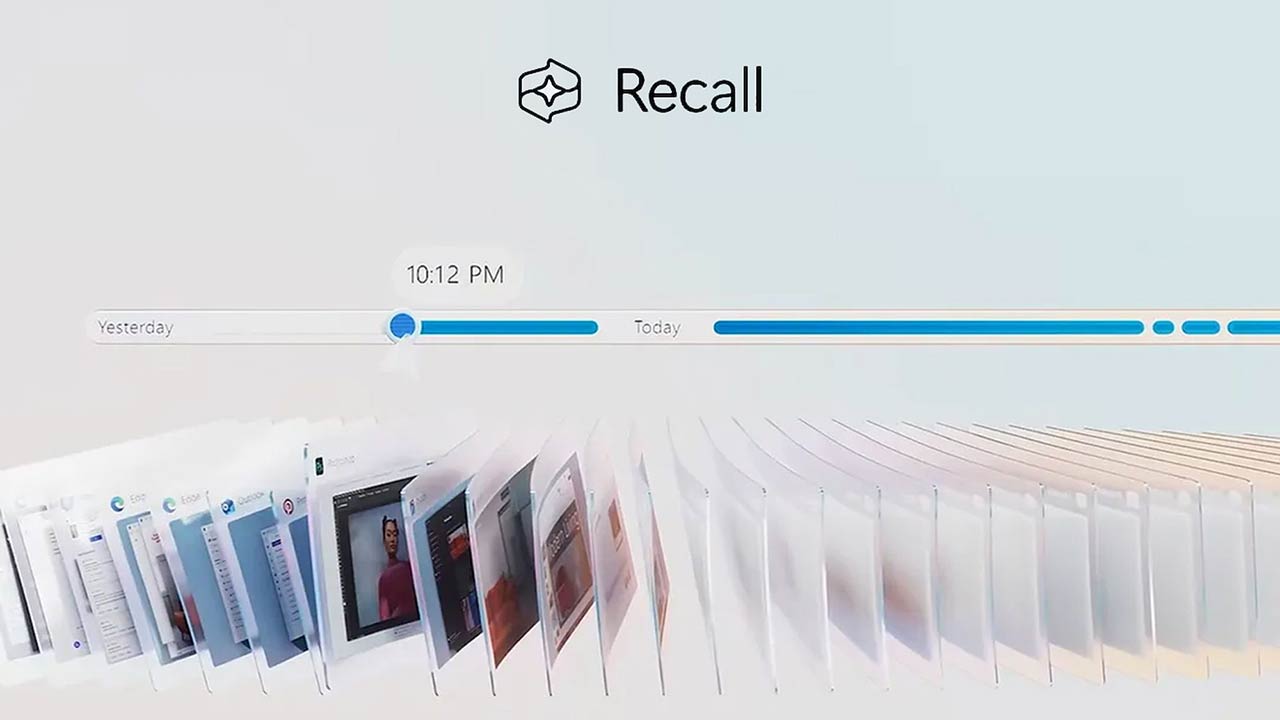
If you have ever felt like your brain is buckling under the weight of every article, podcast, YouTube video and PDF you bookmark with the promise to come back to later, you are not alone. That feeling of digital overload is exactly the problem Recall AI says it was built to solve. Over the last few months, the team at Nubia Magazine took a deep look at the platform, tested its browser extension, played with its mobile app, and put its features through the kind of stress tests our editors actually use day to day.
Recall has been getting plenty of attention in 2026, especially after the Recall 2.0 launch and a fresh round of feature updates that pushed the brand into a more crowded conversation about personal AI. So is it really worth your subscription, your bookmarks and your time? Here is what we found.
Recall AI at a Glance
Before we dive into the details, here is a clean profile of the brand for readers who want the basics first.
Recall AI Brand Profile | Quick Snapshot |
Brand Name | Recall (Recall Wiki, Inc.) |
Category | AI-Powered Personal Knowledge Base |
Founded | 2022 |
Headquarters | Amsterdam, Netherlands (with Mountain View, CA office) |
Founders | Paul Richards (CEO), Igor Gligorevic (CTO), Sankari Nair (COO) |
Website | www.recall.it (formerly getrecall.ai) |
Total Funding | Approximately 1.62 million dollars (Pre-Seed and Seed) |
Lead Investor | Jason Calacanis (LAUNCH Accelerator) |
User Base | Over 500,000 users across 180 countries |
Available Platforms | Chrome and Firefox extensions, Web App, iOS, Android |
Starting Price | Free tier available; Plus at 10 dollars per month |
Languages Supported | Over 35 languages |
Best For | Researchers, students, knowledge workers, content creators |
Nubia Magazine Rating | 4.0 out of 5 |
What Is Recall AI, Really?
Recall is an AI powered personal knowledge base. Think of it as a hybrid between a read it later app, a note taking tool and a chat assistant that actually remembers what you have read. You save articles, podcasts, YouTube videos, PDFs, TikToks, recipes, Google Docs and more in one click. Recall then summarizes that content, tags it, links it to related items in a knowledge graph and lets you chat with everything you have collected using the AI model of your choice.
The brand likes to call it a personal encyclopedia, and after spending real time inside the product, that description holds up. It is less about storing files and more about turning whatever you consume online into something you can actually use later.
Recall AI Funding: From a Hacker News Post to Real Investor Backing
One of the more charming origin stories in this space belongs to Recall. Founder Paul Richards, a South African full stack developer with a background in knowledge graphs from his time at Maltego, built Recall as a side project. After about a year of struggling for traction, he posted on Hacker News almost as a last resort. Within eight hours, Splash Capital wrote the first cheque.
That single post snowballed into a 1.5 million dollar pre seed round announced in December 2024, led by Jason Calacanis with participation from Blockchain Founders Capital and Rocket Capital. According to public funding databases, Recall has now raised roughly 1.62 million dollars in total across two rounds. It is not a billion dollar war chest, but it is enough to ship aggressively and build a serious product, which the team has clearly been doing.
It is also worth noting that there is another company called Recall.ai, which builds meeting recording infrastructure and recently raised a 38 million dollar Series B. The two are completely separate businesses despite the similar names, and this review is about the Recall personal knowledge base at recall.it, not the meeting bot API.
The Recall AI Browser Extension
For most users, the browser extension is the front door to Recall. It is available on the Chrome Web Store and as a Firefox add on, with a Safari version listed as coming soon. The Chrome version is published by Recall Wiki, Inc. and was last updated in early May 2026.
In April 2026, Recall pushed an important update to the extension. Instead of opening as a popup that blocks part of the page you are reading, the extension now lives in the browser side panel. This means it stays open while you switch tabs, scroll through Google results or move between articles. Listen Mode, which lets you turn any saved item into an audio summary, is now baked directly into the extension as well.
In real use, the experience is genuinely smooth. You hit the icon on a YouTube video, an article or a PDF, choose between a concise or detailed summary, and Recall does the rest. Augmented Browsing, one of the more clever features, quietly resurfaces related items from your knowledge base while you are reading something new. After a few weeks of saving content, this turned into our favourite small surprise of the testing period.
Recall AI Pricing in 2026
Recall keeps its pricing structure simple, although it has shifted a little this year. The platform offers three main tiers.
• Free (Lite): zero cost, gets you basic summaries and limited storage so you can test the waters.
• Plus: 10 dollars per month when billed annually, designed for power users who want unlimited summaries, full chat features and richer organization.
• Max: 38 dollars per month when billed annually, aimed at heavy users and small teams. This tier unlocks frontier AI models like GPT-5.4, Claude, Grok, DeepSeek and Gemini, plus bulk AI actions such as multi file summarization, bulk tagging and batch PDF uploads.
Students get a 20 percent discount when they email support from a verified student email address, which is a nice touch for the academic crowd. There is also a 30 day money back guarantee if you are not satisfied. As of April 2026, Recall announced a small price increase on the Plus plan, but existing paying users had their current rate locked in for another year, which is the kind of customer first move that earns goodwill.
Compared to alternatives like Notion AI or Mem, Recall sits at a friendly price point for individual users. It is not the cheapest option in the market, but for what you get in summarization and the knowledge graph, the value is hard to argue with.
Recall AI Features Worth Talking About
Recall has steadily moved from being a single purpose summarizer into a full knowledge management ecosystem. Here are the features that stood out during our testing.
One Click Capture Across Many Formats
Save YouTube videos, podcasts from Spotify and Apple Podcasts, articles, blogs, PDFs up to 100 megabytes or 300 pages, TikTok videos, Google Docs, recipes and even movie or TV lists. The capture is fast and the summary quality is consistently strong.
Chat With Your Knowledge
This is where Recall 2.0 really shines. You can ask questions across everything you have saved, the live web or both at once, and you get to choose the model running the conversation. Switching between Claude, GPT and Gemini mid chat without rebuilding context is genuinely useful.
Knowledge Graph and Augmented Browsing
Recall automatically extracts keywords and links related items in a self organizing graph. While you browse the web, it can resurface relevant saved content in real time, which is the kind of feature that feels small until you experience it for the first time.
Listen Mode
Any saved content can now be summarized and read aloud in a built in voice or even a cloned voice of your own. Reviewers have shared stories of cloning a parent voice to listen to morning podcast summaries, which is a delightful and unexpected use case.
Quizzes and Spaced Repetition
With Quiz 2.0, Recall now supports flashcards, open ended questions, topic specific quizzes and gamified streaks. For students and lifelong learners, this is a serious differentiator from generic note taking apps.
API and MCP Access
Power users can connect their Recall knowledge base to other tools and workflows through the API and MCP integrations. This is still a new area, but it is an exciting one for developers.
Privacy and Data Ownership
Recall states clearly that it does not use your data for advertising, profiling or training AI models. You can export everything in Markdown at any time. Augmented Browsing is local first, while the main knowledge base is cloud based.
Recall AI User Experience: What Our Test Felt Like
During our review period, we used Recall daily for research, content planning and casual reading. The interface is clean and modern, the side panel extension is unobtrusive, and the mobile apps for iOS and Android handle quick saves on the go. Cross device sync has improved noticeably this year, although a few users in public reviews still mention occasional delay.
Where Recall genuinely shines is in turning passive scrolling into something useful. By the second week, we found ourselves actually returning to old saves rather than letting them die in a forgotten reading list.
There are a few rough edges worth flagging honestly. The auto generated knowledge graph can feel cluttered if you prefer to organize content manually, and some users in Polish, Arabic and other non English markets have asked for stronger native language workflows. PDF uploads are limited to one at a time on lower tiers, and the bulk PDF action is locked behind the Max plan. None of these are deal breakers, but they are real.
The Good and the Not So Good
What We Liked
• Excellent summarization across video, audio, articles and PDFs.
• Augmented Browsing genuinely changes how you use the web.
• Choice of frontier AI models inside one chat experience.
• Strong privacy stance and clear data export policy.
• Active development, with frequent and meaningful updates.
Where It Could Improve
• Knowledge graph can feel busy for users who prefer manual control.
• Limited team and collaboration features compared to Notion.
• Non English language workflows still need polish.
• Heaviest features sit behind the Max plan.
• No fully offline mode for the main knowledge base.
Frequently Asked Questions About Recall AI
1. Is Recall AI free to use?
Yes. Recall offers a free Lite tier that lets you test core features like saving and summarizing content. If you want unlimited summaries, the Plus plan starts at 10 dollars per month billed annually, while the Max plan sits at 38 dollars per month for power users.
2. Who founded Recall AI and where is it based?
Recall was founded in 2022 by Paul Richards, with co founders Igor Gligorevic as CTO and Sankari Nair as COO. The company is registered as Recall Wiki, Inc., a Delaware C corporation, and operates between Amsterdam and Mountain View, California.
3. How much funding has Recall AI raised?
According to public sources, Recall has raised approximately 1.62 million dollars across two rounds, including a 1.5 million dollar pre seed led by Jason Calacanis in December 2024. Additional investors include Blockchain Founders Capital, Rocket Capital and Splash Capital.
4. Is the Recall AI browser extension safe and private?
Recall states clearly that it does not use your data for advertising, profiling or training AI models. The extension lets you control, export or delete your data at any time. Augmented Browsing is local first, meaning related content surfaces on your device rather than being processed in the cloud.
5. What types of content can I save with Recall AI?
You can save YouTube videos including Shorts, Spotify and Apple podcasts, articles, blog posts, PDFs, TikTok videos, Google Docs and Slides, recipes, movie and TV lists and your own personal notes. Recall handles content in over 35 languages.
6. Which AI models does Recall AI use?
On the Max plan, Recall gives you access to frontier models including GPT-5.4, Claude, Gemini, Grok and DeepSeek. You can switch between models inside the same chat without losing context, which is a feature that few competitors offer.
7. How is Recall AI different from Notion, Mem or Obsidian?
Notion is a workspace with broader productivity features but less specialized AI summarization. Mem focuses on AI native note taking with stronger team features but at a higher price for individuals. Obsidian is free and local first but does not include cloud AI capabilities. Recall sits in the middle, offering AI summarization and a knowledge graph at a friendly price for individual knowledge workers.
8. Does Recall AI offer a refund or student discount?
Yes. Recall offers a 30 day refund policy if you are not satisfied with the product. Students can also email support from a verified student email address to receive a 20 percent discount on a paid plan.
9. Can I use Recall AI on my phone?
Yes. Recall is available as a beta mobile app on both iOS and Android, in addition to the web app and the Chrome and Firefox browser extensions. A Safari extension is listed as coming soon.
10. Is Recall AI worth it in 2026?
For researchers, students, content creators and anyone who consumes a lot of online content, the answer leans yes. The combination of summarization, augmented browsing, audio summaries and personal AI chat makes it a unique tool. If your work is mostly collaborative documents or you need offline access, you may find it less essential.
Nubia Magazine Verdict
Recall AI is one of those rare tools that quietly changes a habit. By the end of our test, several editors at Nubia were genuinely reluctant to go back to plain bookmarks and read it later apps. The brand is not perfect. There are still rough patches in cross language support, the knowledge graph can be noisy, and a few of the most useful bulk features are locked to the top tier. But the core product is strong, the team ships consistently, and the privacy stance is refreshingly clear.
Related Posts

0 Comments
Join the discussion and share your thoughts
No Comments Yet
Be the first to share your thoughts on this article!