ProdShort Review 2026: Download, App, Video, Captions, & FAQs

Table of Contents
Every once in a while, a tool shows up online with a promise that sounds almost too convenient to be real. ProdShort is one of those tools. It says you can sit through your normal Zoom, Google Meet or Microsoft Teams calls, do absolutely nothing extra, and walk away with ready-to-post short videos for LinkedIn, Instagram, TikTok and X. No filming, no scripting, no editing marathon at midnight. Just talk, and let the bot handle the rest.
At Nubia Magazine, we have been getting questions about this brand from readers, especially founders, content creators and small marketing teams who are tired of staring at a blank Premiere Pro timeline. So we put on our reviewer hats, signed up, recorded actual calls, exported real clips, and tested how the platform performs in everyday use. This is our honest 2026 review of ProdShort, covering the download process, the app itself, video output quality, the captions feature, overall user experience, and the questions people keep typing into Google about the brand.
ProdShort Brand Profile
Before we get into the full review, here is a quick snapshot of what ProdShort is and where it stands in 2026.
Brand Name | ProdShort |
Category | AI Meeting Recording and Short-Form Video Creation |
Year Launched | 2026 |
Official Website | prodshort.com |
Core Function | Records online meetings, picks the best moments, and turns them into branded short clips with captions |
Supported Platforms | Google Meet, Zoom, Microsoft Teams |
Distribution | Web app (no browser extension required); also available as a desktop wrapper through WebCatalog for Mac and Windows |
Free Plan | Yes, 5 exports and 5 meetings per month, 30-day recording history |
Paid Plans | Builder Plan at $49/month and Chronicler Plan at $99/month |
Output Format | 1080p vertical video, optimized for LinkedIn, TikTok, Instagram and X |
Caption Style | AI-generated, animated word-by-word, fully editable |
Money-Back Guarantee | 14-day refund window on all plans |
Best For | Founders, marketers, sales teams, coaches and creators who already do calls |
Nubia Rating | 3.8 / 5 |
What ProdShort Actually Does
Most AI content tools in 2025 went the same direction. They asked you to type a prompt, and the model would generate a script, a fake voice, sometimes even a fake face. The result usually felt like content written by a robot pretending to be a person. ProdShort took the opposite path.
Instead of generating content from nothing, ProdShort captures content you are already creating. The pitch from the founder is straightforward. Founders and marketers already say smart, useful, real things during their daily meetings. The problem is that those moments disappear the second the call ends. ProdShort sends a bot to your scheduled meeting, records the call, identifies the best moments using AI, and turns those moments into short, branded, caption-ready clips you can post on social media.
So you do not script. You do not perform. You just show up to your meeting like normal, and a few minutes after the call ends, you have content waiting in your dashboard.
Download and Setup: How to Get ProdShort
This is one of the first questions people ask, and there is a small bit of confusion to clear up. ProdShort is not a traditional app you download from the Apple App Store or Google Play. It is a web-based platform that runs in your browser. You sign up directly at prodshort.com, connect your calendar, and the bot handles everything else from there.
There is also a way to use ProdShort as a dedicated desktop app for Mac and Windows through a third-party tool called WebCatalog. WebCatalog wraps the web app in a standalone window so you can run it like a native program without opening Chrome or Safari. WebCatalog is not officially affiliated with ProdShort, but a lot of users prefer this setup because it keeps the tool separate from a cluttered browser.
Setup steps in plain English
- Sign up on the ProdShort website using your work email
- Connect your Google Calendar or Microsoft calendar so the bot knows when your meetings are scheduled
- Choose which meetings you want recorded, either all of them or specific ones
- When the meeting starts, a ProdShort bot joins automatically and records
- After the call, log into your dashboard to find your raw recording and AI-suggested clips
You do not need to install a browser extension, and you do not have to manually upload anything. For people who have used Otter, Fathom or Gong before, the experience will feel familiar.
The App and Dashboard Experience
Once you log in, the dashboard is clean. Maybe a bit too clean for power users, but for first-time users it is a relief. You see your scheduled meetings on the left, your past recordings in the middle, and your generated clips on the right. There is no learning curve, which is rare for a tool that does this much under the hood.
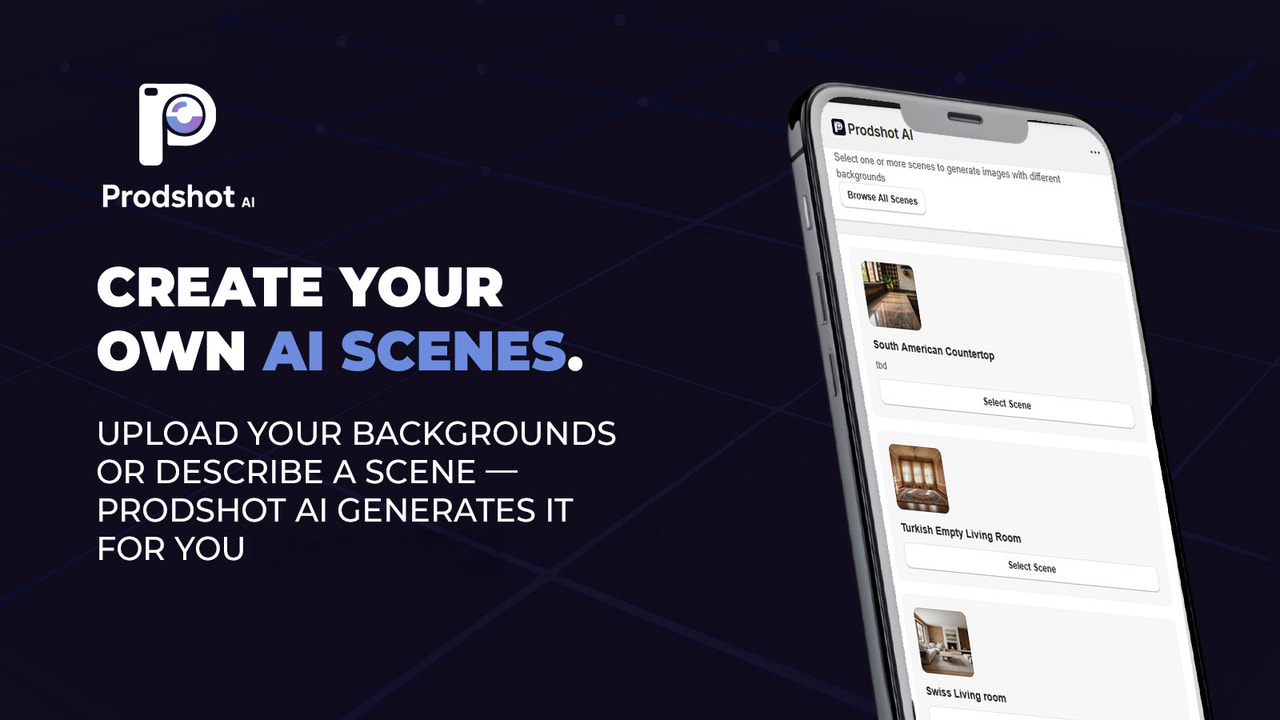
The timeline editor is where most of the magic happens. After a recording is processed, ProdShort shows you the full call along with AI-suggested highlight zones. You can let the AI pick clips for you, or you can drag your own selection on the timeline. We tested it on a forty-five minute call, and the AI surfaced three usable moments in under two minutes. Were they perfect? No. Were they good enough to post? Yes.
The founder of ProdShort has been honest about this on Product Hunt, openly saying the AI is around seven out of ten when it comes to picking highlights. We agree with that estimate. You will still want to review and adjust, but the heavy lifting is done for you.
Video Quality and Output
Output quality is one of the strongest parts of the platform. Clips render in 1080p vertical format, which is the standard for Instagram Reels, TikTok and LinkedIn shorts. Render times are fast. We exported a sixty second clip in under three minutes, even on a busy weekday afternoon.
There are a few things that stood out:
- Speaker layout options let you pick between full screen, split screen for two people, or grid view for group calls
- You can upload your own logo and place it as a watermark, which makes the clip look like it came from your own brand and not a random AI tool
- Caption colour, font and position are customisable, so the visual style can match your brand identity
- Export quality is consistent. We did not run into pixelation, audio drift or the weird cropping issues we have seen on competitor tools
One thing worth noting: the free plan adds a small ProdShort watermark to every clip. To remove it, you need at least the Builder Plan.
Captions: Where ProdShort Really Shines
Captions are the single biggest reason short-form videos go viral. Most viewers watch with the sound off, especially on LinkedIn and during commutes. ProdShort knows this, and the team has clearly invested in getting captions right.
The AI transcribes your audio and animates the captions word by word, with each word highlighting as it is spoken. This style of caption has been proven to drive much higher watch time, and ProdShort applies it by default. You do not need to dig into settings to turn it on.
The transcription accuracy was impressive in our testing. We deliberately tested it on a multilingual call with English and a bit of Pidgin slang mixed in, and it caught most of it correctly. The founder himself, who is Moroccan, mentioned in a Product Hunt thread that he often runs calls mixing English, Arabic, French and Spanish, and the tool was built to handle that kind of chaos.
If a word does come out wrong, you can fix it directly in the editor. No exporting to a separate transcription tool, no copy and paste. Just click the word and edit. That alone saves a lot of frustration.
User Experience: The Good, The Average, The Annoying
The good
- The bot joins your calls automatically with zero effort from you
- Clips render in minutes, not hours
- Captions look modern, clean and viral-ready out of the box
- AI cross-platform caption writing means you do not write a different post for LinkedIn, TikTok and Instagram. The tool does it for you
- The free tier is genuinely usable, not a fake free tier disguised as a trial
The average
- AI clip selection is helpful but not perfect. You will still need to review and pick
- Branding options are decent but limited compared to high-end tools like Descript or CapCut Pro
- There is currently no native mobile app. You manage everything from a browser, which can be limiting if you are travelling and only have your phone
The annoying
- The jump from free to paid is a bit steep at $49 per month. Some users on Product Hunt have asked for a lighter middle tier, and the founder did say he is open to feedback
- Recording history on the free plan is only thirty days, so you need to download or schedule clips quickly
- There are still a few alpha-stage rough edges, especially when handling unusually long meetings or calls with poor internet quality
Pricing in 2026
ProdShort keeps the pricing structure simple, which we appreciate. Three tiers, no annoying annual lock-in, and a fourteen day money back guarantee on every plan.
- Free Plan: $0 per month. Includes 5 exports, 5 meetings, 30 day recording history and a ProdShort watermark
- Builder Plan: $49 per month. Comes with 40 exports, unlimited meetings, 90 day recording history, watermark removal and custom logo branding
- Chronicler Plan: $99 per month. Unlimited exports, unlimited meetings, 180 day recording history and full branding control. Made for teams and power users
Compared to Gong, Fathom or full enterprise sales platforms, this pricing is reasonable. Compared to manual editing tools like CapCut, it is more expensive, but you are paying for the time saved, not just the editor.
Who Should Actually Use ProdShort
Based on our testing, ProdShort is a strong fit if you are:
- A founder who is building in public and wants to turn investor calls or product demos into LinkedIn content
- A marketing team that runs weekly internal calls full of insights nobody outside the team ever hears
- A coach, consultant or course creator who delivers value on Zoom calls every day
- A sales rep who wants to repurpose customer calls into testimonials and educational clips
- A podcaster who already records on Riverside, Zoom or Meet, and wants quick promotional shorts
It is probably not the right tool if you mostly create content from raw mobile footage, or if you do not run online meetings as part of your normal week. For pure mobile editing, tools like Captions by Mirage or CapCut still win.
Nubia Magazine Verdict
ProdShort sits in a sweet spot that not many tools have figured out. It does not pretend to write your content for you. It does not generate fake voices that sound almost human but never quite right. Instead, it captures what you are already saying, edits it cleanly, and hands you something you can post that same afternoon.
It is not perfect. The AI clip picker is good but not magical, the price jump from free to paid is sharp, and there is no mobile app yet. But for what it does, and for a brand that only launched in 2026, it has shipped a lot of value fast.
Nubia Magazine gives ProdShort a solid 3.8 out of 5. A clear recommendation for founders, marketers and creators who already live on calls. A wait and see for everyone else.
Frequently Asked Questions About ProdShort
1. Is ProdShort free to use?
Yes, ProdShort offers a free plan that allows up to 5 meetings and 5 exports per month, with a 30-day recording history. The free tier is genuinely useful for testing the platform, but exported clips will carry a ProdShort watermark. To remove the watermark and unlock more exports, you would need to upgrade to the Builder Plan at $49 per month.
2. Does ProdShort have a mobile app?
As of 2026, there is no native iOS or Android app. ProdShort is a web-based platform that runs entirely in your browser. You can also use it through a desktop wrapper called WebCatalog on Mac and Windows, but mobile users will need to access the dashboard through their phone browser, which works but is not optimised for small screens.
3. Does ProdShort work with Zoom, Google Meet and Microsoft Teams?
Yes, ProdShort supports all three major platforms. You connect your calendar once, and the ProdShort bot joins your scheduled meetings automatically on Zoom, Google Meet or Microsoft Teams. There is no browser extension to install, and you do not have to upload recordings manually.
4. How accurate are the captions on ProdShort?
In our testing, caption accuracy was high, including for calls with mixed accents and casual slang. The AI transcribes audio and animates captions word by word, which is the engagement-friendly style most viral short videos use. If a word comes out wrong, you can edit it directly in the timeline editor without exporting to another tool.
5. Can ProdShort post the videos to LinkedIn, TikTok and Instagram automatically?
Yes. ProdShort lets you connect your LinkedIn, TikTok and Instagram accounts and queue clips to publish automatically. The AI also writes a slightly different caption for each platform, since what works on LinkedIn does not always work on TikTok. This is a real time saver for creators who manage multiple accounts.
6. Is ProdShort safe and private to use for business calls?
ProdShort records meetings only when you authorise it through your calendar settings, and the bot appears as a visible participant during the call so attendees know recording is happening. For sensitive client or legal calls, you should still confirm with all participants and check your local recording laws. ProdShort follows standard data protection practices for SaaS tools, but enterprises with strict compliance needs should review the platform with their security team before adopting it.
7. How long does it take to get a clip after a meeting ends?
Pretty fast. Most clips render in minutes once you select the segment you want. We tested it on a 45 minute call and had three 60-second clips ready inside roughly five minutes. Compared to manual editing in tools like Premiere or even CapCut, the time savings are significant, which is the main selling point of the platform.
8. What makes ProdShort different from Captions, OpusClip, Descript or Gong?
This is one of the most searched comparison questions in 2026. The short answer is that ProdShort is built around live meetings, not pre-recorded videos. Tools like Captions and OpusClip work brilliantly on uploaded videos and podcasts, but ProdShort joins your calls and captures content as it happens. Descript is a heavy editing suite with a steeper learning curve. Gong is a sales intelligence platform aimed at large revenue teams, with very different pricing. ProdShort sits in a lighter, founder-friendly category and focuses on turning meeting moments into social posts, which none of those tools do as a primary feature.
9. Can I cancel my ProdShort subscription anytime?
Yes, all paid plans on ProdShort are month-to-month with no annual lock-in. There is also a 14-day money-back guarantee, so if you sign up and decide it is not for you, you can request a refund within that window. This flexibility is a nice touch, especially compared to enterprise tools that often require yearly contracts.
10. Is ProdShort worth it for solo founders and small teams?
If you already run online meetings as part of your weekly routine and you want to build a personal brand or grow your company on LinkedIn, then yes, ProdShort delivers strong value. The free tier is enough to test the workflow, and once you are convinced, the Builder Plan at $49 per month is reasonable for what it replaces, which is essentially a part-time editor. For solo founders who never run calls, or who post content from recorded mobile footage, the value is much lower.
0 Comments
Join the discussion and share your thoughts
No Comments Yet
Be the first to share your thoughts on this article!