Podcastle Review 2026: Login, Free Plan, App, AI Tools & FAQs

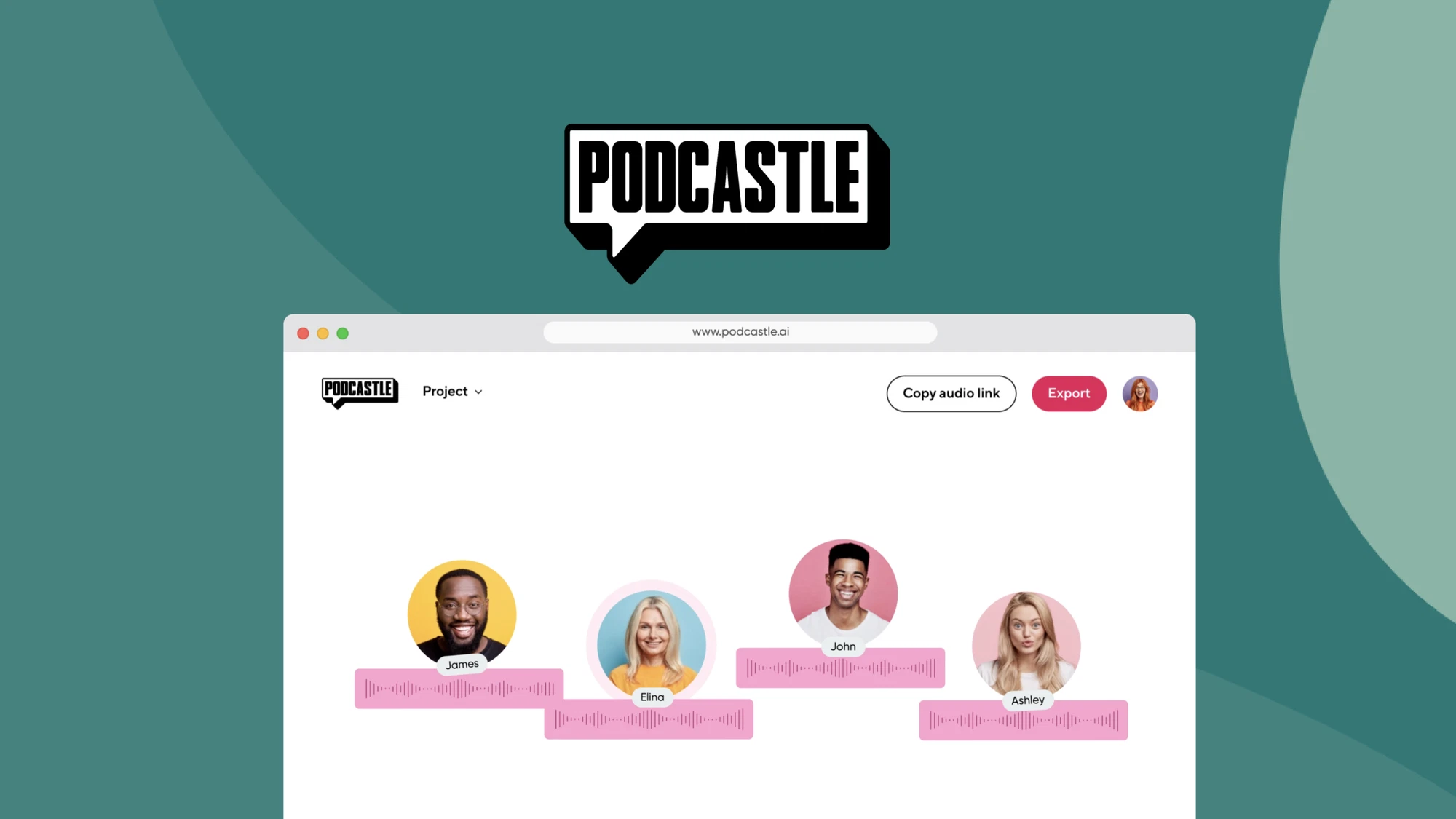
Table of Contents
If you have spent any time looking into podcast tools this year, chances are Podcastle has shown up in your search results more than once. It keeps coming up in conversations among new podcasters, in YouTube tutorials, and in those endless “best AI podcast tools” roundup posts. So our team at Nubia Magazine decided to actually sit down with it for a few weeks, test the recording studio, push the AI editing tools, try the mobile app, and dig into what current and former users are saying online. This review pulls all of that together.
Podcastle has grown from a simple browser based recording tool into something closer to a full content studio. It now handles audio recording, video recording, AI voice cloning, transcription and even podcast hosting, all from one dashboard. That is a lot to take on, and as you will see below, it does some of it very well and some of it less so.
What Is Podcastle?
Podcastle is a web based platform built for people who want to record, edit and publish podcasts and videos without learning traditional audio engineering software. It launched with a focus on AI powered noise removal and has since expanded into a broader creator suite that includes voice cloning, an AI video editor, transcription, and a built in hosting service for distributing episodes to places like Spotify and Apple Podcasts.
The pitch is simple. Instead of buying a microphone, a separate recording app, editing software like Audacity or Adobe Audition, a transcription service, and a hosting platform, you do it all inside one browser tab. For a beginner with no budget for five different subscriptions, that is genuinely appealing.
Podcastle Profile
Tool name | Podcastle |
Category | AI podcast and video creation platform |
Website | podcastle.ai |
Founded | 2020 |
Best for | Podcasters, video creators, remote interviews, voice cloning |
Platforms | Web browser, iOS app, Android app |
Free plan | Yes, no credit card required |
Paid plans | Storyteller from $11.99/mo (billed yearly), Pro from $19.99/mo (billed yearly), Business and Enterprise tiers available |
Key AI features | Magic Dust audio cleanup, Revoice voice cloning, AI transcription, text-based editing, AI video editor |
Remote recording | Up to 10 participants, local recording per participant |
Hosting | Built in podcast hosting with direct publishing to Spotify, Apple Podcasts and Google |
Nubia Magazine rating | 3.2 out of 5 |
Podcastle Login: How It Works
Getting into Podcastle is straightforward, which is honestly one of its strong points. You can sign up using an email address, a Google account, or an Apple ID, and no credit card is required to start on the free plan. Once you confirm your email, you land directly on the dashboard.
A few things we noticed during testing and from reading user reports:
- The login page is clean and loads quickly on both desktop and mobile browsers.
- Google and Apple sign in tend to be the most reliable options. A handful of users online report occasional issues with email and password logins, usually fixed by clearing cookies or resetting the password.
- Podcastle runs entirely in the browser for recording and editing, so there is no separate login required for desktop software.
- If you forget your password, the reset email usually arrives within a couple of minutes, though some users have reported it landing in spam folders.
Overall, the login experience is one of the smoother parts of using Podcastle, and we did not run into any major roadblocks during our testing window.
Is Podcastle Free?
Yes, and the free plan is more generous than what you get from a lot of competitors. Based on our testing and current plan details, the free tier includes unlimited audio recording, a small allowance of lifetime video recording, around 2GB of storage, basic editing tools, and unlimited podcast hosting with watermarked exports.
That last point matters. A lot of “free” podcast tools quietly limit hosting or charge extra once you want to actually publish your show. Podcastle lets free users host and distribute episodes, which is a real advantage for someone just starting out.
Where the free plan shows its limits is video length, storage space, and access to the more advanced AI tools like Revoice voice cloning. Once you outgrow those caps, you are looking at the paid tiers, which start around $11.99 a month on the Storyteller plan when billed yearly, moving up to a Pro tier near $19.99 a month, with Business and Enterprise options above that for teams and agencies.
For context, separately paying for a microphone setup, editing software, a transcription tool and podcast hosting can easily run past $80 a month. Even at full price, Podcastle's paid tiers undercut that significantly.
Podcastle App and Download
Podcastle is primarily a browser based platform, and honestly that is where it performs best. You do not need to download or install anything to record, edit or publish a podcast. Just open podcastle.ai in Chrome or another modern browser, allow microphone and camera access, and you are recording within a minute or two.
There is also a mobile app available for iOS and Android, mainly aimed at giving creators a way to check projects, review transcripts, or manage episodes on the go. It is worth noting that the mobile app experience is noticeably more limited than the browser version. It is not really built for full recording and editing sessions the way the desktop browser is, so do not expect to produce a full episode entirely from your phone.
A quick note for anyone searching app stores: there are unofficial third party APK listings floating around outside the official app stores. We would steer clear of those and stick to the official Apple App Store or Google Play listing, or simply use the browser version, which gets new features first anyway.
Podcastle AI Features
This is really the heart of what makes Podcastle worth talking about. A few tools stood out during our testing.
Magic Dust
Magic Dust is Podcastle's one click audio cleanup tool, and it is genuinely impressive for what it does. We ran a 90 minute raw recording made in a fairly noisy home office through it, and the result was a leveled, cleaned up track with background hum and room echo noticeably reduced. What would have taken a few hours of manual noise reduction and leveling took about fifteen minutes of processing time.
It is not magic in the literal sense. Very poor source audio, like recordings made on a built in laptop mic in a loud room, still comes out sounding processed and a little artificial. But for anyone recording with even a basic USB microphone, Magic Dust does most of the heavy lifting that used to require real audio editing knowledge.
Revoice
Revoice is Podcastle's voice cloning feature, letting you create a digital version of your own voice and generate new audio from typed text. It is a fun and occasionally useful tool for things like fixing a flubbed line without re recording an entire segment, or producing quick audio updates from a script. Voice clone quality varies depending on the speaker and the quality of the training sample, and a few users online have noted some clones sound a bit flat compared to natural speech. We found results ranged from quite convincing to noticeably synthetic depending on the voice.
Transcription and Text Based Editing
Podcastle automatically transcribes recordings, and you can edit the audio by editing the text itself, cutting a sentence from the transcript removes that audio segment. This is a feature borrowed from tools like Descript, and Podcastle's version works reasonably well for clear English speech. Accuracy drops with heavy accents, overlapping speakers, or specialized vocabulary, which lines up with what other reviewers have reported as well.
AI Video Editor
More recently, Podcastle has leaned into video, letting users edit by chatting with an AI assistant rather than manually working a timeline. There is also a viral clip generator aimed at pulling short, social media ready clips out of longer recordings. It is a useful add on for podcasters who also want to post on platforms like Instagram or TikTok, though it works best on content that already has clear, quotable moments.
User Experience
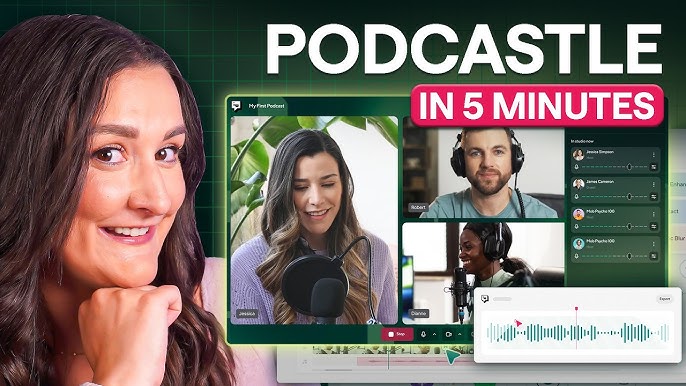
Across the time we spent with Podcastle, the overall experience felt approachable rather than intimidating, which seems to be the core design goal. The dashboard is uncluttered. Recording sessions are easy to set up. You can have up to ten remote participants join a session, with each person's audio and video recorded locally on their own device, so a shaky internet connection on one end does not ruin the whole recording.
That said, a few recurring complaints show up consistently in user reviews and in our own testing:
- Performance can lag on larger audio or video files, particularly on older computers or slower connections.
- The free plan's storage and video limits push active users toward a paid tier fairly quickly.
- Analytics for published podcasts are noticeably thinner than dedicated hosting platforms like Chartable or Podtrac.
- Advanced editing controls, things like detailed multi band audio effects, are limited compared to professional tools like Adobe Audition.
None of these are dealbreakers on their own, but together they explain why Podcastle feels best suited to beginners and intermediate creators rather than audio professionals who need granular control.
Pros and Cons
Pros
- Generous free plan with no credit card required and unlimited hosting
- Magic Dust genuinely saves hours of manual audio cleanup
- Everything runs in the browser, so there is nothing to install
- Supports up to 10 remote participants with locally recorded tracks
- All in one workflow covering recording, editing, transcription and publishing
- Pricing is competitive against buying separate tools
Cons
- Free and entry level plans cap video length and storage fairly quickly
- Voice cloning quality is inconsistent depending on the speaker
- Transcription accuracy drops with accents or technical vocabulary
- Analytics tools are basic compared to dedicated podcast hosts
- Mobile app is limited and not meant for full recording sessions
- Can lag on longer or larger files
Nubia Magazine Rating
We rated Podcastle 3.2 out of 5 after weighing ease of use, AI feature quality, pricing, and the gaps that still exist around analytics, advanced editing and consistency. It earns strong marks for accessibility and for genuinely useful AI tools like Magic Dust, but loses points for the rough edges that show up once you push past basic use, things like inconsistent voice cloning, thin analytics and occasional lag on bigger projects. It is a solid, budget friendly choice for beginner and mid level podcasters, but not yet a full replacement for professional grade audio software.
Frequently Asked Questions About Podcastle in 2026
1. Is Podcastle really free to use?
Yes. Podcastle offers a free plan that includes unlimited audio recording, a limited amount of lifetime video recording, 2GB of storage, and unlimited podcast hosting with publishing to platforms like Spotify and Apple Podcasts. No credit card is needed to sign up. The free plan does add a watermark to video exports and caps storage, so active creators tend to outgrow it within a few months.
2. How do I log into Podcastle?
Go to podcastle.ai and sign in using your email address, Google account, or Apple ID. New users need to confirm their email address before the account becomes active. If you run into login trouble, clearing your browser cookies or resetting your password usually solves it, and Google or Apple sign in tends to be the most reliable method.
3. Does Podcastle have a mobile app?
Yes, Podcastle offers apps for both iOS and Android, but they are mainly useful for reviewing projects, checking transcripts and managing episodes rather than full recording and editing sessions. For actually recording and editing a podcast, the browser version on a laptop or desktop is the better option.
4. Is Podcastle good for beginners with no podcasting experience?
Generally yes. The interface is simple, sign up takes a few minutes, and AI tools like Magic Dust handle a lot of the technical cleanup work that would otherwise require audio engineering knowledge. Several reviewers and most of our own testing notes point to Podcastle being one of the more approachable options for someone recording their first episode.
5. What is Magic Dust on Podcastle?
Magic Dust is Podcastle's one click AI audio enhancement tool. It reduces background noise, balances volume levels between speakers, and generally cleans up rough recordings. It works best on recordings made with at least a basic USB microphone, and results are less impressive on audio recorded with built in laptop or phone mics in noisy environments.
6. What is Revoice and is the voice cloning accurate?
Revoice is Podcastle's AI voice cloning feature. After training it on a sample of your voice, it can generate new spoken audio from typed text. Accuracy varies by speaker. Some users get very natural sounding results, while others find the cloned voice sounds slightly flat or robotic. It works best for short fixes or quick audio updates rather than full episodes.
7. How much does Podcastle cost in 2026?
Podcastle's free plan costs nothing. The Storyteller plan starts around $11.99 a month when billed yearly and adds more video hours, storage and AI tools. A Pro tier runs close to $19.99 a month on the yearly plan and unlocks features like Revoice, higher resolution video and priority support. Business and Enterprise plans are available above that, with custom limits and added security features like SOC 2 Type 2 compliance for larger teams.
8. Can multiple people record together on Podcastle?
Yes. Podcastle supports remote recording sessions with up to 10 participants. Each participant's audio and video is recorded locally on their own device and then synced, so a weak internet connection on someone's end does not degrade the final recording quality.
9. How does Podcastle compare to Descript or Adobe Audition?
Podcastle is generally easier to learn than both, with a stronger focus specifically on podcasting rather than broader audio or video production. Descript offers a more advanced feature set for serious editors, and Adobe Audition remains the choice for audio professionals who need detailed control. Podcastle trades some of that depth for simplicity and an all in one workflow that includes hosting, which neither Descript nor Audition provides natively.
10. Does Podcastle offer podcast hosting and distribution?
Yes. Podcastle includes built in hosting and allows direct publishing to major platforms including Spotify, Apple Podcasts and Google, all from the same dashboard used for recording and editing. This is one of the features that sets it apart from tools that only handle editing and leave hosting to a separate service.
Podcastle earns its growing reputation as one of the more accessible AI podcast tools available right now. For someone starting a podcast on a tight budget, it removes most of the technical barriers that used to require separate software, a learning curve, and a fair bit of money. The AI tools, particularly Magic Dust, deliver real, noticeable time savings.
It is not perfect. The free plan limits will frustrate active creators quickly, voice cloning quality is hit or miss, and the analytics suite needs work if Podcastle wants to compete with dedicated hosting platforms. Those gaps are why our team landed on a 3.2 out of 5 rather than something higher. Still, for beginner and intermediate podcasters who want one tool that handles recording, editing, and publishing without a steep learning curve, Podcastle remains a strong, practical option in 2026.
Related Posts



0 Comments
Join the discussion and share your thoughts
No Comments Yet
Be the first to share your thoughts on this article!