Krisp Review 2026: Windows, Login, App, Window, Download & FAQs

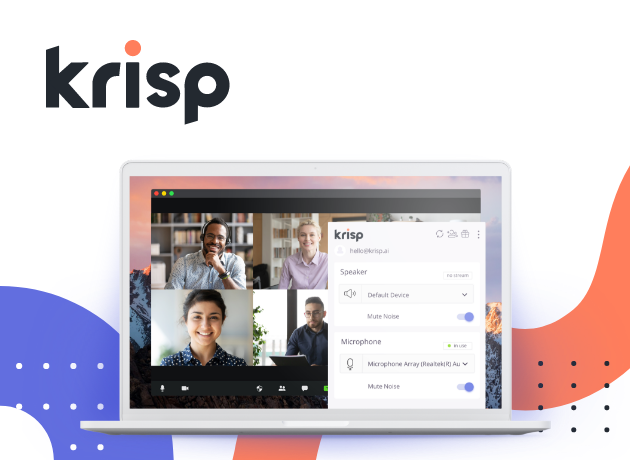
Table of Contents
Walk into any virtual meeting in 2026 and you will quickly notice one thing: people sound cleaner than they used to. A neighbour's blender, a barking dog, or a generator humming in the background no longer derails entire conversations. A big chunk of that quiet revolution belongs to Krisp, the voice AI tool that started as a humble noise cancellation app and has now grown into a full-blown meeting productivity platform.
At Nubia Magazine, we have been watching Krisp evolve for several years, and we decided it was time to put the 2026 version through a proper, no-nonsense review. We installed it on Windows and macOS, tested the login process, used it across Zoom, Google Meet and Microsoft Teams, downloaded the mobile app, and even put the AI meeting assistant through its paces during real interviews and editorial calls. This review brings you everything we found, including where the app shines and where it stumbles.
Our verdict in one line: Krisp earns a solid 3.5 out of 5 from us. It is genuinely useful, especially for noisy environments, but it is not without its quirks.
Krisp Brand Profile at a Glance
Before we dive into the heavy details, here is a quick snapshot of the brand and what it currently offers in 2026.
Attribute | Details |
Brand Name | Krisp |
Founded | 2017 |
Founders | Davit Baghdasaryan and Arto Minasyan |
Headquarters | Berkeley, California, United States |
Industry | Voice AI, Noise Cancellation, Meeting Productivity |
Core Products | AI Noise Cancellation, AI Meeting Assistant, Accent AI, Voice AI SDK, Call Center AI |
Platforms | Windows, macOS, iOS, Android, Chrome Extension, Web App |
Pricing | Free plan available; Pro from 8 dollars per month; Business from 15 dollars per month; Enterprise on request |
Free Plan Limit | 60 minutes of noise cancellation daily, unlimited transcription, 2 AI summaries per day |
Notable Recognition | TIME Best Inventions 2020, Forbes America's Most Promising AI Companies, two Webby Awards |
Compliance | SOC 2, GDPR, HIPAA, PCI-DSS |
Languages Supported | Transcription in 17 languages, translation in 80 plus languages |
Official Website | krisp.ai |
Nubia Magazine Rating | 3.5 out of 5 |
What Exactly is Krisp in 2026?
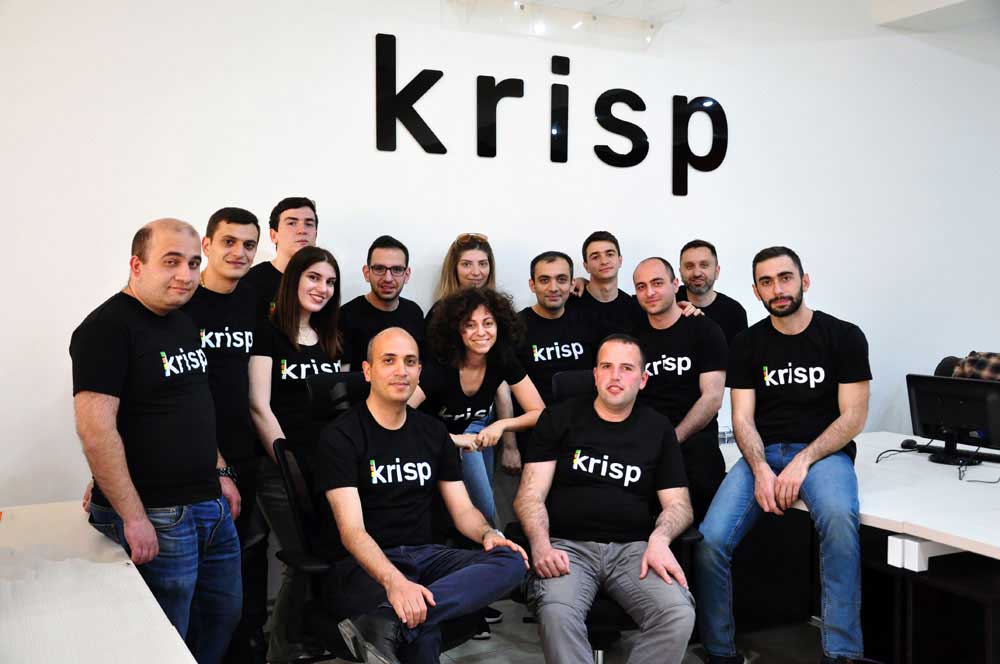
Krisp was founded in 2017 by Davit Baghdasaryan and Arto Minasyan with a simple idea: build software that removes background noise from voice calls without needing fancy hardware. Fast forward to 2026, and the brand has clearly outgrown that original definition. Today, Krisp is best described as a voice AI platform that improves how humans sound and how meetings get documented.
The platform now houses several products under one roof. There is the classic Krisp Noise Cancellation, the AI Meeting Assistant that records and summarises calls without sending a bot into the meeting, the Accent AI that helps speakers sound clearer to international audiences, and the Voice AI SDK that allows developers to plug Krisp's tech into their own apps. Call centres also have a dedicated Voice AI Platform that bundles real-time translation in over 80 languages with agent assist features.
The common thread across all these products is that the heavy audio processing happens on your device, not in the cloud. That choice gives Krisp a real edge on privacy, and during our testing it also kept latency low even on slower internet connections.
Krisp on Windows: Installation and Daily Use
Most of the people we spoke to during our research use Krisp on Windows, so this is where we spent the bulk of our testing time. The current version is built on the new Krisp Downloader, introduced from version 3.0 onwards, and it noticeably reduces the installation headaches that earlier versions were notorious for.
Installation flow: Once you sign up on krisp.ai, you are redirected to an Install page. Click Install on Windows, run the downloaded file, and the Krisp Downloader handles the rest. Setup took us under three minutes on a mid-range laptop. After installation, Krisp adds two virtual devices: Krisp Microphone and Krisp Speaker. You select these inside Zoom, Teams or Google Meet to activate noise cancellation.
System requirements to know: Krisp now needs Windows 10 or Windows 11 (64-bit), at least 4GB of RAM and a relatively modern processor. On older Windows machines, the app sometimes flags performance issues and switches to Low Power Usage mode automatically, which dials down some processing to keep things smooth.
During calls, the app sits quietly in the system tray. A small dashboard shows you how much noise has been removed, how long you have been talking, and gives quick toggles for noise cancellation and the meeting assistant. We tested it through a generator drone, a noisy keyboard, and the chaos of Lagos traffic outside an open window. In every case, callers on the other end said the audio was clean, almost surgically so.
Where Windows users sometimes hit a wall is during updates. Older versions had a habit of failing mid-update, but the new Krisp Downloader has mostly fixed that. If you are on a version below 3.0 and the app refuses to update, the cleanest fix is to fully uninstall, reboot, and install the latest version from the official site.
Krisp Login Experience
Logging into Krisp is straightforward in 2026. You can sign up and sign in using Google, Microsoft, Apple ID, or a regular email and password combination. For teams using single sign-on, the Business and Enterprise plans support SSO and SCIM provisioning, which makes onboarding entire departments painless for IT admins.
Common login issues we noticed: A handful of users reported an authentication error with a code in the top-right corner during sign-in. From our digging through Krisp's help articles and community forums, this usually points to a stale browser session, a corrupted local cache, or a workspace that requires SSO when the user is trying to log in via plain email. The fix is almost always the same: log out everywhere, clear the browser cache, and try again. If you are part of a company workspace, confirm the right login method with your admin before resetting anything.
One small frustration is the device limit on lower-tier paid plans. If you switch laptops often or work across a desktop and a travel laptop, you may hit the limit and need to remove an old device from your dashboard. It is not a deal-breaker, but it is something to keep in mind.
The Krisp App: Look, Feel and Performance
The Krisp desktop app has matured a lot since the early years. The interface is clean, modern, and refreshingly free of clutter. Your home screen gives you three big toggles: Noise Cancellation, Voice Cancellation (which removes other people's voices from your microphone if there is someone else nearby), and the AI Meeting Assistant. Below those toggles, you find your meeting library, transcripts, summaries, and settings.
On performance, Krisp is light enough to run on most modern machines but it is not invisible. Expect a small but noticeable bump in CPU usage during calls, especially on older laptops. Battery life on laptops takes a slight hit too, which is the price you pay for keeping all that AI processing local rather than offloading it to the cloud.
The mobile app: On iOS and Android, Krisp focuses on recording in-person meetings, taking notes during phone calls (in jurisdictions where that is legal), and giving you access to your transcripts on the go. The mobile experience feels a bit lighter than the desktop one, and we wish the design team had given the mobile app a bit more love. It works, but it does not wow.
The Chrome extension: If your meeting life lives mostly inside Google Meet in Chrome, the Krisp extension is a neat shortcut. It captures meetings without forcing you to open the desktop app, and it inherits most of the noise cancellation and transcription features. We still recommend the full desktop app for users who jump between several conferencing platforms in a single day.
Downloading Krisp: Where and How
This is one area where you should not cut corners. Always download Krisp from a trusted source. The safest options in 2026 are:
• The official website at krisp.ai
• The Microsoft Store for Windows users
• The Mac App Store for macOS users
• Apple App Store and Google Play Store for mobile users
• The Chrome Web Store for the browser extension
Avoid third-party download mirrors that promise older or cracked versions. Aside from the obvious security risk, those builds usually break the moment Krisp pushes an update to its cloud sync system, leaving you with a paperweight.
File size: The installer is modest, sitting just under 100MB on Windows. Once installed, the app uses around 250 to 400MB of disk space depending on your usage history and the number of cached transcripts.
User Experience: What Real Users Are Saying
To balance our own testing, we spent days reading user reviews across G2, AppSumo, the Microsoft Store and tech publications. The picture that emerges is mixed but mostly positive.
What users love: The most consistent praise is for the noise cancellation itself. Reviewers often describe the difference between a call with Krisp on and Krisp off as night and day. The bot-free recording approach is also a fan favourite, especially among consultants, lawyers, therapists and journalists who deal with sensitive conversations and would rather not have an obvious AI participant in the room. People also frequently praise the privacy posture, since most of the audio work happens locally.
Where users grumble: The loudest complaints come from long-time AppSumo lifetime deal customers who feel that newer features have been locked out of their original deal. Krisp's official position is that the lifetime deal covered noise cancellation specifically, and that the AI Meeting Assistant is a separate product. That answer technically holds water, but it has clearly bruised goodwill among early supporters. Other recurring complaints include the calendar feature loading at startup, occasional update glitches, and the fact that the free plan's 60-minute daily cap arrives faster than people expect.
Audio quality trade-offs: A few users with high-end microphones in already quiet rooms reported that Krisp can make their voice sound slightly processed, almost too smooth. This is a known trade-off with aggressive noise cancellation. Krisp lets you switch off the feature entirely or use the lighter mode, so it is fixable, but worth flagging.
Pros and Cons at a Glance
What we liked
• Industry-leading noise cancellation that works across virtually every conferencing app
• Bot-free meeting recording and summarisation, which is great for sensitive calls
• On-device processing for the core noise cancellation, which is a strong privacy plus
• Solid free plan that gives you a real taste of the product before paying
• Transcription accuracy that holds up well even in noisy environments
• Strong compliance posture with SOC 2, GDPR, HIPAA and PCI-DSS
Where it falls short
• Heavy users will outgrow the free plan quickly
• Lifetime deal holders feel shortchanged on newer features
• Adds noticeable CPU and battery overhead on older laptops
• Some optional features like the calendar load at startup whether you want them or not
• Accent AI is still limited in language coverage compared to the marketing hype
• Mobile app feels less polished than the desktop experience
Who Should Actually Use Krisp?
Krisp is a no-brainer for remote workers, customer support agents, sales teams, podcasters, journalists, online tutors and anyone whose income depends on sounding clear during calls. If you regularly take meetings from a coffee shop, a coworking space, a noisy home or an open-plan office, the free plan alone will already pull its weight.
It is less essential for people who already have a quality microphone in a quiet office and rarely deal with background noise. In that situation, the built-in noise suppression of Zoom or Microsoft Teams may be enough, and adding Krisp on top can sometimes do more harm than good.
Final Verdict: 3.5 out of 5
Krisp in 2026 is a polished, useful, and largely trustworthy product that does its core job extremely well. The noise cancellation is genuinely excellent, the bot-free meeting assistant is a smart privacy-conscious approach, and the brand has earned its place as one of the leaders in voice AI.
So why not a higher rating? Because the free plan can feel restrictive once you are hooked, the lifetime deal saga has left a sour taste with some loyal customers, the mobile app deserves more attention, and the Accent AI marketing slightly outpaces the current capability. These are not catastrophic flaws, they are growing pains of a product that is doing too many things at once.
Bottom line: If clear audio in meetings matters to your work or your sanity, Krisp is worth installing today. Start with the free plan, see if the daily 60-minute cap fits your routine, and only upgrade once you are sure the Pro features genuinely save you time. For Nubia Magazine, this earns Krisp a comfortable 3.5 out of 5: very good, not perfect, and clearly improving with every update.
Frequently Asked Questions About Krisp in 2026
These are the questions our research showed people are searching most about Krisp this year, with our own answers based on testing and current information from the brand.
1. Is Krisp safe to download and use in 2026?
Yes, Krisp is generally safe to use. The company is SOC 2, GDPR, HIPAA and PCI-DSS certified, and the noise cancellation engine processes audio locally on your device, meaning your voice is not sent to any external server during calls. We always recommend downloading the app directly from krisp.ai or the official Microsoft Store and Mac App Store to avoid tampered installers floating around on third-party sites.
2. Does Krisp really work or is it just hype?
Based on our hands-on testing and dozens of verified user reviews we sifted through, Krisp does deliver on its main promise. It removes constant background noise like fans, traffic, keyboard typing and chatter very well. Where it gets shaky is with sudden loud sounds and very quiet environments where users with already good microphones sometimes notice a slight robotic effect on their voice. So yes, it works, but it is not magic.
3. How much does Krisp cost in 2026?
Krisp offers a free plan that gives you 60 minutes of noise cancellation per day, unlimited transcription and two AI meeting summaries daily. The Pro plan starts at around 8 dollars per month when billed annually, the Business plan sits at about 15 dollars per seat per month, and Enterprise pricing is custom. Prices may vary depending on region and ongoing promotions, so check the official site before checking out.
4. Why is Krisp not working on my Windows 11 PC?
If Krisp is misbehaving on Windows 11, the usual suspects are an outdated version of the app, a conflict with another virtual microphone driver, or your system not meeting the minimum requirements. Try updating to the latest version (Krisp 3.0 and above use a smarter installer called Krisp Downloader), restart your PC, set Krisp Microphone and Krisp Speaker as default in your conferencing app, and make sure no other audio enhancement software is running in the background.
5. How do I log into Krisp on a new device?
Open the Krisp app, click Sign In and choose your preferred login method, which can be Google, Microsoft, Apple or email and password. If you keep getting an authentication error code on the top right of the screen, log out fully on your old device first, clear your browser cache, then try again. Krisp also limits the number of devices on certain plans, so you may need to remove an old device from your dashboard before adding a new one.
6. Can I use Krisp without downloading the desktop app?
Yes, but with limitations. Krisp has a Chrome extension that works neatly with Google Meet inside the browser, and the AI Meeting Assistant has a web dashboard for reviewing transcripts and summaries. However, to enjoy the full noise cancellation experience across all conferencing apps like Zoom, Teams and Slack Huddles, the desktop app is still your best bet.
7. Does Krisp record meetings without a bot joining?
This is one of Krisp's biggest selling points in 2026. Yes, it offers bot-free recording, meaning no awkward AI participant pops into your meeting. Krisp captures the audio at the system level once you set it as your microphone or speaker, then transcribes and summarises it in the background. Many users prefer this for confidential client calls and sensitive internal meetings.
8. What are the best alternatives to Krisp?
If Krisp does not fit your workflow or budget, the popular alternatives in 2026 include Otter.ai for transcription-heavy users, Fireflies.ai for CRM-integrated note taking, Granola and Bluedot for clean bot-free meeting notes, NVIDIA Broadcast for users with compatible NVIDIA graphics cards, and the built-in noise suppression inside Zoom and Microsoft Teams for casual users who only need basic filtering.
9. Is Krisp free forever or just a trial?
Krisp's free plan is genuinely free forever, not just a trial. You will not be asked for a credit card to use it. The catch is the daily 60 minute limit on noise cancellation and the cap of two AI summaries per day. For freelancers and casual remote workers, the free plan can stretch quite far. Heavy users and customer-facing teams will outgrow it within a week.
10. Does Krisp work on mobile phones?
Yes. Krisp has dedicated apps for both iOS and Android. The mobile app is particularly handy for in-person meetings, recording phone calls (where local laws permit), and handling on-the-go interviews. The mobile experience is lighter than the desktop one, and a few advanced features like accent conversion remain desktop-first as of this review.
Nubia Magazine Verdict
Voice AI is moving fast, and Krisp is moving with it. The brand has done a smart job of evolving from a single-feature app into a full meeting platform without losing the one thing that made it famous in the first place: clean, clear audio. There are still rough edges, but for most professionals working in 2026, Krisp is one of the simplest tools you can install today to immediately sound more professional in every meeting tomorrow.
Related Posts


0 Comments
Join the discussion and share your thoughts
No Comments Yet
Be the first to share your thoughts on this article!