iA Writer Review 2026: App, download, Free, Windows, Alternative, & FAQs

Table of Contents
Every few months, someone on the Nubia editorial team brings up the same complaint: writing software keeps getting in the way of writing. New comment threads, new sidebars, new AI buttons that finish your sentences before you do. So when readers kept asking us to take another look at iA Writer in 2026, we decided to spend a few weeks actually using it. Not just opening it once and scribbling notes, but drafting real articles, longer essays, and even a chunk of an interview transcript inside it. What follows is our honest verdict.
iA Writer has been around since 2010, and in many ways it has not changed much. It still looks like a slightly grown-up typewriter on your screen. It still refuses to add features for the sake of having them. And in a year where almost every text editor is racing to bolt on generative AI, iA Writer is going in the opposite direction, building tools to track AI rather than produce it. This is a love-it-or-leave-it kind of app, and we tried to figure out which camp most readers will fall into.
iA Writer Brand Profile
Before diving into the review, here is a quick overview of the brand as it stands in 2026.
iA WRITER | BRAND PROFILE AT A GLANCE | |
|---|---|
Brand Name | iA Writer |
Developer | Information Architects (iA), a Swiss-Japanese design agency |
Founded | iA founded in 2005; iA Writer first released September 22, 2010 |
Headquarters | Zurich, Switzerland (with operations in Tokyo, Japan) |
Category | Minimalist Markdown text editor / writing app |
Platforms Available | macOS, Windows, iPhone, iPad, Android |
Pricing Model | One-time purchase per platform (no subscription) |
Price Range (2026) | $19.99 (iOS), $29.99 (Windows), $49.99 (Mac) |
Free Trial | 14-day full-feature trial on Mac and Windows (no credit card) |
Core Features | Focus Mode, Syntax Highlight, Style Check, Authorship (AI tracking), Markdown support, Content Blocks |
Export Formats | PDF, Word (DOCX), HTML, Markdown |
Cloud Sync | iCloud, Dropbox, Google Drive, OneDrive (varies by platform) |
Custom Typeface | iA Writer Mono, Duo, and Quattro (variable fonts) |
Best For | Bloggers, journalists, academics, novelists, minimalists |
Official Website | ia.net/writer |
Nubia Rating | 3.5 / 5 |
iA Writer Review 2026: The App
At its core, iA Writer is a Markdown text editor. That sentence alone will either excite you or send you running, so we will translate. Markdown is a simple way of formatting text using symbols you can type on any keyboard. A hash means a heading. Asterisks mean bold. That is basically it. iA Writer takes this idea and wraps it in what is probably the most carefully designed writing interface on the market.
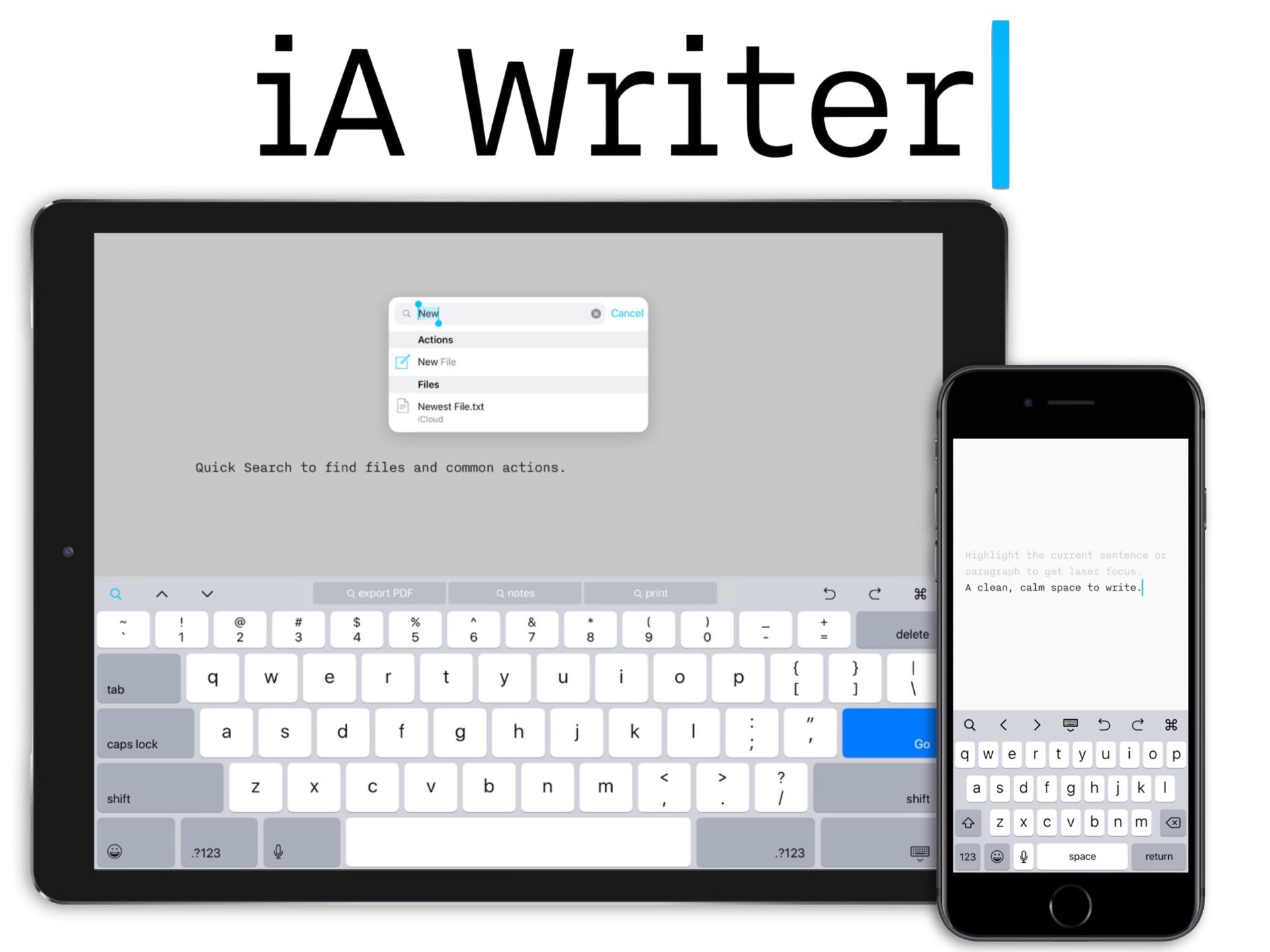
Open the app and you get a near-empty page, a custom monospace font called iA Writer Mono, and a blue cursor. There are no toolbars cluttering your view, no formatting ribbons, no font menus. If you want to focus on one sentence at a time, you switch on Focus Mode and the rest of your document fades to gray. If you want to know how often you lean on adverbs, Syntax Highlight will color them for you. If you paste something from ChatGPT or another AI tool, the new Authorship feature visually flags it so you can see exactly which words are yours.
In day-to-day use, we found the app fast and reliable. Files open instantly. Typing feels light. The custom typography is genuinely a pleasure to look at over long sessions, which sounds like a minor thing until you spend six hours staring at a screen. iA Writer is not trying to be Microsoft Word, and it is not trying to be Notion either. It picks a lane and stays in it.
iA Writer Download: How to Get It in 2026
Downloading iA Writer in 2026 is straightforward but slightly fragmented, because the app lives on different stores depending on your device. Here is the cleanest path for each platform.
- Mac: Available from the Mac App Store or directly from ia.net/writer as a free 14-day trial.
- Windows: Sold via the Microsoft Store and as a downloadable trial from the official site.
- iPhone and iPad: Found on the Apple App Store, with no free trial because Apple does not allow it for paid-upfront apps.
- Android: Available on the Google Play Store, though this version has not received a major update since 2020 and feels neglected compared to the others.
The simplest way to evaluate the app before paying is to grab the Mac or Windows trial, since both give you full access for two weeks with no credit card required. We strongly recommend testing it on the platform you actually plan to use, because the experience is slightly different on each.
Is iA Writer Free?
This is one of the most common questions we see, and the answer is no, iA Writer is not free. There is no permanent free tier, no ad-supported version, and no freemium model. What the company does offer is a fully featured 14-day trial on Mac and Windows, which is generous enough that you can write an entire article or even a small book during that window without paying a cent.
After the trial expires, iA Writer becomes a one-time purchase. You pay once and own that version forever, with free updates within the major version cycle. There is no subscription that renews every year, which is increasingly rare in 2026. That said, the per-platform pricing means if you want iA Writer on both your Mac and your iPhone, you pay twice. For a writer who already owns several devices, the total can add up to roughly 70 dollars or more.
iA Writer for Windows
The Windows version of iA Writer costs around 29.99 dollars and runs on Windows 10 and 11. It carries the same minimalist look as the Mac version, with the same custom typography, Focus Mode, Markdown support, and export options. For Windows users who have long looked at Mac writing apps with envy, this is one of the few that has been ported well rather than slapped together as an afterthought.
That said, the Windows version trails the Mac and iOS apps slightly in terms of newer features. Authorship, the flagship AI-tracking tool introduced with version 7, was first rolled out on Apple platforms. iA has said publicly that it plans to bring Authorship to Windows and Android in the future, but as of our testing, Windows users were still waiting. If you want the cutting edge of what iA Writer can do today, the Mac version remains the lead platform.
Even with that caveat, the Windows app is one of the most polished Markdown editors you can buy on that operating system. It runs smoothly, the file management is local-first, and it integrates with OneDrive and Dropbox without much fuss. For Windows-based writers who do not want a subscription, it is a serious contender.
iA Writer Alternatives in 2026
iA Writer is excellent, but it is not the only player in this space. During our review period we also looked at how it compares to the main alternatives that readers keep asking about. Here is a quick honest rundown of where each tool fits.
Ulysses
Ulysses is the closest direct competitor in spirit. It is also a focused writing app, but built around a library system rather than plain files on disk. Ulysses costs roughly 49.99 dollars a year as a subscription, which makes it more expensive over time, but it covers all your Apple devices with one license. It is the better choice if you write long-form projects like books and want built-in organization. iA Writer is the better choice if you want plain Markdown files you can take anywhere.
Obsidian
Obsidian is free for personal use and built around linked notes, a graph view, and a huge plugin ecosystem. It is a knowledge management tool first and a writing app second. If your work involves building a personal wiki or connecting ideas across hundreds of notes, Obsidian will run circles around iA Writer. If your work is drafting clean prose, Obsidian can feel busy by comparison.
Typora
Typora is the budget pick at 14.99 dollars for a license that covers three devices across Mac, Windows, and Linux. It offers a slick live-preview WYSIWYG experience that iA Writer deliberately avoids. Typora is the better choice if you want to see your formatted output as you type. iA Writer is the better choice if you want a stricter separation between writing and formatting.
Bear
Bear is an Apple-only notes app with Markdown support and lovely typography. It costs about 2.99 dollars a month or 29.99 dollars a year. Bear is the better choice if you need note-taking with tags and links across an Apple-only setup. iA Writer is the better choice if you want a serious drafting tool that runs on Windows too.
Microsoft Word
Word is still the standard for professional documents, especially if your editor or client needs tracked changes and a fully formatted manuscript. iA Writer is the better choice for early drafts. Word is the better choice for the final polished version, which is why many of our writers move between the two.
User Experience
This is where iA Writer either wins you over or loses you. There is no middle ground.
Within the first hour of using it, two things stood out to us. First, the typography is genuinely beautiful. The custom iA Writer Mono font is designed specifically for long reading and writing sessions, and you can feel the difference after about thirty minutes. Letters have just enough breathing room. The cursor is a distinctive blue bar that helps you find your place again after a coffee break. The dark mode is one of the few we have used that does not feel like staring into a void.
Second, the lack of features takes some getting used to. There are no real-time collaborators. No comment threads. No version history sidebar. No AI button that drafts your next paragraph. After years of bloated apps, this feels strange at first, almost like the software is missing something. By day three, it started to feel like a relief. By the end of the second week, going back to a busier app felt physically annoying.
That said, iA Writer is not perfect. Managing long-form projects like a book is genuinely awkward. The library view is organized by folders, not chapters, which works fine for blog posts and articles but starts to break down when you have fifty interconnected files. There is also no real-time collaboration, which is a non-starter for teams that share drafts back and forth. And the Authorship feature, while genuinely clever, is currently limited to Apple platforms.
On the upside, the app respects your privacy in a way most modern software does not. Files are stored locally as plain Markdown text. There is no cloud account to sign up for. Nothing gets sent to a server unless you explicitly choose a sync option like Dropbox or iCloud. For writers working on sensitive material, this matters.
Nubia Magazine Verdict
After several weeks of real use across Mac and Windows, our final rating for iA Writer in 2026 is 3.5 out of 5. It is a beautifully crafted writing tool that does one thing extraordinarily well. The typography, the focus mode, and the Authorship feature are all standout in a category that is otherwise drowning in feature bloat. The plain-text, one-time-purchase model is increasingly rare and increasingly welcome.
Where it loses points is in the rougher edges that have not been smoothed over in 2026. The per-platform pricing feels outdated when competitors offer cross-platform licenses. Long-form project management is weaker than it should be. The Windows and Android versions trail the Apple apps. And the lack of any real collaboration features will rule it out for teams entirely.
If you are a solo writer who values calm, beautiful typography, and ownership of your files, iA Writer is one of the best money-can-buy options in 2026. If you write in groups, manage huge projects, or want AI baked into your editor, look elsewhere. We recommend grabbing the free trial and letting the app speak for itself.
Frequently Asked Questions About iA Writer
Based on what readers are searching most in 2026, here are the questions we keep seeing about the app.
1. Is iA Writer worth buying in 2026?
For solo writers who want a clean, focused Markdown editor without a subscription, yes. The one-time purchase model means you own the app forever, and the typography and Focus Mode are genuinely best in class. If you need collaboration, advanced project management, or built-in AI writing, it is probably not worth it.
2. Does iA Writer have an AI feature?
Not in the way most apps do. iA Writer deliberately avoids generative AI inside the editor. Instead, it offers Authorship, a feature that tracks which parts of your text were typed by you, pasted from somewhere else, or generated by AI tools. It is a philosophical stance against AI ghostwriting rather than a tool that produces text for you.
3. How much does iA Writer cost in 2026?
As of 2026, iA Writer costs 19.99 dollars for iPhone and iPad, 29.99 dollars for Windows, and 49.99 dollars for Mac. Each is a one-time purchase. There is no subscription and no cross-platform license, so using it on multiple devices means buying it for each.
4. Is there a free version of iA Writer?
There is no permanent free version. iA Writer offers a 14-day fully featured free trial on Mac and Windows with no credit card required. The iOS versions do not offer a trial because of Apple App Store rules. After the trial, you must purchase the app to keep using it.
5. Is iA Writer available for Windows?
Yes. iA Writer for Windows runs on Windows 10 and 11 and costs around 29.99 dollars. It includes the same core features as the Mac version, including Focus Mode, Markdown support, and the custom iA Writer Mono font. The Authorship feature has not yet rolled out to Windows as of mid-2026, but it is on the official roadmap.
6. What is the best alternative to iA Writer?
It depends on what you need. Ulysses is the closest direct competitor for Apple users who want library-based writing. Obsidian is the best free alternative for note-takers and researchers. Typora is the budget-friendly option for a WYSIWYG Markdown experience. For team collaboration, Google Docs and Microsoft Word remain better choices.
7. Does iA Writer work offline?
Yes. Files are stored locally as plain Markdown text, and the app works fully offline. Cloud sync through iCloud, Dropbox, OneDrive, or Google Drive is optional. This makes iA Writer particularly attractive for travel, sensitive work, or environments with unreliable internet.
8. Can I use iA Writer for blogging or publishing?
Absolutely. Many writers use iA Writer specifically for blog posts and articles because Markdown exports cleanly to WordPress, Ghost, and most modern publishing platforms. The app supports direct publishing to WordPress and Medium on Apple platforms, and you can always export to HTML or Word for upload elsewhere.
9. Is iA Writer good for writing books?
It is good for drafting books but weaker for managing them. Many novelists use iA Writer for the actual writing because the distraction-free interface and beautiful typography support long sessions. However, for organizing fifty chapters, character notes, and research, dedicated tools like Scrivener or Ulysses are better. Some writers use iA Writer for drafting and import into Scrivener later.
10. Is iA Writer better than Microsoft Word?
They serve different purposes. iA Writer is better for distraction-free drafting and writers who want plain, portable files. Microsoft Word is better for formatted business documents, tracked changes with editors, and complex layouts. Many professional writers use iA Writer for early drafts and Word for the final polished manuscript.
iA Writer in 2026 is a quiet rebel. While the rest of the industry races to add features, it doubles down on what made writers fall in love with it back in 2010: a clean page, a beautiful font, and nothing in your way. It is not perfect, and at this price it should not be. But for the right kind of writer, it remains one of the most thoughtful pieces of creative software on any platform. Three and a half stars, with no regrets.
Related Posts



0 Comments
Join the discussion and share your thoughts
No Comments Yet
Be the first to share your thoughts on this article!